How to Upload Images to ImgURL Using the Static Single-Page Version
ImgURL is an image hosting program developed by xiaoz, built with PHP and SQLite3. The ImgURL static single-page version is a purely static page of ImgURL that does not require PHP environment support. You can simply download it and open it in a browser to upload images, or upload the page to a site directory for access.
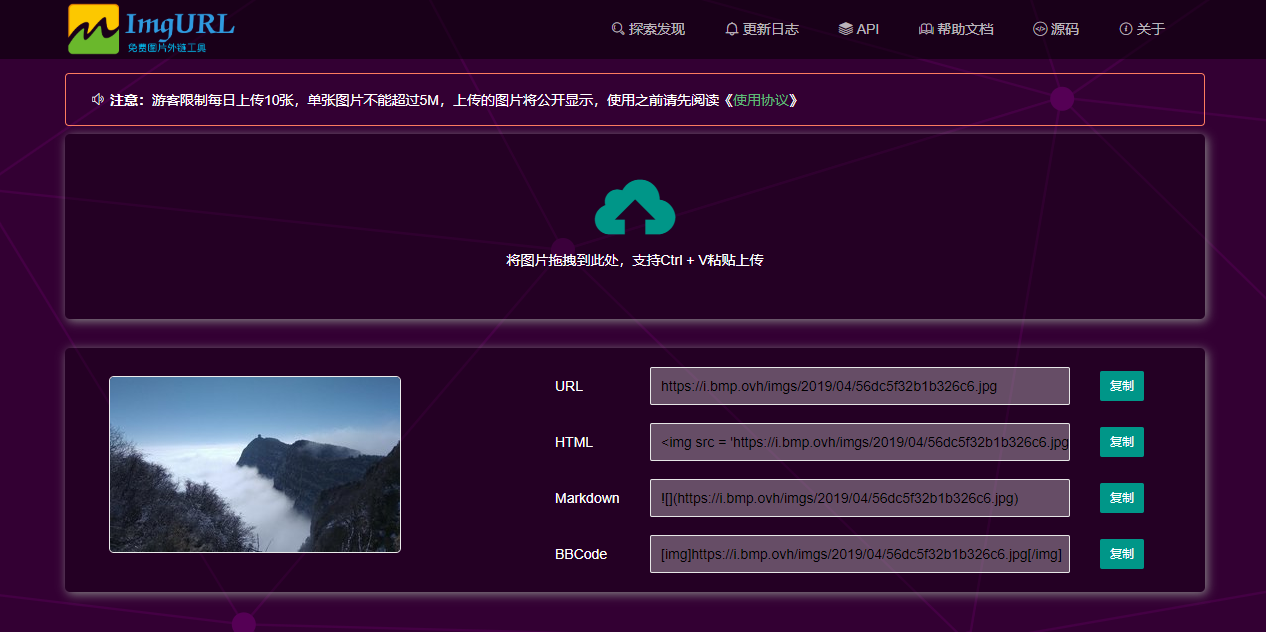
Download ImgURL Static Version
Visit master.zip to download the latest version of the ImgURL static program. The directory structure is shown in the figure below.
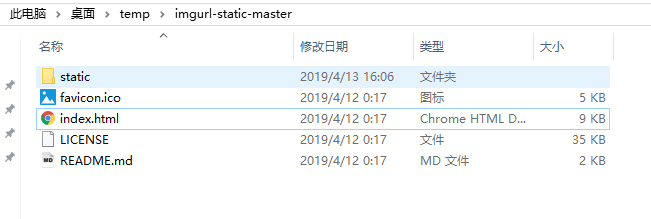
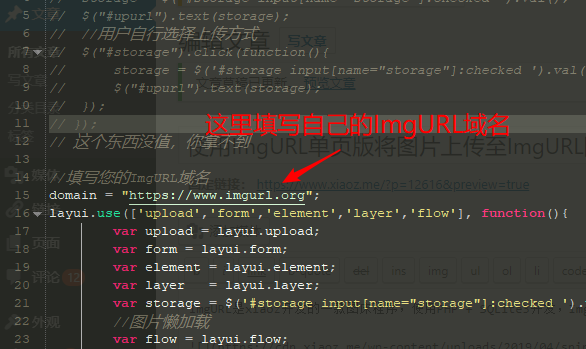
You can directly open index.html in a browser to upload images. By default, it uses the API provided by https://imgurl.org. You can also modify static/embed.js to fill in your own ImgURL hosting address (note that the ImgURL version must be greater than v2.2), as shown in the figure below.
Feature Description
The ImgURL static version also supports drag-and-drop upload and Ctrl + V paste upload, returning links in formats such as URL, HTML, BBCode, and Markdown. However, it currently does not support uploading multiple images at once.
Pros and Cons of ImgURL Static Version
Pros: It is a purely static page with no dependencies, making it very simple to use.
Cons: The ImgURL static version relies on the ImgURL backend API, so the number of images uploaded daily is limited, and you cannot manage the images. If you need to manage images, it is recommended to deploy the ImgURL service yourself.
- ImgURL static version project address: https://github.com/helloxz/imgurl-static
- ImgURL project address: https://github.com/helloxz/imgurl