How to Subscribe to ChatGPT Plus Using a Domestic Credit Card via Google Play
Since ChatGPT Plus does not support direct binding and payment with domestic credit cards, we can first bind the credit card to Google Play, and then subscribe to ChatGPT Plus through the ChatGPT APP using the Google Play method. This method has been verified by xiaoz.
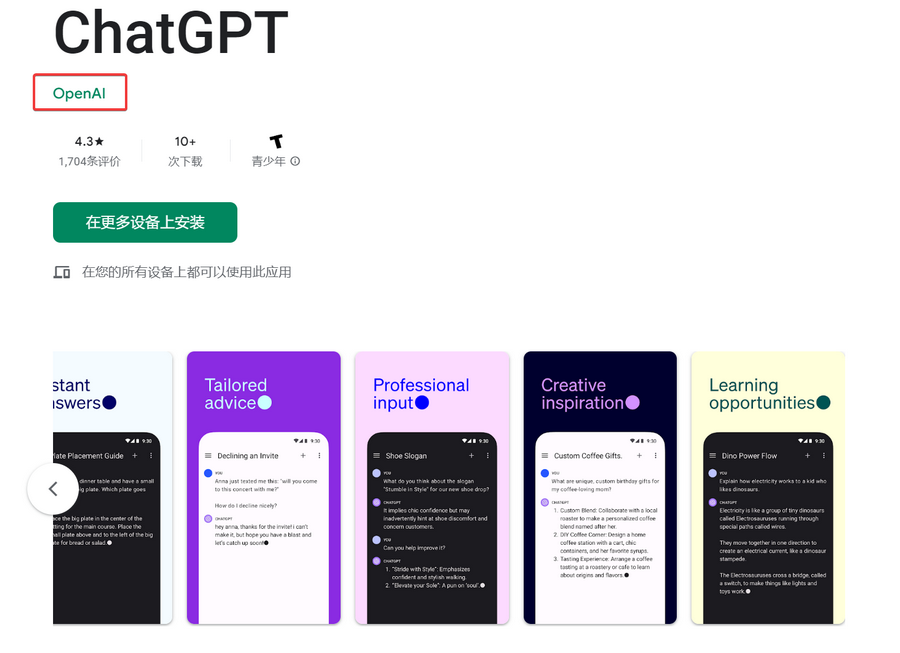
Preparation
- A domestic VISA or MasterCard credit card
- A US region Google Play account (remember to use a tax-exempt state address in the US)
- A clean proxy node for internet access
- An Android smartphone
Cancel Current ChatGPT Plus Subscription
If you have previously activated ChatGPT Plus using an overseas virtual card, you need to cancel the current plan on the ChatGPT web version by clicking "Manage Subscription" in the bottom left corner. After cancellation, the Plus subscription will not take effect immediately but will expire on the next billing date. This step is necessary to facilitate re-subscribing to ChatGPT Plus via the mobile APP. If you do not cancel the existing subscription, you cannot operate it on the APP.
If your account does not have a ChatGPT Plus subscription, you can skip this step.
Install ChatGPT APP
For the ChatGPT APP installation method, please refer to another article: ChatGPT Official Android (Android) APP Launched, Installation Guide Included
Note: Google Play requires a US region account; otherwise, you may not be able to search for and install ChatGPT.
Bind Domestic Credit Card to Google Play
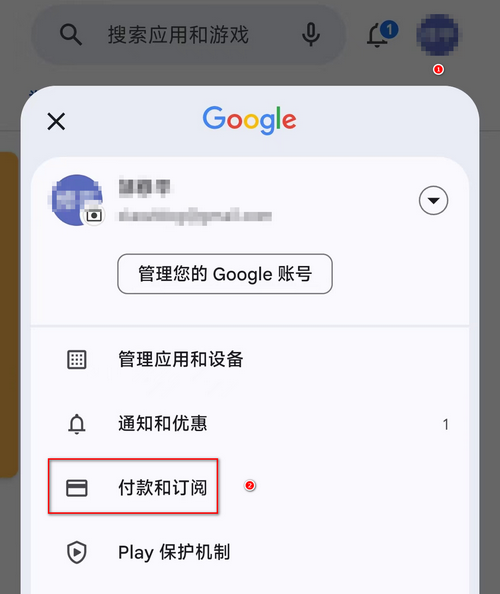
Open Google Play, click "Payments & Subscriptions" in the top right corner.
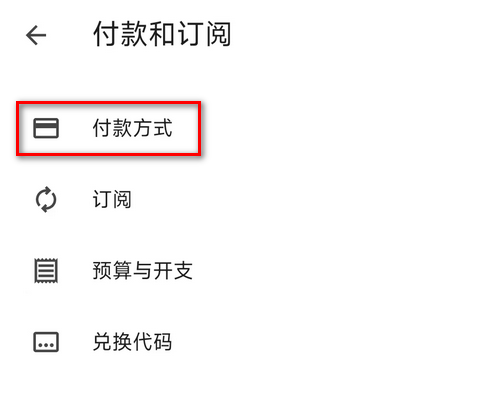
Click "Payment methods".
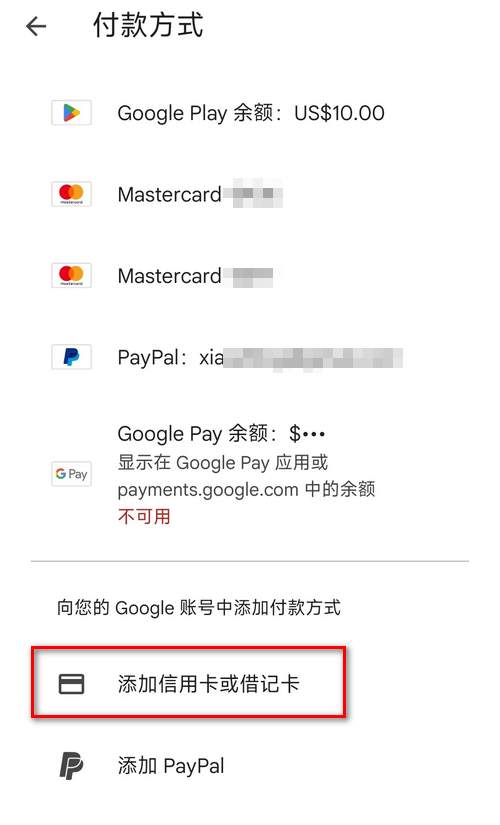
Find "Add credit or debit card" and add your domestic VISA/MasterCard credit card according to the system instructions.
Subscribe to ChatGPT Plus
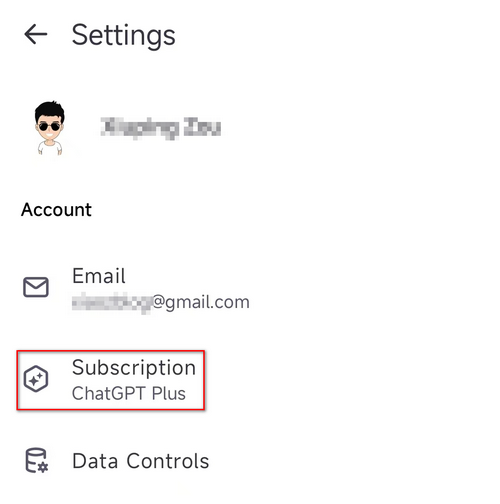
Open the ChatGPT APP, click the bottom left corner, and find "Subscription".
Select the domestic credit card you just bound, then confirm the subscription.
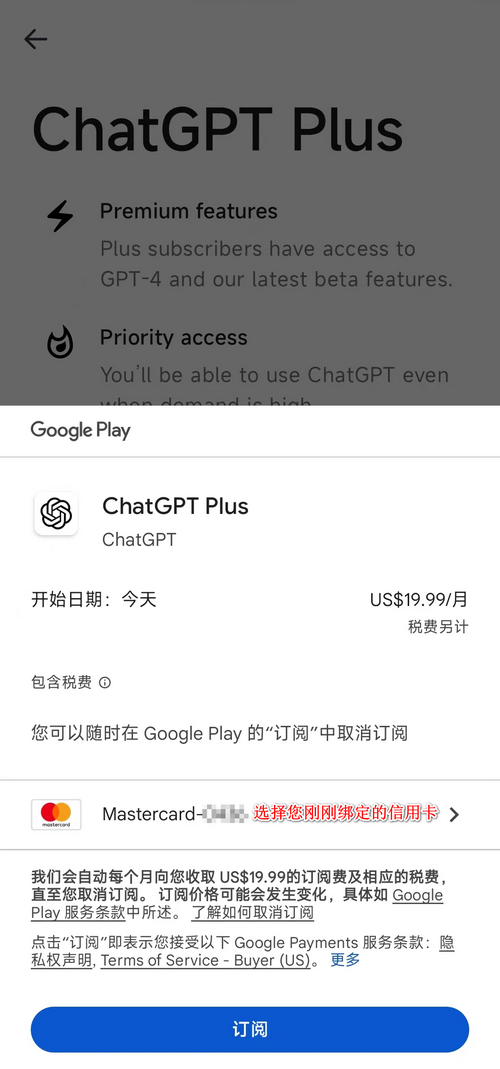
Note: Your Google Play billing address must use a US tax-exempt state address; otherwise, taxes may still be included. There are 5 tax-exempt states in the US: parts of Alaska, Delaware, Montana, New Hampshire, and Oregon. These addresses can be found via Google Maps!
Conclusion
The above method uses a domestic credit card bound to Google Play to indirectly subscribe to ChatGPT Plus. It is recommended for friends who do not have an overseas virtual card. If you are paying OpenAI API bills, you still need to use an overseas virtual card. It is recommended to use the following virtual cards to pay OpenAI bills:
- BinPay Virtual Card Beginner's Guide, Supports OpenAI/ChatGPT
- 2025 Latest Version, WISE Account Opening Tutorial and Virtual Card Application
ChatGPT/OpenAI TG Group: https://t.me/+L0g2D-hecQM4ODVl