Reviewing Zoho Mail Lite: Features, Pricing, and Limitations
Zoho offers many products for enterprise users. As a personal website owner, I don't use most of them, but enterprise email is a necessity for me, especially for sending emails from my website. I have been using Zoho's enterprise email service for several years and purchased their Lite plan, which is affordable at $12 per year per user.
This article will not cover the application, configuration, or usage tutorials for Zoho Mail; it only shares my simple impressions of using the service.
About Pricing
Zoho Mail can be applied for for free. The entry-level paid plan (Lite) costs $1 per month per user (note: this is for a single email user), which amounts to $12 per year. Below is a screenshot of Zoho Mail's pricing.
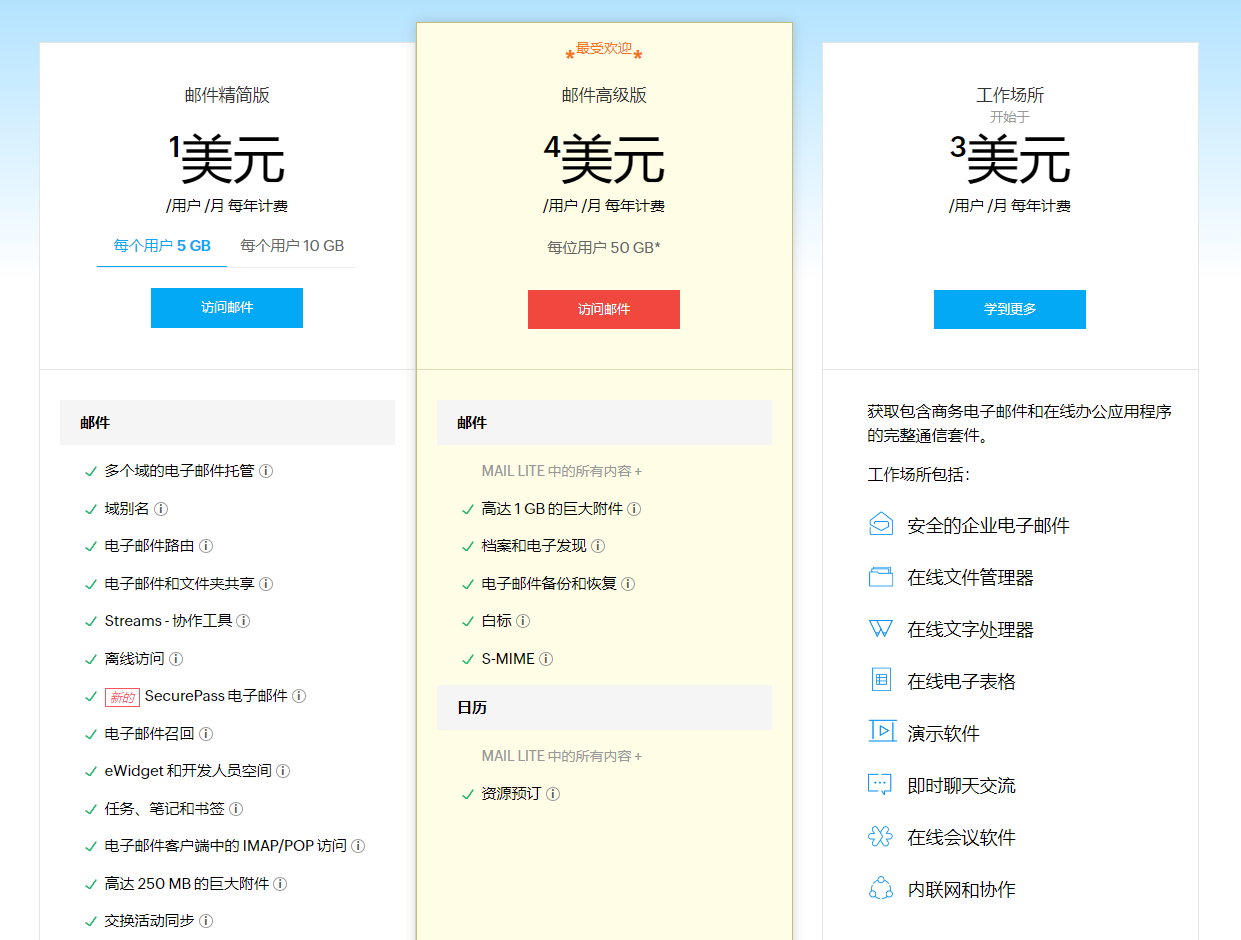
The Best Email Aliases
Zoho Mail has a great feature: email aliases. You only need to purchase the lowest-tier plan to support email alias services, and there is no limit on the number of aliases. For example, if you purchase the Zoho Mail Lite service with the user email admin@domain.com, and you have multiple domains, you can add unlimited aliases, such as admin@domain1.com, admin1@domain1.com, admin@domain2.com, and admin1@domain2.com.
Similar Products
Many domestic vendors also provide enterprise email services, such as NetEase, Tencent, and recently Feishu (Lark), which also supports enterprise email.
Limitations
There are many free enterprise email services on the market. Both paid and free versions have limitations, and Zoho Mail is no exception. For instance, regarding sending volume, sending a large number of emails in a short period is not allowed, although some vendors do not disclose this publicly.
Below is the email sending limit published by Feishu.
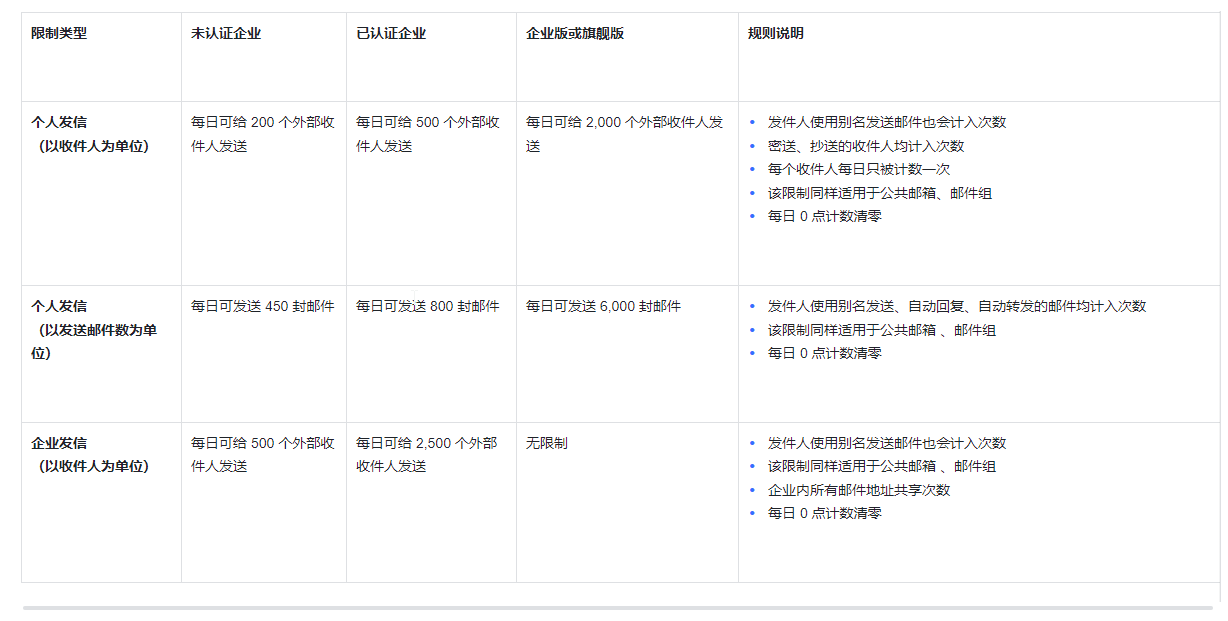
Recently, I recommended a client to purchase the Zoho Mail Lite service. Their website sends about 100-200 emails per day. Unfortunately, every few days, the account gets restricted because the sending frequency exceeds the limit. Once the limit is exceeded, the account is locked and will not unlock automatically; it requires manually clicking a link in the backend to unlock. Users of Zoho Mail should be aware of this.
Therefore, Zoho Mail Lite is not suitable for sending a large volume of emails. If you need to send a large number of emails, you might need to purchase a dedicated bulk sending service, such as Sendcloud (Sohu) or Mailgun, though these are not cheap. The most cost-effective solution for bulk sending is likely self-hosting.
Self-Hosted Email Sending Services
There are many self-hosted email services available, such as iRedMail, Poste, and mailcow. However, I have only used Poste and mailcow so far. I will discuss self-hosted email servers in more detail in a future post.