ZY Player: A Fun Cross-Platform Video Resource Player
ZY Playercross-platform video playeropen source media playervideo streaming appmulti-source video player
Published·Modified·
ZY Player is an open-source cross-platform video player that supports Windows, macOS, and Linux clients, allowing direct playback of video content from multiple online video websites. It also supports scanning a QR code to play videos on WeChat.
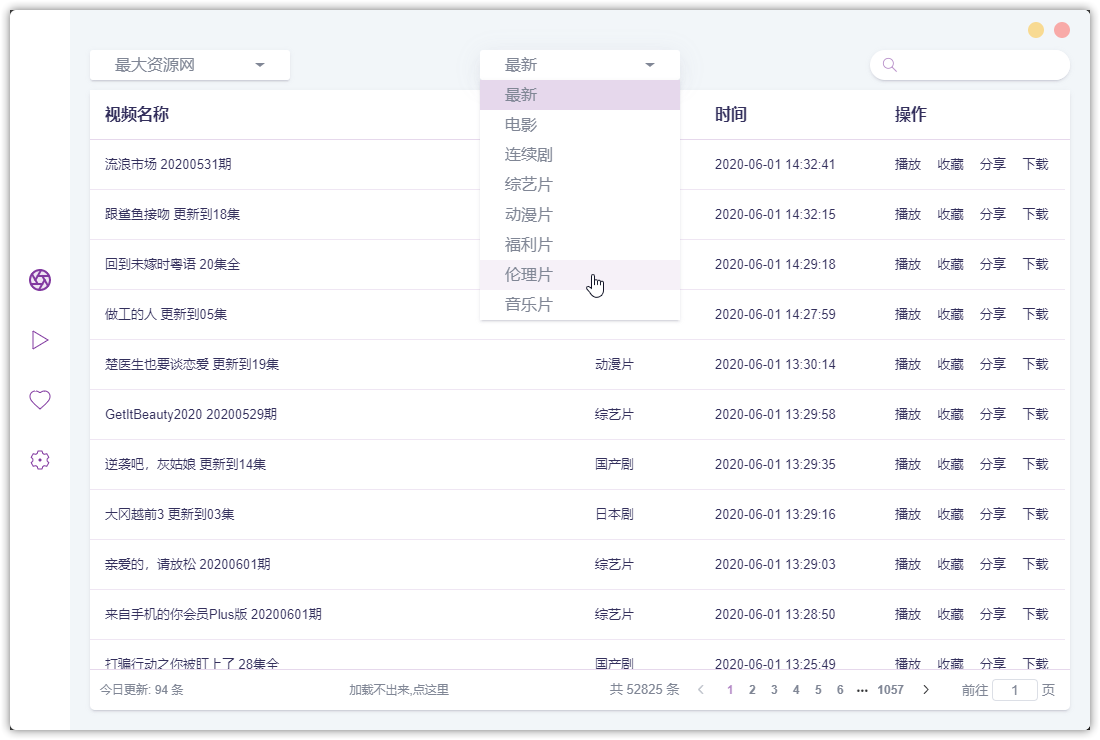
ZY Player Resource Player Features
- Full Platform Support: Windows, Mac, Linux
- 12 Video Sources: With plans to add more video sources in the future
- Playback History: New feature to record playback history and progress
- Sharing Function: One-click sharing of poster images
- Lite Mode: Supports transparency adjustments
- Favorites Sync: Synchronized updates for video tracking
- Actor Search: Supports searching by actor names
- Detailed Video Categories: More granular video classification
- Auto Updates: Background automatic updates
- New Layout & Color Scheme: Fresh design
- Multi-language Support: Added support for multiple languages
- Global Shortcuts: Customizable keyboard shortcuts
- Download Function: Built-in video download capability
User Experience
ZY Player features a very clean and refreshing interface with no ads. It supports video search and even allows viewing "bonus content" for those interested. Feel free to download and try it out.
- ZY Player Official Website: http://zyplayer.fun/
- Download Link: https://github.com/Hunlongyu/ZY-Player/releases
- GitHub Project: https://github.com/Hunlongyu/ZY-Player/