YOURLS Installation, Configuration, and Setup Guide
YOURLS is a URL shortening script developed using PHP and MySQL. Compared to public shortening services, its key advantage is that you retain full control over your data.

1. Download
YOURLS is free and open-source. You can download the latest version from the Releases page. After downloading, extract the files to your site's root directory and rename config-sample.php to config.php.
mv user/config-sample.php user/config.php
2. Configure MySQL Database
First, create a new MySQL database and set up the username and password. Then, modify the user/config.php configuration file to enter the correct MySQL information:
# Database username
define( 'YOURLS_DB_USER', 'yourls' );

# Database password
define( 'YOURLS_DB_PASS', 'xxxxxxxx' );

# Database name
define( 'YOURLS_DB_NAME', 'yourls' );

# Database host
define( 'YOURLS_DB_HOST', 'localhost' );

# Database table prefix (keep default)
define( 'YOURLS_DB_PREFIX', 'yourls_' );
3. Set Username and Password
Modify the configuration file to set your login credentials. You can configure multiple users:
# Edit configuration file
vi user/config.php

# Set username and password
$yourls_user_passwords = array(
        'username' => 'password',
        // 'username2' => 'password2',
        // You can have one or more 'login'=>'password' lines
        );
4. Other Settings
Configure additional site parameters in config.php:
# Set site domain
define( 'YOURLS_SITE', 'http://ozh.in' );

# GMT time offset
define( 'YOURLS_HOURS_OFFSET', '-5' );

# Set to private
define( 'YOURLS_PRIVATE', 'true' );

# Set cookie key (generate at https://api.yourls.org/services/cookiekey/1.0/)
define( 'YOURLS_COOKIEKEY', 'qQ4KhL_pu|s@Zm7n#%:b^{A[vhm' );

# MySQL connection driver
define('YOURLS_DB_DRIVER', 'mysqli');
5. Configure Pretty Permalinks
YOURLS comes with built-in Apache .htaccess rules. If you are using Apache with mod_rewrite enabled, no further configuration is needed. If you are using Nginx, add the following rules and reload Nginx:
location / {
    try_files $uri $uri/ /yourls-loader.php?$args;
}
6. Set Language to Chinese
Although the default interface may appear in Chinese depending on the version, if you need to ensure Chinese localization, you can download a Chinese language pack from yourls-zh_CN. Extract the files to the user/languages directory and modify user/config.php:
# Check language files
[root@aliyun-hz languages]# ll
total 68
-rw-r--r-- 1 www www   210 Apr 23  2017 index.html
-rw-r--r-- 1 www www    51 Mar 24  2013 README.md
-rw-r--r-- 1 www www 22123 Mar 24  2013 zh_CN.mo
-rw-r--r-- 1 www www 32783 Mar 24  2013 zh_CN.po

# Enable Chinese in config.php
vi user/config.php
define( 'YOURLS_LANG', 'zh_CN' );
7. Access and Test
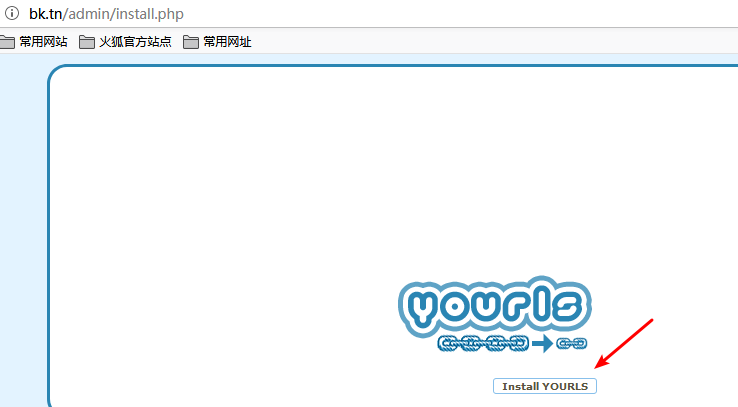
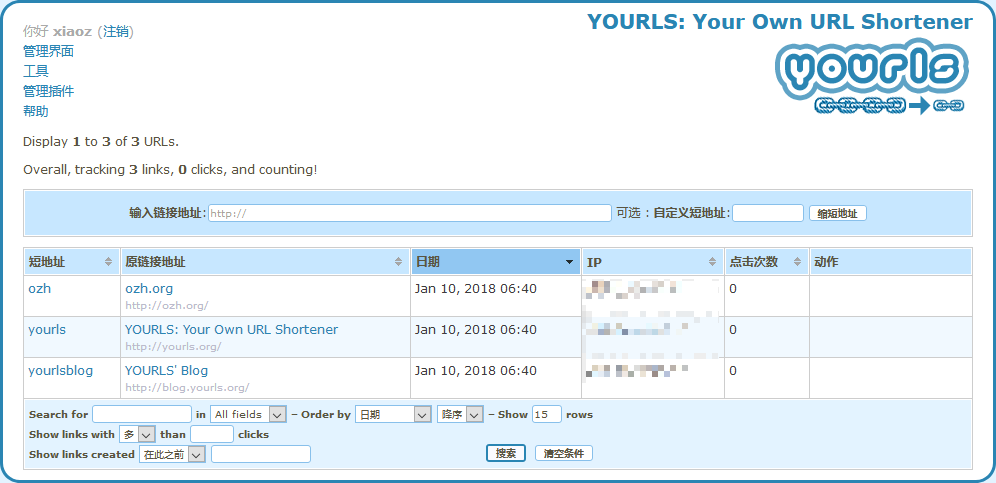
After completing the configuration, visit http://domain.com/admin to finish the initial setup. Log in using the username and password set in Step 3.
Summary
YOURLS supports link statistics, including visits, geographic location, and referral sources. It also provides API support (refer to the official documentation). While the functionality is sufficient, the interface may appear somewhat outdated.
Demo: https://dwz.ovh/laoxue (Redirects to Laoxue Host) Official Site: http://yourls.org/ Source Code: https://github.com/YOURLS/YOURLS