Termora: A High-Performance, Cross-Platform SSH Client with a Stunning UI
Termora is a visually appealing terminal emulator and SSH client that currently supports Windows, macOS, and Linux. According to the author, support for Android and iOS is planned for the future. The project is open source on GitHub.
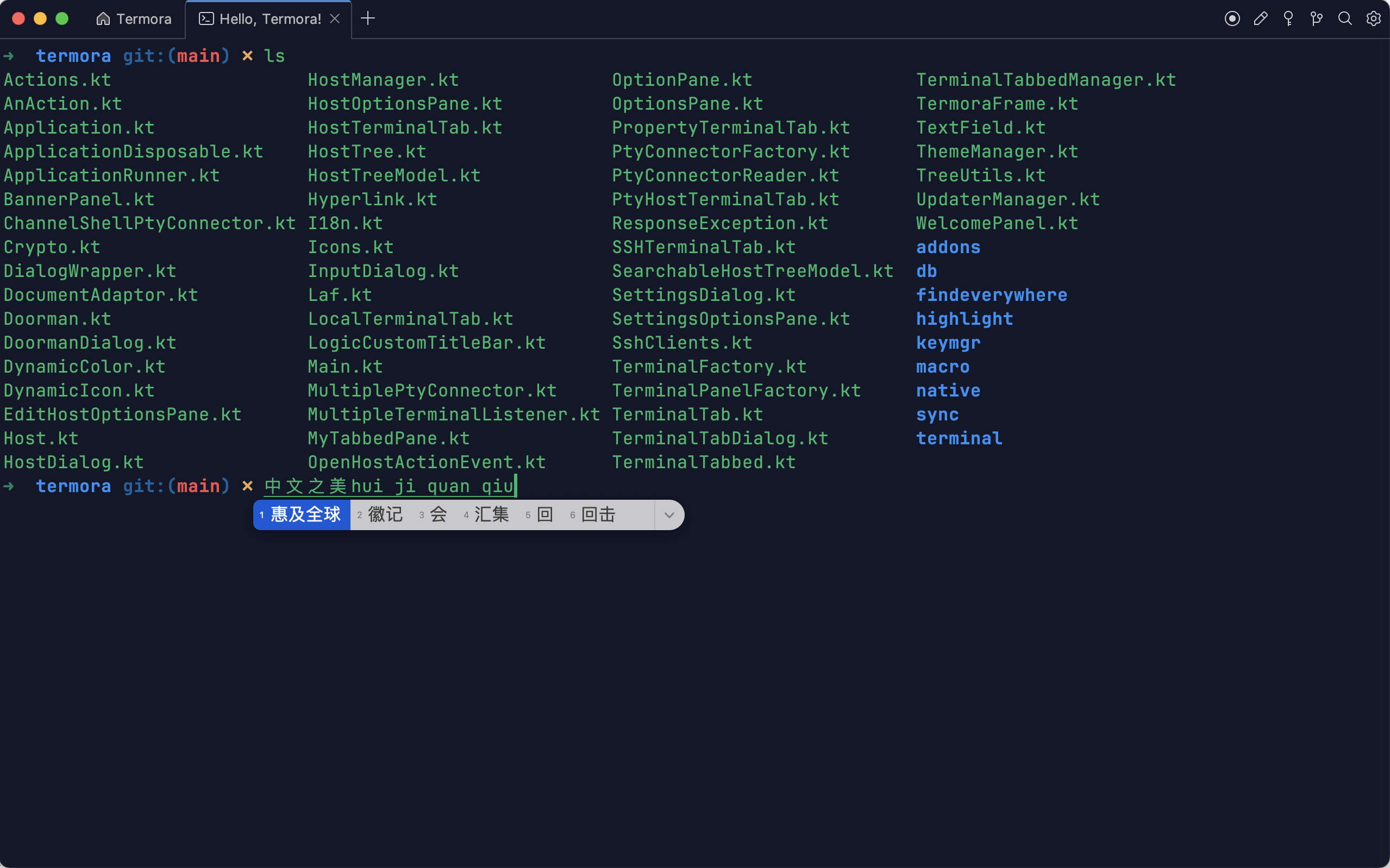
Termora Features
- Supports SSH and local terminals
- Supports SFTP file transfer
- Compatible with Windows, macOS, and Linux
- Supports Zmodem protocol
- Supports SSH port forwarding
- Supports configuration synchronization to Gist
- Supports macros (record and replay scripts)
- Supports keyword highlighting
- Supports key manager
- Supports sending commands to multiple sessions
- Supports "Find Everywhere" for quick navigation
- Supports data encryption
Installing Termora
You can download the latest version from GitHub: https://github.com/TermoraDev/termora/releases
If you cannot access GitHub, a backup copy is available at: https://soft.xiaoz.org/#/UniBin/termora/1.0.1 (latest version not guaranteed).
Using Termora
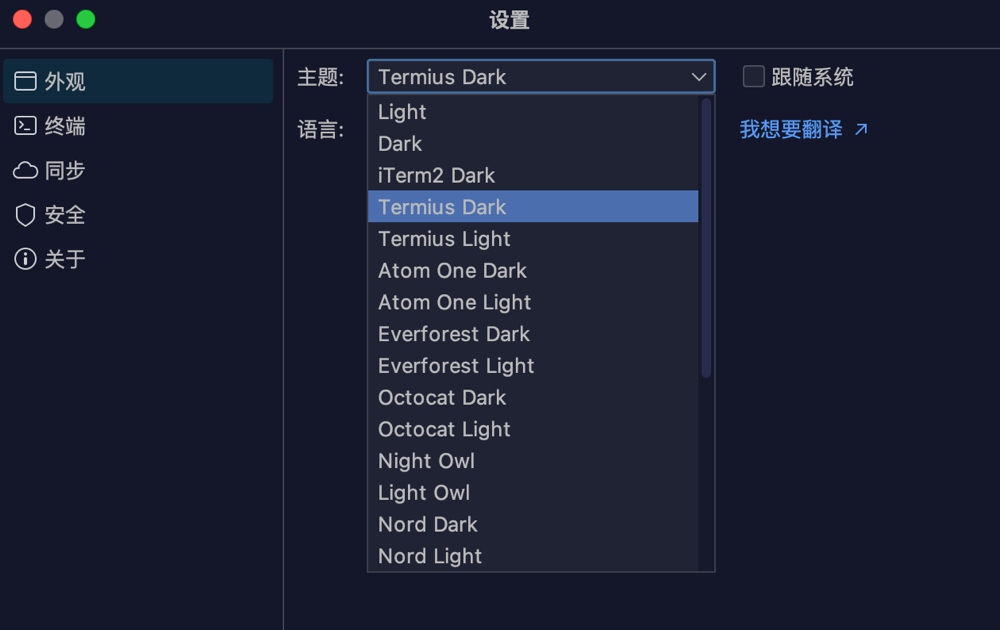
Open Settings >> Appearance in the top-right corner. Termora offers multiple themes to switch between.
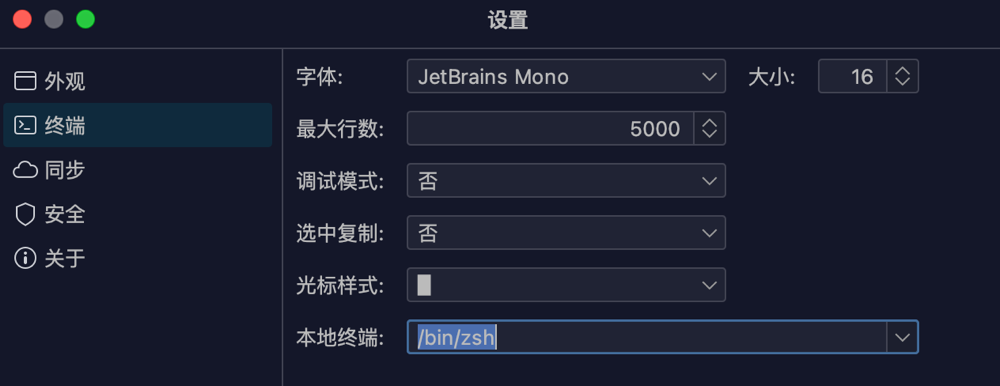
In Settings >> Terminal, you can configure fonts or the local terminal.
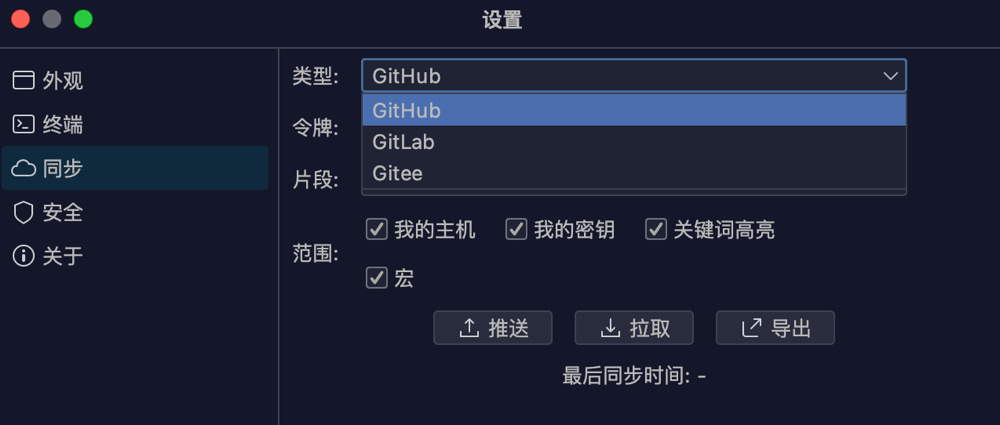
Session information can be encrypted and synchronized to Gist, currently supporting GitHub, GitLab, and Gitee. The author also mentioned that WebDAV synchronization will be supported in the future.
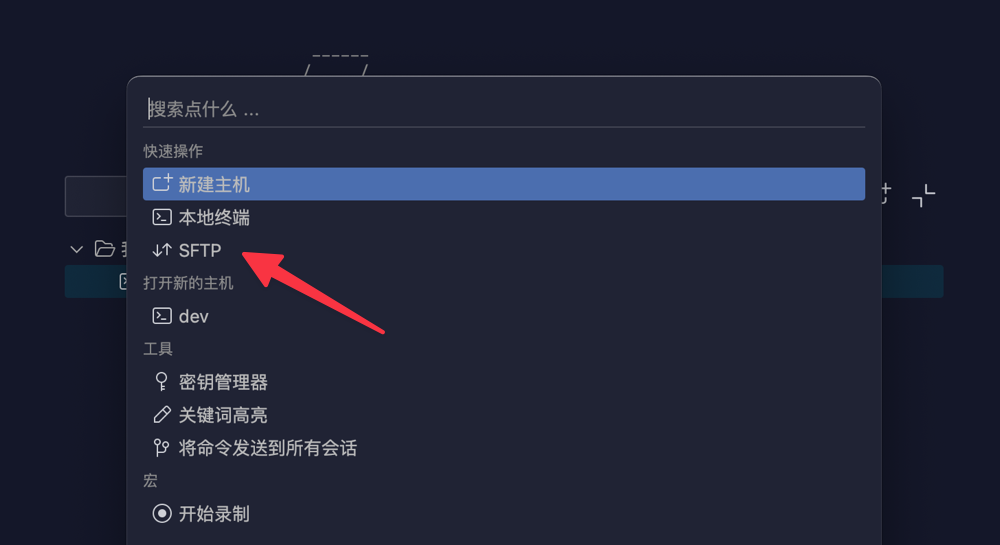
It is worth noting that the SFTP feature is somewhat hidden. To use it, click the search box in the top-right corner and create a new SFTP connection.
Termora boasts a clean and refreshing interface with an excellent design. However, it currently lacks the quick command and WebDAV synchronization features that the author hopes to add. With continuous iterations in future versions, Termora is expected to become even more outstanding.
Conclusion
As a high-end, cross-platform SSH client, Termora offers a clean interface and a convenient user experience. Although features like quick commands and WebDAV synchronization are still pending, its open-source nature and rapid update cycle provide infinite possibilities for future optimization and expansion. Interested users are encouraged to download and try it.
GitHub Project: https://github.com/TermoraDev/termora