Zdir 4.1.2 Update: Enhanced File Transfer, WebDAV Control, and Summer Sale Ends Soon
Zdir is a versatile private storage program developed with Golang and Vue3, integrating file indexing, online preview, and sharing capabilities. It supports WebDAV and offline downloads, making it ideal for installation on NAS devices or large-capacity VPS servers. It is the perfect choice for individuals, studios, and small teams looking to share files.
- Official Website: https://www.zdir.pro/zh/
- Purchase Subscription: https://shop.xiuping.net/zdir/index (Limited-time 50% off promotion, ends 2024.07.31)
- Demo: https://soft.xiaoz.org/#/
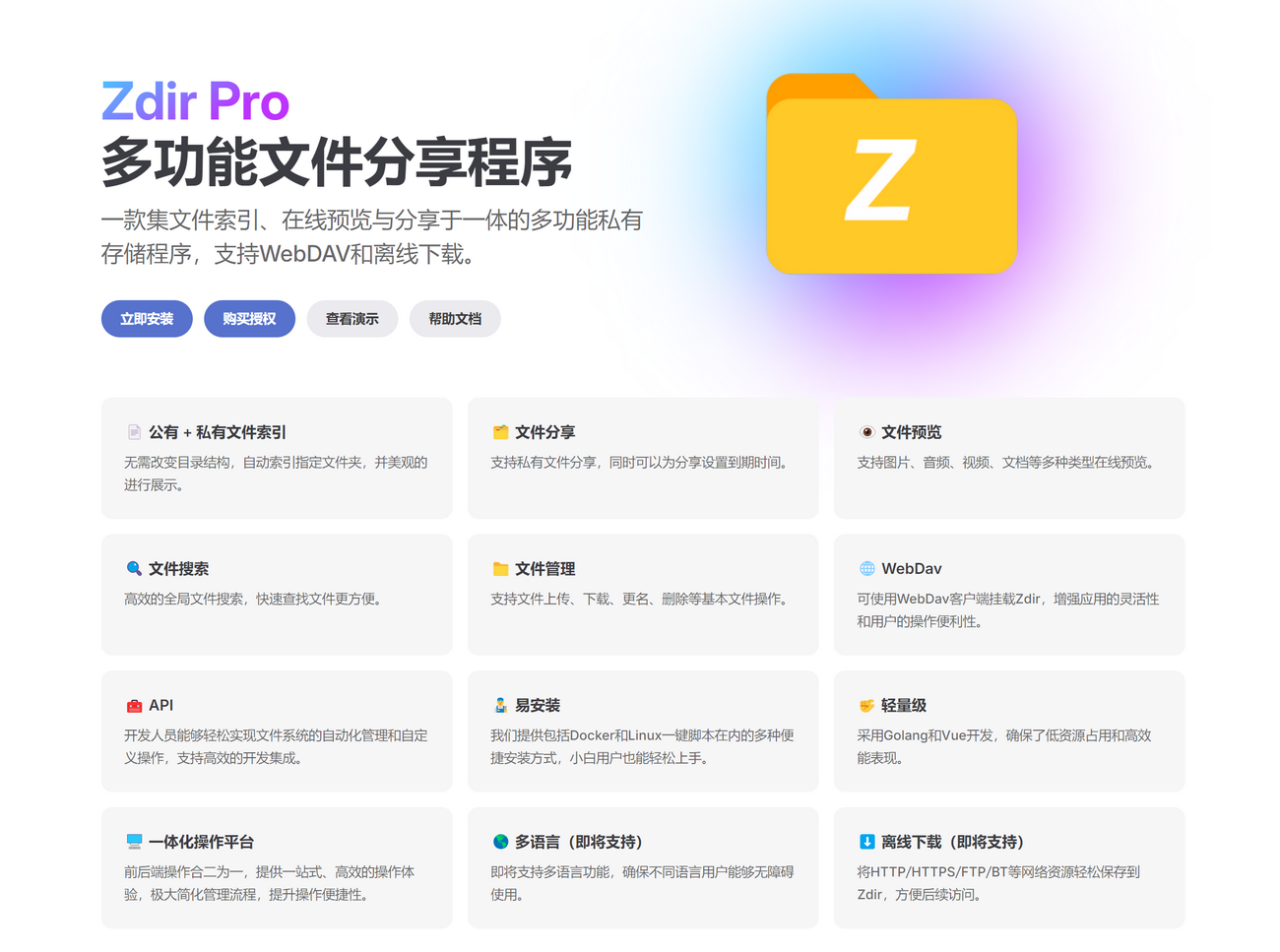
Zdir 4.1.2 Update Highlights
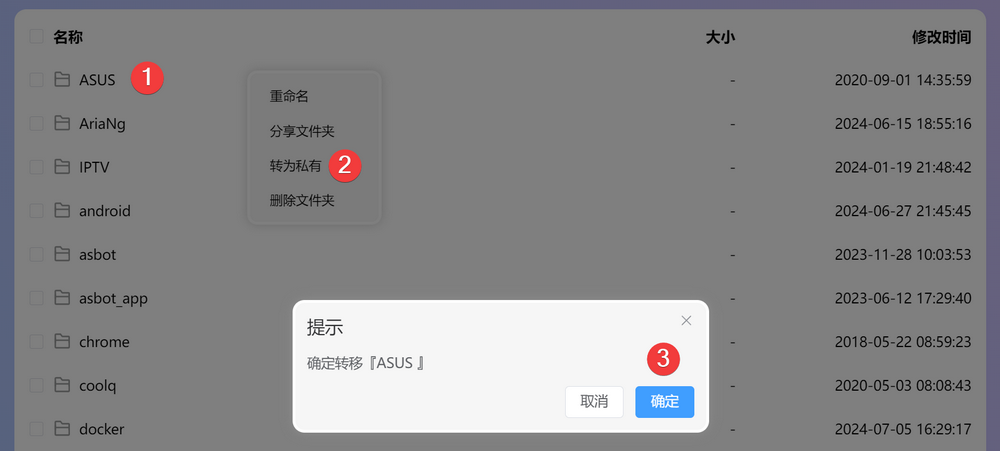
- New: Quick transfer of individual files or folders between public and private modes via the right-click context menu.
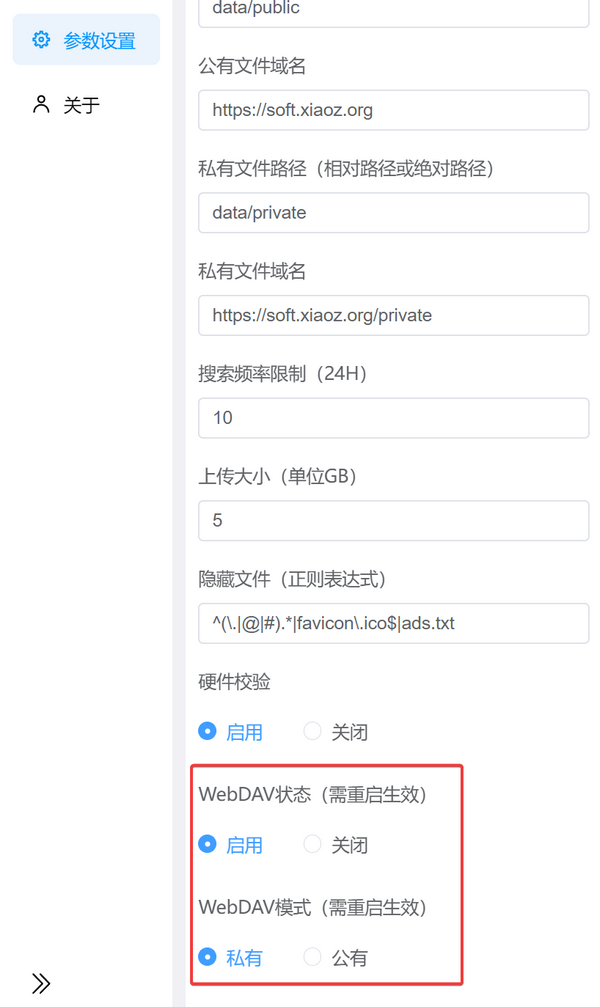
- New: WebDAV can now be enabled or disabled via parameter settings (requires restart).
- New: WebDAV can switch between public and private modes (requires restart).
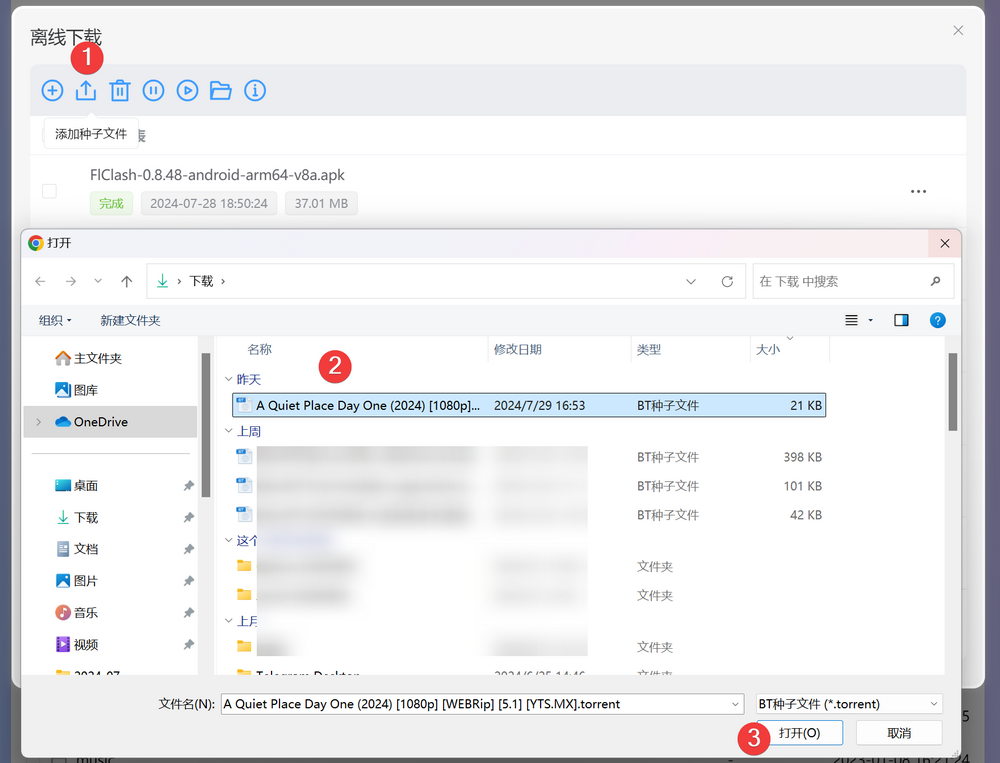
- New: Offline download now supports uploading BT seed files.
- Fixed: Issue preventing
.jpegimage previews. - Fixed: Removed useless small dots on the guest preview page; the view now scrolls to the bottom.
- Optimized: Improved offline download parsing speed.
- Other: Additional bug fixes and optimizations.
Detailed Update Information
Quick Transfer
You can now move your mouse over a file or folder, click the right mouse button, and quickly convert the item to private or public, as shown below.
WebDAV Optimization
Starting from version 4.1.2, you can modify the WebDAV status and mode in Settings >> Parameter Settings. Previously, WebDAV was enabled by default; now it can be disabled. The default private mode can also be changed to public. However, note that WebDAV parameter changes require restarting Zdir to take effect.
Offline Download Optimization
The offline downloader now supports uploading BT seed files (.torrent). Additionally, we have optimized the TrackersList, improving BT magnet link parsing speed and download performance.
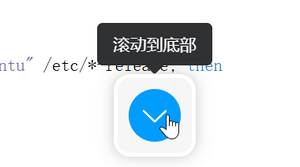
Scroll to Bottom
A new button has been added to the file preview page to scroll directly to the bottom.
Other minor user-perceptible changes are not listed individually.
Upgrade
If you have already installed Zdir 4, please refer to the help documentation for upgrade instructions: https://doc.xiaoz.top/web/#/10/59.
If you have not yet installed Zdir, refer to the help documentation for installation guides: https://doc.xiaoz.top/web/#/10/38.
Conclusion
Zdir is a powerful private storage program capable of meeting the file management needs of individuals, studios, and small teams. Developed through the combination of Golang and Vue3, Zdir not only provides basic functions such as file indexing, text editing, online preview, and sharing but also supports WebDAV to further enhance the user experience. Whether you need to manage large-capacity data on NAS devices or share files on a VPS, Zdir is an ideal choice.
For more details, visit our official website, purchase a subscription, or check the demo:
- Official Website: https://www.zdir.pro/zh/
- Purchase Subscription: https://shop.xiuping.net/zdir/index
- Demo: https://soft.xiaoz.org/#/