Principles and Implementation of a Unified Payment QR Code (Source Code)
Recently, the "merged payment code" feature from Sesame QR Code has gone viral, allowing users to combine WeChat and Alipay payment codes into a single QR code! While it sounds magical, the underlying principle is actually quite simple.
Both Alipay and WeChat payment codes are essentially QR codes containing payment links. Therefore, our approach is to detect the browser environment: if the user is browsing via Alipay, provide the Alipay payment link; if via WeChat, provide the WeChat link, and so on.
The question then arises: how do we determine the environment?
It's straightforward: use the User Agent (UA). If you're unfamiliar with UA, refer to the blog post Browser History – UserAgent Chronicles.
Here is the relevant code snippet:
if(navigator.userAgent.match(/Alipay/i)) {
    // Alipay
} else if(navigator.userAgent.match(/MicroMessenger/i)) {
    // WeChat
} else if(navigator.userAgent.match(/QQ/i)) {
    // QQ
} else {
    // Others
}
Theoretically, after detection, we could directly redirect to the corresponding payment page. However, actual testing revealed that direct payment functionality cannot be called within QQ and WeChat; only Alipay supports direct payment.
As a compromise, if the code is scanned by QQ or WeChat, we display a secondary QR code interface, prompting the user to long-press to recognize the QR code to enter the payment flow.
The final result looks like this:
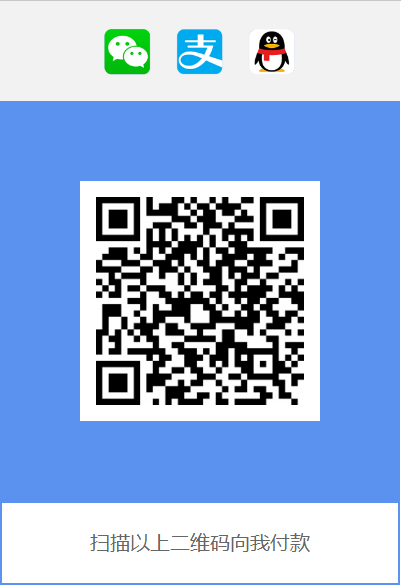
You can test this QR code using QQ, WeChat, or Alipay (of course, making a payment would be even better, hahaha... [smile]).
Download the finished source code (Single-file pure HTML implementation, requires uploading to a web server):
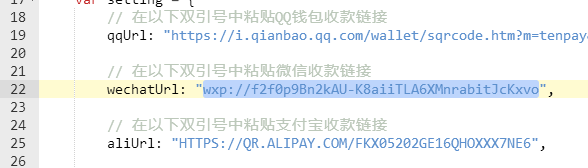
Note: Please replace the payment links in lines 19, 22, and 25 of the code with your own.
Please use a dedicated HTML editor (such as Notepad++) to edit the file. Do not use the default Notepad, as this may cause Chinese character encoding issues!
How to Obtain Payment Links
The following steps use WeChat as an example; the process is similar for QQ and Alipay.
- Open WeChat, tap the top-right corner > Pay/Collect.

- Find and select QR Code Payment.

- Save the obtained payment QR code (take a screenshot).

- Use a QR code recognition tool (such as https://cli.im/deqr/) to upload the QR code image and extract the payment link contained within.

- Paste the extracted payment link and replace the corresponding links in the source code.
Original source: Principles and Implementation of a Unified Payment QR Code (Source Code). All rights reserved by the original author. If there is any infringement, please contact QQ: 337003006 for deletion.