Simulating Search Engine Access and Using Huweishen Cloud Scan to Remove Website Malware
Based on the infected websites encountered so far, most are targeted at search engines. Simply put, the website content appears normal when accessed directly, but the search engine cache contains malware. Therefore, this article combines "simulating search engine access" with "Huweishen cloud scan and malware removal" to share methods for troubleshooting and cleaning.
Simulating Search Engine Access
If the website appears normal when accessed directly but the search engine cache shows malware, it is 99% likely that the site has been infected. The method for simulating search engine spider access using the Chrome browser has been shared in the article Chrome Browser Simulating Baidu Spider Access for your reference.
Huweishen Cloud Scan
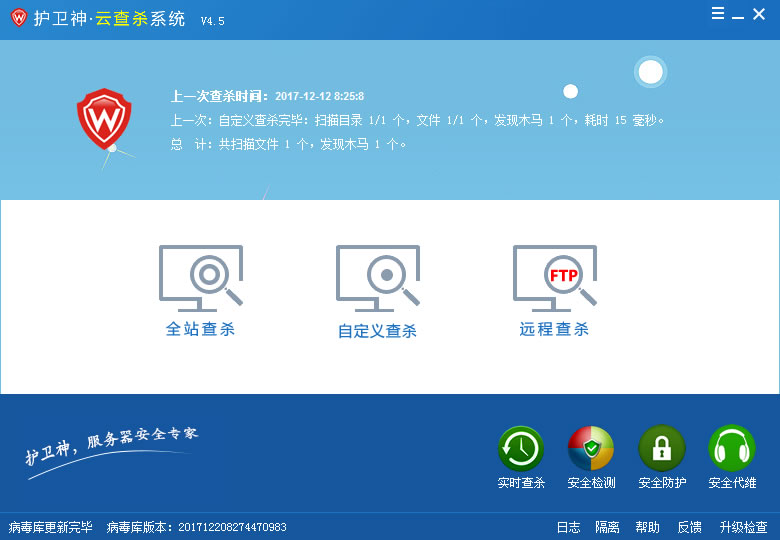
If you are professional, you can analyze the code by checking website logs and file modification times. However, even for professionals, this method is very inefficient. Here, we recommend a software called "Huweishen Cloud Scan," which can identify most types of malware.
- Download Link: HwsKill.zip
This software requires no installation; simply unzip it to use. It supports custom scan paths and allows adding FTP for cloud scanning, capable of detecting most malware.
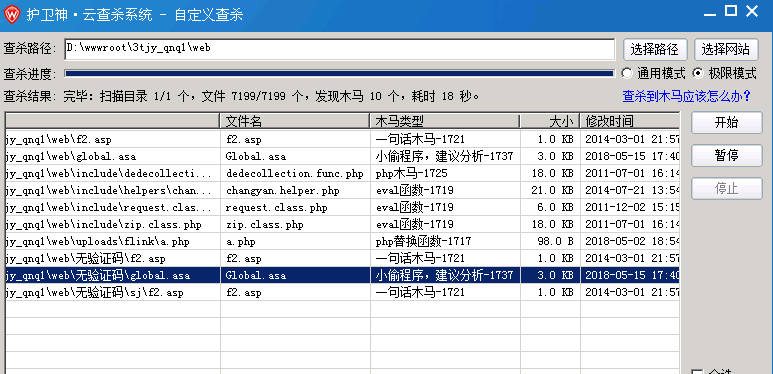
Scanning Techniques
- If the general mode fails to detect web trojans, switch to the "Extreme Mode."
- After obtaining results, some files may not be malware. Prioritize checking files based on their last modification time; the more recent the time, the higher the suspicion.
- When using FTP for remote scanning, be aware that your IP might be blocked by the hosting provider.
Some Recommendations
Most website infections occur due to vulnerabilities in the program. Developing good usage habits can effectively prevent infections. Here are a few suggestions for reference:
- Update program versions in a timely manner.
- Regularly update server vulnerabilities.
- Do not use cracked versions of programs.
- Avoid third-party plugins or themes from unknown sources.
- Set strong passwords for the website, FTP, and server.
Recommended Reading
Quickly Analyze Website Logs Using 360 Star Map Install Apache Bench on CentOS for Website Stress Testing Install fail2ban + Firewalld on CentOS 7 to Prevent Brute Force and CC Attacks