Cheetah WiFi 4.0 In-Depth Review: Features, Performance, and Limitations
I have used several WiFi hotspot tools before and previously wrote reviews comparing three WiFi hotspot tools and reviewing XiaoDu WiFi. Recently, Cheetah WiFi updated to version 4.0 with many new features, so I decided to conduct a separate review.
Cheetah WiFi updates frequently and places significant emphasis on the campus network sector. Many campuses now enforce a one-account-per-user restriction, but Cheetah WiFi solves most of these limitations. I have personal experience with this: our university's collaborative dialer worked with older versions, but reportedly fails with the new version. I hope Cheetah continues to perform well.
Let's look at Cheetah WiFi's features, which are quite rich, though we will evaluate their actual performance.
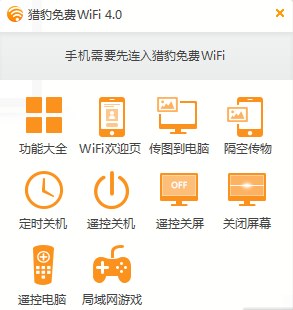
WiFi Welcome Page This feature has existed since the initial version. It offers three default templates that can be simply edited. When friends connect for the first time, a welcome page pops up. However, I feel this feature lacks practical value. My verdict: a bit flashy, looks good but not very useful.
Send Images to PC This feature generates a QR code that can be scanned with a mobile browser to send images. It only allows sending one image at a time. It is convenient for a few images, but becomes cumbersome for larger batches.

AirDrop Files This function transfers files from the computer to the phone by generating a QR code for download. It works for small files, but stability is questionable. I tested a 100MB video file and failed to download it after three attempts. Stability needs improvement.
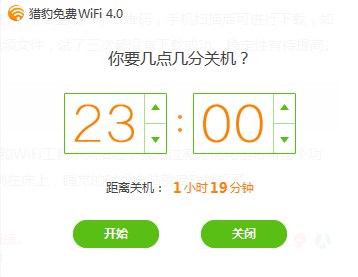
Scheduled Shutdown I am not sure why Cheetah WiFi added this feature as it seems unrelated to WiFi tools. I have seen similar functionality in other optimization tools like Mofang. However, scheduled shutdown is quite practical. You can turn on WiFi, lie in bed, and have your computer shut down automatically when you sleep.
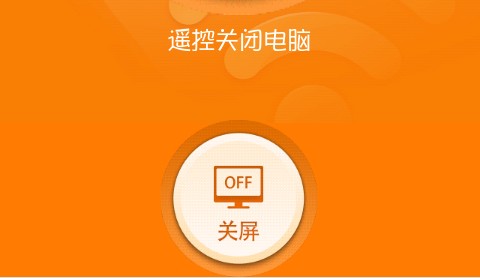
Remote Shutdown and Remote Screen Off These two small features are combined, allowing you to operate your computer while playing on your phone in bed. For someone lazy like me, this is helpful. I tested it, and it works well, though the shutdown function is too powerful, so I didn't click that button.
Remote PC Control To use this feature, you need to install a client on your phone, which generates a connection password. I think this is suitable for people giving presentations who want to control a large screen with their phone, but the operation is not very convenient. Interested users can try it.
LAN Games Playing games requires installing a client, and the available games are only Dou Dizhu (Farmers' Fight) and Gomoku. I couldn't find friends to play with, so I couldn't test it. I believe most people would prefer the QQ Game Hall.
Chinese WiFi Name This feature seems high-end, but setting a Chinese WiFi name usually results in garbled text on most devices. I still think alphanumeric names are more mainstream.
Smart Speed Limiting This feature allows prioritizing your own internet access and limiting other users' download speeds to ensure network stability. However, many users report that once "priority access" is enabled, others experience severe lag. Alternatively, setting a limit of 200KB/s often results in speeds below 100KB/s for others. Therefore, I do not recommend using this feature. If it were optimized better, it would be good, but "Smart Speed Limiting" does not seem very smart.
Unexpected Discovery While writing this article, my telecom provider had a one-day outage. I had to connect to the mobile WiFi (CMCC-EDU) and share it via Cheetah WiFi. Surprisingly, my phone could access the internet after connecting, but my roommate's computer failed to connect. Cheetah, are you that advanced? Does Mobile know?
The review ends here. If you have any good opinions or feedback, please share them. If you have excellent articles, don't forget to submit them to XiaoZ Blog. ^_^