Why Termark is the Next-Gen Cross-Platform SSH Client You Need
Termark is a next-generation cross-platform SSH client developed by the Pointer Drift Technology Studio. Unlike traditional tools, its built-in AI assistant not only handles daily conversations but also actively assists in completing operations and maintenance tasks, significantly boosting efficiency.
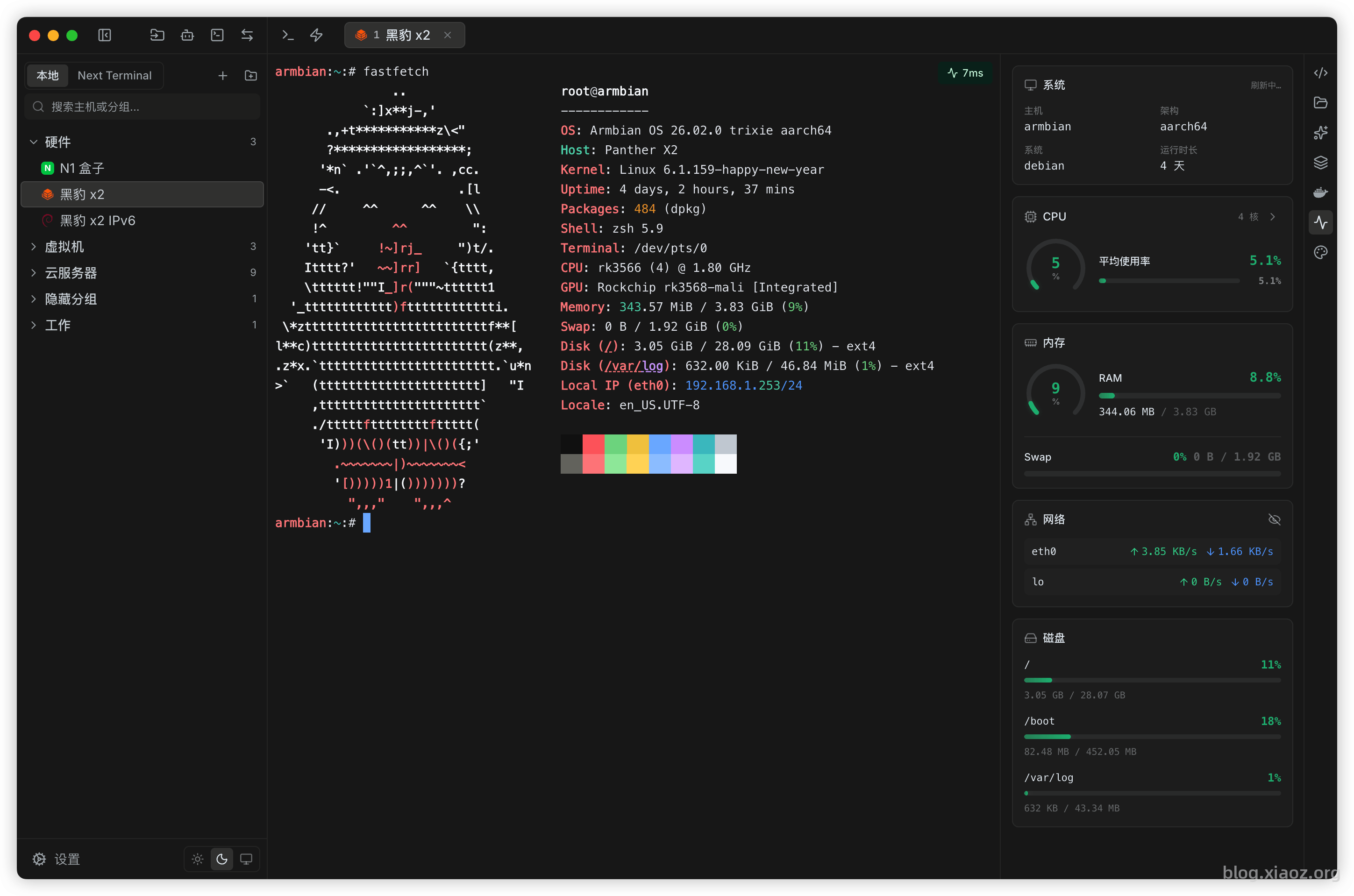
Is Termark Reliable?
Mature Technology
If you are familiar with the open-source bastion host Next Terminal, you should be familiar with Termark's developer—they are the same author. Years of experience in server management and security development have made this product's underlying capabilities very solid.
Product Health
Termark offers both free and paid versions with a clear commercial model. This is not driven solely by sentiment but ensures the product has the motivation for continuous iteration, avoiding the common "abandonment" issue seen in many open-source projects.
Termark Features
- Cross-Platform Support: Currently supports macOS, Windows, and Linux, with a mobile version currently in beta testing.
- Built-in AI Agent: An intelligent agent that can truly help you operate and manage servers.
- Encrypted Synchronization: Supports official sync, WebDAV, S3, iCloud, and local directories. Data is encrypted on the client before uploading.
- Quick Commands: Supports quick commands; input common commands with just one click.
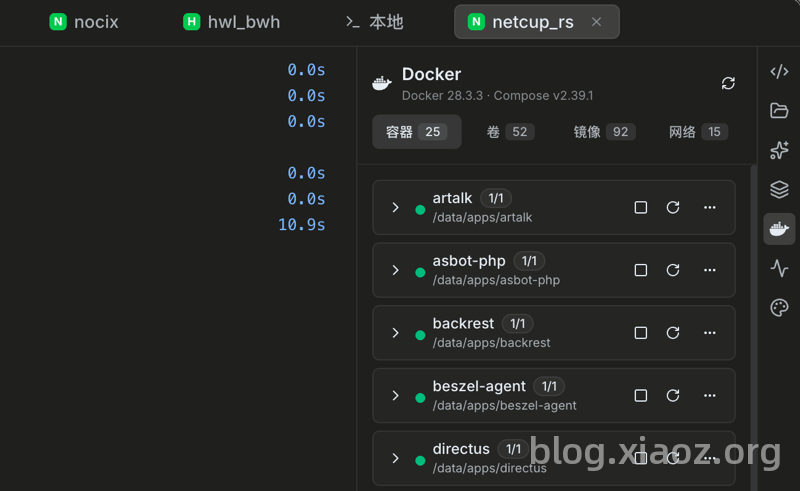
- Container Management: Supports Docker container management for easier operation.
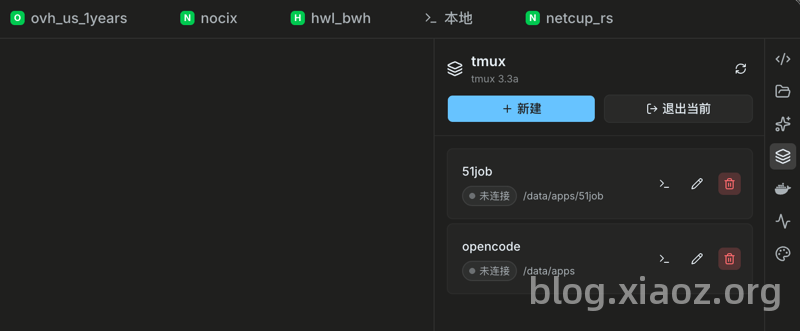
- tmux Management: Manage tmux sessions directly via the interface instead of through cumbersome command-line operations.
- Batch Execution: Execute commands on multiple machines simultaneously, with independent output display for each host to facilitate result comparison and anomaly localization.
- File Transfer: Provides SFTP, directory following, folder upload, batch download, as well as lrzsz/ZModem, covering common transfer scenarios.
- Session Recording: Supports terminal recording, playback, and video download, suitable for operation audits, problem reviews, and team handovers.
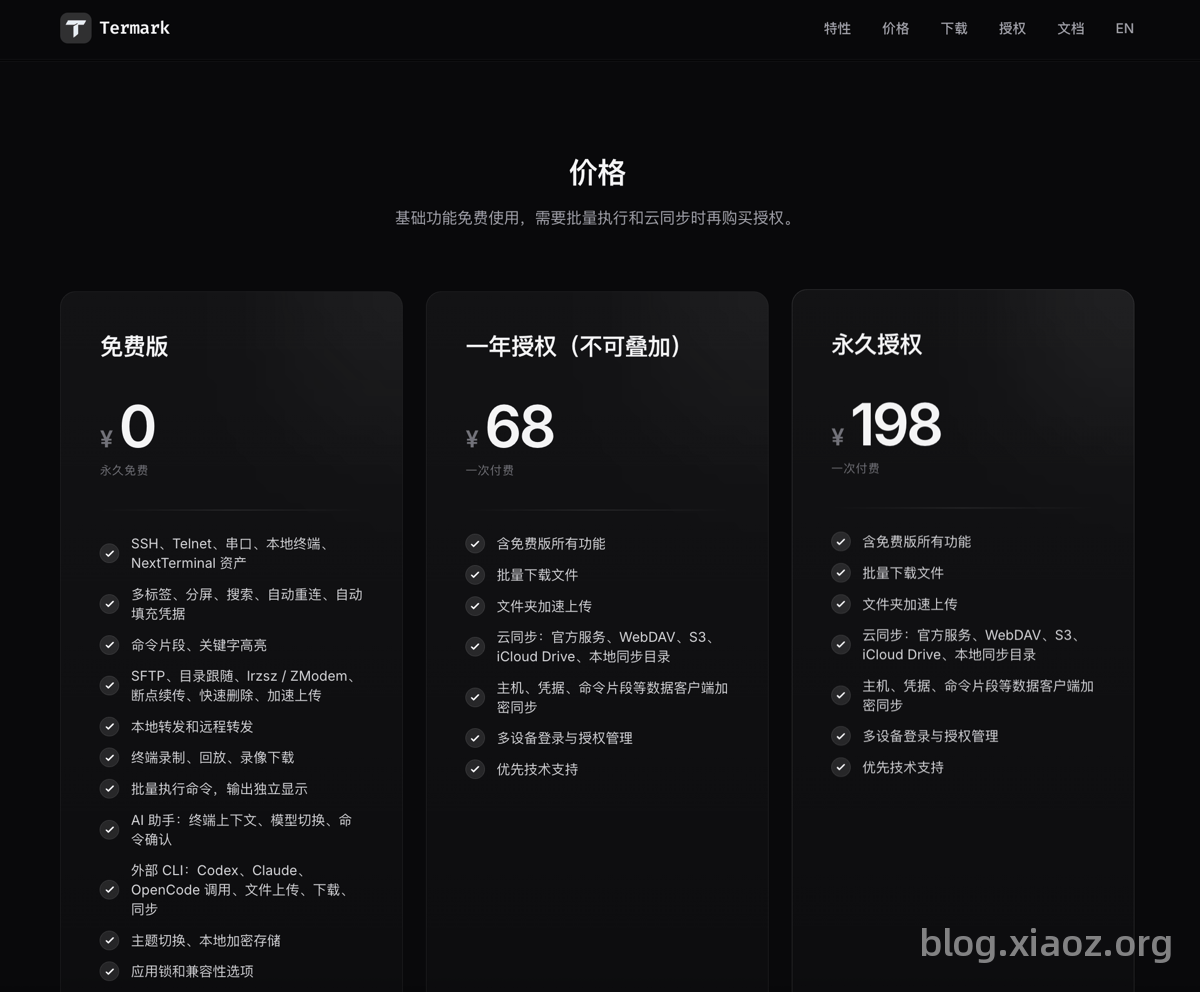
Does Termark Require Payment?
Termark's basic functions are completely free. Payment is only required for advanced features, and the pricing is within a normal and acceptable range.
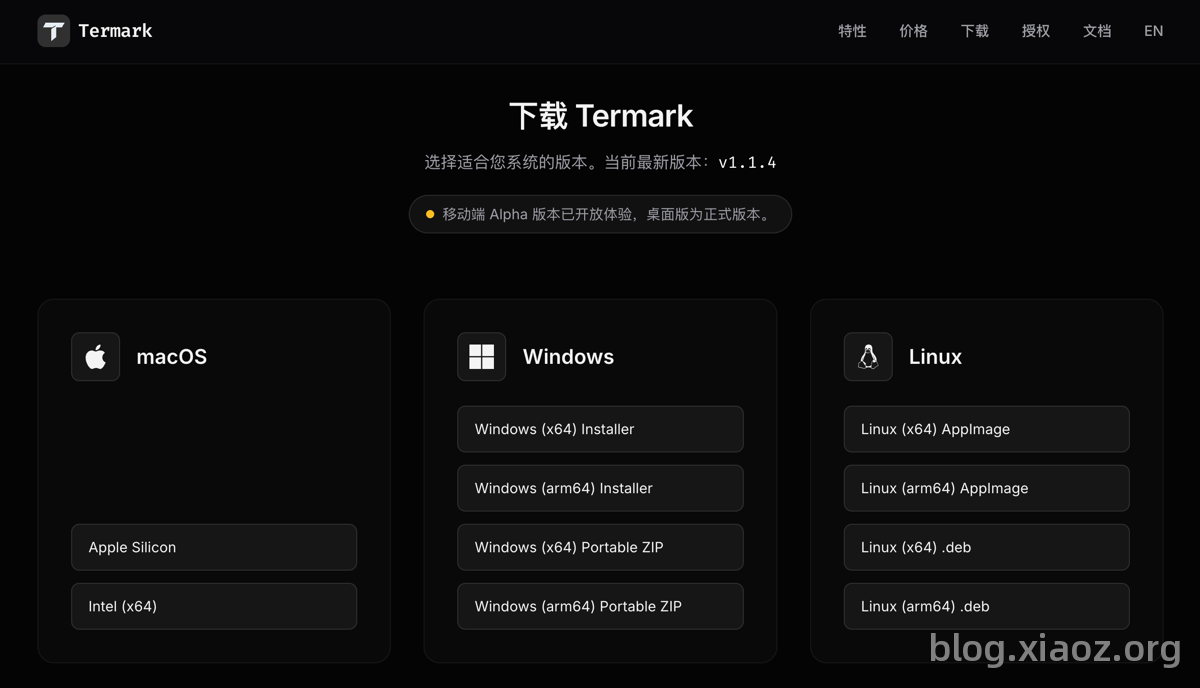
Installing Termark
Visit the Termark official website: https://www.termark.app/zh-cn/?affiliateCode=FMNMNYEEJ6 and download the version corresponding to your platform. It currently supports macOS, Windows, and Linux.
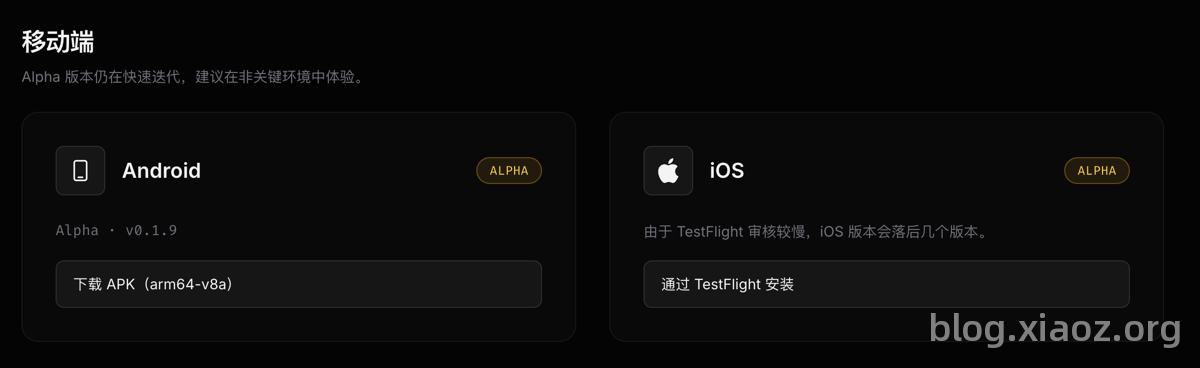
The mobile version has also launched a beta version; users who like to try new things can download it.
My Favorite Features
AI Functionality
Termark's built-in AI Agent can directly operate the server in the current session, such as troubleshooting errors or installing software. You simply need to speak to the AI; there is no need to search online and manually type commands repeatedly as in traditional methods. Now, even if you don't understand server operations, you can interact with the AI to complete daily server management.
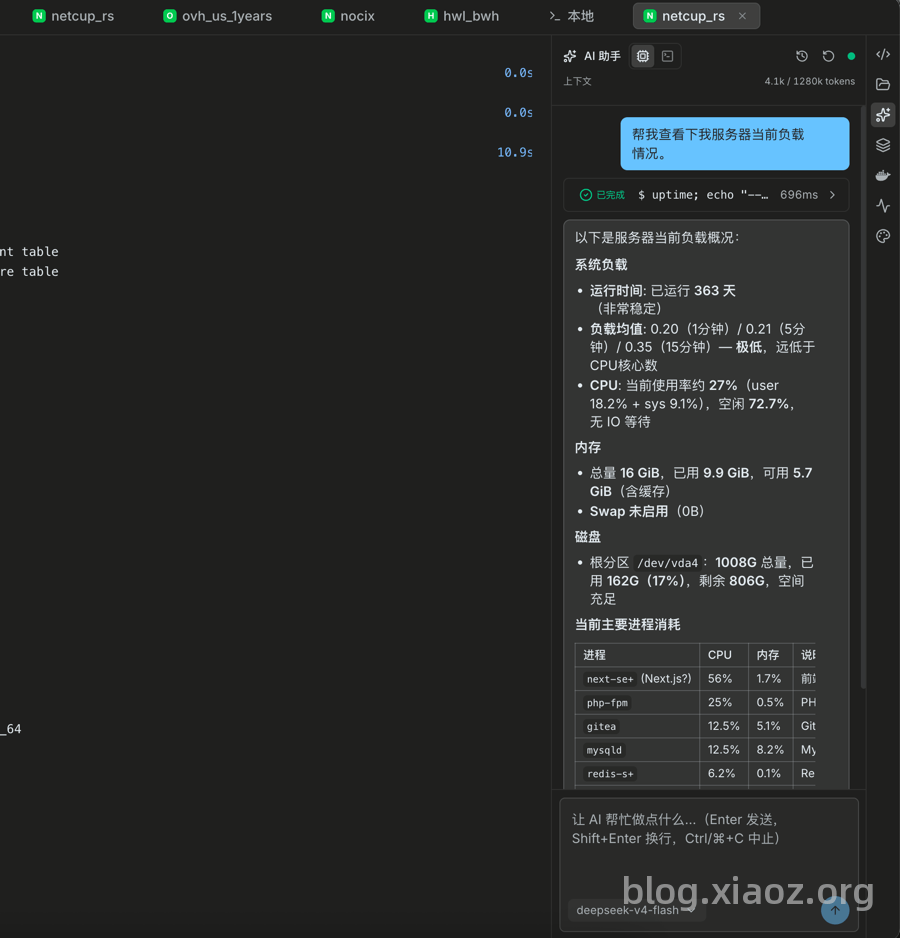
Let me share a real case from xiaoz: When the Nginx rewrite module vulnerability was recently exposed, I simply told the AI to help compile and upgrade the Nginx version on the server to fix it. It completed the version upgrade without me typing a single command. It is truly amazing how the way software is used has changed in the AI era; traditional methods are gradually being replaced by AI.
Cloud Synchronization
Cloud synchronization features in other SSH software generally rely heavily on official sync servers. Termark goes a step further: in addition to choosing official sync services, users can configure third-party sync services, supporting protocols like S3 and WebDAV, giving users more autonomy.
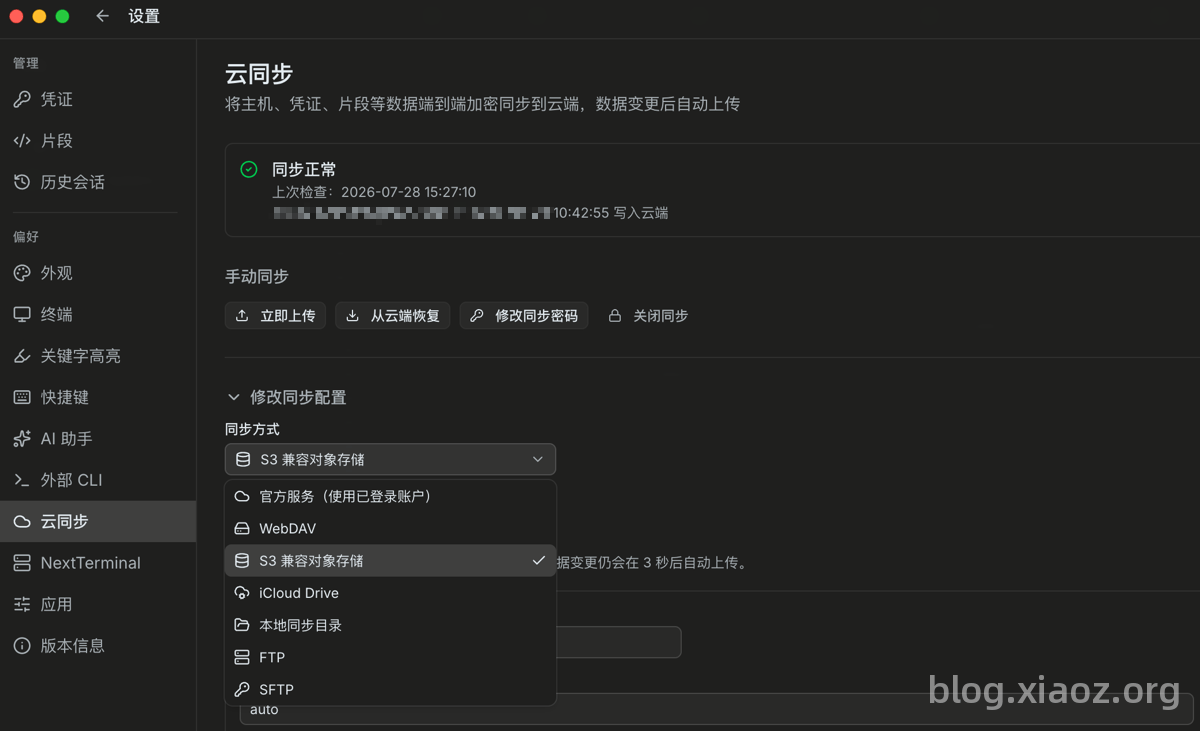
Note: The cloud synchronization feature requires a paid subscription to use!
Visual tmux Management
If you are used to using tmux commands for splitting screens or executing background tasks, you know the drill: creating sessions, switching sessions, and viewing session lists all require manual command entry, which is tedious. I, xiaoz, often forget these commands, which is very frustrating. With Termark, these operations can be completed directly through visual management, eliminating the need to manually input long command strings. The problem of forgetting commands is now solved.
Docker Management
Termark also includes built-in Docker container management. You can perform visual operations on containers, volumes, images, and networks. You no longer need to install a WebUI or input command-line instructions; everything can be done within the Termark interface.
More Features
Termark has many more features that cannot be fully covered in a single article. Interested users are encouraged to visit the official website to download and experience it.
Conclusion
In xiaoz's opinion, Termark is not just about making the SSH client cross-platform; more importantly, it truly keeps up with the pace of the AI era. The AI Agent can do the work for you, and tmux and Docker can be managed visually. These are real efficiency boosters for daily operations. If you are tired of the outdated experience of traditional SSH tools, feel free to download it from the official website; the free version is already very usable. We also hope that Termark will continue to iterate and improve under commercial support.