Say Goodbye to TUI: Zacp Brings Multiple CLI Agents to a Lightweight WebUI
Do you use GUI tools or CLI command lines when writing code with AI? Recently, xiaoz developed a program called Zacp that allows CLI-only Agents to be accessed via a WebUI, enabling smooth usage directly in your browser. It has been tested with Codex cli, Pi Agent, OMP, Reasonix, Grok Build, and more, all of which integrate well. Additionally, it supports custom integration for any CLI Agent following the ACP protocol.
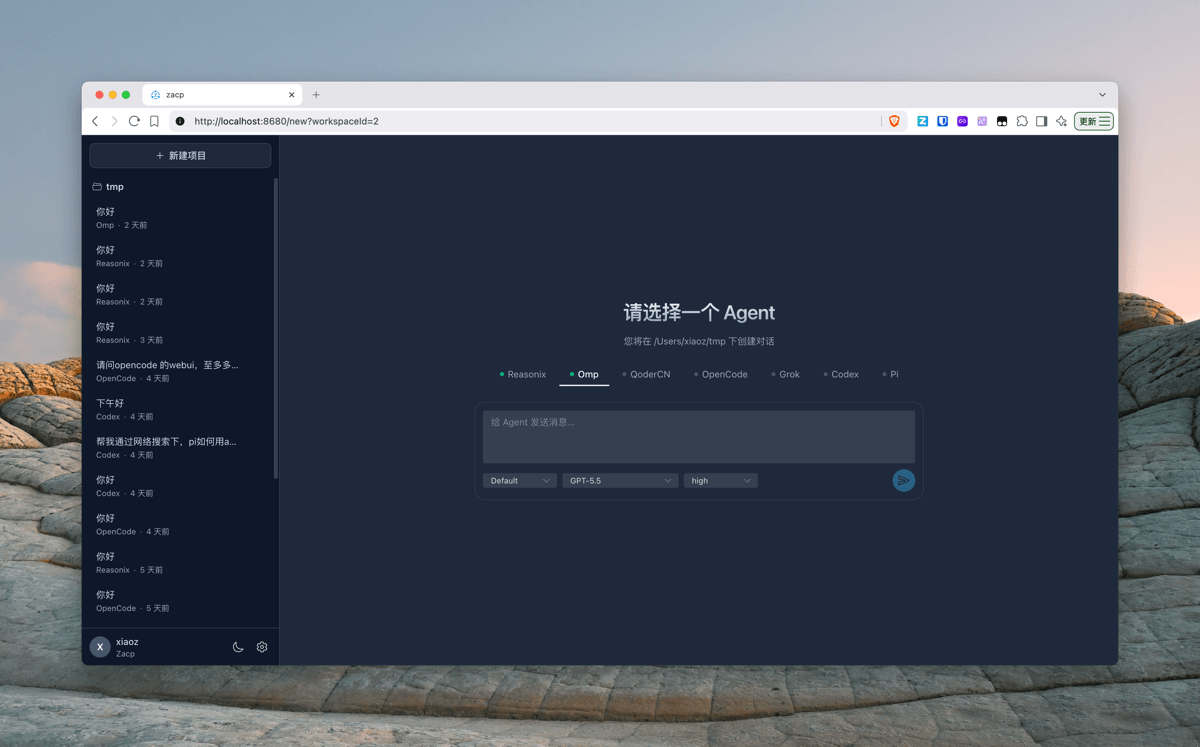
Zacp is open-sourced on GitHub: https://github.com/helloxz/zacp
Why Develop Zacp?
xiaoz currently uses OpenCode most frequently for coding, as introduced in the article OpenCode Getting Started Guide: My AI Coding Solution. While OpenCode is very convenient, its memory control is unsatisfactory; after running for a while, memory usage often starts at 1GB and can reach several GBs. This prompted me to look for alternatives.
During this time, I tried Codex and Zcode desktop versions. Both are excellent with rich features, but they also consume high amounts of memory. However, I just wanted to write simple code without such powerful (and heavy) functionality.
This left only CLI tools with excellent memory control (like jcode), but the fatal flaw was the lack of a GUI or WebUI, making operations less intuitive and efficient compared to the WebUI provided by OpenCode.偶然ly, xiaoz discovered the universal ACP protocol. Coincidentally, most CLI Agents support ACP. This sparked an idea: since CLIs don't provide intuitive visual interfaces, why not use the ACP protocol to implement visualization for them? Thus, Zacp was born, allowing the backend to no longer be limited to a single CLI Agent.
Features
- Multi-Agent Access: Supports Codex cli, Reasonix cli, Grok Build, Pi, Omp, Qoder, Jcode, and other CLI Agents.
- Web Chat Interface: Multi-session support, multi-Agent switching, and real-time streaming output display.
- Real-time Communication: Based on WebSocket for low-latency message pushing and permission feedback.
- Permission Confirmation: Agent operations require manual confirmation via the Web interface.
- Parallel Tasks: Up to 3 tasks can run simultaneously.
- Idle Recycling: Agents automatically release memory after timeout and restore instantly upon next use.
- Hot Management: Enable or disable Agents in settings without restarting.
- Data Persistence: History records are stored in local SQLite and survive restarts.
- Single File Release: One executable file containing both frontend and configuration, ready to use immediately.
- Login Protection: Optional username/password verification.
- One-Click Install/Update: Automatically detects system and architecture, supporting all platforms.
- File Management: Supports upload, edit, delete, and rename.
- Git Panel: Quickly view repository status.
- Dark/Light Themes: Free switching between themes.
Suitable Scenarios
Suitable For
- If you frequently use a specific CLI Agent for development but the official version lacks a visual interface, Zacp can connect to it.
- If you need to access from anywhere, Zacp provides WebUI capabilities for seamless cross-platform usage.
- If you prefer pure coding without heavy features, Zacp is worth trying.
- If you need multiple Agents working in parallel, Zacp is highly suitable.
Not Suitable For
- Users who do not need visual operations and prefer using CLI exclusively.
- Users accustomed to GUI interfaces who do not mind high memory usage.
- Users who only use one Agent tool daily without needing to switch between multiple Agents.
- Users requiring more powerful capabilities, such as browser automation or computer control, as Zacp is not designed for these tasks.
Zacp is not a cure-all; it stands on the shoulders of giants, providing browser access to Agents that originally lacked web capabilities. For instance, after integrating Codex cli, Zacp becomes lighter and gains browser access, though it cannot match the full power of the Codex desktop version. Therefore, Zacp may not suit everyone.
Screenshots
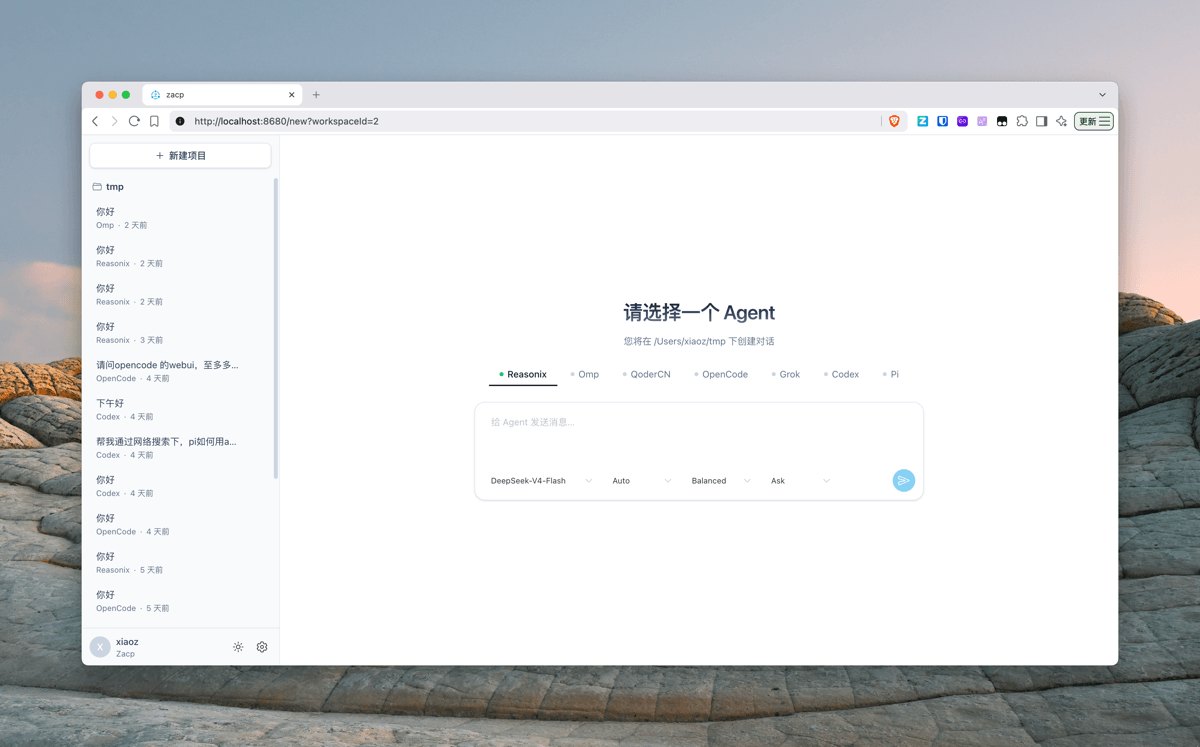
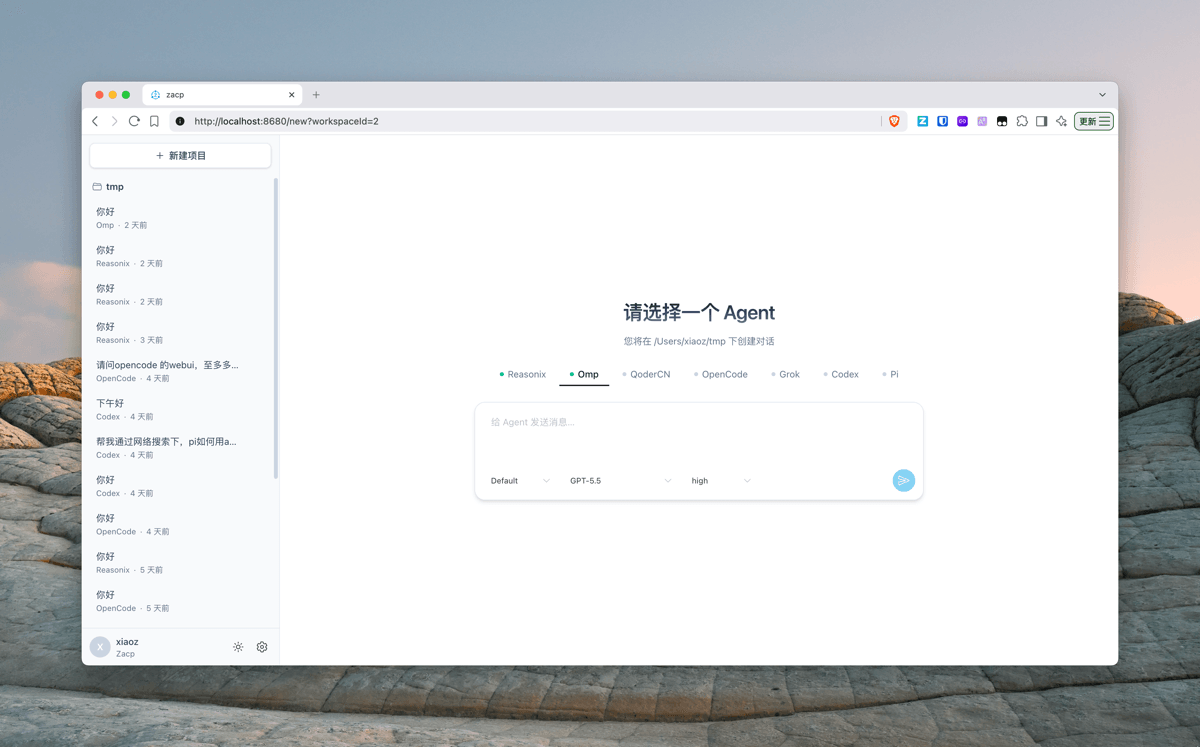
The main interface supports selecting various different Agents.
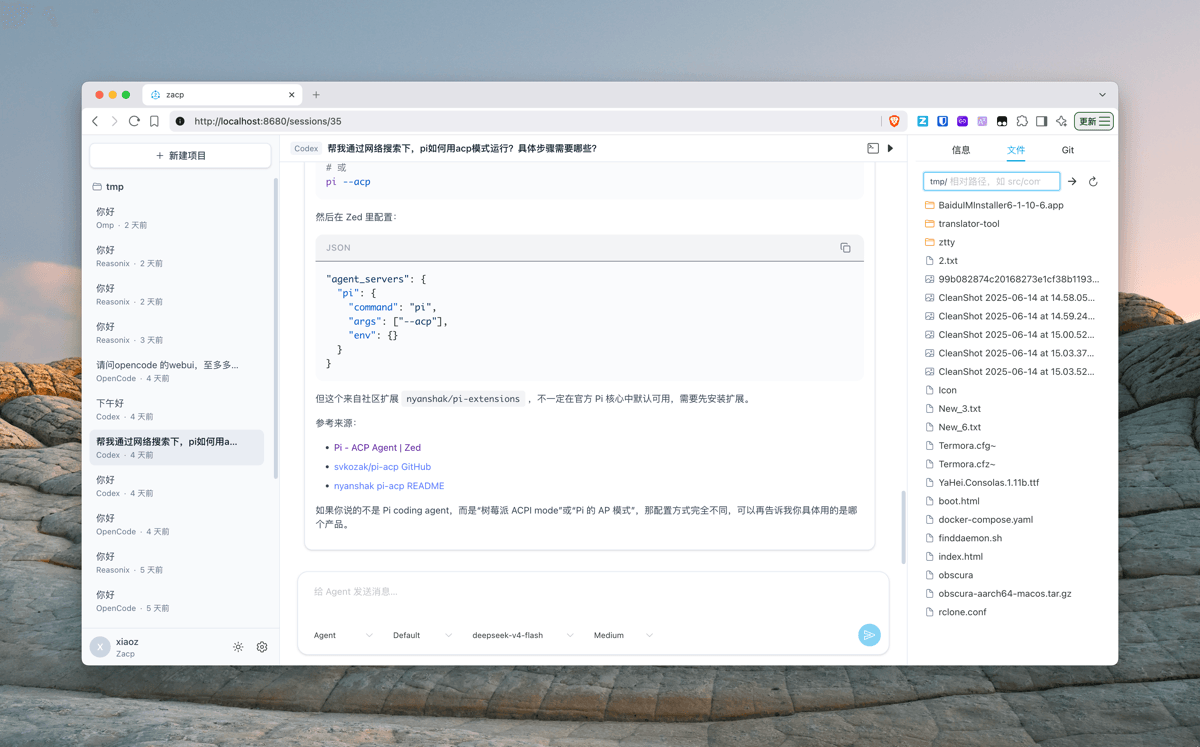
The chat interface allows initiating development tasks directly to the Agent. The right panel supports file management and Git information status display.
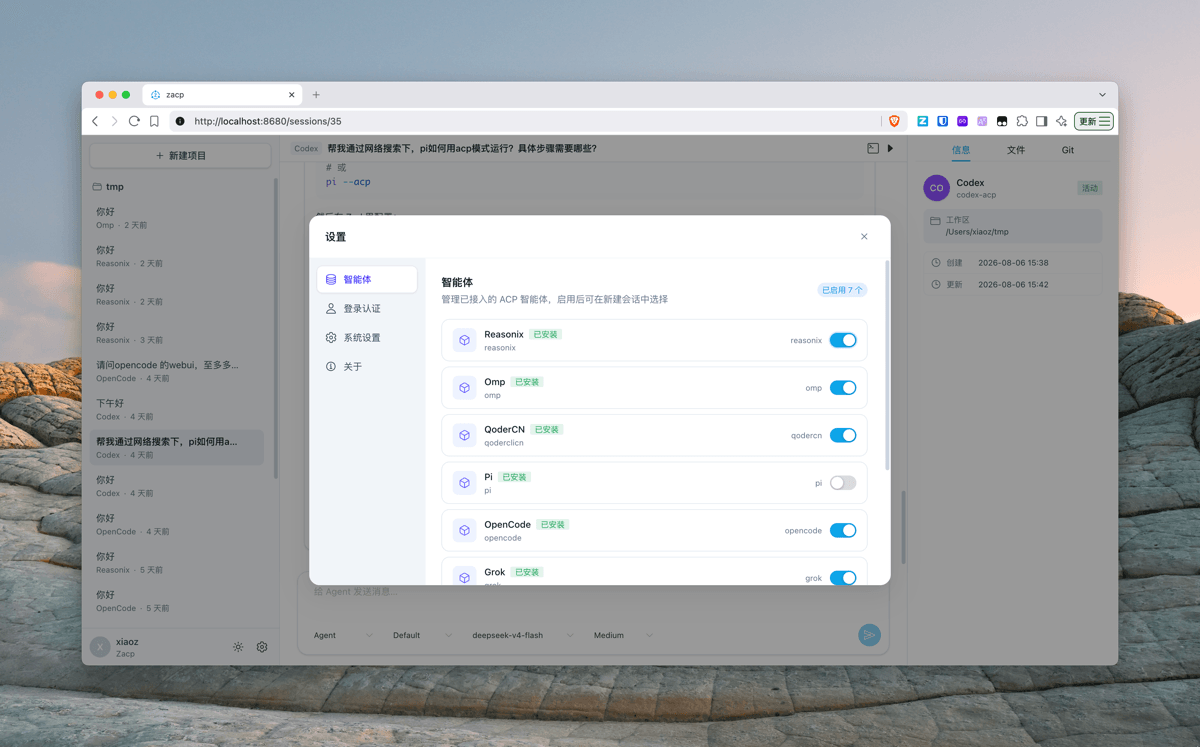
In the settings interface, you can enable or disable Agents.
For external network access, Zacp provides login protection. Simply set up an account and password in [Authentication] to ensure public network security.
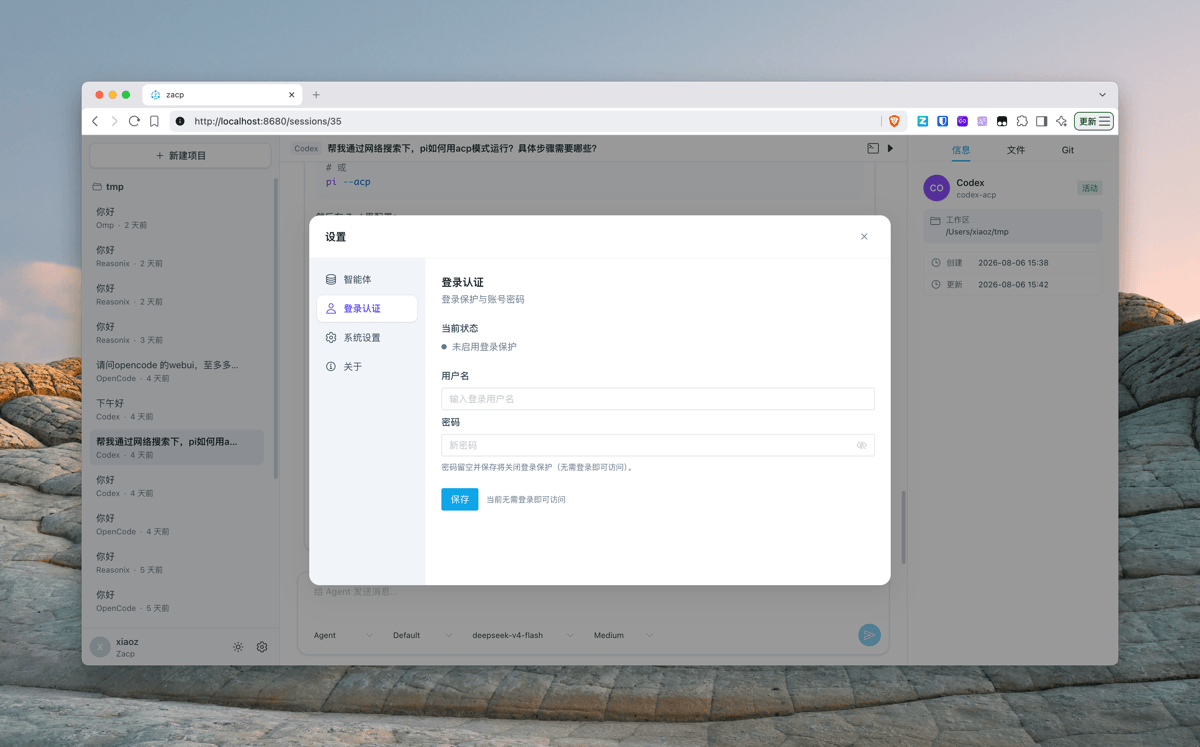
It also supports one-click switching between dark and light modes.
Zacp is developed in Golang with very low memory usage.
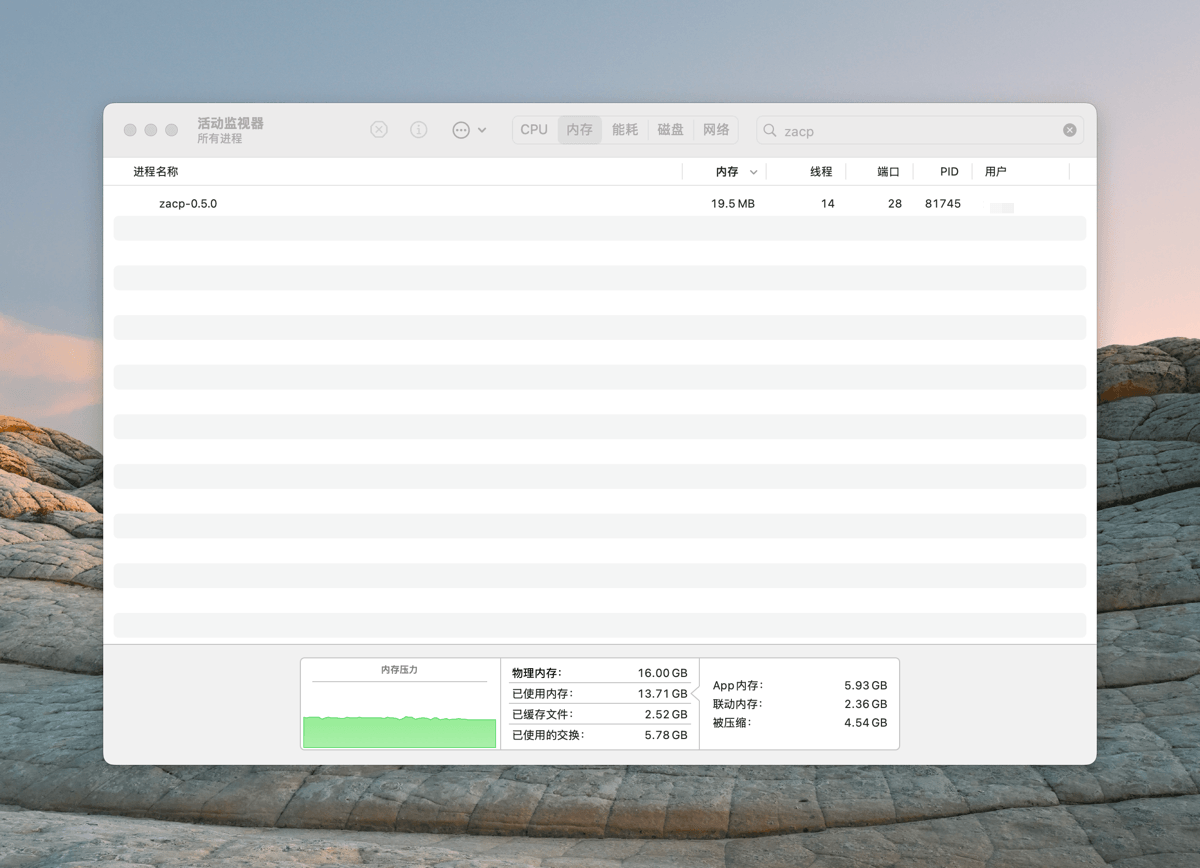
Note: Agent memory usage itself is not included; different Agents have varying memory consumption!
Installing Zacp
Zacp provides one-click installation scripts for macOS, Linux, and Windows. You simply need to copy and execute the installation command.
macOS & Linux
curl -fsSL https://raw.githubusercontent.com/helloxz/zacp/main/install.sh | bash
Windows
Copy to PowerShell command line and execute.
irm https://raw.githubusercontent.com/helloxz/zacp/main/install.ps1 | iex
Using Zacp
Zacp itself does not possess Agent capabilities; it stands on the shoulders of giants like Omp and Pi. Therefore, you must first install any CLI Agent. Taking Omp as an example:
- Install Omp
# Install via curl, suitable for macOS and Linux
curl -fsSL https://omp.sh/install | sh
- Configure Omp Channel and Model
omp login
- Start Zacp by entering the command
zacp, then openhttp://localhost:8680. In Zacp's bottom-left corner, go to Settings -> Agent -> Enable OMP.
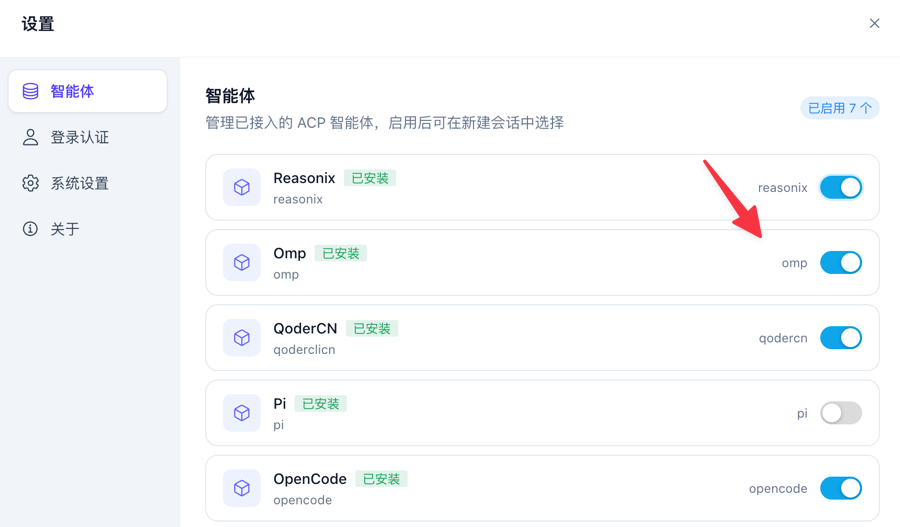
Then, switch to Omp in the Web interface to start using it.
For more usage instructions, refer to the Zacp Help Documentation: https://note.xiaoz.top/doc/zacp
Conclusion
The above is an introduction to Zacp. It originated from xiaoz's dissatisfaction with the high memory usage of desktop Agents and a preference for Web interaction experiences. Zacp itself does not provide AI capabilities but adds a visual puzzle piece for excellent CLI Agents.
If you need a lightweight, multi-task capable, WebUI-enabled Agent entry point, give it a try. The project is open-sourced on GitHub; feel free to use it and provide feedback.
- Zacp Open Source Address: https://github.com/helloxz/zacp
- Zacp Help Documentation: https://note.xiaoz.top/doc/zacp