Essential Google Search Tips and Tricks
Google is the world's largest search engine, providing the most convenient method for online queries. It was founded in 1998 by two Stanford University PhD students, Larry Page and Sergey Brin. Currently, Google handles 150 million search queries daily.
1. Phrase Search with Double Quotes
When searching for "ipod 80G" on Google, the default behavior is to return results containing either "ipod" or "80G". Essentially, if any part of the search term appears in a webpage, it will show up in the results, as shown in Figure 1-1.
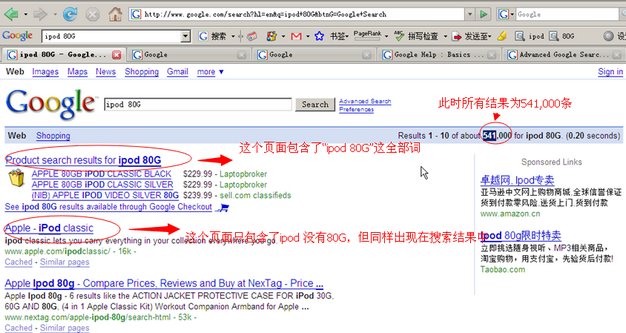 Figure 1-1
If you want to search for the exact phrase "ipod 80G" where both words appear together, you can use phrase search by enclosing the query in double quotes: "ipod 80G", as illustrated in Figure 1-2.
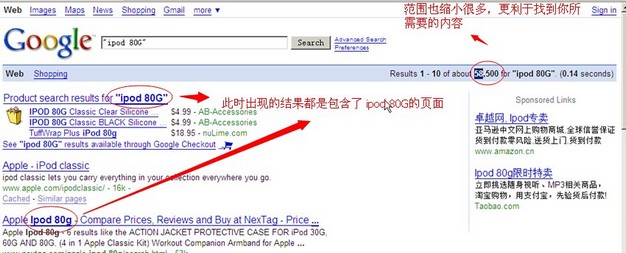 Figure 1-2
In addition to double quotes, you can use the plus sign (+). For example, if you want to find pages that contain both "ipod 80G" and the phrase "on sale", you can use the + operator, as shown in Figures 1-3 and 1-4.
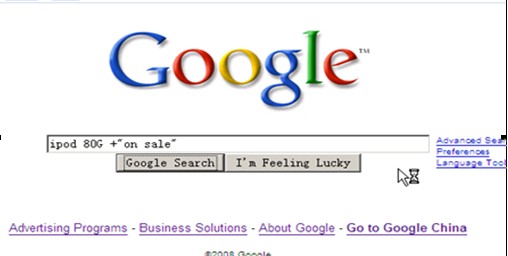 Figure 1-3
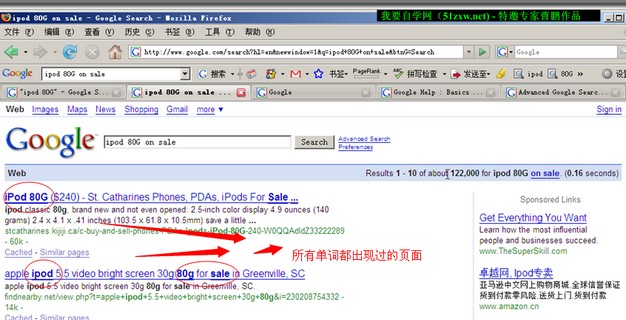 Figure 1-4
Besides the + sign, the minus sign (-) can also be used. For instance, if you want to search for "ipod 80G" but exclude pages containing "80G", you would type: ipod -80G.
2. Uppercase OR (Boolean OR)
To search for results containing one of two terms (an OR operation), use the uppercase word "OR". For example, searching for "red OR blue" will return pages containing either "red" or "blue".
3. allinanchor: Link Search
If you want to search for keywords that appear specifically in a link, use the allinanchor: operator before the term. For example, to find pages where "ipod 80G" appears in the URL, you would type: allinanchor:ipod 80G.
Similarly, allintext: indicates that a sentence appears in the body text (not the title) of a webpage, while allintitle: means the sentence appears in the page title, as shown in Figure 3-1.
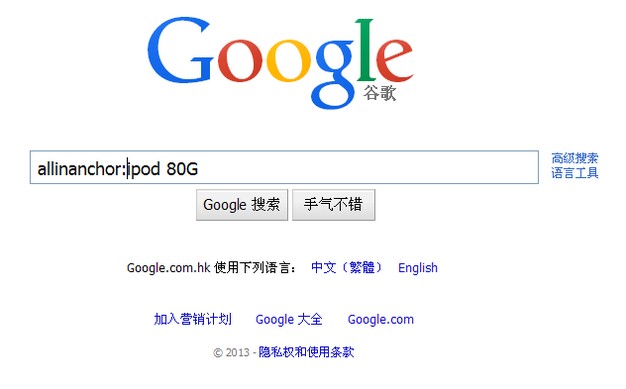 Figure 3-1
4. "I'm Feeling Lucky" Feature
The "I'm Feeling Lucky" feature directly takes users to the website that best matches their query. When a user wants to visit a specific site but only knows partial information about it, they can use this feature along with other related information to find the most accurate result. This function provides the single most relevant search result (see Figure 3-1 for the "I'm Feeling Lucky" button below the search box).
In addition to the common search tips introduced above, Google offers many other query techniques. We will not list them all here; interested readers are encouraged to explore further. Google is a highly sophisticated and mature search engine, yet most users do not fully utilize its capabilities. Therefore, mastering basic search techniques is very helpful.
However, it is regrettable that Google services are currently blocked in some regions, and alternative methods are required for normal use.
Thanks to Yangshao Blog for the submission. To read the original article, please visit: http://www.hzyblog.com/post-231.html