FluxDown: A Modern, High-Performance Download Manager Built with Rust
FluxDown is a modern, free, and ad-free download manager built with the Rust language. It supports HTTP, FTP, BitTorrent magnet links, and HLS/DASH streaming resources. Leveraging underlying optimizations like intelligent multi-threaded segmentation, resume capability, and token bucket rate limiting, combined with a browser extension that seamlessly intercepts downloads, it delivers download speeds up to 10 times faster while maintaining a beautiful interface and a local-first privacy design.
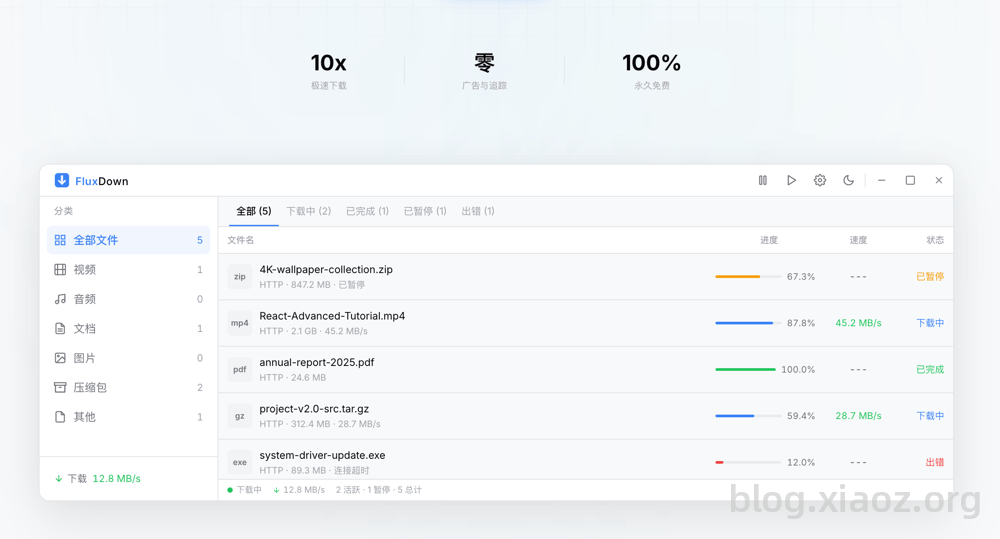
FluxDown Features
- High Performance: Built on Rust and Tokio to achieve maximum throughput.
- Multi-Protocol: Fully supports HTTP, HTTPS, FTP, BitTorrent magnet links, and HLS/DASH streaming.
- Speed Control: A global limiter based on the token bucket algorithm. Set bandwidth limits to keep downloads running in the background while maintaining a smooth browsing experience.
- Resume Capability: Full support for resuming downloads. All download states are persisted to SQLite, ensuring no data is lost during safe shutdowns or restarts.
- Intelligent Segmentation: IDM-style intelligent segmentation with runtime dynamic splitting. Idle threads automatically take over slow segments, and connection reuse avoids reconstruction overhead, squeezing every bit of bandwidth.
- Browser Integration: The browser extension can automatically identify and sniff streaming resources (HLS/DASH).
- Cross-Platform Support: Currently supports Windows, macOS, and Linux, with mobile support planned for the future.
Installing FluxDown
FluxDown currently supports Windows, macOS, and Linux. You can download and install it directly from the official website: https://fluxdown.zerx.dev/#download based on your platform.
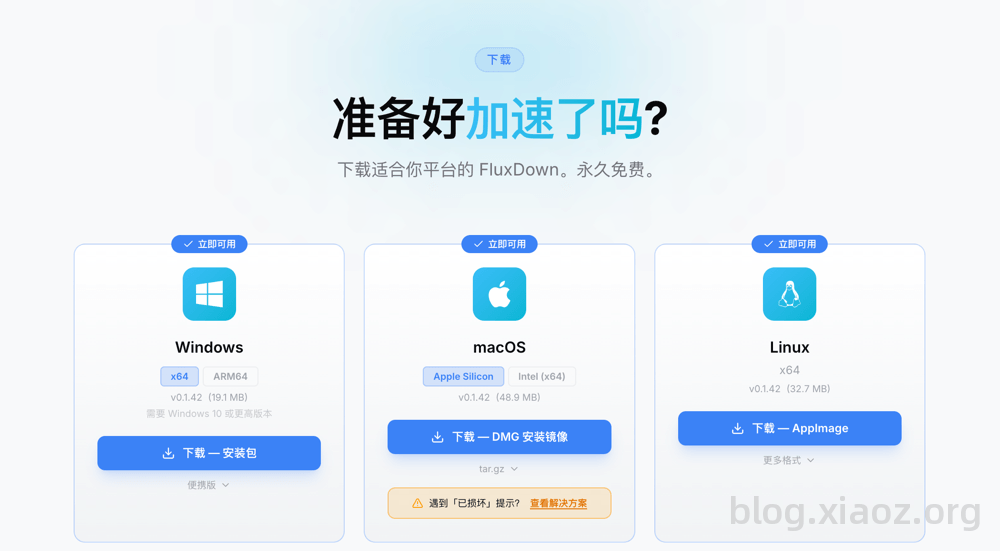
Note: Since FluxDown does not have a digital signature, macOS may prompt that the app is damaged. You need to run
sudo xattr -dr com.apple.quarantine /Applications/FluxDown.appto complete authorization.
Using the Browser Extension
The browser extension takes over the browser's default download behavior and supports web resource sniffing. As tested by xiaoz, the sniffing function is quite average; it cannot identify many audio and video websites, showing a significant gap compared to IDM's sniffing capabilities.
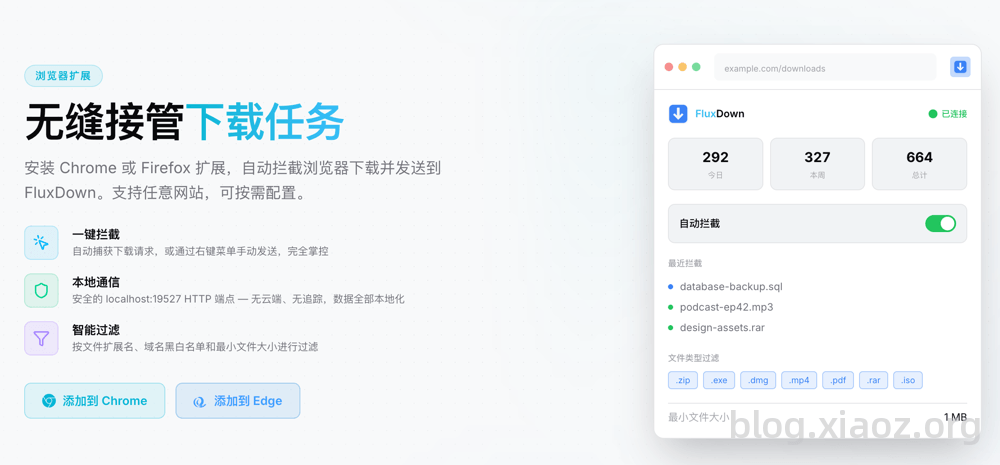
The browser extension supports mainstream browsers like Chrome, Edge, and Firefox. You can install it directly from the official website: https://fluxdown.zerx.dev/#extension.
FluxDown vs. Motrix Next
Previously, xiaoz introduced Motrix Next. Both are excellent downloaders with their own pros and cons. Below is a simple comparison table.
| Feature/Software | FluxDown | Motrix Next |
|---|---|---|
| Open Source | ❌ | ✔ |
| Download Engine | Self-developed | Aria2 Next |
| Browser Extension | ✔ | ❌ |
| ED2K Protocol Support | ❌ | ✔ |
| Development Language | Rust | Rust |
| Interface | Clean and Beautiful | Clean and Beautiful |
| Interface Ads | None | None |
Conclusion
FluxDown is a free, ad-free Rust download manager that supports multiple protocols including HTTP, BT, and streaming media. It offers practical features such as intelligent segmentation, resume capability, and speed limiting. Although it is currently closed-source and its browser sniffing capabilities are average, its download performance and interface experience are excellent, making it a viable new choice alongside IDM or Motrix Next. If you are looking for a pure, efficient multi-protocol download tool, it is worth trying.
FluxDown Official Website: https://fluxdown.zerx.dev/