GPT-Load: A Lightweight Self-Hosted AI Gateway Ideal for Individuals and Small Teams
To be honest, I've used quite a few AI gateways, from new-api, Bifrost, octopus to this one, gpt-load. I have seriously used each of them for a period of time, and I will most likely keep gpt-load as my long-term personal AI gateway. The reason is simple: its functions perfectly match my needs, and it has low memory usage.
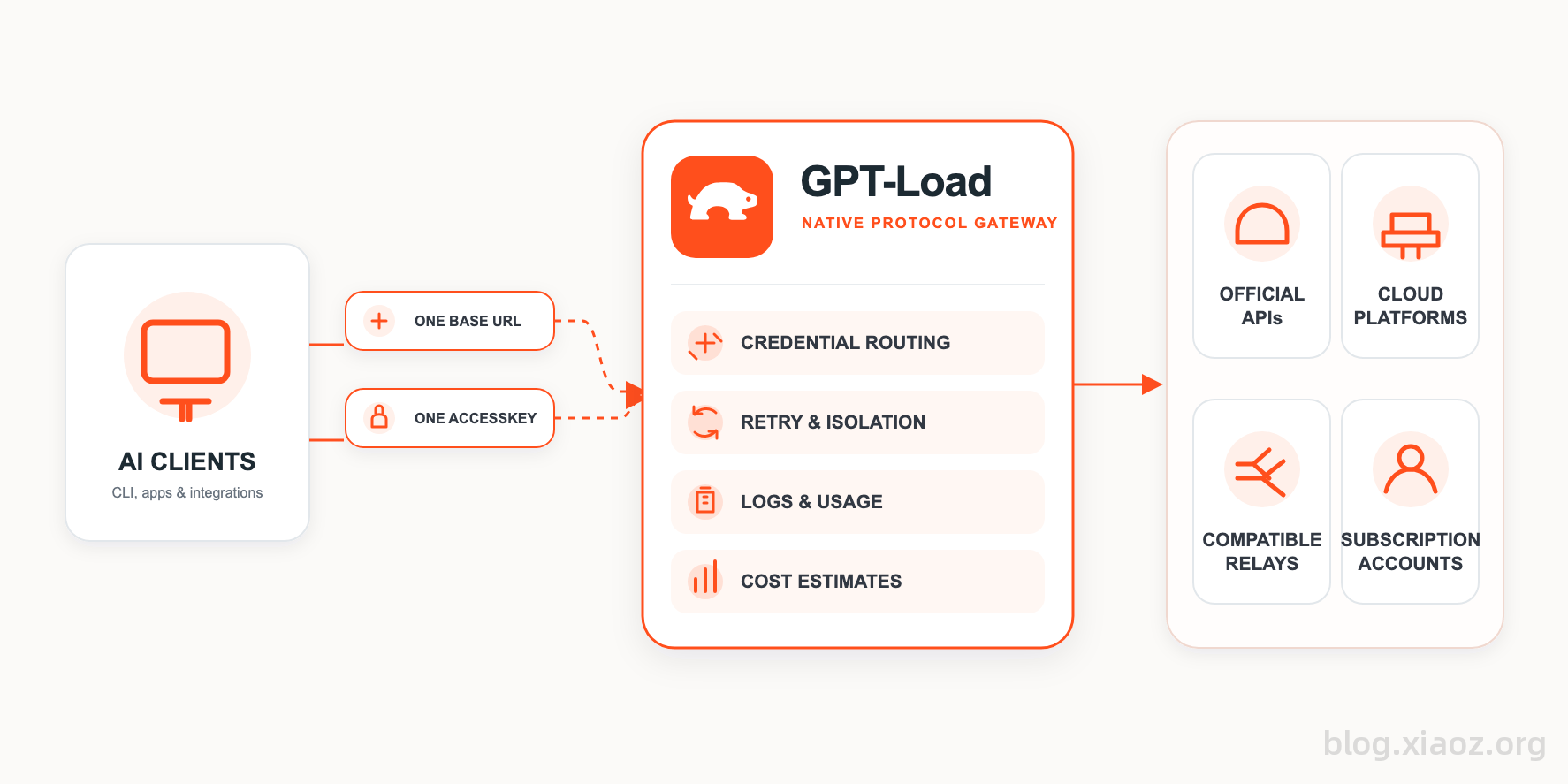
What is GPT-Load?
GPT-Load is a self-hosted AI gateway designed for multi-channel and multi-credential scenarios. It unifies API Key management, traffic scheduling, fault handling, and usage statistics into a single entry point. Its functionality is similar to software like new-api and Magpie.
Why GPT-Load Suits Individuals or Small Teams
Previously, I used the new-api gateway, but new-api seems more prepared for transit station owners, such as features for multiple users, billing, and rate adjustments. For individuals, these functions are basically unnecessary.
gpt-load adopts a single-user, multi-key design. While its functions are more restrained, it includes practical features like load balancing and failover. gpt-load follows a lightweight and concise route, with a very clear target audience: individuals or small teams.
From Bifrost to GPT-Load
For a long time, Bifrost was my main AI gateway. I even wrote two separate articles introducing it:
- Building a Highly Available LLM Gateway from Scratch: Bifrost Deployment and Getting Started Guide
- Large Model Gateway Bifrost Routing Rules: Implementing Load Balancing and Failover
Although Bifrost is complex to get started with, its powerful routing functions and load balancing capabilities made me very satisfied. However, after using it for a long time, I found that Bifrost's memory usage is really too high. Even under low concurrency, Bifrost often spikes to around 1GB.
So I tried many other AI gateway software. One day, I discovered gpt-load. gpt-load uses Bifrost Core as its underlying core but simplifies some aspects of load balancing and routing. It is easier to get started than Bifrost and consumes significantly less memory.
Installing GPT-Load via Docker Compose
I did not fully follow the official Docker Compose installation tutorial provided by gpt-load but adjusted it according to my own situation. First, create a compose.yaml file with the following content:
services:
  gpt-load:
    image: ghcr.io/tbphp/gpt-load:2
    ports:
      - "${BIND_ADDRESS:-${HOST:-127.0.0.1}}:${PORT:-3001}:${PORT:-3001}"
      - "${OAUTH_CALLBACK_BIND_ADDRESS:-${HOST:-127.0.0.1}}:1455:1455"
      - "${OAUTH_CALLBACK_BIND_ADDRESS:-${HOST:-127.0.0.1}}:54545:54545"
      - "${OAUTH_CALLBACK_BIND_ADDRESS:-${HOST:-127.0.0.1}}:51121:51121"
    env_file:
      - .env
    restart: always
    user: "1000:1000"
    volumes:
      - ./data:/app/data
    stop_grace_period: ${CONTAINER_STOP_GRACE_PERIOD:-15s}
    healthcheck:
      test: wget -q --spider -T 10 -O /dev/null http://localhost:${PORT:-3001}/health
      interval: 30s
      timeout: 10s
      retries: 3
      start_period: 40s
Then, continue creating a .env file with the following content:
HOST=0.0.0.0
PORT=3001
# Timeouts are seconds; the Compose stop grace period uses a duration.
GRACEFUL_SHUTDOWN_TIMEOUT=10
CONTAINER_STOP_GRACE_PERIOD=15s
READ_TIMEOUT=60
IDLE_TIMEOUT=120

DATA_DIR=/app/data
DATABASE_DSN=

AUTH_KEY=xxx
ENCRYPTION_KEY=xxx

CLIENT_IP_HEADER=
TRUSTED_PROXIES=

LOG_LEVEL=info
LOG_FORMAT=text
You mainly need to modify the following two places:
AUTH_KEY: The access password for the WEB interfaceENCRYPTION_KEY: Encryption key, you can set any string
Then run docker compose up -d to start. After successful startup, visit http://IP:3001 to test. The password is the AUTH_KEY we just set.
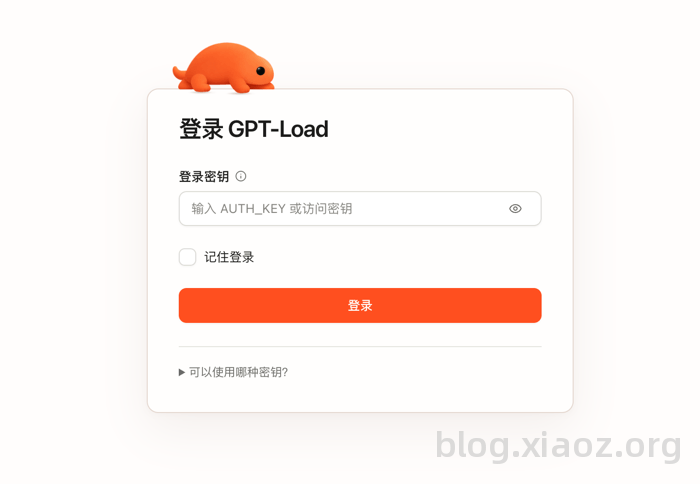
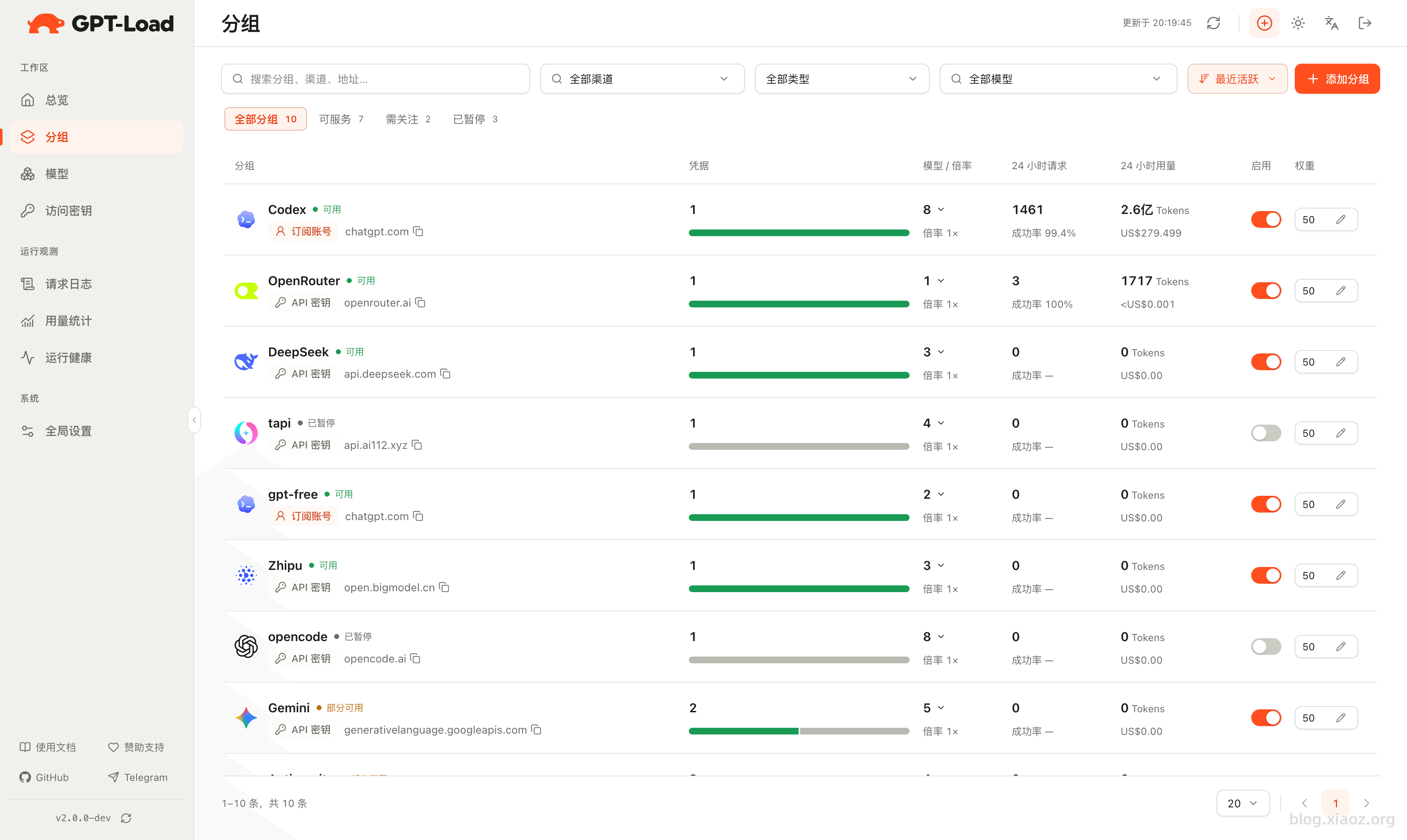
Next, create groups (similar to channels) and access keys. This won't be detailed here; interested readers can learn more through the official documentation: https://gpt-load.com/zh/docs.
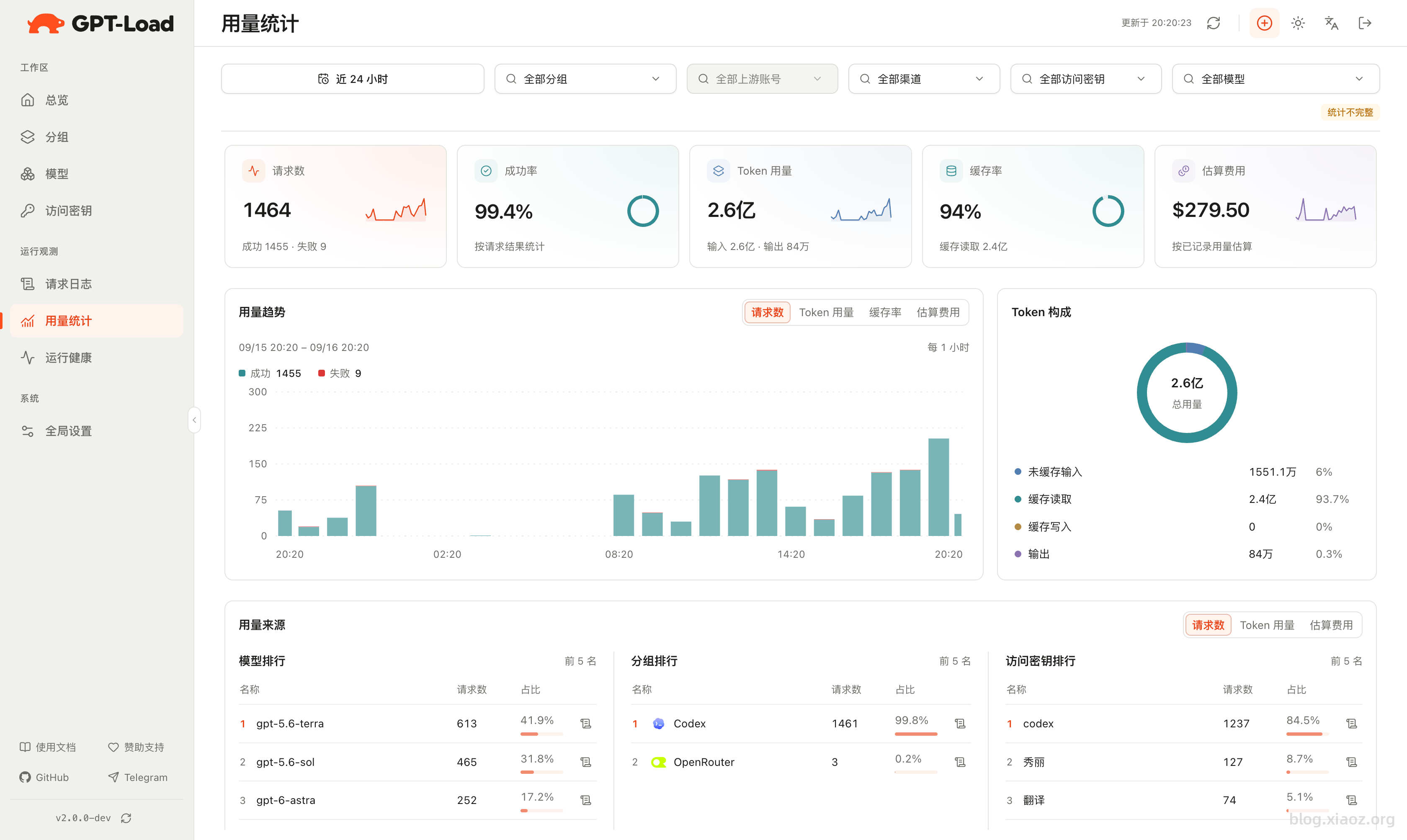
GPT-Load Screenshots
Software Comparison
I have deeply used four AI gateway software: new-api, Bifrost, octopus, and gpt-load. Based on my subjective feelings and experience, I made a simple comparison.
| Software/Feature | new-api | Bifrost | octopus | gpt-load |
|---|---|---|---|---|
| Memory Usage | Low | High | Very Low | Medium-Low |
| Load Balancing | Average | Very Powerful | Average | Powerful |
| Failover | Channel Level | Route Level, Very Detailed | Automatic | Automatic |
| Interface Usability | Many functions individuals don't need | English, Complex to Start | Very Concise | Easy and Concise |
| Supported Channels | Rich | Rich | Fewer | Very Rich, including some subscriptions |
| Multi-User Support | Supported | Free version does not support | Not Supported | Not Supported |
Note: The above is based on personal subjective feelings, not strictly tested, and data may not be entirely accurate. Please point out any errors or omissions.
Currently, gpt-load has become my main AI gateway. In the future, I will likely gradually stop using new-api and Bifrost. It's not that these two software aren't good enough, but they don't quite fit my scenario and needs. Ultimately, I should keep gpt-load and octopus.
Conclusion
Overall, gpt-load wins due to its restrained yet practical functions: single-user multi-key, complete load balancing and automatic failover, a concise interface, and medium-low memory usage. It fits the needs of individuals and small teams perfectly. Compared to the redundancy of new-api and the high memory usage of Bifrost, it is more suitable for my long-term main use.
gpt-load Open Source Address: https://github.com/tbphp/gpt-load