SSHYard: A Native, Cross-Platform Open Source AI SSH Client
SSHYard is a free, open-source SSH/SFTP client supporting macOS, Windows, and Linux. Unlike most cross-platform software that relies on WebView, SSHYard uses Golang for native rendering, offering better performance and lower resource consumption. The software is developed based on the MyGO framework.
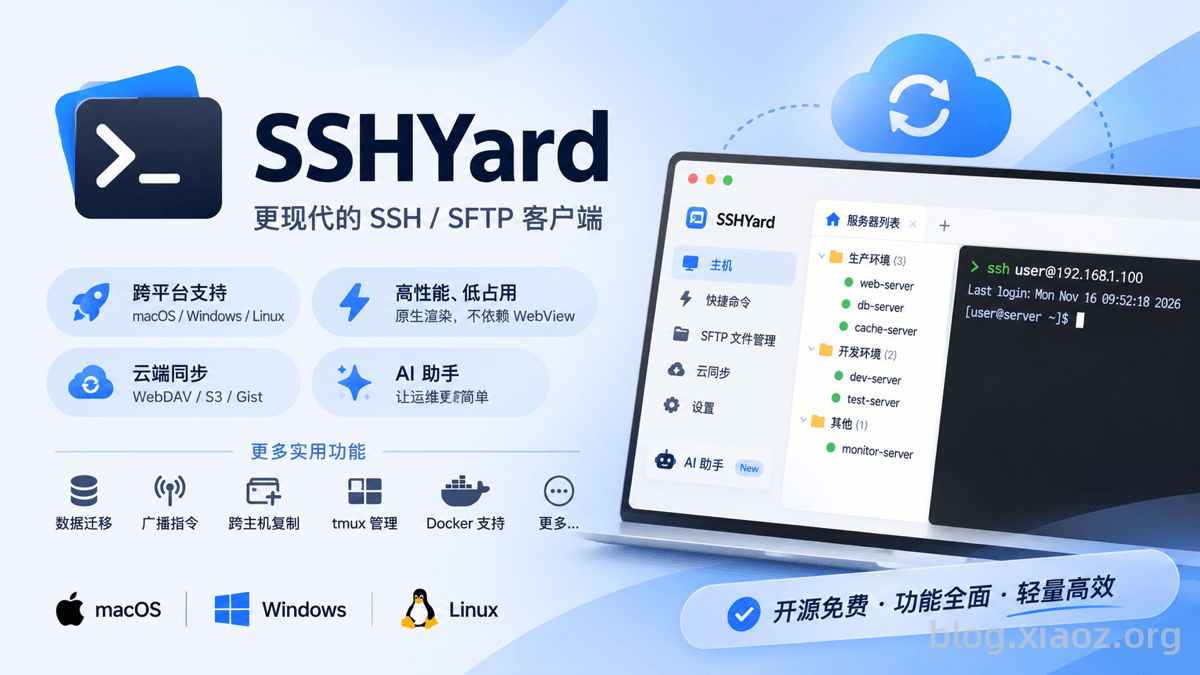
SSHYard Official Website: https://sshyard.com/zh-hans/
Key Features of SSHYard
- Cross-Platform Support: Compatible with macOS, Windows, and Linux.
- High Performance & Low Resource Usage: Uses native rendering at the底层 without relying on WebView, ensuring superior performance and minimal resource consumption.
- SFTP File Management: Supports copying files across machines and sudo privilege escalation.
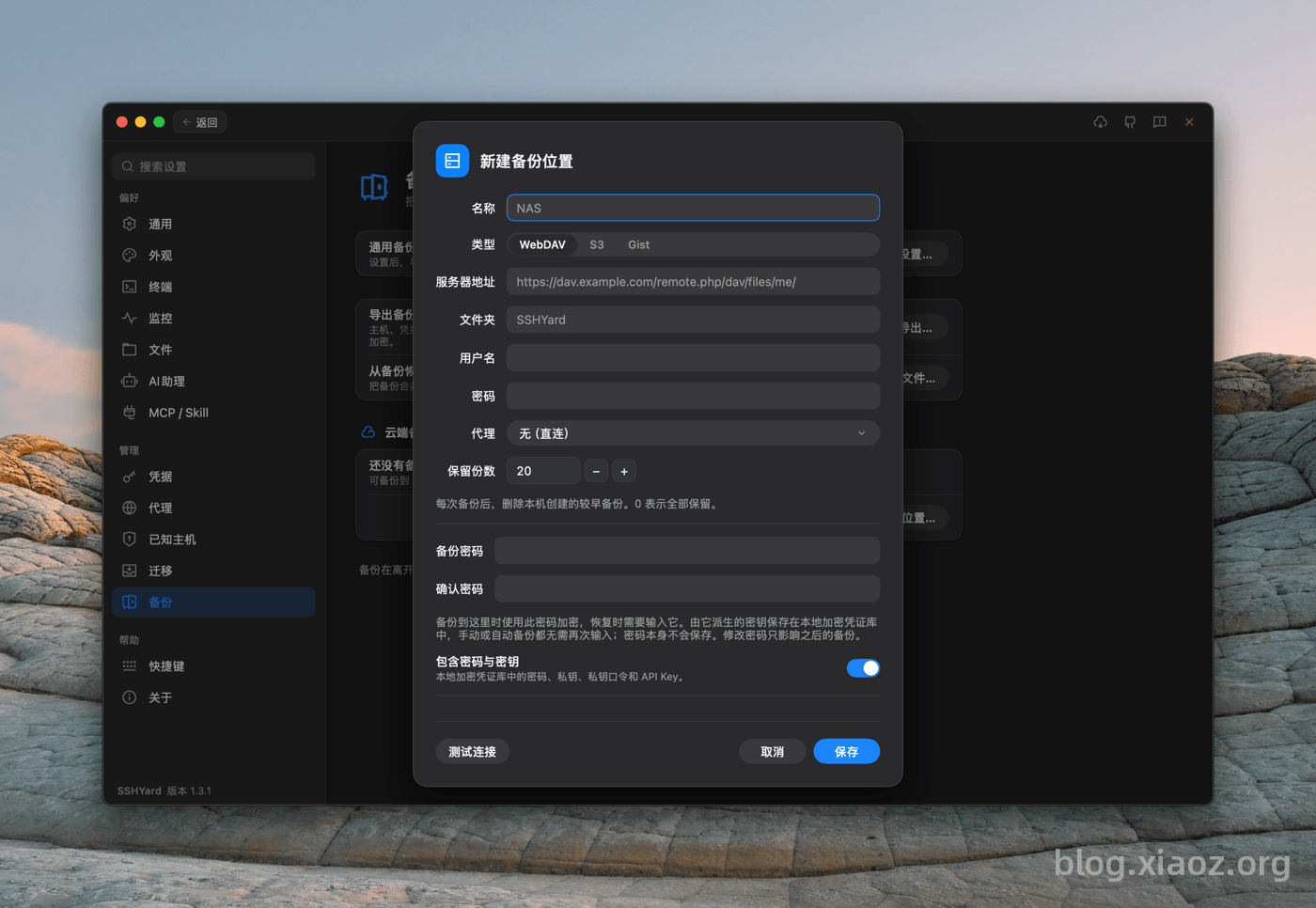
- Cloud Synchronization: Allows integration with WebDAV, S3, and Gist for cloud-based sync.
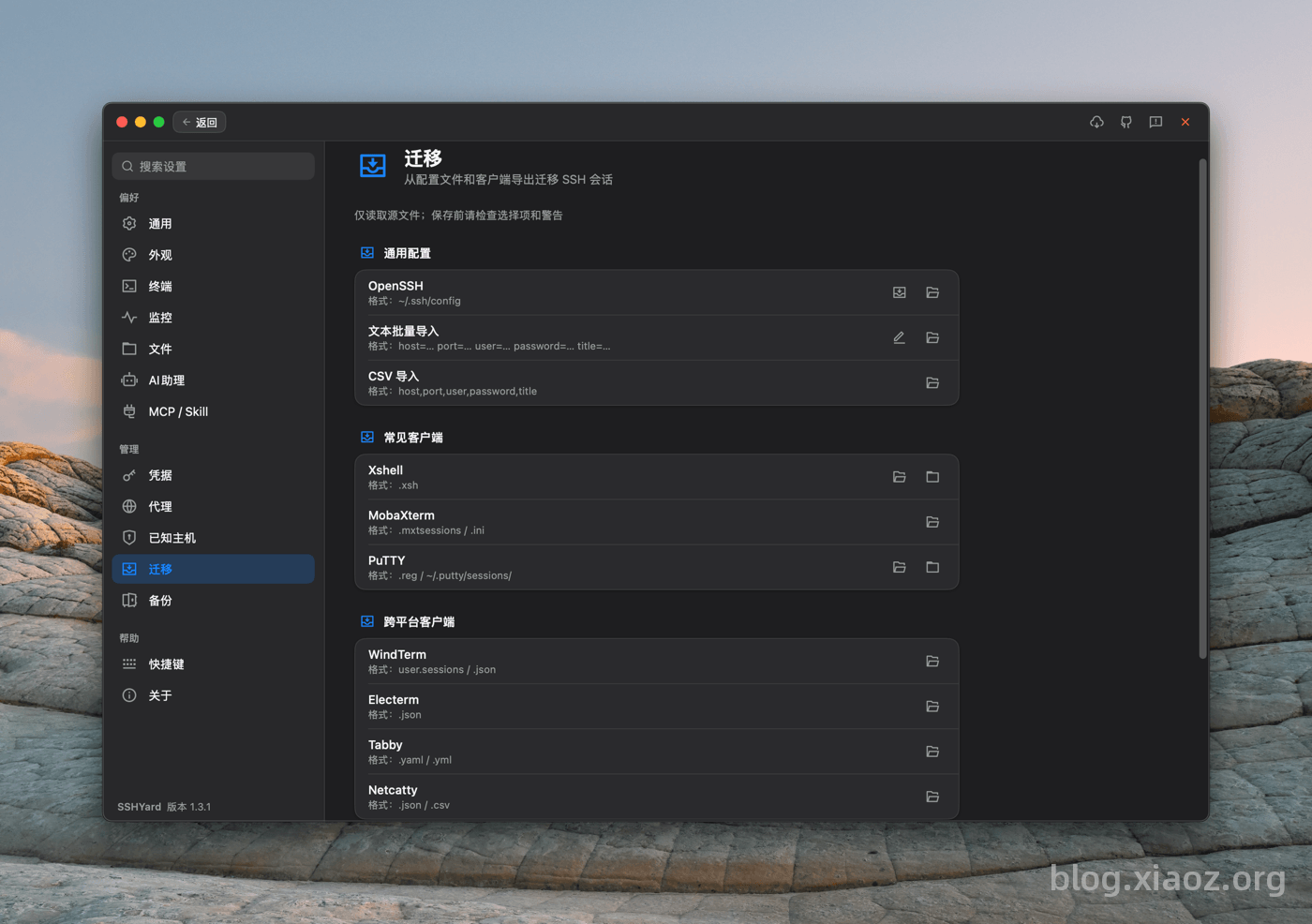
- Data Migration: Built-in migration tools allow transferring data from Xshell, WindTerm, Netcatty, and others to SSHYard.
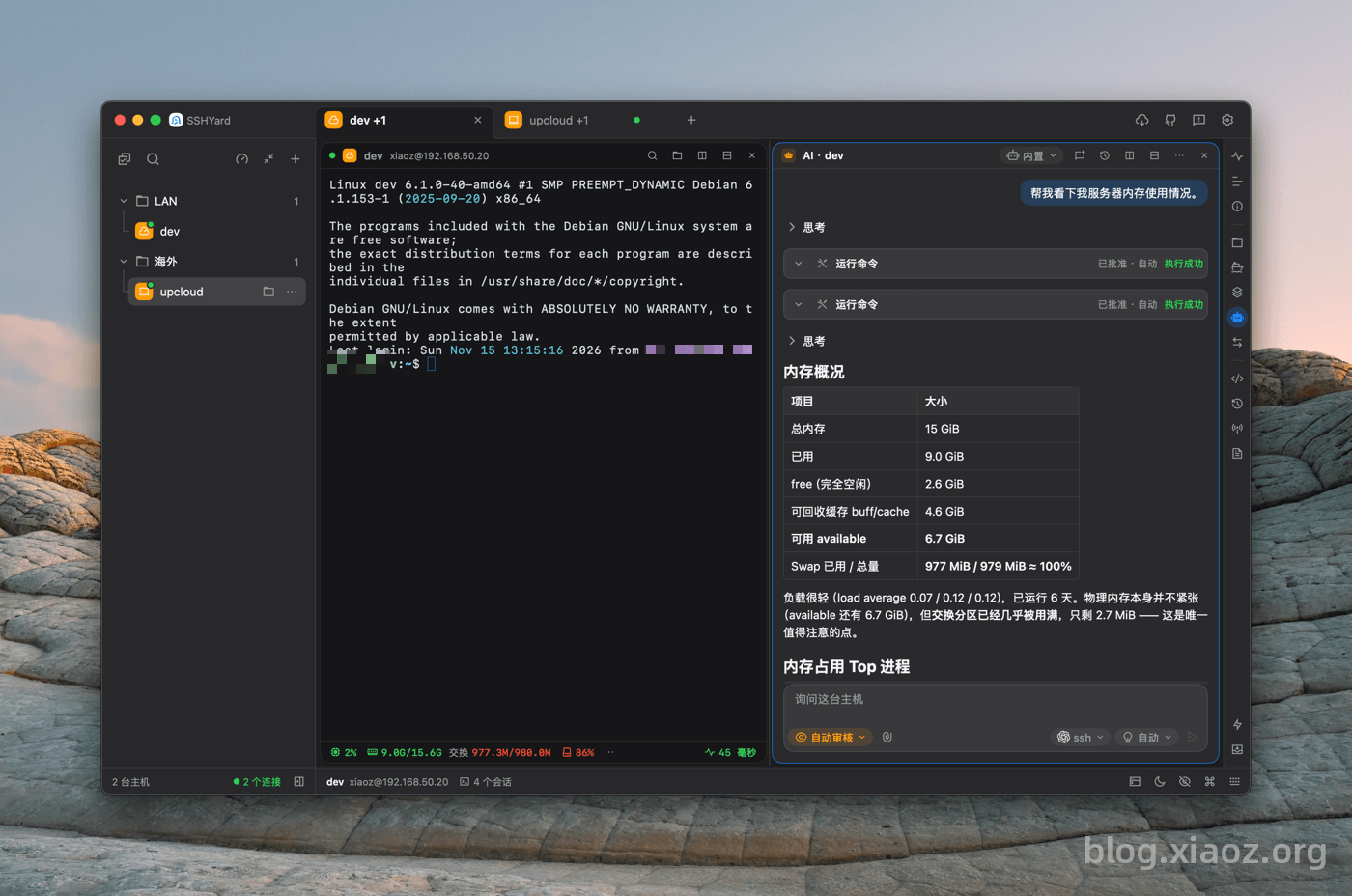
- AI Assistant: Includes a built-in AI assistant capable of connecting to third-party large models to assist in operations and maintenance tasks.
- External Agent Integration: Supports MCP and Skills access methods, enabling external agents to manage SSHYard.
- Broadcast Commands: Send commands to multiple hosts simultaneously to improve operational efficiency.
- Docker & tmux Management: Full support for managing Docker containers and tmux sessions.
- And More...
Download SSHYard
Download directly from the official website: https://sshyard.com/zh-hans/download/ according to your platform.
Note: Download links are provided via GitHub; please ensure your network can access GitHub!
Feature Highlights
Cloud Synchronization
SSHYard supports connecting to your own WebDAV, S3, or Gist services for cloud synchronization, allowing you to sync hosts and quick commands across devices.
Data Migration
SSHYard includes configuration migration for various software, including but not limited to Xshell, WindTerm, Netcatty, MobaXterm, and Putty. It also supports importing configurations via generic text or CSV tables for a seamless transition.
AI Assistant
The built-in AI assistant can connect to any service supporting OpenAI-compatible Chat Completions, OpenAI Responses, or Anthropic Messages interfaces, including self-deployed models. This feature allows even users without extensive operations experience to handle most server management tasks.
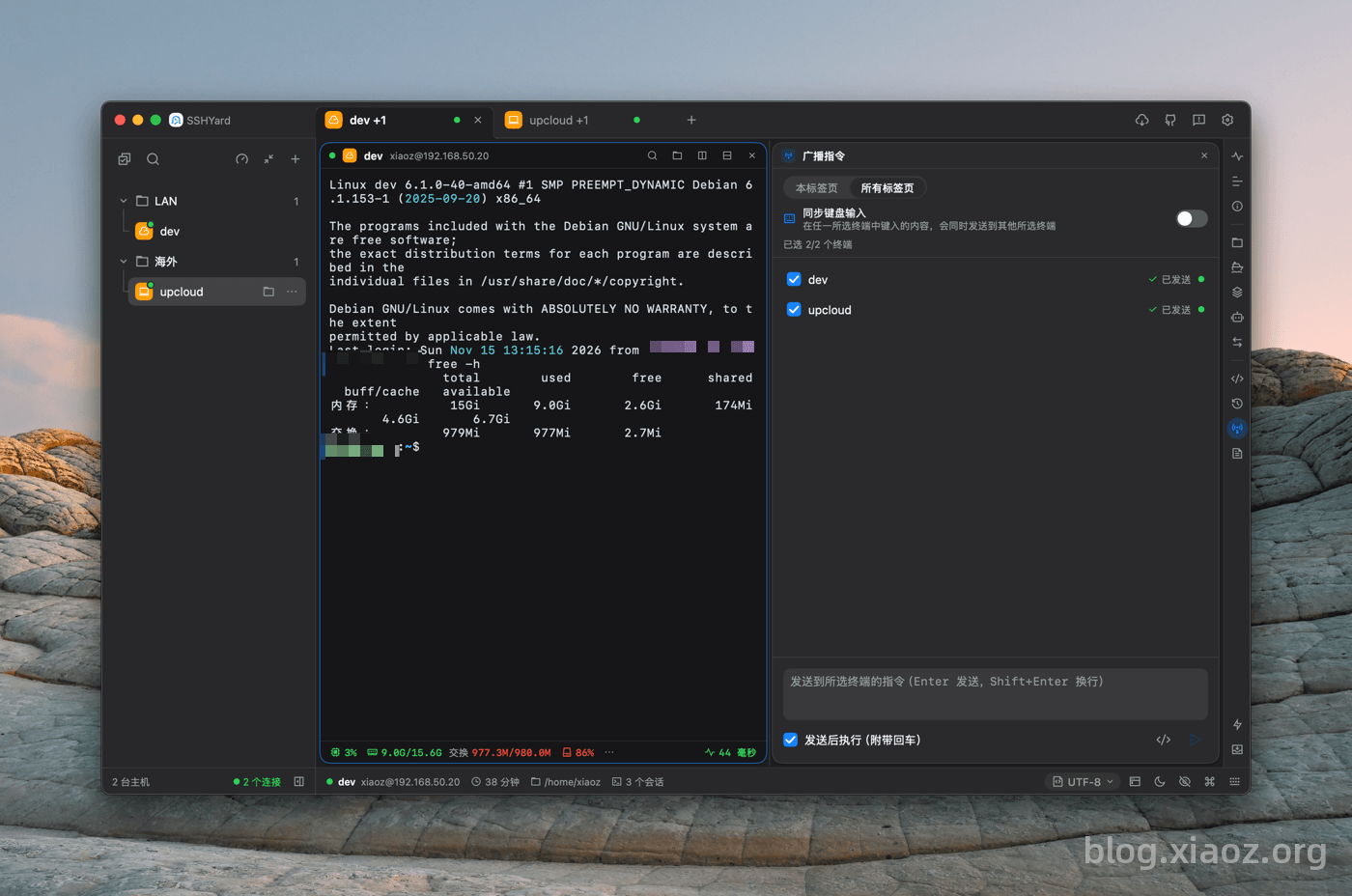
Broadcast Commands
For operations personnel managing dozens or hundreds of servers, if a vulnerability requires batch patching or upgrades, you can use the broadcast command feature to send fix commands to multiple selected hosts instantly.
Cross-Host Copying
Transferring files between Host A and Host B usually involves scp or rsync commands, which can be cumbersome and require remembering specific parameters. SSHYard offers a convenient feature: simply open the SFTP file manager, select the files to copy, press Ctrl + C, then go to the target host's SFTP manager and press Ctrl + V to complete the transfer easily.
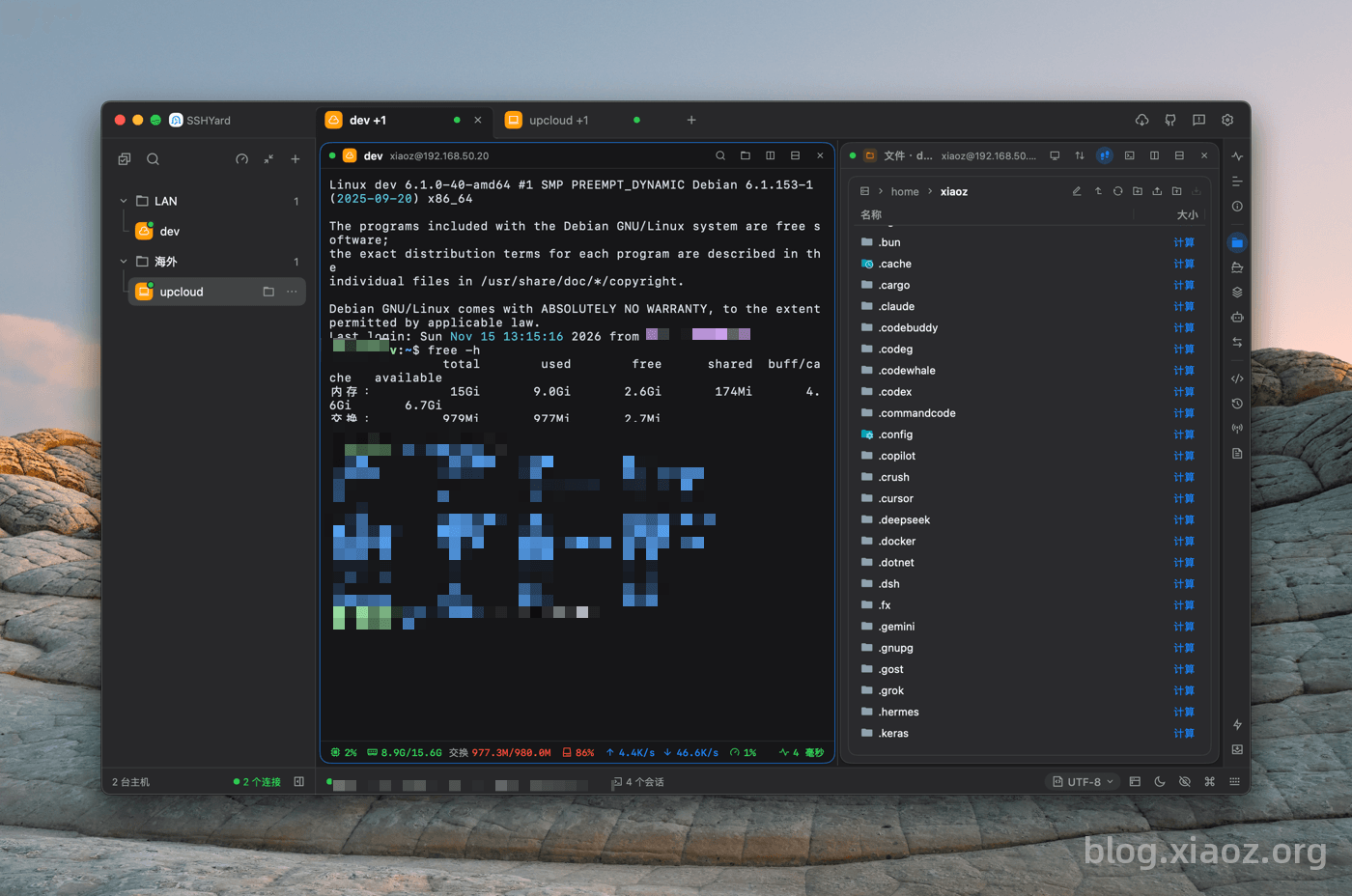
Recommendation: For massive files or large transfers, it is still recommended to use the
rsynccommand, as it has been proven reliable in large-scale production environments.
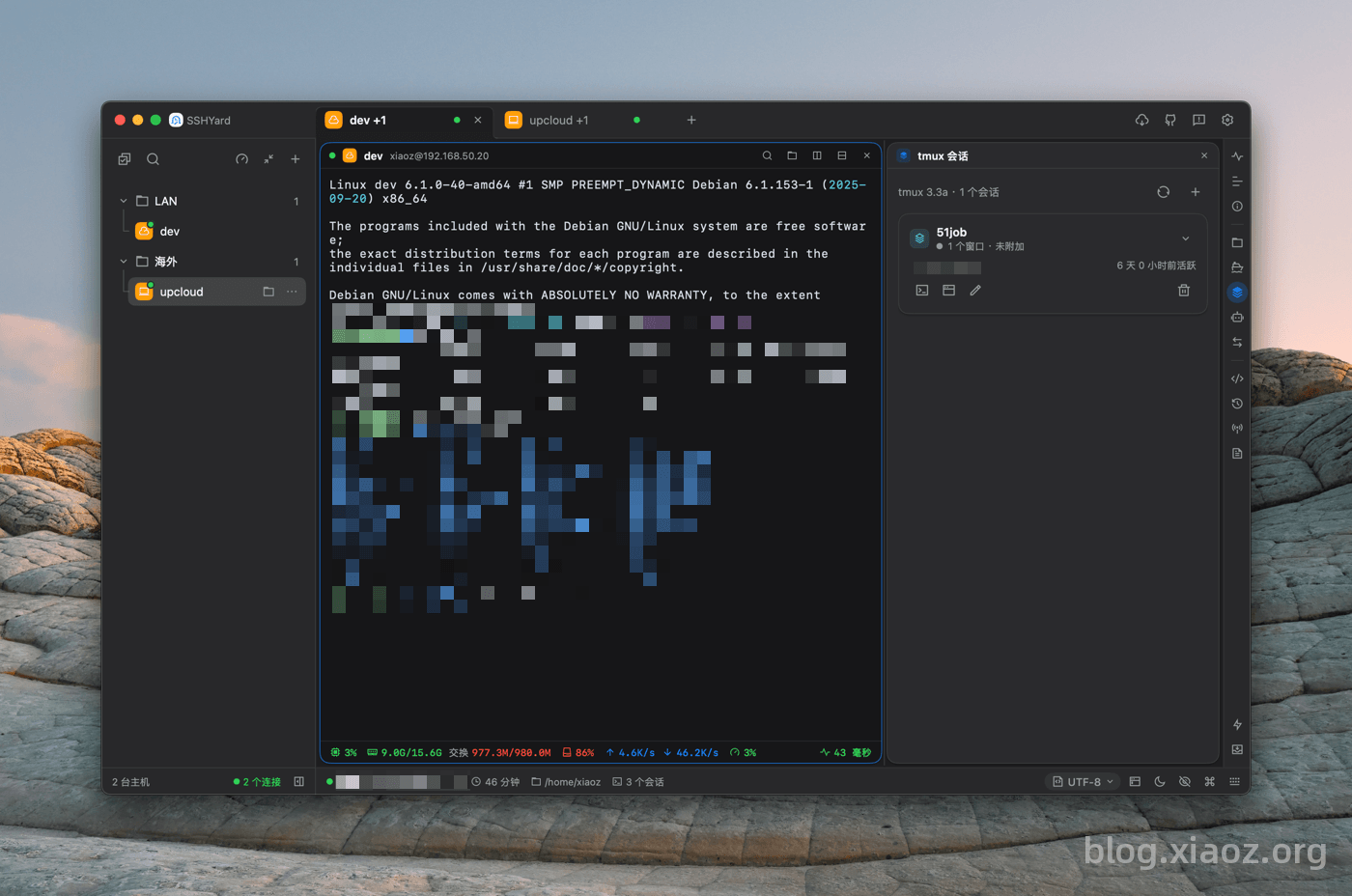
tmux Management
Many users struggle to remember tmux commands. With SSHYard, there is no need to memorize them; the built-in tmux session management allows you to create new sessions or switch between them directly through a visual interface.
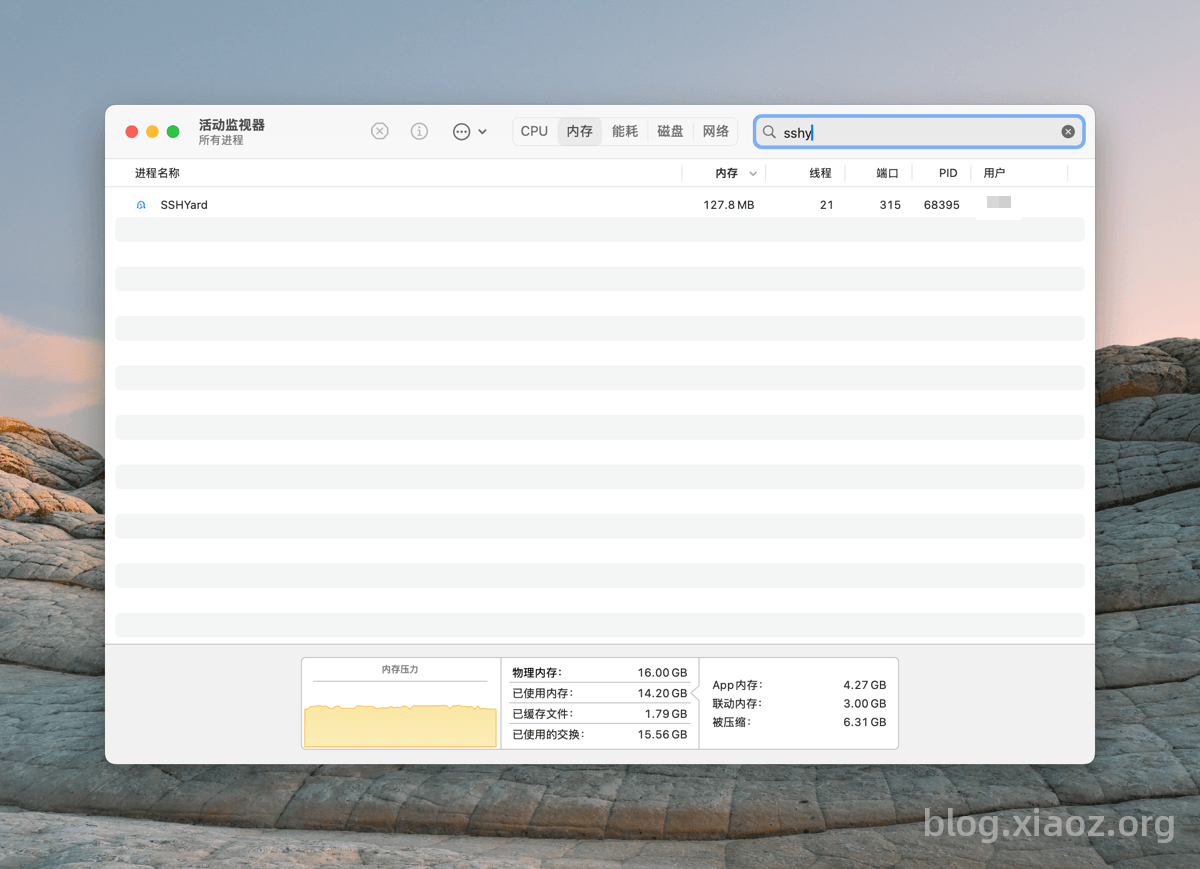
Lower Resource Usage
SSHYard utilizes native rendering without depending on WebView. The interface is not only beautiful and smooth but also consumes very few system resources.
More Features
SSHYard is already quite mature, and the author is actively updating it. Any issues can be reported via Github Issues.
Due to space limitations, not every feature can be detailed here. Interested users are encouraged to download and try it out.
Conclusion
SSHYard is a free, open-source cross-platform SSH/SFTP client that delivers lower resource usage through native rendering. It integrates practical features such as cloud synchronization, data migration, an AI assistant, broadcast commands, and Docker/tmux management. If you are looking for a lightweight yet comprehensive SSH tool, SSHYard is definitely worth trying.
SSHYard Open Source Address: https://github.com/Licoy/sshyard