TCPLab Network Toolbox Updates: Domain Detection, WHOIS, ICP Query & Open API
It has been 10 days since the previous article "I Refactored My Generic Network Toolbox TCPLab, Can It Be Your Backup?". During this time, xiaoz has been continuously iterating on the TCPLab network tool. Recently, several practical new functions have been added, and I couldn't wait to share them with everyone. Let's take a look to see if there is anything you can use.
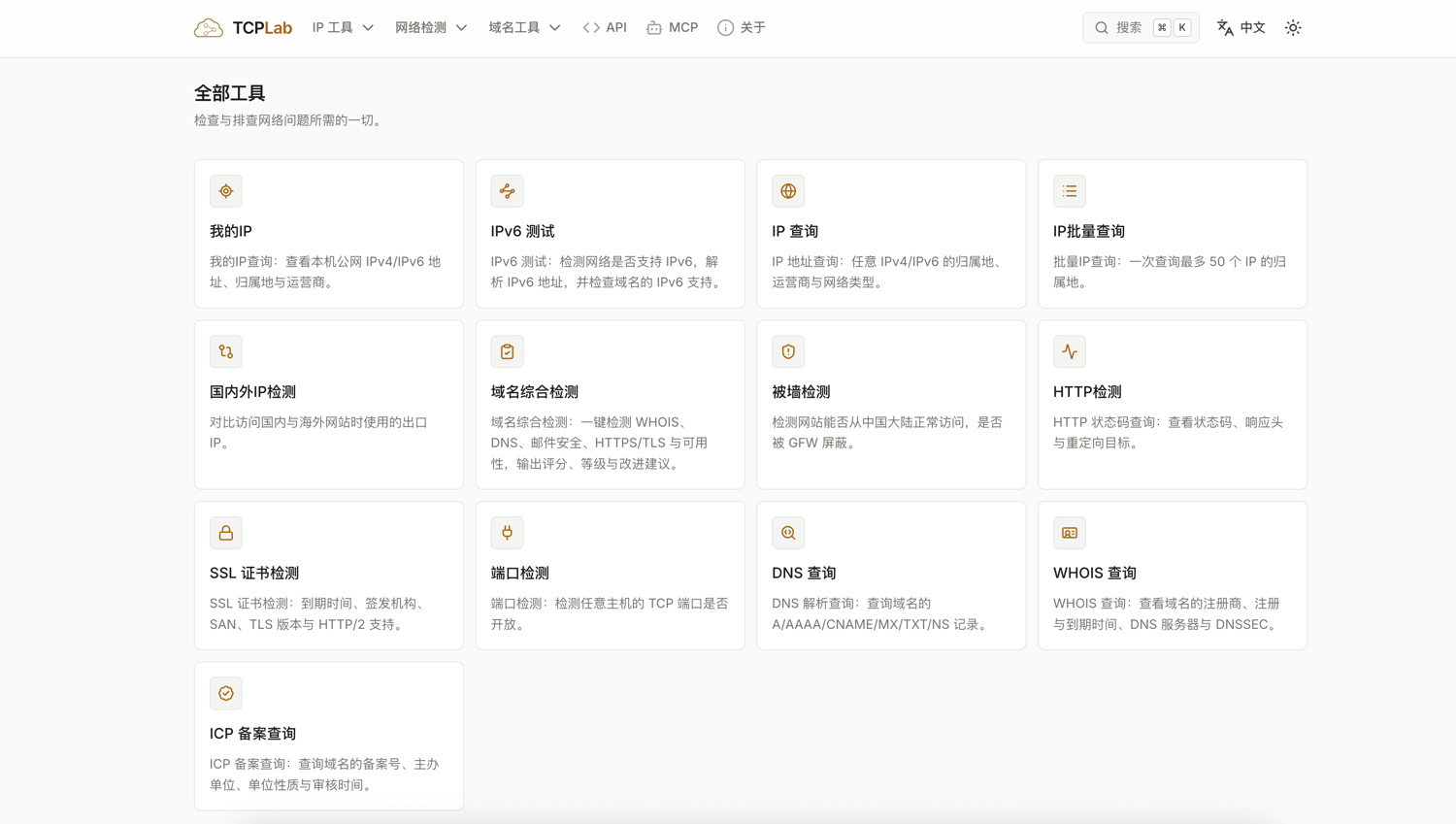
TCPLab Network Toolbox Access Address: https://tcp.lc/zh
Recent New Features in TCPLab
- Comprehensive Domain Detection: Enter a domain name to one-click detect WHOIS, DNS, email security, HTTPS/TLS, and availability, outputting scores, levels, and improvement suggestions.
- SSL Certificate Detection: Supports detecting domain SSL certificate expiration dates, issuing authorities, SANs, TLS versions, and HTTP/2 support.
- WHOIS Query: View domain registrars, registration and expiration dates, DNS servers, and DNSSEC, supporting hundreds of domain suffixes.
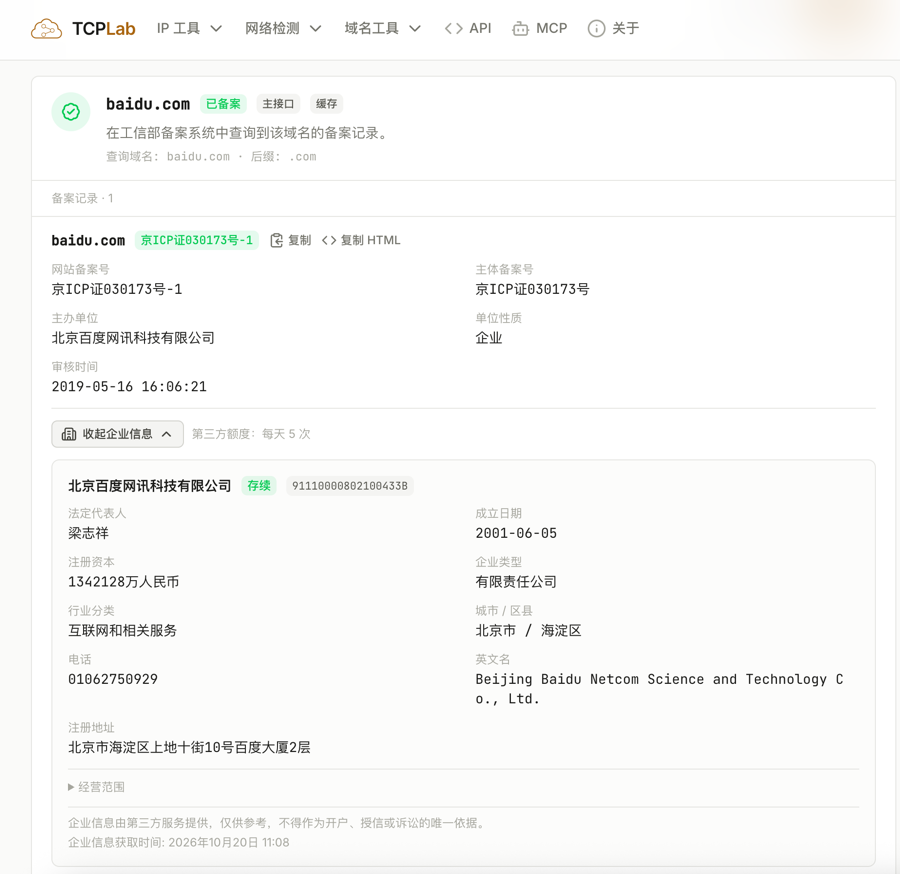
- ICP Filing Query: Query domain filing numbers, main units, unit nature, and audit times.
- MCP Support: Accessible via the MCP protocol to be integrated into any AI Agent for faster and more convenient network information queries.
- Open API: Most interfaces are open as APIs, allowing developers to integrate them into their own tools.
Detailed Introduction to Some TCPLab Functions
Comprehensive Domain Detection
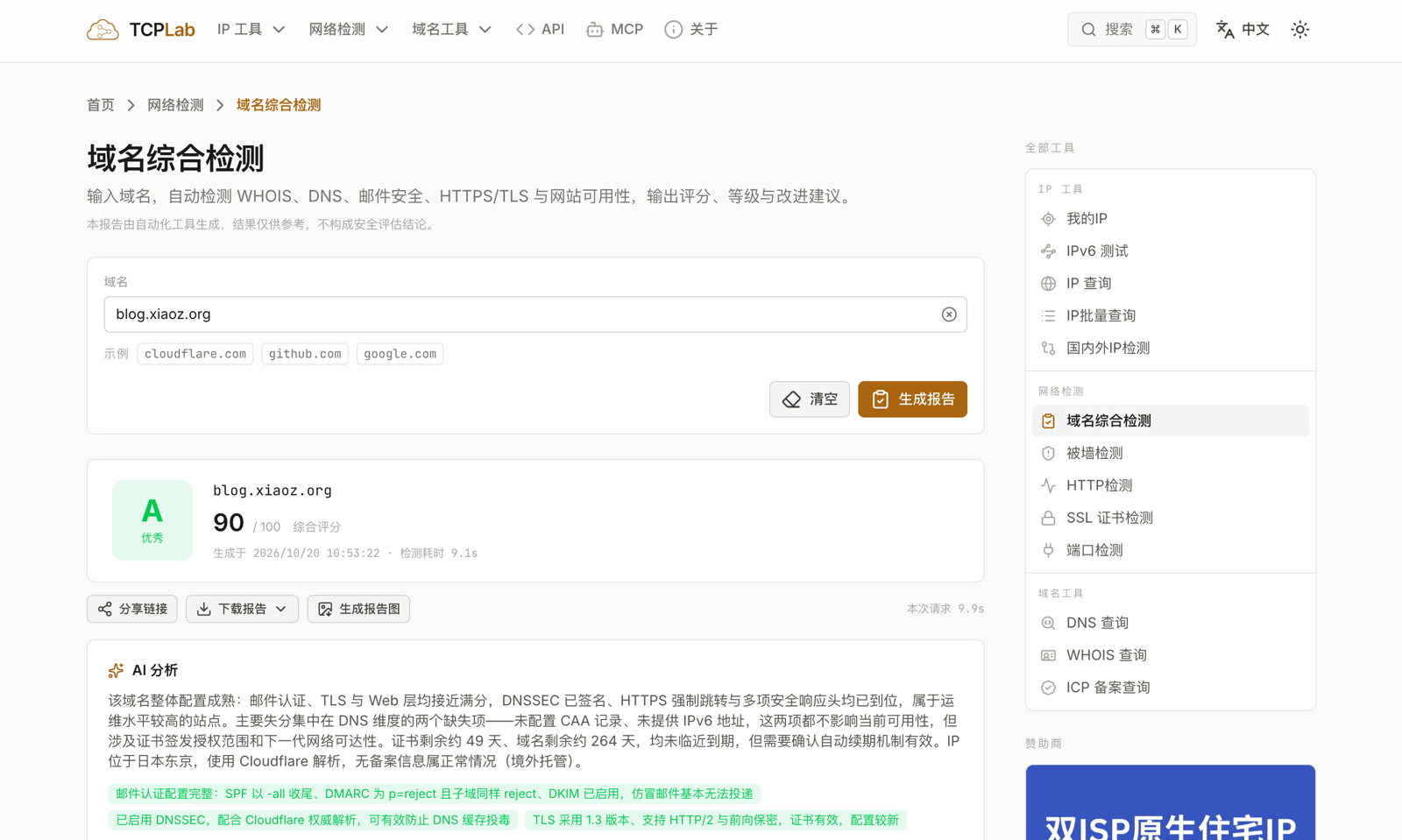
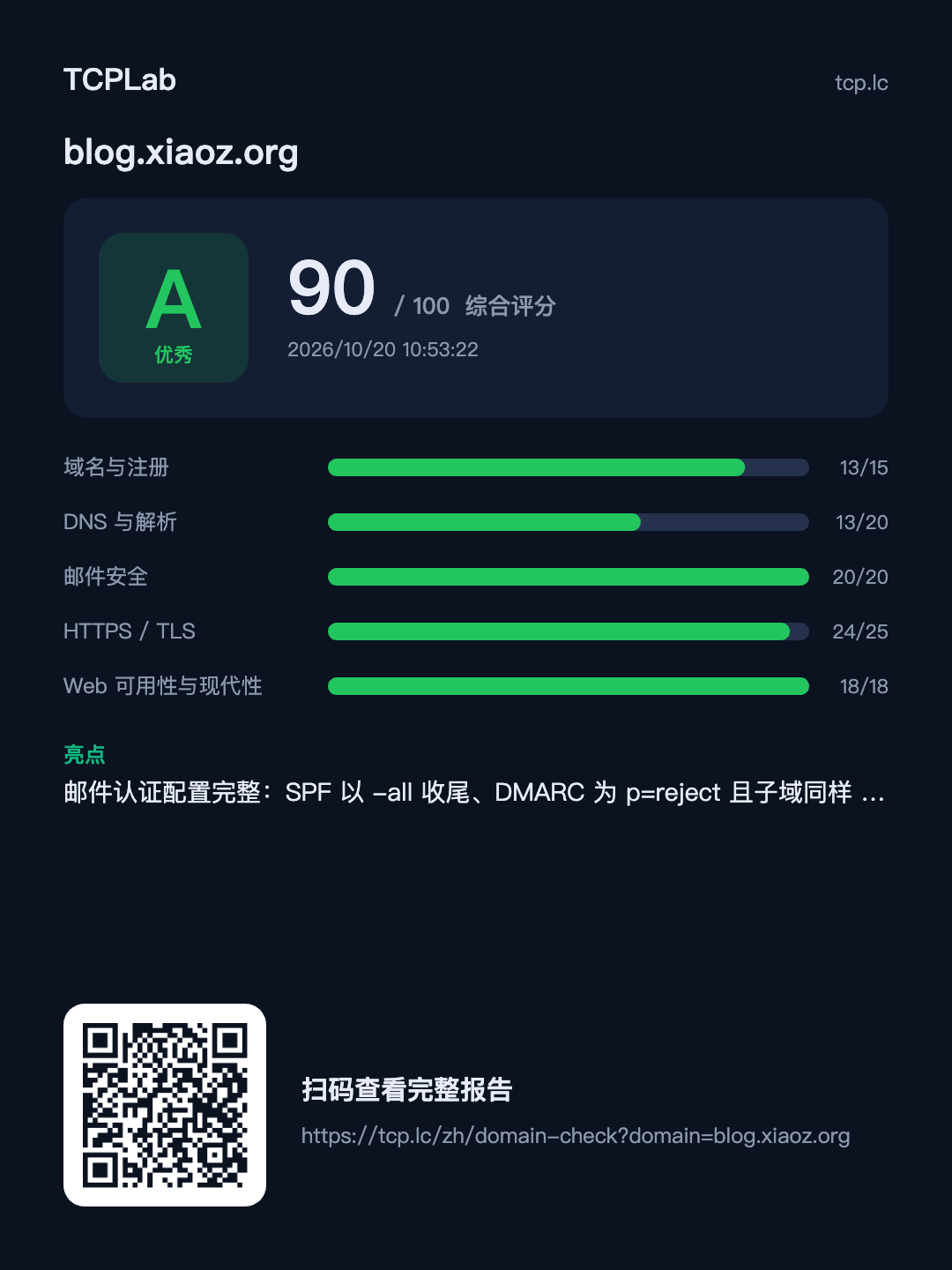
Simply enter any domain name to automatically detect WHOIS, DNS, email security, HTTPS/TLS, and website availability, outputting scores, levels, and improvement suggestions. For operations and site owners, this is an essential tool.
Access Address: https://tcp.lc/zh/domain-check
Take my xiaoz blog as an example. By entering my blog domain blog.xiaoz.org, it takes only about 10 seconds to generate a full report with improvement and repair suggestions, which is highly valuable for site owners and operations teams.
ICP Filing Query
You can directly query detailed ICP filing information without registering or logging in. If the queried entity is an enterprise filing, additional enterprise details will be displayed, as shown below.
MCP Integration
If you want to call TCPLab capabilities within an AI Agent, we provide MCP integration. You only need to add the following configuration to your MCP client:
{
  "mcpServers": {
    "tcplab": {
      "type": "http",
      "url": "https://tcp.lc/mcp",
      "autoApprove": [
        "ip_lookup", "my_ip", "dns_query", "dns_domain_ready",
        "whois_lookup", "http_check", "tls_check", "domain_report"
      ]
    }
  }
}
Note: You can also send the JSON content above directly to an AI Agent to help you integrate MCP.
Open API
If you want to integrate network capabilities into your own tools, TCPLab provides free API interfaces covering IP lookup, WHOIS query, ICP filing information query, SSL certificate detection, etc. For detailed API usage, refer to: https://tcp.lc/zh/page/api
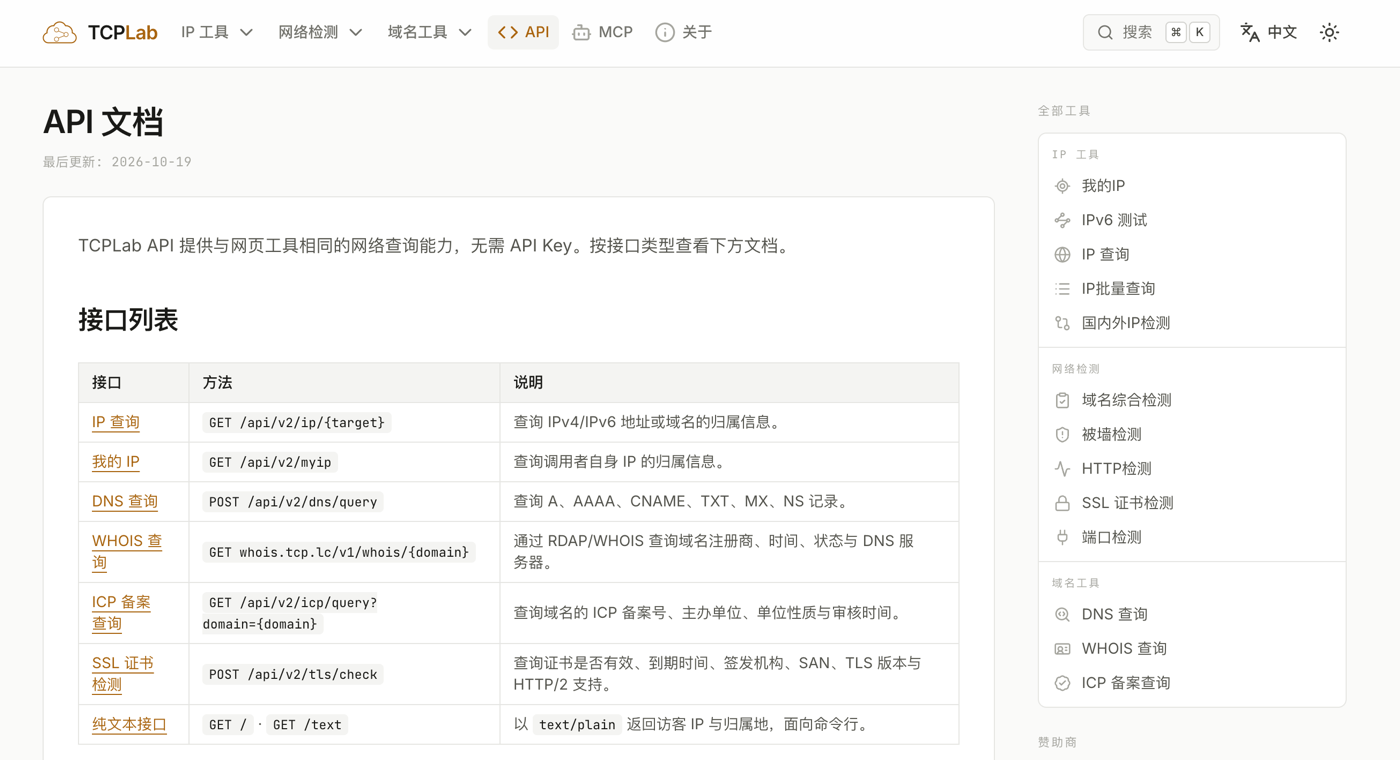
Note: API calls do not require authentication but have daily limits and are for personal use only; commercial use is prohibited!
Browser Extension
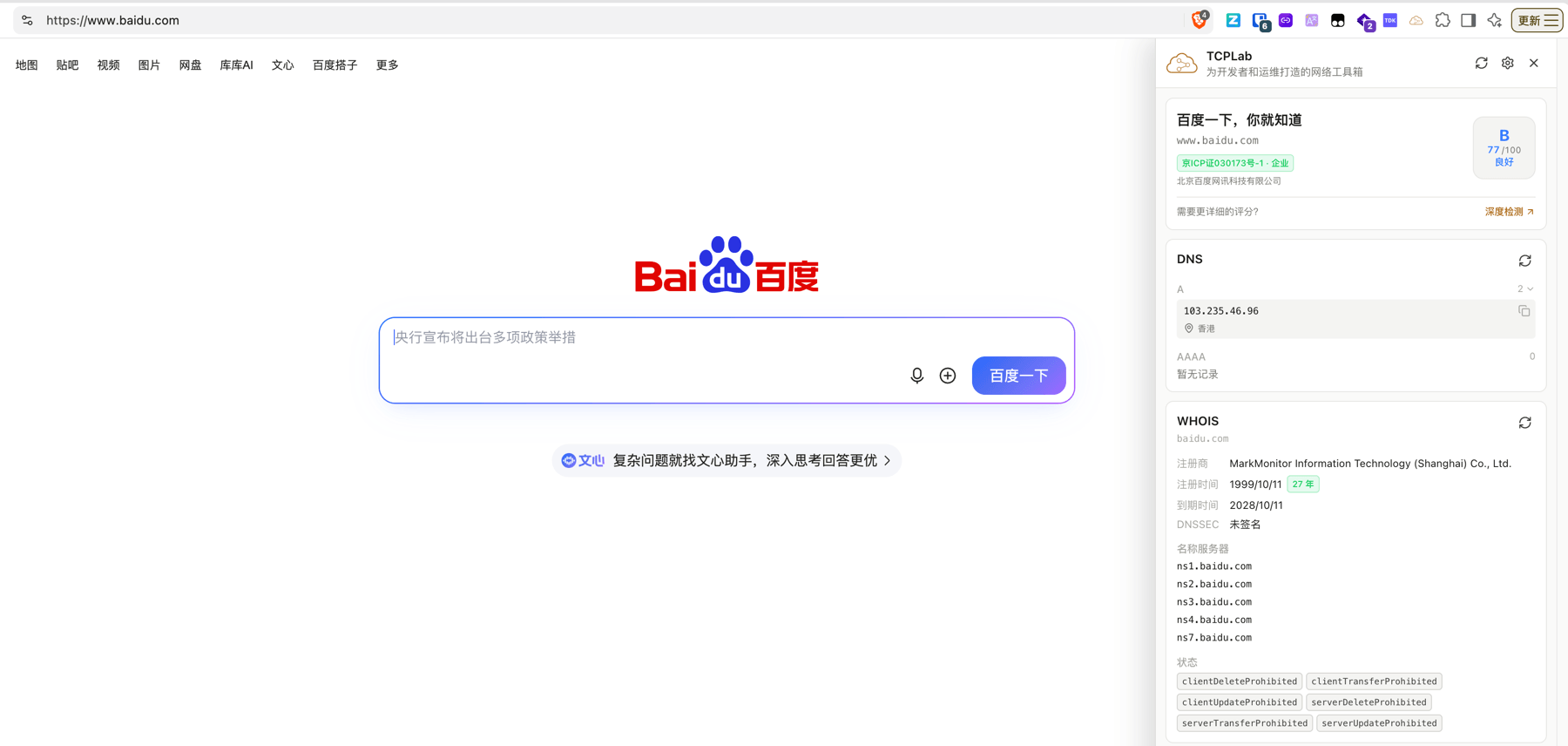
Additionally, the TCPLab browser extension has been developed. By installing the extension, you can click the plugin button on any webpage to get detailed information about the current site, making it very convenient to analyze other websites. The browser extension is currently under review and is expected to be available soon.
Conclusion
TCPLab continues to iterate. This update adds comprehensive domain detection, WHOIS, filing queries, MCP support, and an open API. The browser extension is also under review. We welcome testing and feedback to make this "backup" toolbox even more handy.
TCPLab Network Toolbox Access Address: https://tcp.lc/zh