Try AQBot: A Lightweight Cross-Platform AI Chat Client Built with Rust
Most cross-platform AI clients on the market are developed based on Electron. While mature, they often suffer from average performance and high resource usage. Recently, xiaoz discovered a new open-source cross-platform AI chat client called AQBot. Built with Rust and Tauri, AQBot features extremely low resource consumption and a user-friendly interface.

GitHub Open Source Address: https://github.com/AQBot-Desktop/AQBot
AQBot Features
- Cross-Platform Support: Supports macOS, Windows, and Linux.
- Lightweight: Thanks to Rust + Tauri development, AQBot has a small size and low resource usage.
- Multi-Model Comparison: Ask multiple models the same question simultaneously and compare the answers.
- Multi-Vendor Support: Supports Anthropic Claude, Google Gemini, and other OpenAI API-compatible formats.
- Model Management: Supports remote fetching of model lists and custom parameters (temperature, max tokens, Top-P, etc.).
- Multi-Key Polling: Configure multiple API keys for each vendor to automatically rotate and distribute rate-limiting pressure.
- Streaming Output: Real-time token-by-token rendering with collapsible/expandable thinking blocks.
- Message Versions: Each response supports switching between multiple versions to compare effects from different models or parameters.
- Conversation Branching: Derive new branches from any message node, supporting comparison between branches.
- Conversation Management: Supports pinning, archiving, grouping by time, and batch operations.
- Conversation Compression: Automatically compresses long conversations while retaining key information to save context space.
Installing AQBot
AQBot supports the three major platforms: macOS, Windows, and Linux. You can download and install it directly from GitHub: https://github.com/AQBot-Desktop/AQBot/releases based on your platform. The installer size is approximately 20MB.

Note: Since AQBot is developed by an individual and does not have a signed certificate, macOS users must execute the command
sudo xattr -dr com.apple.quarantine /Applications/AQBot.app/to run it for the first time. Windows users may encounter antivirus warnings.
Quick Start
Before starting, you need to add a service provider. Open the top-right corner and go to [Settings - Provider Management] to add one. Default built-in providers include OpenAI, Claude, DeepSeek, etc. If you cannot find the provider you need, don't worry; AQBot supports custom OpenAI-compatible interface access. Most models on the market are compatible with the OpenAI API format.
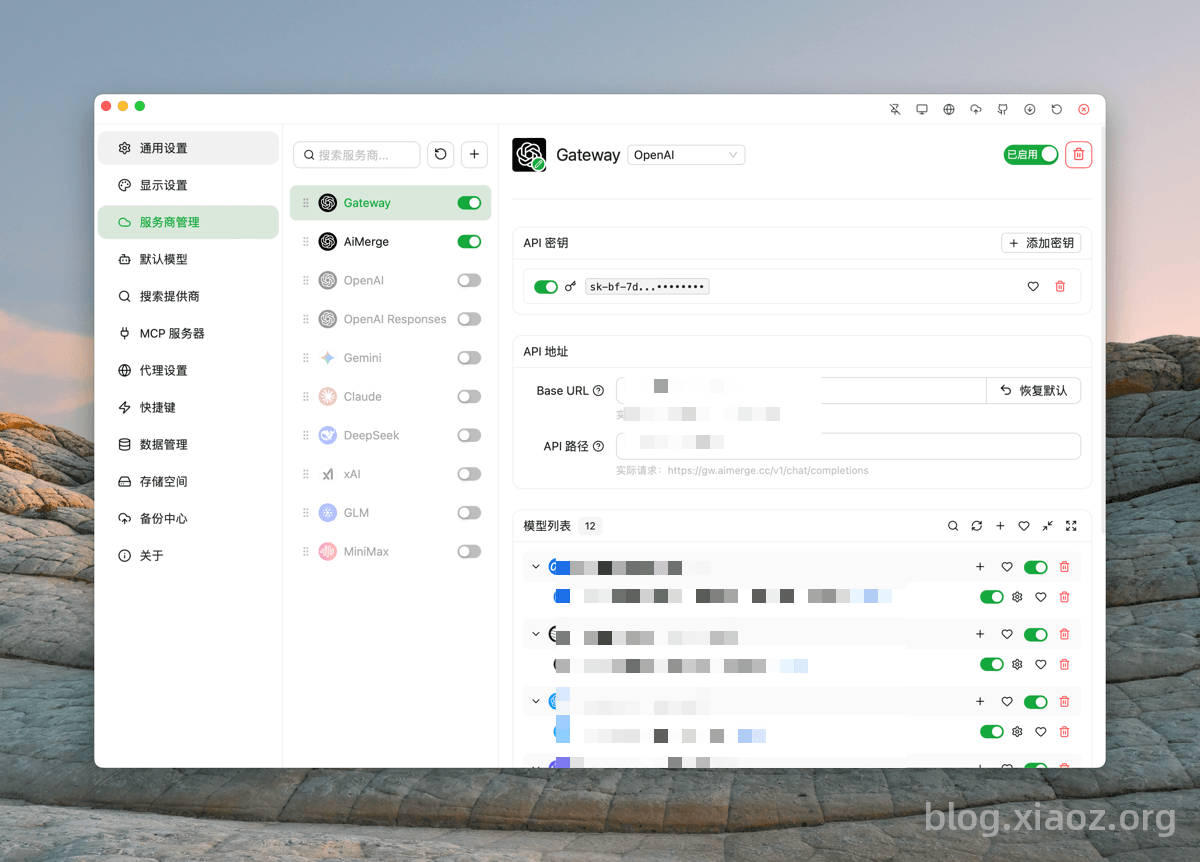
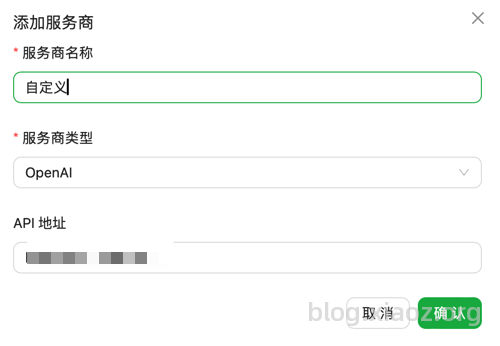
Click the + button, select the provider type as OpenAI, and then enter the API address (usually no path is needed at the end).
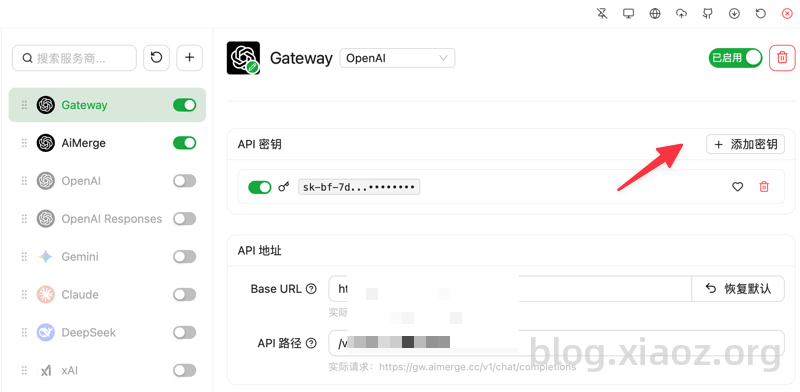
Then add the API key. Multiple keys can be added for polling.
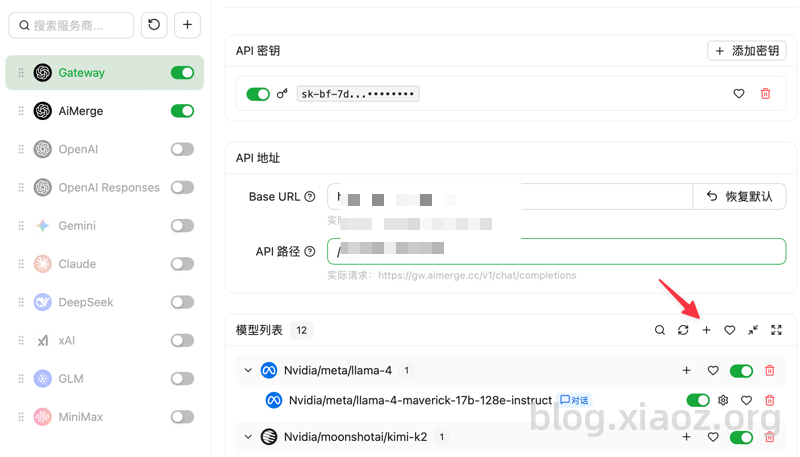
Remember to select and add the models you need to use from the model list.
Then you can start chatting with AI happily.
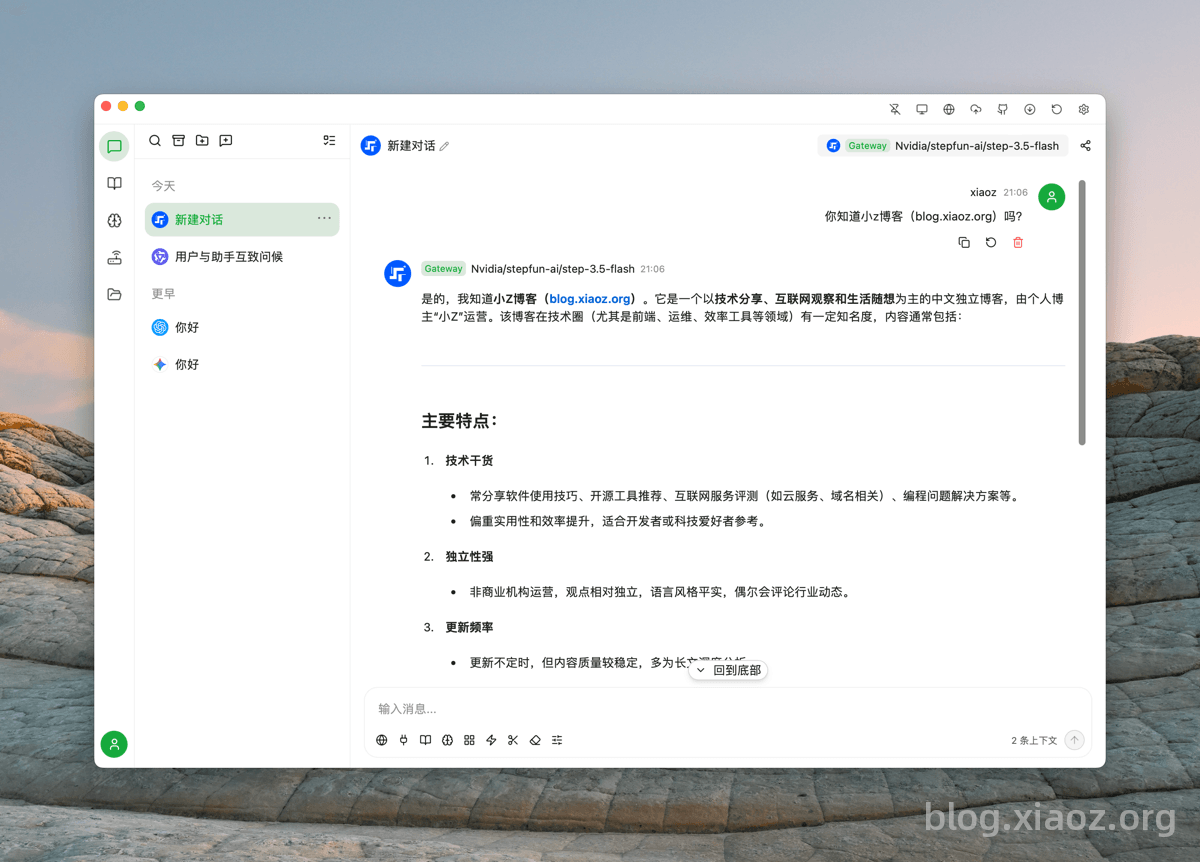
Additionally, AQBot supports local gateways, knowledge bases, and multi-model comparison Q&A. Feel free to install and explore these features.
Conclusion
AQBot redefines the lightweight AI client with Rust + Tauri. At just 20MB, it offers powerful features like multi-model comparison and key rotation. Say goodbye to lag and high resource usage; enjoy a clean interface and smooth interaction. If you pursue efficiency and simplicity, this open-source tool is definitely not to be missed.
AQBot Open Source Address: https://github.com/AQBot-Desktop/AQBot