Netcatty: A Beautiful and Powerful Open-Source SSH Client with AI Integration
Recently, xiaoz discovered a free, open-source SSH client called Netcatty on the V2EX forum. After using it for a while, I found it to be excellent and highly recommend it. It boasts a modern interface, flexible split-screen workflows, built-in SFTP file management, and an integrated AI Agent. With simple natural language conversations, it can execute commands and diagnose services for you. Say goodbye to rote memorization and make operations management as simple and elegant as chatting.
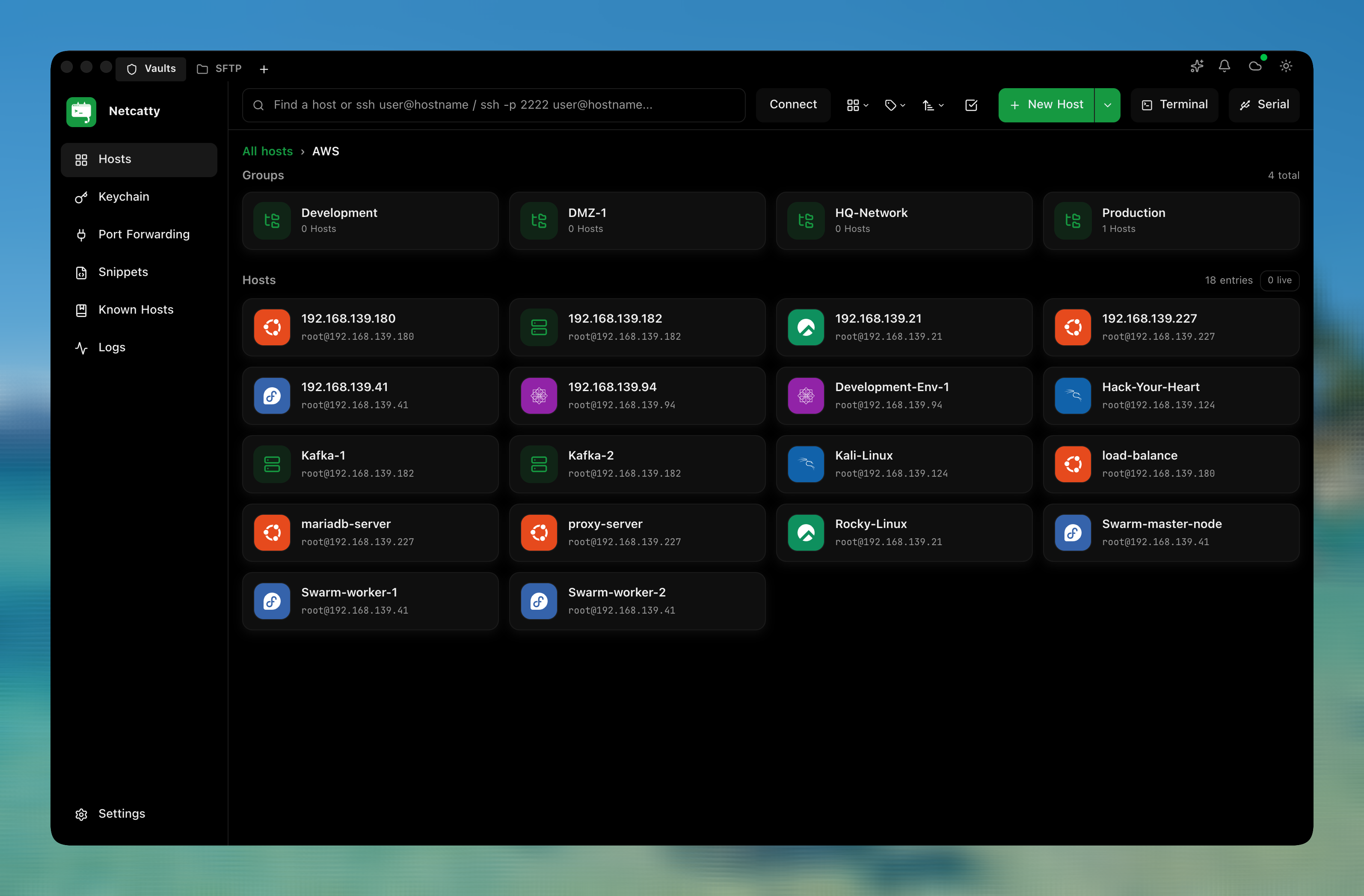
GitHub Open Source Address: https://github.com/binaricat/Netcatty
Netcatty Features
- Built-in AI Agent supporting natural language command execution, service diagnosis, and multi-host task orchestration
- Supports code snippets (quick commands)
- Supports multiple sync methods: S3, WebDAV, Google Drive, OneDrive, GitHub Gist
- Integrated powerful SFTP with dual-panel drag-and-drop, tree view, and server-side direct upload optimization
- Flexible split-screen terminal supporting horizontal/vertical splitting, session auto-recovery, and keyword highlighting
- Efficient connection management with grid/list/tree views and automatic system icon recognition
- Modern, high-aesthetic interface based on Electron + React + Tailwind, supporting custom themes
- Completely open-source and free (GPL-3.0), cross-platform support for macOS, Windows, and Linux
Netcatty Download and Installation
The Netcatty author updates very frequently, often daily. You can visit the GitHub project releases page: https://github.com/binaricat/Netcatty/releases to download the version suitable for your platform.
Netcatty Usage Guide
AI Agent
The AI functionality built into Netcatty is not a traditional simple Q&A chatbot; it can directly operate your current server to help you automatically complete operations tasks. It offers three Agent options: Catty, Claude Code, and Codex CLI.
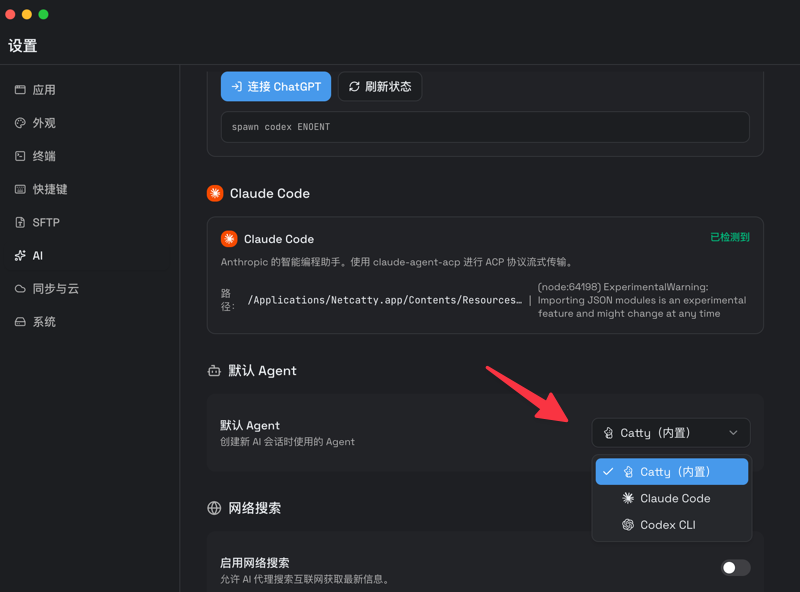
Before using Netcatty's AI features, you need to add upstream service providers. It supports OpenAI, Anthropic, OpenRouter, or custom OpenAI-compatible providers. For example, xiaoz connected to the Qwen 3.5 model provided by Silicon Flow.
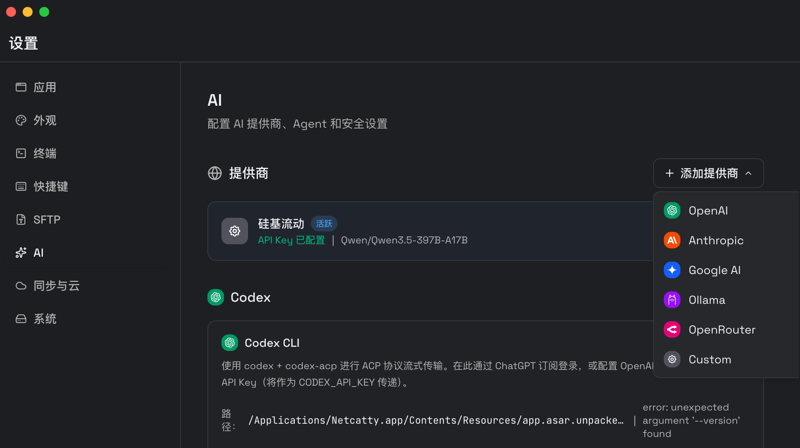
Once the AI is connected, you simply tell it what you want to do in natural language, and it will automatically operate the server. For instance, I asked it to check the server's memory usage.
Directly operating the server might sound dangerous? Don't worry. By default, any modification or deletion operations will trigger a secondary confirmation popup, waiting for your approval before execution. Control remains in your hands. For example, when I asked it to create a file, the default setting waited for my approval before executing, rather than acting autonomously.
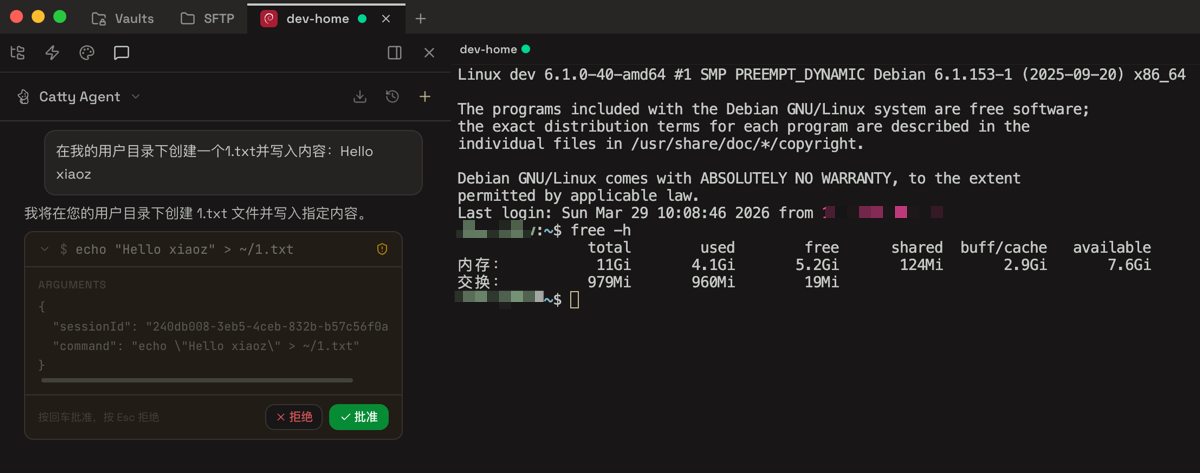
With the power of the AI Agent, operations efficiency is greatly improved. You no longer need to worry about forgetting complex commands. Now, even Linux beginners can complete most daily operations tasks. Just describe your needs like a chat, and let Netcatty handle the rest.
Encrypted Sync
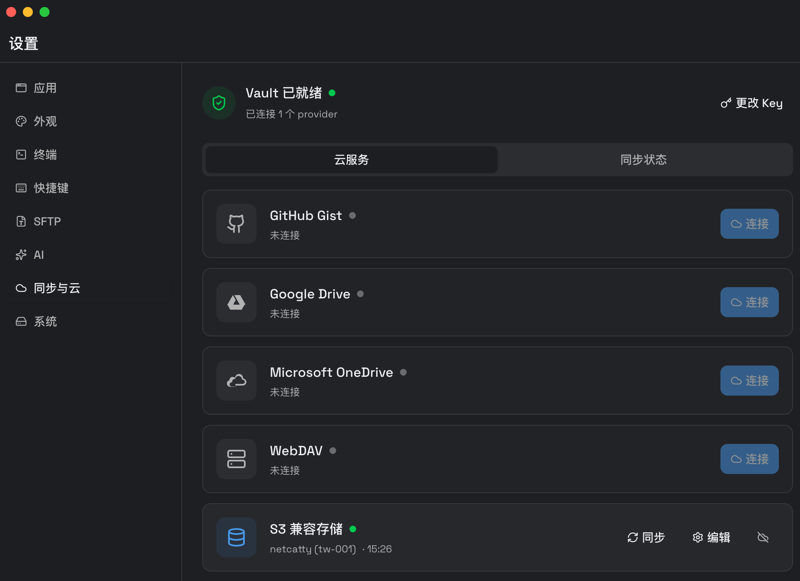
Netcatty also provides synchronization features. You can encrypt your hosts and code snippets (quick commands) and sync them to the cloud, allowing seamless switching between different devices. Currently, Netcatty supports multiple sync methods including S3, WebDAV, Google Drive, OneDrive, and GitHub Gist.
Sudo Privilege Escalation
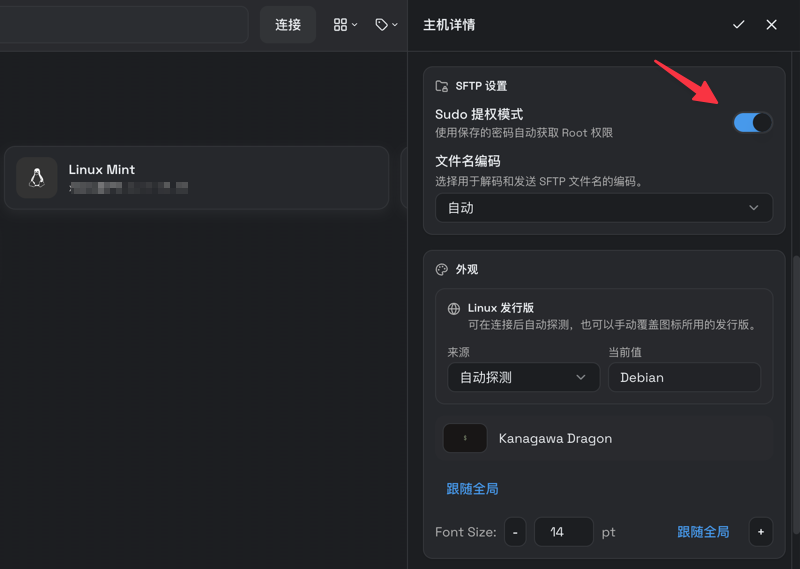
When adding a host, there is a Sudo privilege escalation mode in the SFTP settings. This allows you to automatically escalate privileges when managing files via SFTP, even if you log in as a regular Linux user, without frequently entering your password again. It is very convenient.
Drag-and-Drop File Upload
If you need to upload local files to a host, the traditional method usually involves switching to the corresponding directory via SFTP and then manually selecting the local file. With Netcatty, these operations are greatly simplified; you just need to drag the file directly into the current window.

Netcatty also supports window splitting, local shell, and command auto-completion features. You can download and install it to explore further.
Limitations of Netcatty
- Developed using the Electron framework, resulting in higher memory usage compared to native applications
- Currently does not support Zmodem (
sz/rs) functionality
Conclusion
If you are tired of the dullness of traditional terminals, give Netcatty a try. It is not only a high-aesthetic, free, open-source tool but also redefines operations management with AI. Make complex commands a thing of the past, manage servers like chatting, and enjoy the convenience of multi-device synchronization.
GitHub Open Source Address: https://github.com/binaricat/Netcatty