Bifrost Gateway Routing Rules: Implementing Load Balancing and Failover
The previous article introduced the installation and basic usage of the highly available LLM gateway Bifrost. Friends who have not yet deployed it can refer to Building a Highly Available LLM Gateway: Bifrost Deployment and Getting Started Guide. To build a stable and reliable LLM gateway, Bifrost's routing rules are crucial. With its powerful and flexible configuration, you can easily achieve model load balancing and failover.
Bifrost Routing Rules
In the console, go to Models - Routing Rules to add and manage current routing rules, as shown in the figure below.
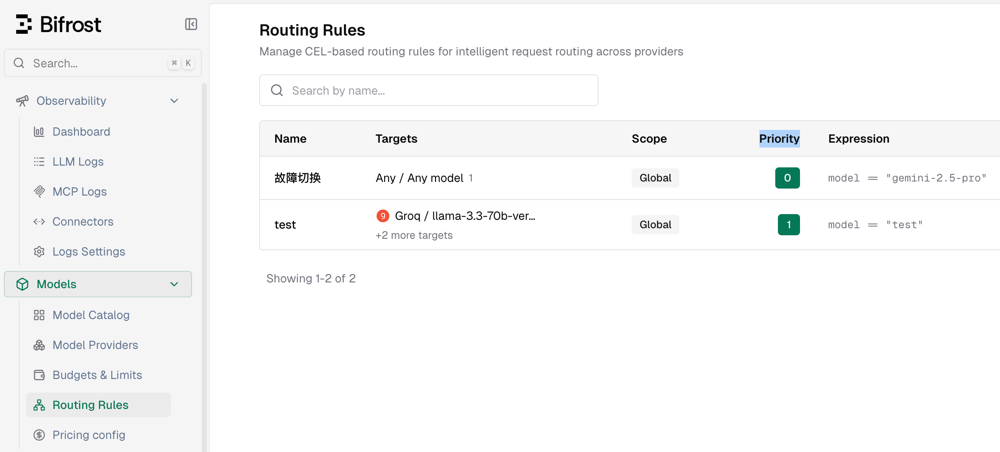
Note: The lower the Priority value, the higher the priority;
0represents the highest priority.
Bifrost Load Balancing
Next, xiaoz will demonstrate how to configure load balancing routing rules in Bifrost to automatically round-robin multiple backend large models through a single entry point.
Create a new routing rule:
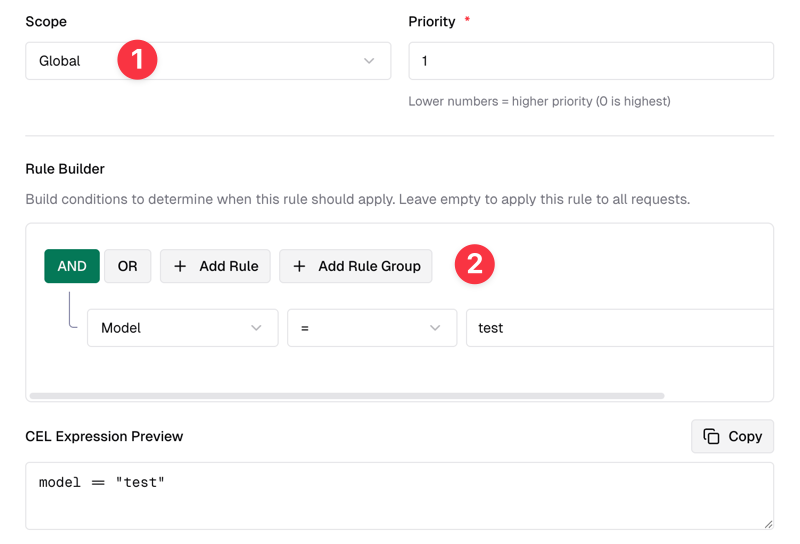
- Select Scope as Global, indicating it takes effect globally.
- In the Rule Builder, select AND Model="test". This rule means a virtual model named
testis created.
As shown in the figure below:
In Routing Targets, you can select backend large models. Here, xiaoz selected Groq's llama and Gemini's 2.5-flash models, with weights set to 0.5, indicating each model has a 50% probability of being matched.
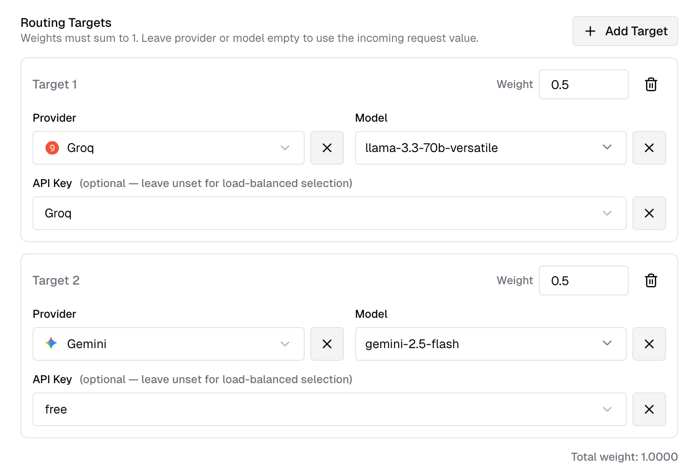
Note: You can select multiple models, but the sum of their weights must equal
1.
After adding, you can use the following curl command to test (using the newly created virtual model test as the model ID):
curl -X POST http://IP:8080/v1/chat/completions \
  -H "Content-Type: application/json" \
--header 'Authorization: Bearer Virtual Keys' \
  -d '{
    "model": "test",
    "messages": [
      {"role": "user", "content": "What model are you using?"}
    ]
  }'
If the AI answers that it is llama at one time and Gemini at another after multiple calls, load balancing is successful.
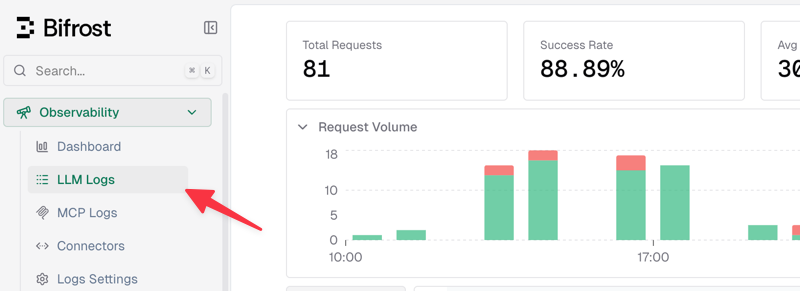
Of course, a simpler and more intuitive approach is to check the logs directly via the console Observability - LLM Logs, as shown in the area below.
Bifrost Failover
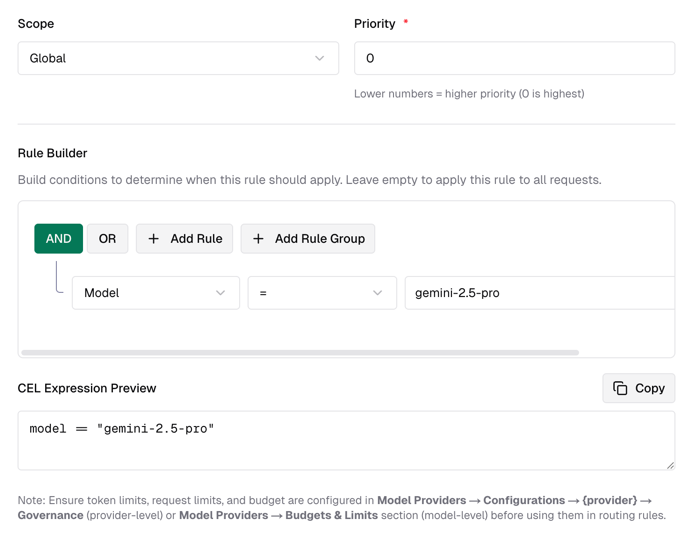
Continue creating a new routing rule:
- Select Scope as Global, indicating it takes effect globally.
- In the Rule Builder, select AND Model="gemini-2.5-pro". This rule triggers when the model matches
gemini-2.5-proexactly.
As shown in the figure below:
Continue setting Fallbacks and select a fallback model. Here, xiaoz selected Groq's llama model.
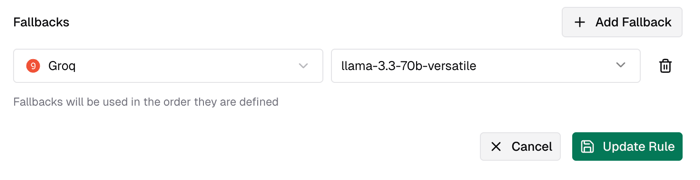
This sets up a simple failover rule. When calling the gemini-2.5-pro model, if a failure occurs, it will automatically switch to llama. You can verify this by checking the logs directly via the console Observability - LLM Logs.
Other
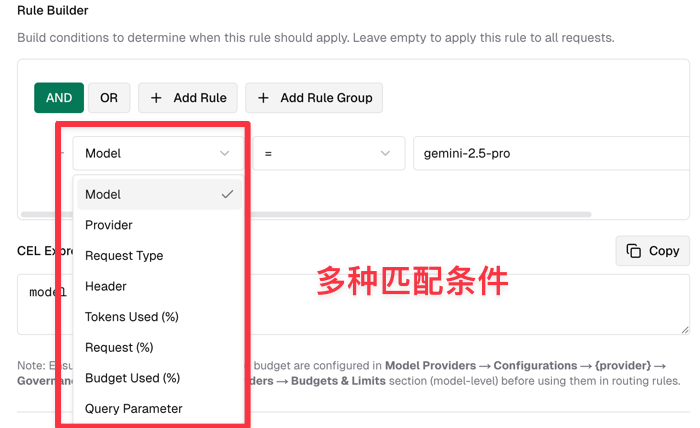
It is generally recommended to combine load balancing and failover rules to achieve high concurrency and high availability. Additionally, Bifrost's routing rules go far beyond this; you can also match based on request volume, token usage, request parameters, and various other conditions. You can further explore these features based on your specific business needs.
Conclusion
This concludes the introduction to Bifrost's core routing capabilities. With simple configuration, you can enable your large model services to have "load balancing" and "automatic failover" capabilities, distributing pressure and avoiding single points of failure. Of course, Bifrost can also perform more fine-grained control based on token usage, request parameters, and more. We encourage you to try combining these features with your own business scenarios to build a truly highly available LLM gateway.
For more usage instructions, visit the Bifrost official website: https://www.getmaxim.ai/bifrost