Zdir 4.1.5 Update: HTML Widgets and Enhanced File Management
Zdir is a versatile private storage program developed using Golang and Vue3. It integrates file indexing, online preview, and sharing features, while supporting WebDAV and offline downloads. It is ideal for installation on NAS devices or large-capacity VPS, making it a perfect choice for individuals, studios, and small teams to share files.
- Official Website: https://www.zdir.pro/zh/
- Purchase Subscription: https://shop.xiuping.net/zdir/index
- Demo: https://soft.xiaoz.org/#/
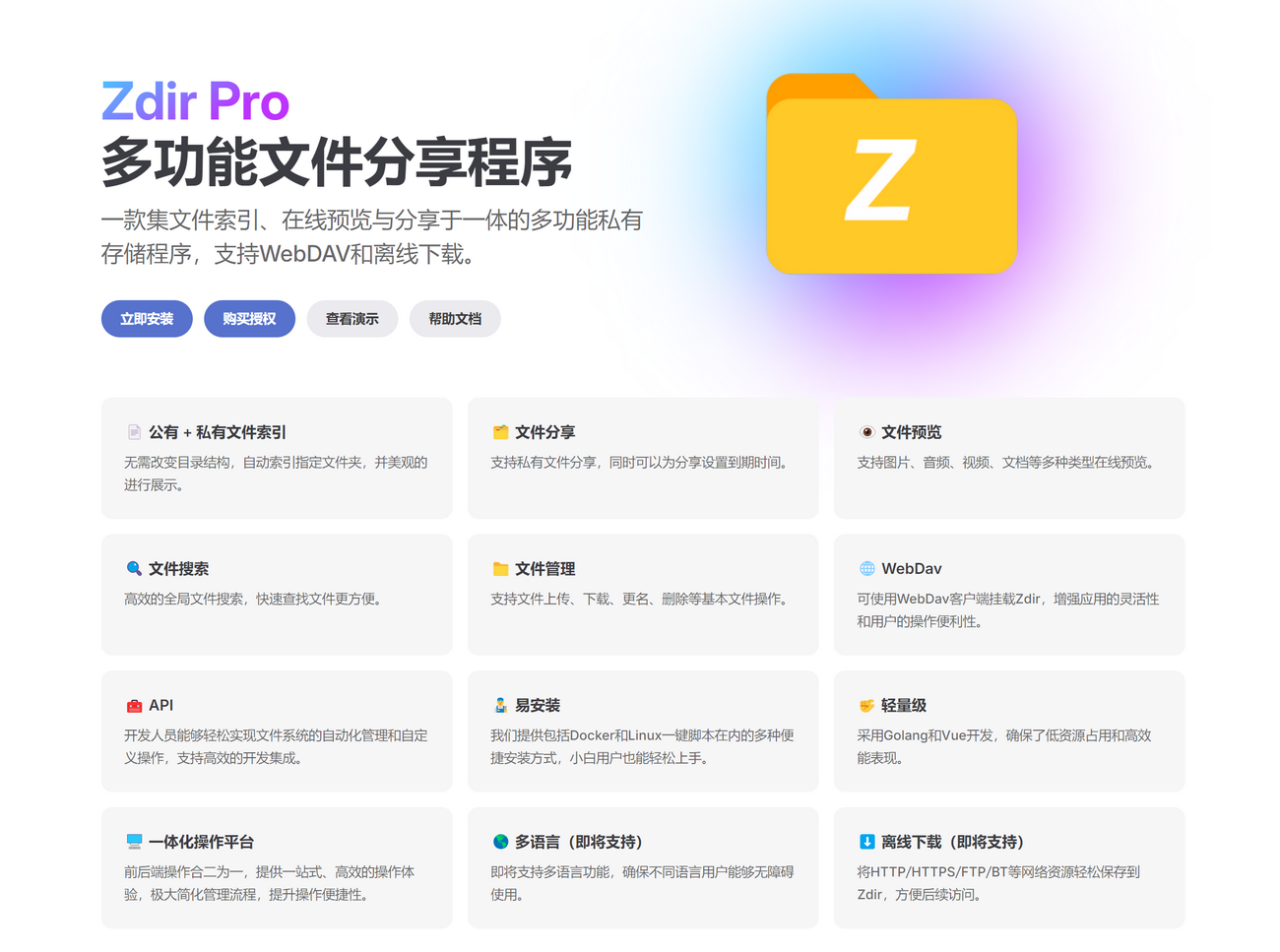
Zdir 4.1.5 Update Highlights
- New: Support for HTML widgets
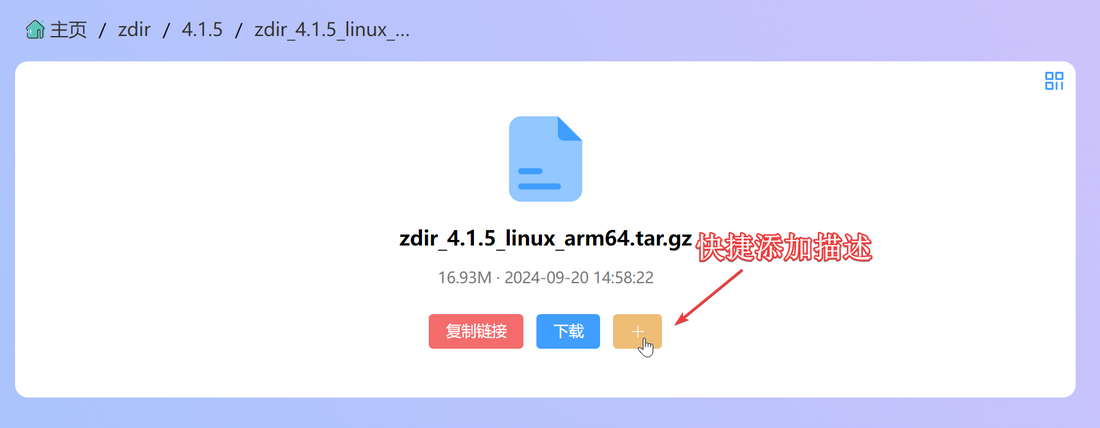
- New: Support for quick file description addition
- New: Support for
.m3uand.m3u8playback - Optimized: Error message when file size is 0 during upload
- Optimized: File creation (recognizes files without extensions as directories)
- Optimized: Video player changed from Xigua Player to Dplayer
- Optimized: No longer displays the player for unsupported video formats, with a helpful prompt
- Optimized: Various error messages
- Fixed: Garbled text when extracting Chinese characters in some
ziparchives - Fixed: Extraction failures for
.tar.gzfiles under certain conditions
Detailed Update Information
HTML Widgets
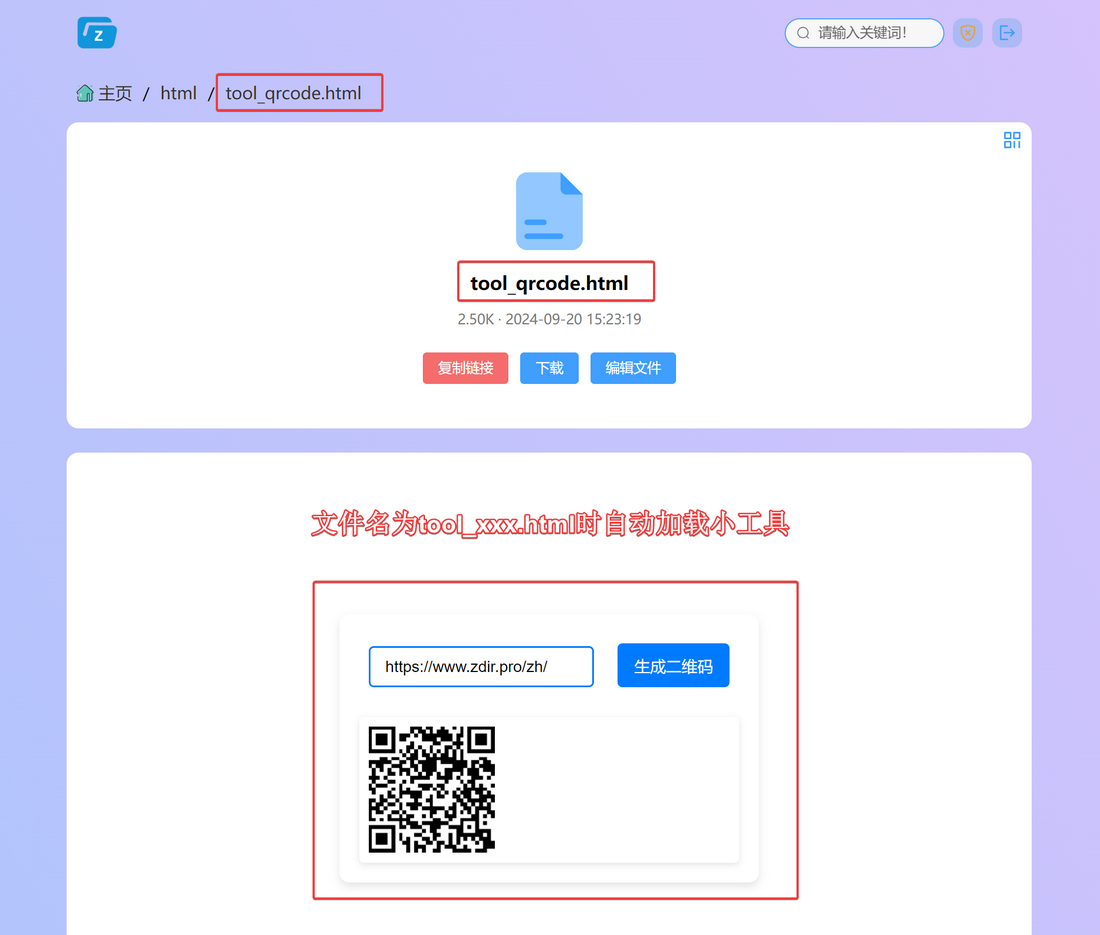
When an HTML file has a tool_ prefix (e.g., tool_xxx.html), Zdir will automatically render and load it. This allows you to create custom HTML widgets and integrate them into Zdir. For example, I used AI to create a QR code generation tool. You can view the effect and source code here: https://soft.xiaoz.org/#/html/tool_qrcode.html?type=file
Quick File Description Addition
You can now click the "+" button in the file preview page to quickly add file descriptions, eliminating the need to manually create name.md files. (Note: File descriptions use Markdown syntax.)
Video Playback Prompt Optimization
When encountering unsupported video formats, Zdir no longer displays an error. Instead, it provides a friendly reminder suggesting the use of an external player.

API Documentation Released
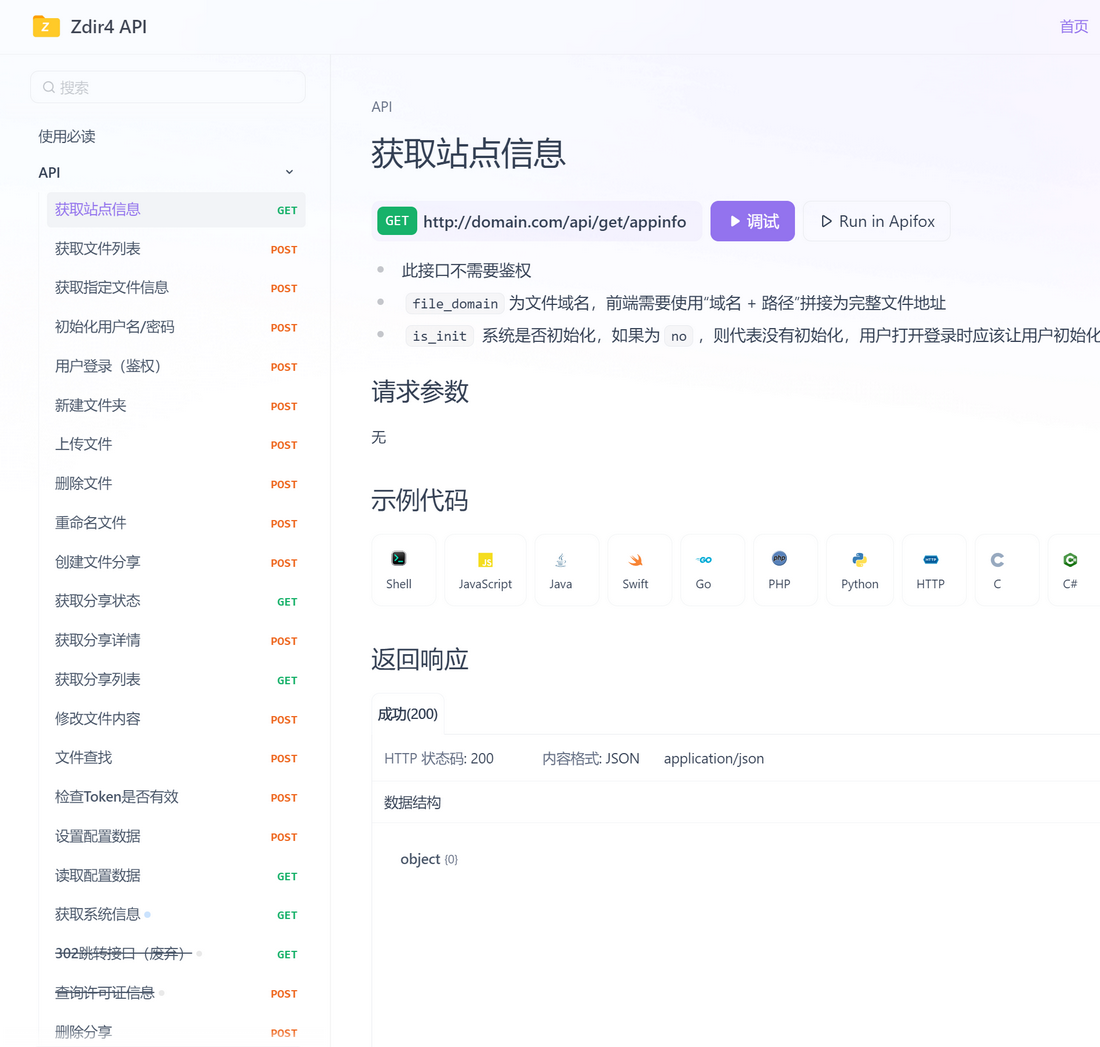
Zdir API documentation is now available, covering approximately 90% of the interfaces. The API documentation can be accessed at: https://api.zdir.pro/. Developers can use the Zdir API to implement automated uploads or integrate Zdir into their own products.
Minor user-perceptible changes are not listed individually!
Upgrade
Users who have already installed Zdir 4 should refer to the help documentation at https://doc.xiaoz.top/web/#/10/59 for upgrade instructions.
Users who have not yet installed Zdir can refer to the help documentation at https://doc.xiaoz.top/web/#/10/38 for installation guides.
Conclusion
Zdir is a powerful private storage program capable of meeting the file management needs of individuals, studios, and small teams. Developed with a combination of Golang and Vue3, Zdir offers basic features such as file indexing, text editing, online preview, and sharing, while also supporting WebDAV to further enhance user experience. Whether you need to manage large volumes of data on a NAS device or share files on a VPS, Zdir is an ideal choice.
For more details, visit our official website, purchase a subscription, or check the demo:
- Official Website: https://www.zdir.pro/zh/
- Purchase Subscription: https://shop.xiuping.net/zdir/index
- Demo: https://soft.xiaoz.org/#/