My Experience Applying for CITIC Bank Foreign Currency Debit Cards: Pitfalls and Insights
Recently, I saw a forum post sharing someone's experience applying for a CITIC Bank foreign currency debit card, so I decided to try applying for two cards myself. Unlike credit cards, these debit cards do not have an overdraft limit and require you to pre-deposit funds. I applied for a "Mastercard Foreign Currency Debit Card" and an "American Express Gold Debit Card," both of which have now been activated offline. After actual use, I found them somewhat underwhelming, so this article shares my experience with opening and using these cards.
Applying for CITIC Bank Foreign Currency Debit Cards
Search for "International Finance" (出国金融) in the CITIC Bank app, find the "Special Debit Cards" section, and apply based on your needs (if you are not yet a CITIC Bank user, you must register first).
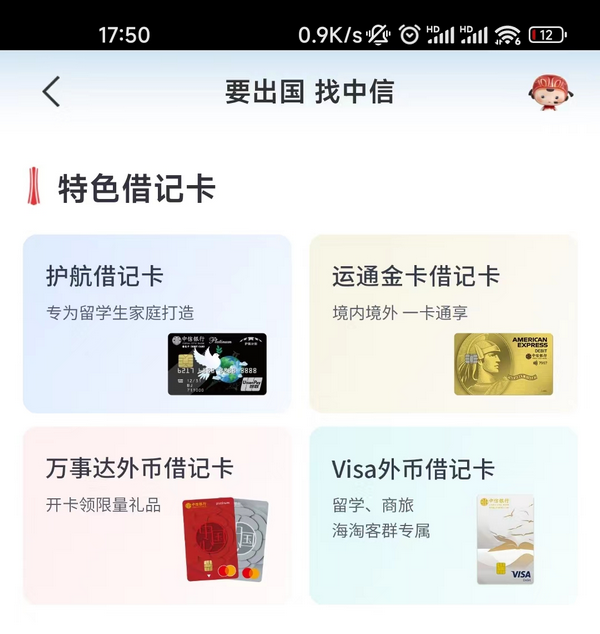
I applied for one "Mastercard Foreign Currency Debit Card" and one "American Express Gold Debit Card." During the application, you need to fill in your name, ID number, and a detailed delivery address. The "American Express Gold Debit Card" requires a 5 RMB card-making fee, which is refunded to your account balance after activation, while the Mastercard Foreign Currency Debit Card has no opening fees.
Mastercard Foreign Currency Debit Card
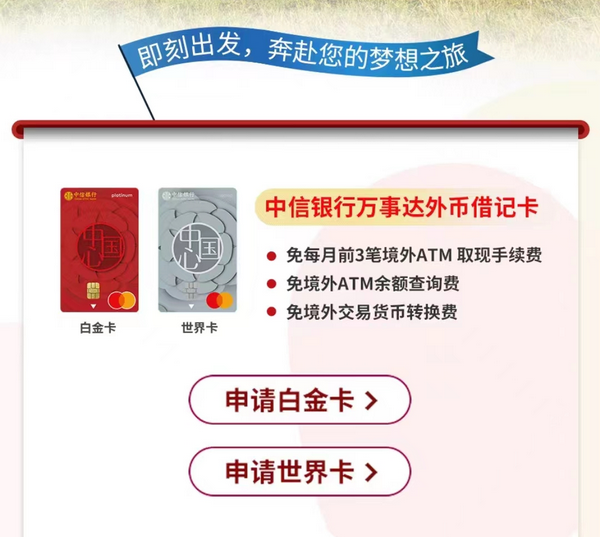
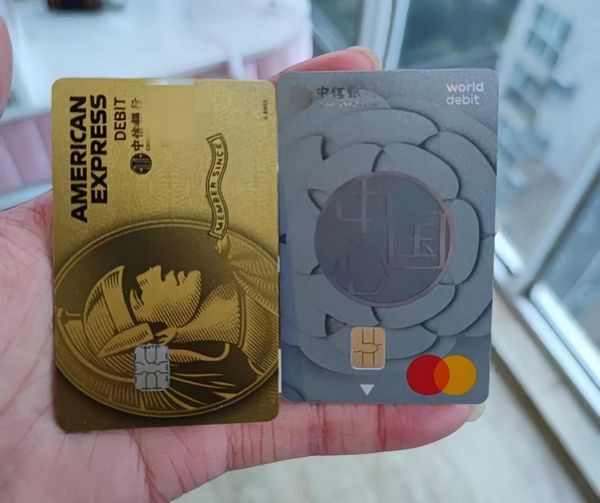
The Mastercard Foreign Currency Debit Card comes in Platinum (red) and World (silver-gray) versions (the difference is unclear). I applied for the silver-gray World Debit Card. This card features:
- Waived fees for the first 3 ATM withdrawals abroad per month
- Waived fees for ATM balance inquiries abroad
- Waived foreign transaction currency conversion fees
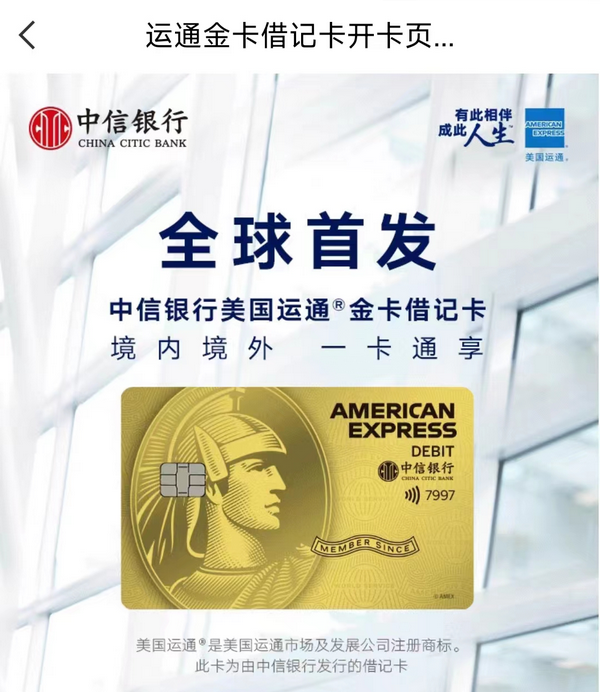
American Express Gold Debit Card
- Waived fees for the first 3 ATM withdrawals abroad per month
- Waived currency conversion fees
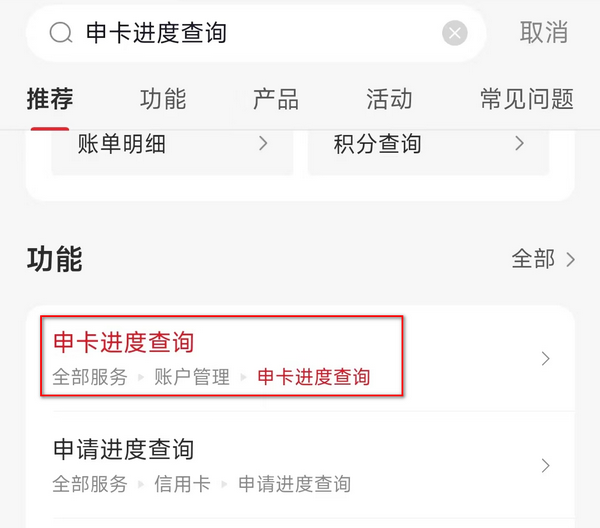
After applying, you can search for "Card Application Status Inquiry" in the app to track progress. I applied on January 28th, the card was issued on January 30th, and I received it on February 1st via EMS.
The Mastercard Foreign Currency Debit Card was sent from Huangshi, Hubei, and the American Express Gold Debit Card from Zhuhai. The cards do not have names printed on them, suggesting they are pre-manufactured cards.
Offline Activation
I found a nearby CITIC Bank branch on a map and went to activate the cards. The lobby manager helped me get a number, and I proceeded to the counter. The process took about 10 minutes. They required the following information:
- ID card
- Recent social security payment records
- Specific purpose of use (I answered "online shopping abroad" and "travel overseas")
The staff were not difficult to deal with. However, since I already had a Class 1 account with CITIC Bank, the American Express Gold Debit Card was opened as a Class 2 account with a limit of 1,000 RMB. The Mastercard Foreign Currency Debit Card was stated to have a limit of 5,000 RMB, but in practice, this limit seems to not apply to the Mastercard, and there is no concept of a Class 2 account for Mastercard.
Usage
Mastercard Foreign Currency Debit Card
The Mastercard Foreign Currency Debit Card is settled in USD. You need to purchase USD via the app and transfer it to the Mastercard account. Only a CITIC Bank Class 1 account has the permission to purchase foreign exchange. If you do not have a Class 1 account, be sure to request that the staff open the American Express card as a Class 1 account during activation; otherwise, you cannot transfer USD to this card.
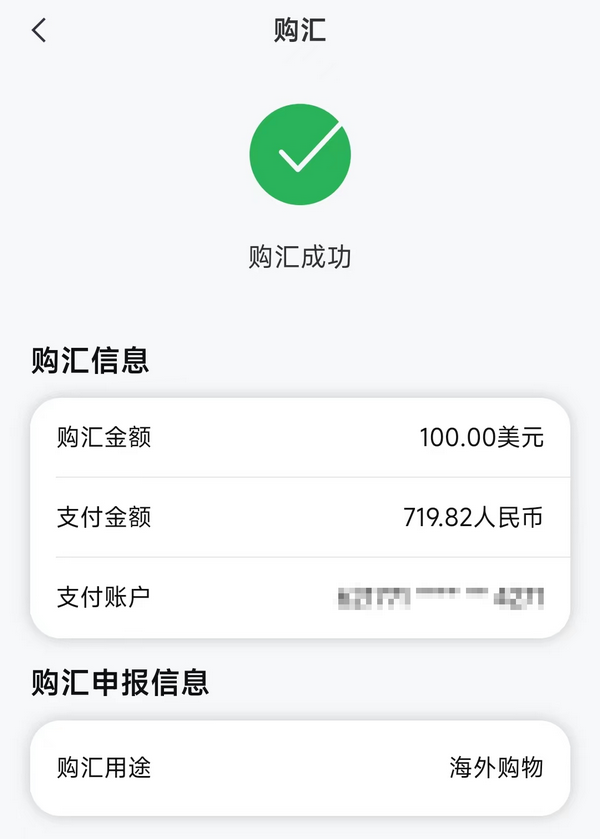
After purchasing foreign exchange and transferring funds, I tested binding and payments with the following results:
- Bind Alipay: Failed
- Bind PayPal: Verifying (Netizens say it won't work, likely to fail)
- Pay via Stripe: Failed
- Top up Namesilo: Failed
- Bind Google Play US account: Success
- Top up Google Play US account: Success
American Express Gold Debit Card
This card is settled in RMB, so you can simply transfer RMB to use it without needing to purchase foreign exchange. It works almost exactly like a domestic UnionPay card, with the added advantage of being usable at merchants that accept American Express. I tested binding and payments with the following results:
- Bind Alipay: Success
- Bind Cloud QuickPass (YunShanFu): Success
- Bind Backblaze B2: Success
- Withdraw from Alipay: Success
- Transfer to American Express via Cloud QuickPass: Prompted "Not Supported"
- Top up Namesilo: Success
Conclusion
The Mastercard Foreign Currency Debit Card offered by CITIC Bank is quite underwhelming and severely limited; it cannot be used for many payment scenarios and requires pre-purchasing and transferring foreign exchange, making it inconvenient. If you already have a VISA or Mastercard credit card, I do not recommend applying for the CITIC Bank Mastercard Foreign Currency Debit Card. However, if you are a student unable to apply for a credit card, you can try applying.
The American Express Debit Card is much more convenient. You can simply transfer RMB to use it, and its usage is identical to domestic UnionPay cards. If you do not have a CITIC Bank account, consider applying for an American Express Debit Card and requesting the bank to open it as a Class 1 account.