Beelink MN5X Mini PC (AMD R7 7735HS) Hands-On Guide: A Near-Disaster Experience
Recently, I planned to select a mini PC for office use, comparing brands like Fanxiang, Beelink, and Beelink (Tianba). Ultimately, I chose the Beelink MN5X Mini PC (7735HS). This article provides a simple unboxing and practical experience sharing for those considering purchasing a mini PC.
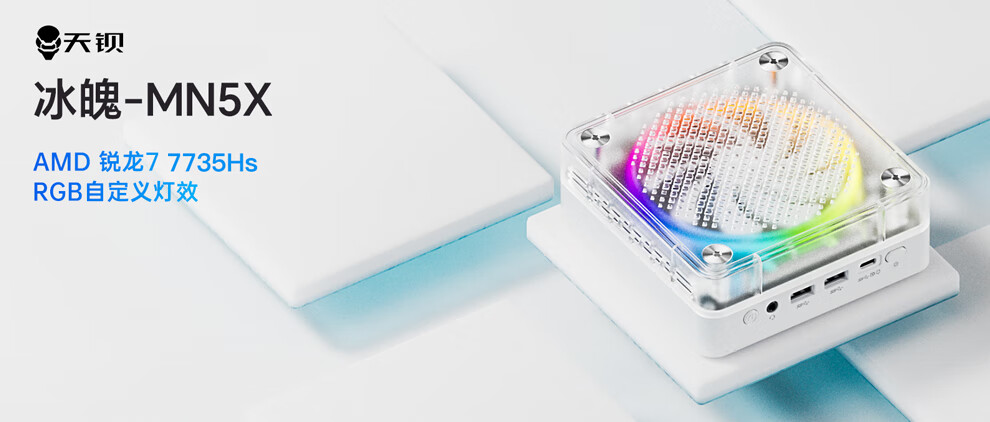
Specifications
- CPU: AMD R7 7735HS or AMD R5 6600H (Optional)
- Memory: Crucial 32GB DDR5 4800 Laptop RAM (Purchased separately): Link
- Storage: Western Digital SN570 1TB (Purchased separately): Link
- Wired Network: 2.5Gbps + 1Gbps dual Ethernet ports
- Wireless Network: Realtek RTL8852BE (Supports WiFi 6), Dual-band 1800Mbps
- USB Ports: 4 total (2x USB 3.2, 2x USB 2.0)
- Power Supply: Huntkey 100W (Output: 20V 5A)
- Display Interfaces: DP + HDMI
Notably, there is one Type-C port on both the front and back. The front Type-C port supports the USB 4.0 protocol, offering full functionality including data transfer, display output, and PD 3.0 charging at speeds up to 40Gbps (providing potential for future external GPU expansion). The rear Type-C port supports charging only.
Purchase Address & Price
- Purchase Address: Link
This model offers two CPU options:
I chose the 7735HS version. The barebone system (without RAM/SSD) was priced at ¥1898. After using a JD Plus coupon (-¥50), the actual price was ¥1848. For this price and configuration, the cost-performance ratio is quite high.
Unboxing
Shipped via SF Express from Shenzhen to Chengdu, it took only 2 days. The external packaging was a cardboard box, and inside was the original box (though it lacked a plastic seal).
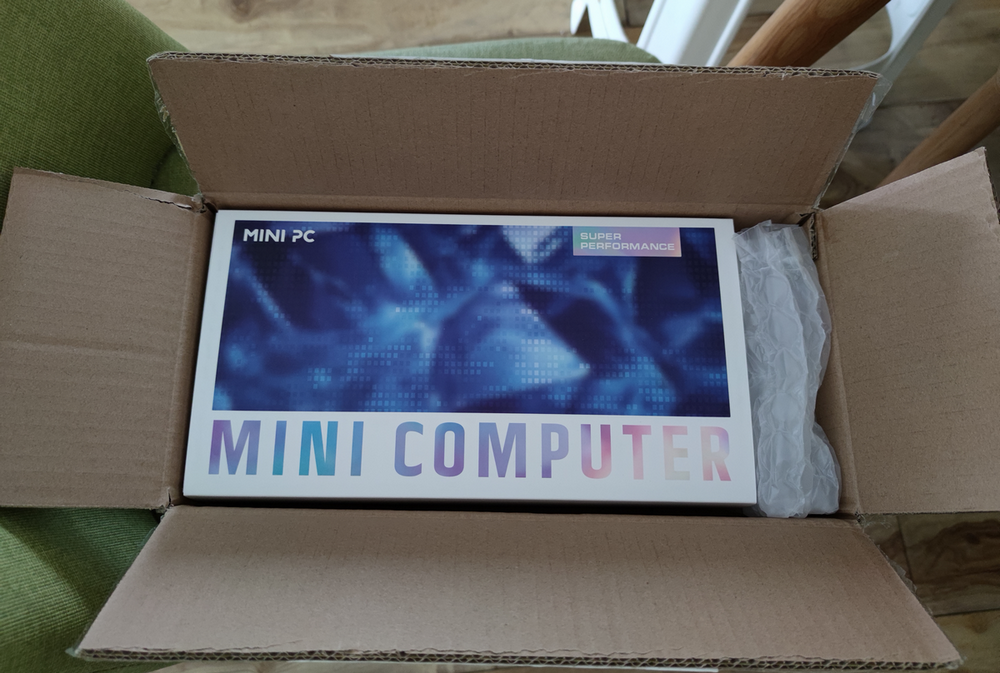
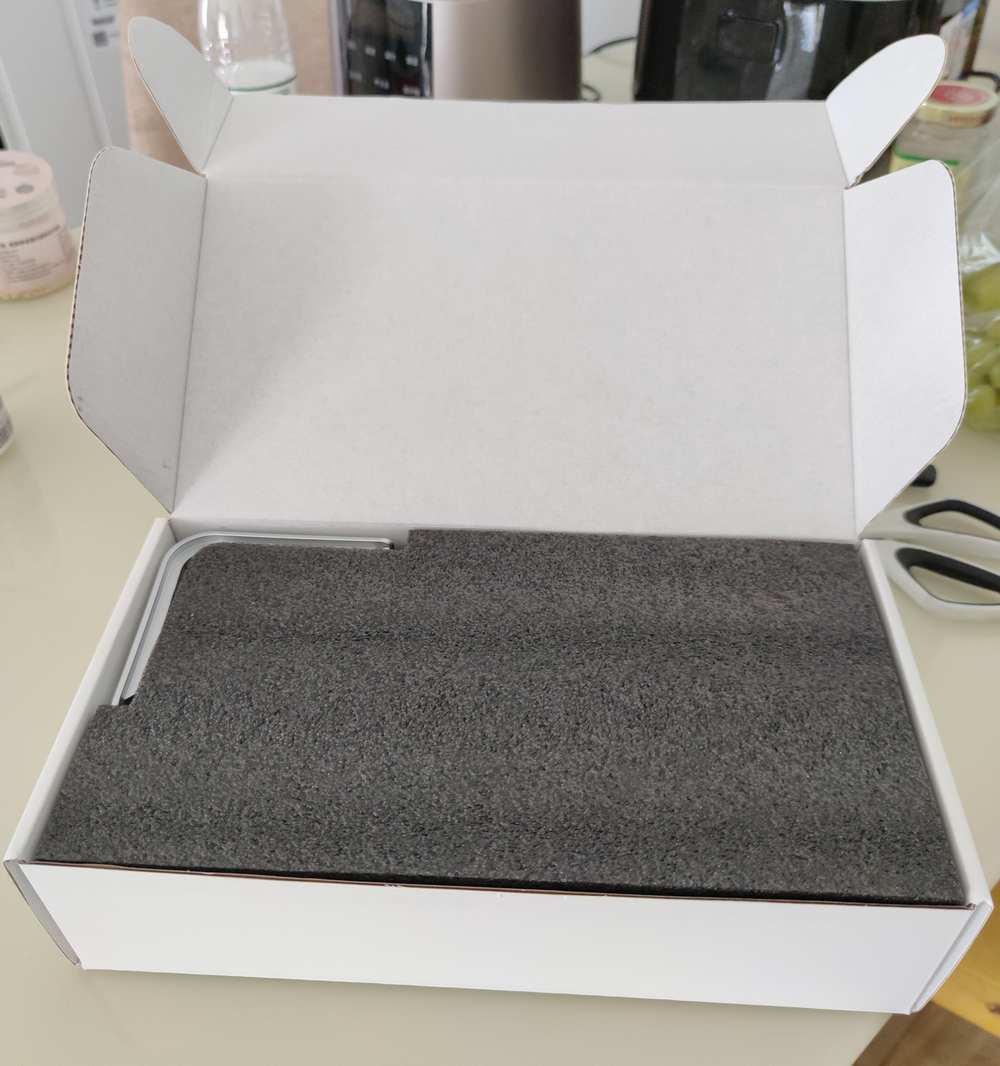
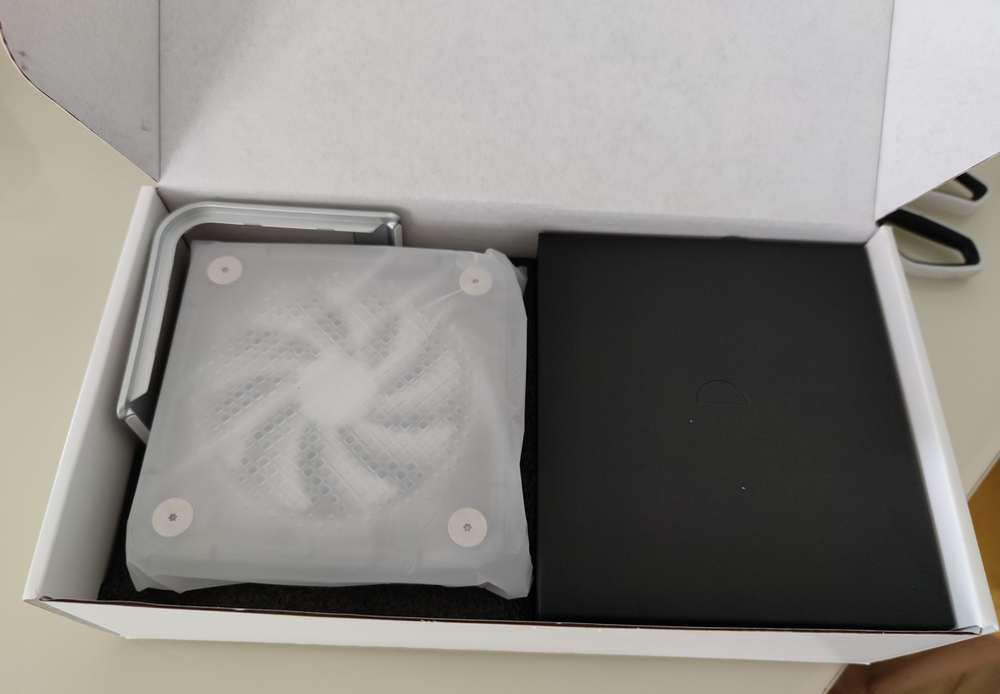
Accessories included: Host + Huntkey 100W Power Adapter + Plastic Stand + User Manual + Screws and M.2 Heatsink.
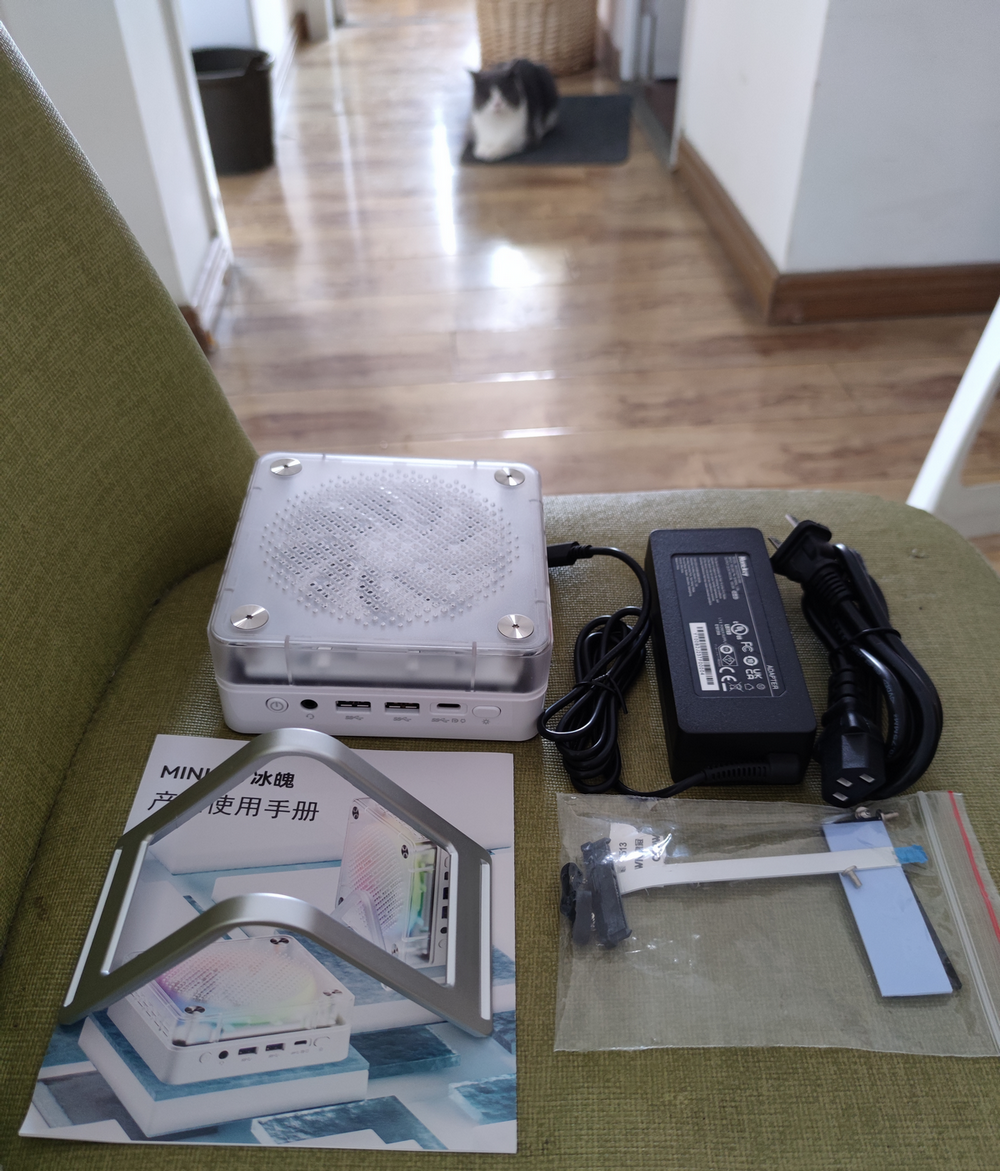
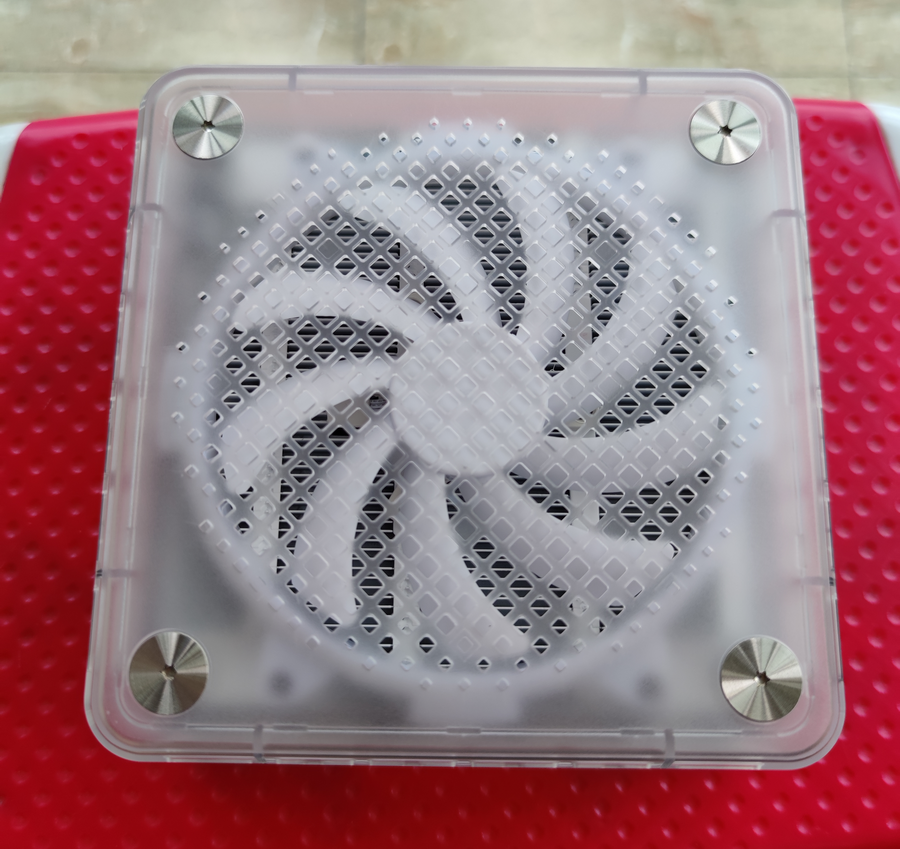
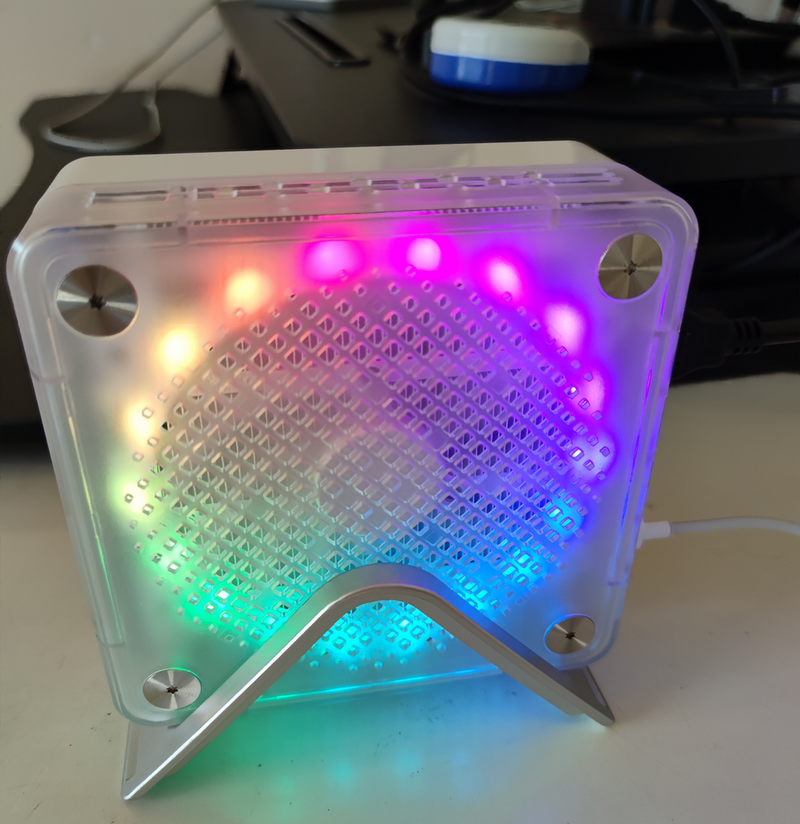
The body has a strong plastic feel, and the build quality is average. The top features a 10CM cooling fan, which is quite large for the mini PC industry (though it doesn't seem to make much difference).
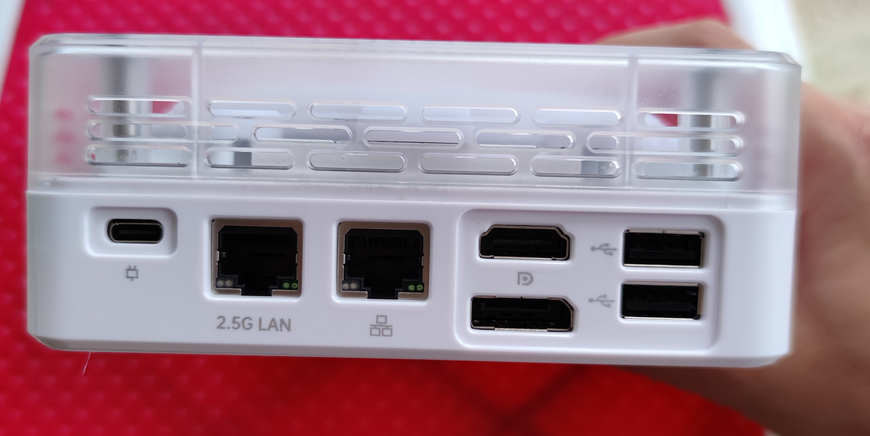
The back features: Type-C Power Port + 2.5G Ethernet + Gigabit Ethernet + DP + HDMI and 2x USB 2.0 ports. The interface selection is rich, and the dual Ethernet ports offer versatility for future soft router setups.
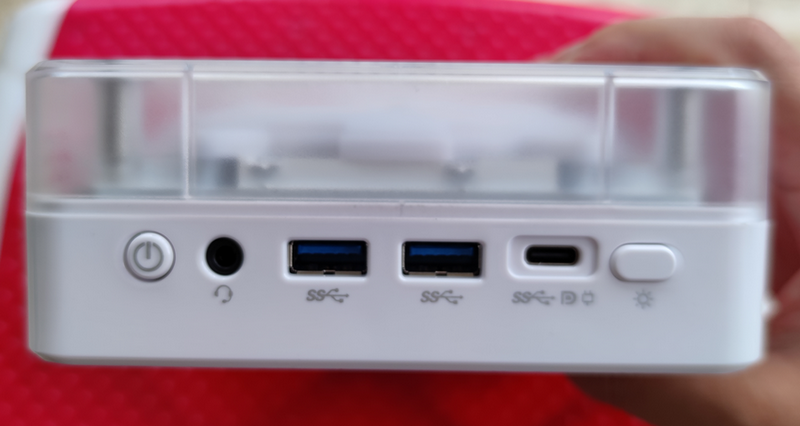
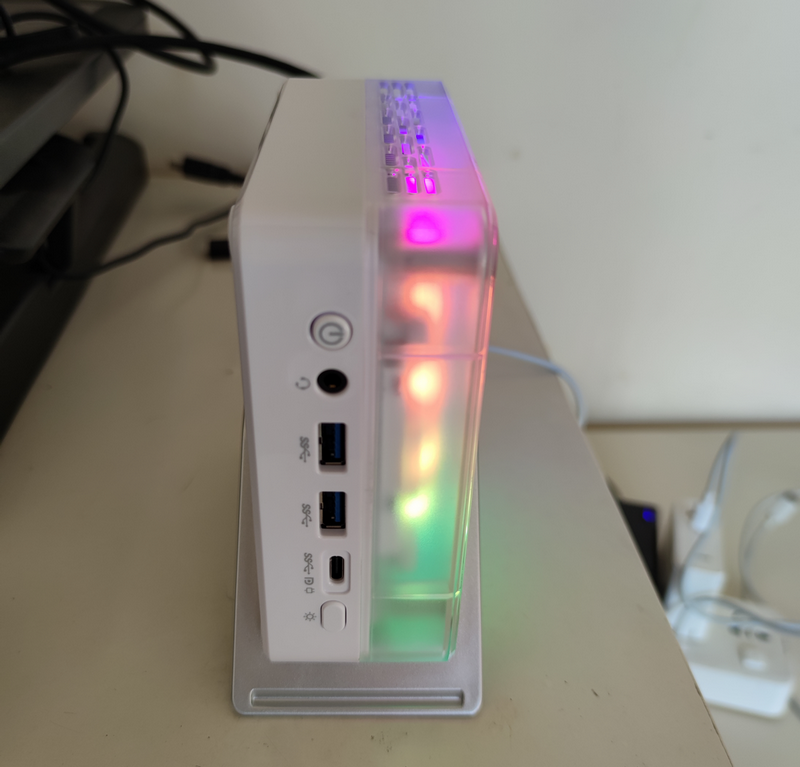
The front features: Power Button + Audio Jack + 2x USB 3.0 + Full-Function Type-C + Light Button. The fan has RGB lighting effects, which can be adjusted or turned off via the light button. I prefer not to have flashy lights, so I turned them off.
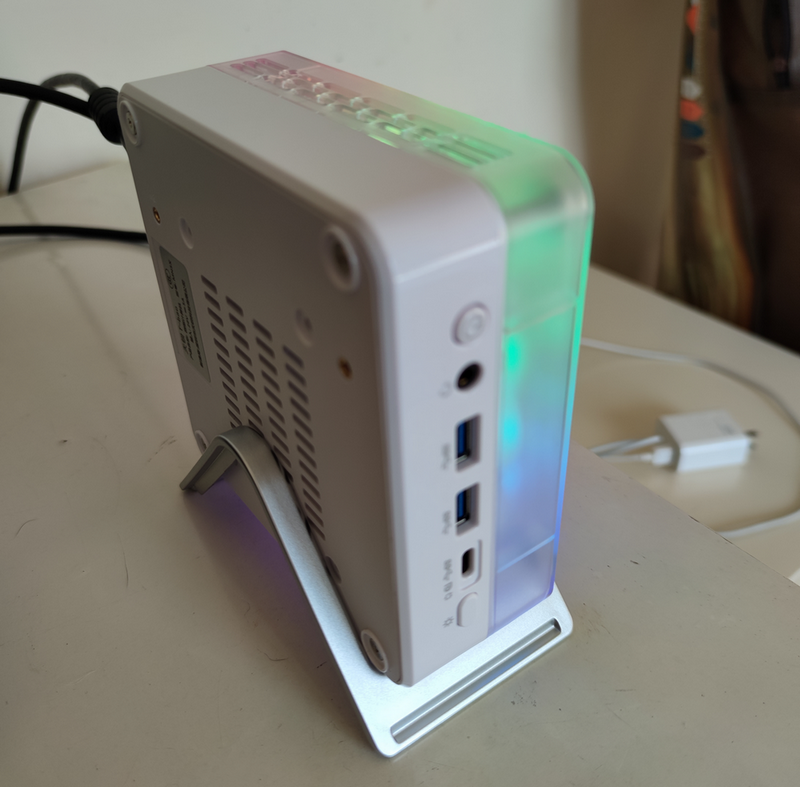
There are also ventilation holes on the bottom. During actual operation, most heat concentrates at the bottom, so it is recommended to use the included bottom stand to aid heat dissipation. A metal bottom shell would have been better. A 3C certification label is also attached to the bottom cover.

I installed the SSD and RAM myself. The seller kindly included an M.2 heatsink. Initially, I installed Guangwei RAM, but the system frequently blue-screened. After switching to Crucial RAM, it worked fine. I almost had a disaster (see below).
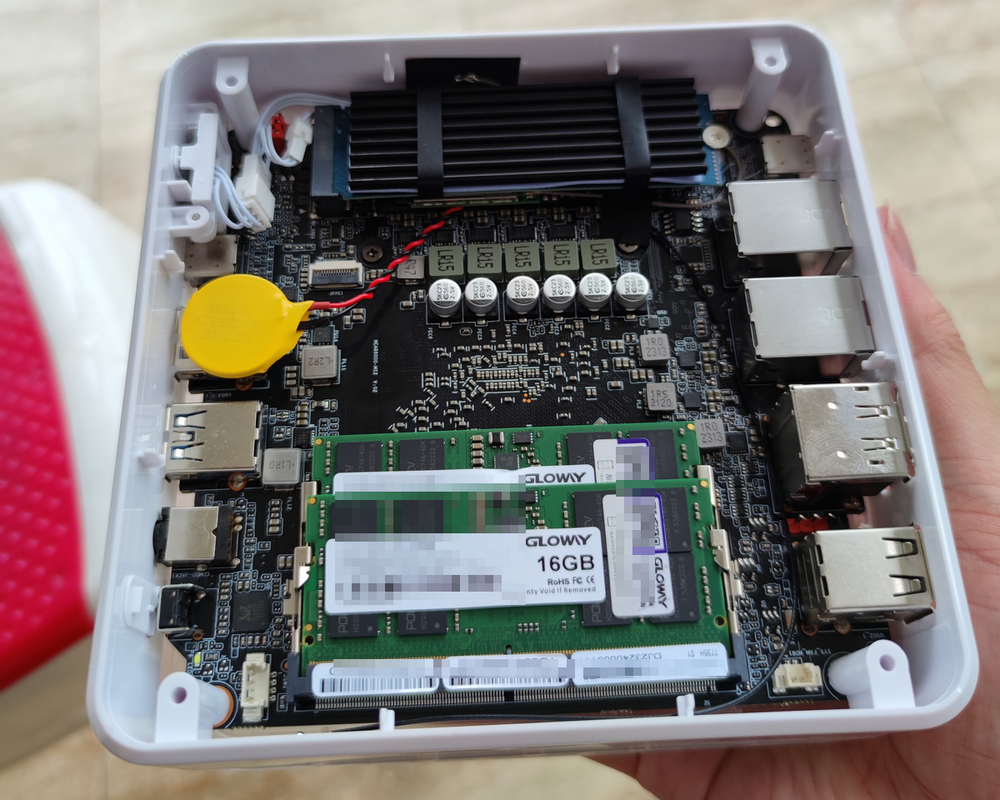
Installation complete, powered on successfully.
A Near-Disaster
Wrong Power Cable Sent
After excitedly installing the RAM and SSD, I discovered the seller sent the wrong power cable, causing a mismatch between the power adapter and the cable.
- I immediately purchased a Baseus 100W GaN charger on JD: Link
- Contacted the seller to resend the correct power cable.
The replacement cable has arrived. Currently, both the self-purchased Baseus 100W GaN charger and the seller's replacement power adapter are working normally.
RAM Failure
To save money, I initially bought Guangwei DDR5 4600 laptop RAM. The system frequently blue-screened, and the Windows Memory Diagnostic tool reported memory faults.
- I immediately applied for a return.
- Ordered new RAM on JD: Crucial 32GB DDR5 4800 Laptop RAM: Link
The Crucial RAM is now working perfectly.
Driver Installation
Wireless Network Driver
I installed Windows 11 on the host, but the wireless network driver was not automatically recognized. I contacted the seller for the driver. The Realtek RTL8852BE wireless network driver download link is below, or you can contact the seller for the driver.
- Realtek RTL8852BE Driver Download: Realtek RTL8852BE.zip
AMD Drivers
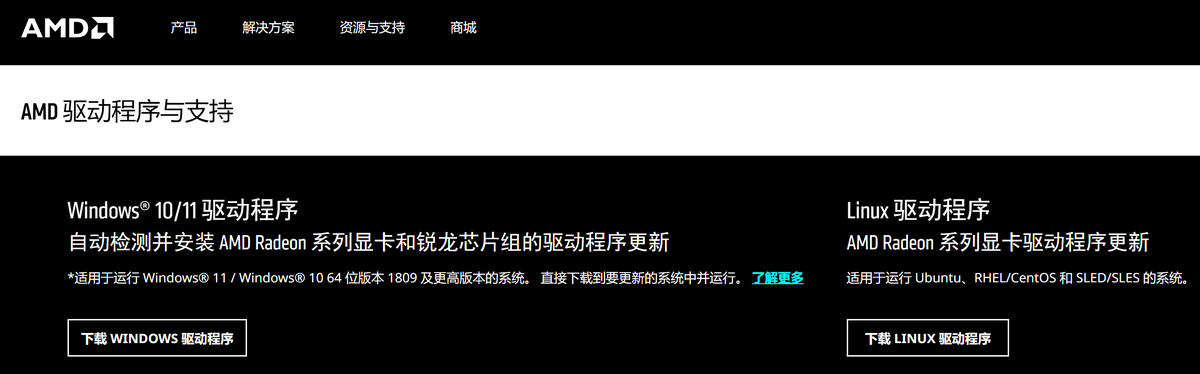
For the integrated graphics driver, visit the AMD official website: Link. Download the corresponding software for your operating system; it will automatically identify the hardware and install the driver.
Modifying Video Memory
The AMD R7 7735HS integrated graphics model is AMD Radeon™ 680M. The default allocated video memory is 512MB, which is sufficient for daily needs. However, if you occasionally play games, 512MB is clearly insufficient. You can customize the video memory size via BIOS settings as follows.
- Press DELETE to enter BIOS setup.
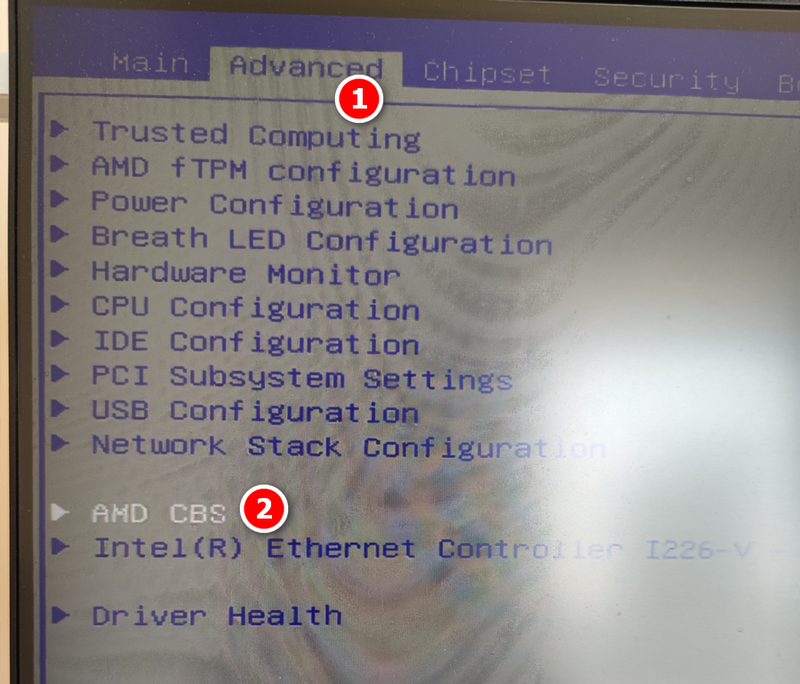
- Select Advanced - AMD CBS.
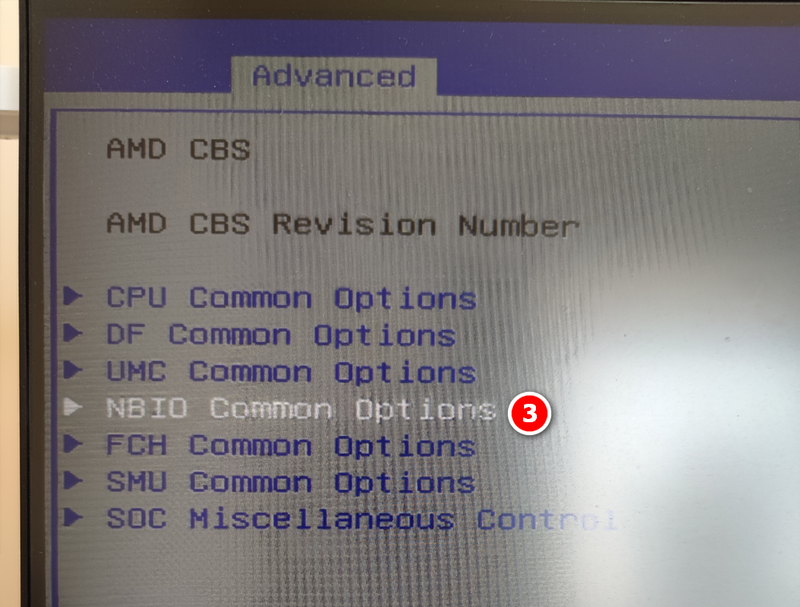
- Select NBIO Common Options.
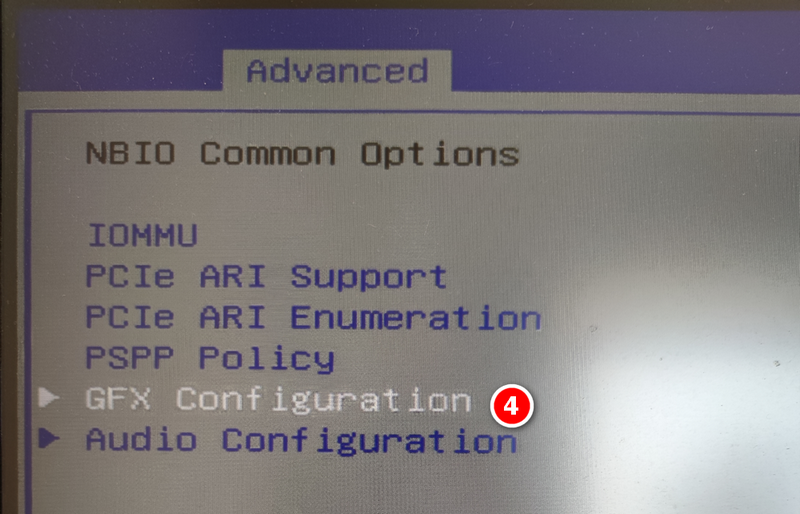
- Select GFX Configuration.
- Change iGPU Configuration to UMA_SPECIFIED.
- UMA Frame buffer Size refers to the video memory size. Specify it according to your needs; I set it to 4GB.
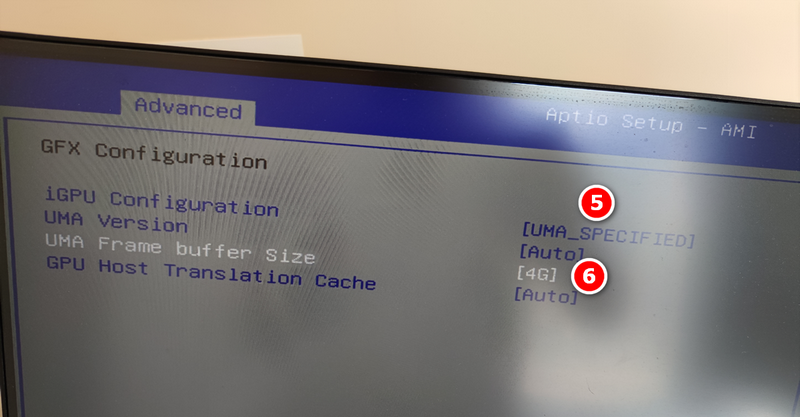
Save BIOS settings and restart the system. You will see the video memory displayed as 4GB in the performance monitoring tool.

Benchmark and Gaming Tests
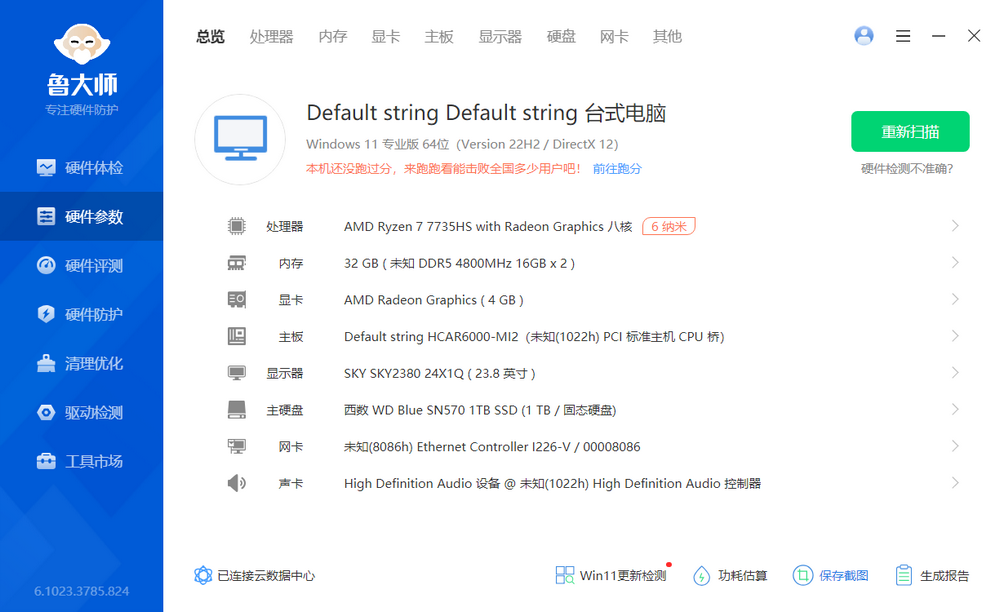
Configuration screenshot:
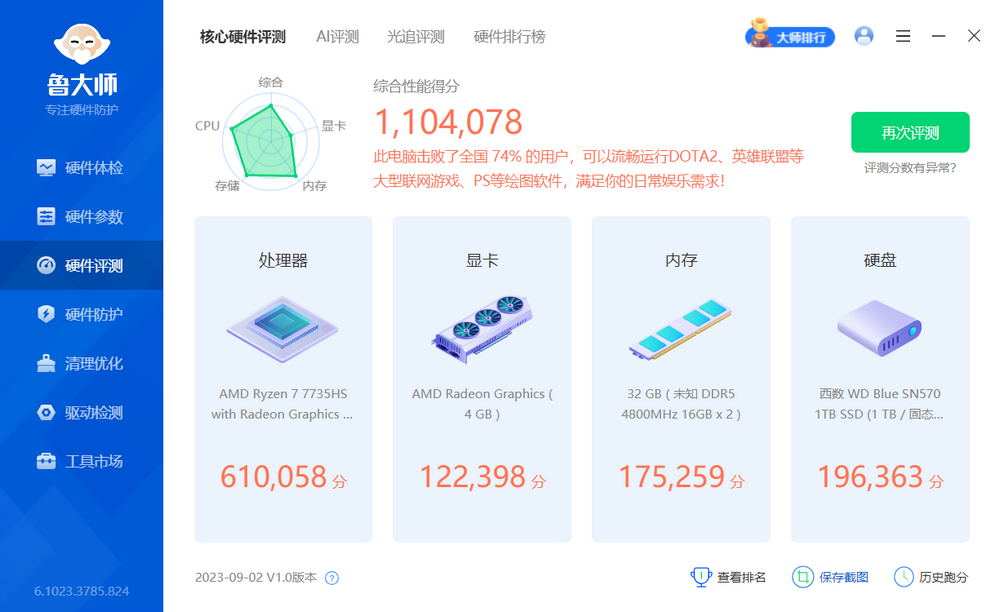
Master of Entertainment (Zhuji) Benchmark: 1.1 million+ points.
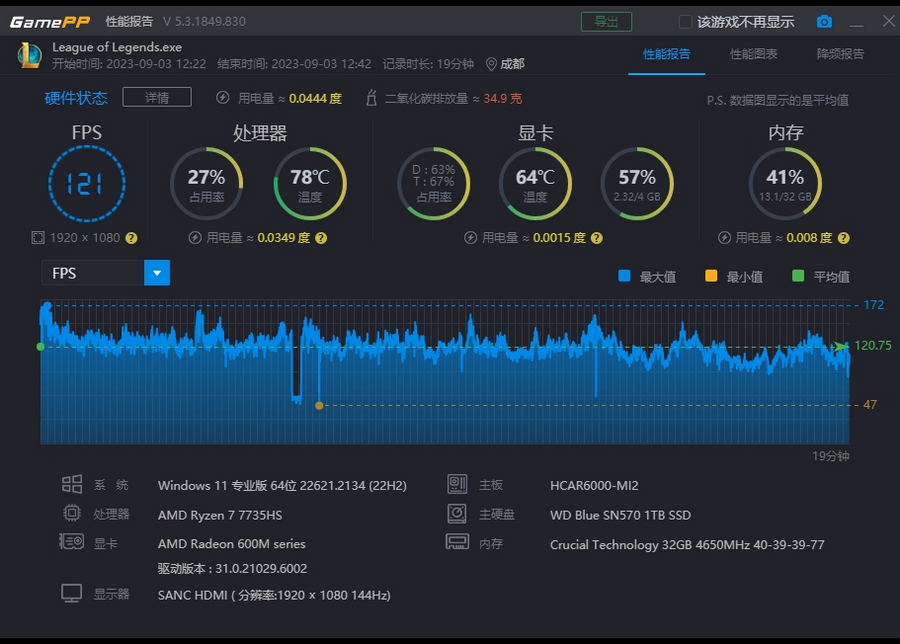
League of Legends:
- 1080P Monitor, 144Hz.
- Settings: Medium-High.
- Result: Smooth gameplay, average FPS around 121.
- CPU Temperature: 60-80°C.
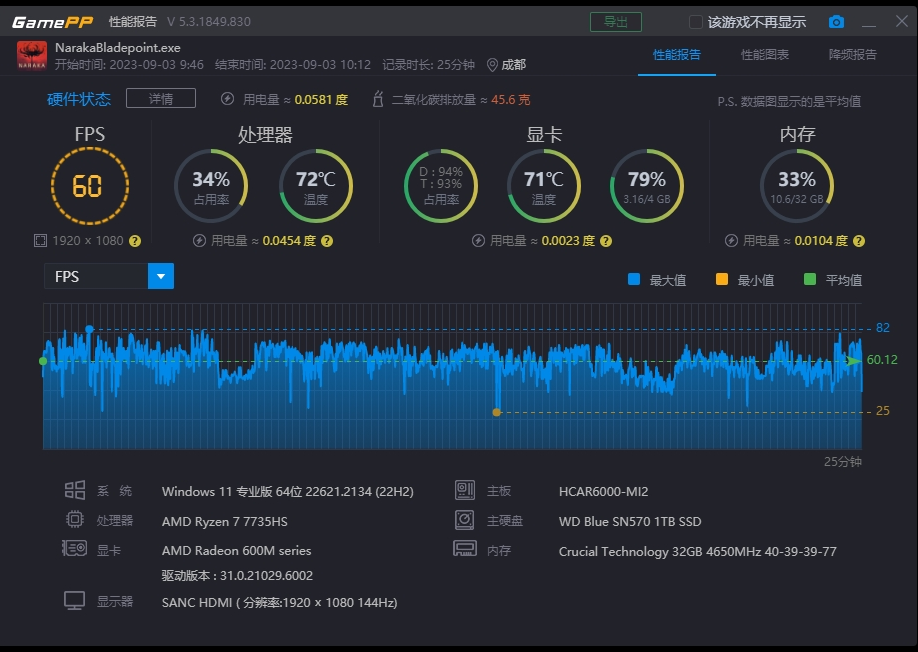
Naraka: Bladepoint:
- 1080P Monitor, 144Hz.
- Settings: Lowest.
- Result: Barely playable, occasional stuttering.
- Average FPS: Around 60.
- CPU Temperature: 70°C+.
Pros and Cons
Overall, I am quite satisfied with the Beelink MN5X (7735HS), though it is not perfect. Here are my subjective pros and cons:
Pros:
- High cost-performance ratio.
- Supports full-function Type-C USB 4.0, enabling potential for external GPU expansion.
- Supports dual Ethernet ports (2.5G + 1G), enabling potential for soft router usage.
- Supports DP + HDMI interfaces, capable of 4K resolution.
Cons:
- Plastic shell; build quality and texture are average.
- Despite the 10CM fan, the cooling effect feels average.
Summary
The Beelink MN5X (7735HS) has good performance, a compact size, and complete interfaces with decent looks, but the build quality is average. It is suitable for office work or as a home server. In summer, the CPU temperature is around 50°C for daily office work and 70°C+ for gaming. The cooling effect is average; it can handle ordinary games like League of Legends but is not suitable for large-scale games.
Beelink MN5X Purchase Address: Link
Other Mini PCs I have purchased: