MarkText: A Free WYSIWYG Markdown Editor as a Typora Alternative
Typora is undoubtedly an excellent Markdown editor, loved and highly rated by many users. Xiaoz also used it for a long time. After years of iterations and updates, Typora has released version 1.x as a formal release, but it is no longer free. It can be purchased for $14.99 as a one-time payment, which is quite affordable. Those who need it can still support the developer, as development is not easy.
Friends who are unwilling to pay can continue using the Typora Beta version or use other alternative tools, such as the main character today, MarkText.
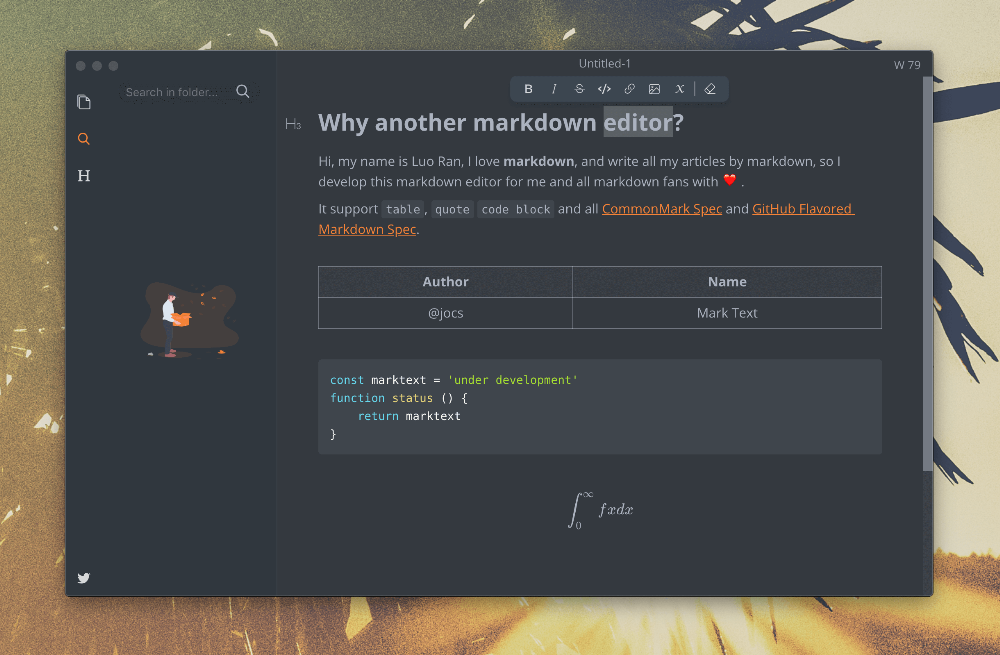
MarkText Features
- Real-time preview (WYSIWYG) and a clean, clear interface, providing an uninterrupted writing experience.
- Supports CommonMark Spec, GitHub Flavored Markdown Spec, and selective support for Pandoc Markdown.
- Markdown extensions, such as mathematical expressions (KaTeX), front-end icons, and emojis.
- Supports paragraph and inline style shortcuts to improve writing efficiency.
- Exports to HTML and PDF files.
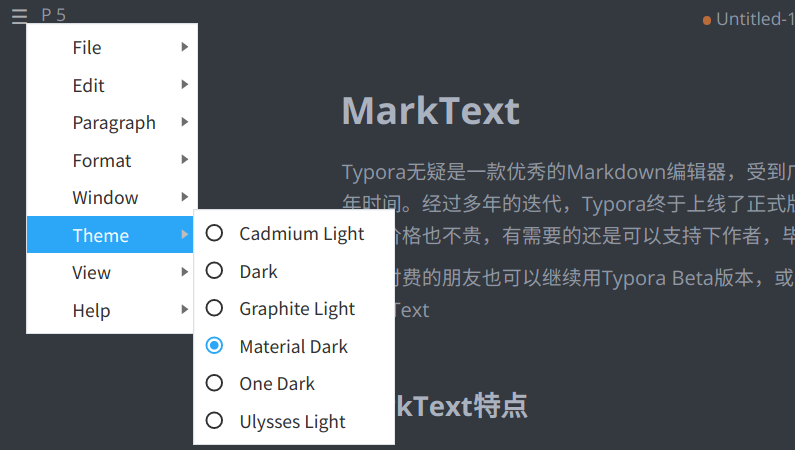
- Various themes: Cadmium Light, Material Dark, etc.
- Multiple editing modes: Source code mode, Typewriter mode, and Focus mode.
- Directly paste images from the clipboard.
Installing MarkText
MarkText supports macOS, Windows, and Linux platforms. You can download it via the following GitHub links:
- macOS: marktext.dmg
- Windows: marktext-setup.exe
- Linux: marktext-x86_64.AppImage
MarkText User Experience
MarkText has a similar interface style to Typora, both being minimalist, with WYSIWYG Markdown content.
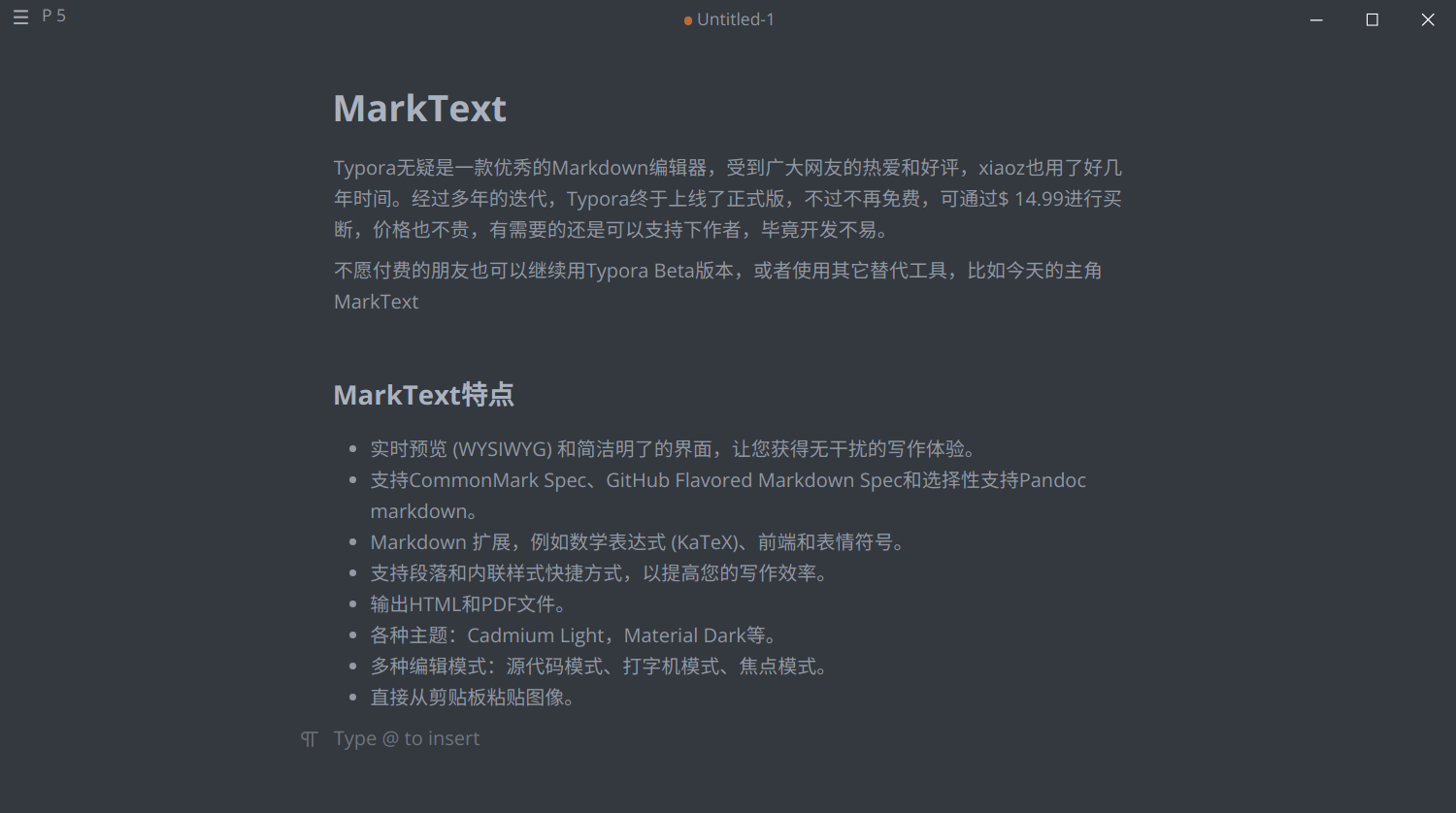
Built-in multiple style themes that can be freely switched.
Supports export to PDF and HTML.
For more features, please download and experience them yourself.
Summary
MarkText's interface and usage are similar to Typora. The benefit of MarkText is that it is open-source and free, but it currently does not support multiple languages (including Chinese). If you are looking for a Typora alternative or need a WYSIWYG Markdown editor, MarkText should be suitable for you.
- MarkText Official Website: https://marktext.app/
- MarkText Project Address: https://github.com/marktext/marktext