I Built a Free Online Text Toolbox: No Registration Needed, 20+ Tools Ready to Use
During the National Day holiday, I spent a few days building a free online text tool called TxtDock: https://txtdock.com/. It was created both for personal use and to help others. This text tool requires no registration; most tools process data locally in your browser to ensure privacy and security, while a few tools utilize AI assistance (clearly marked).
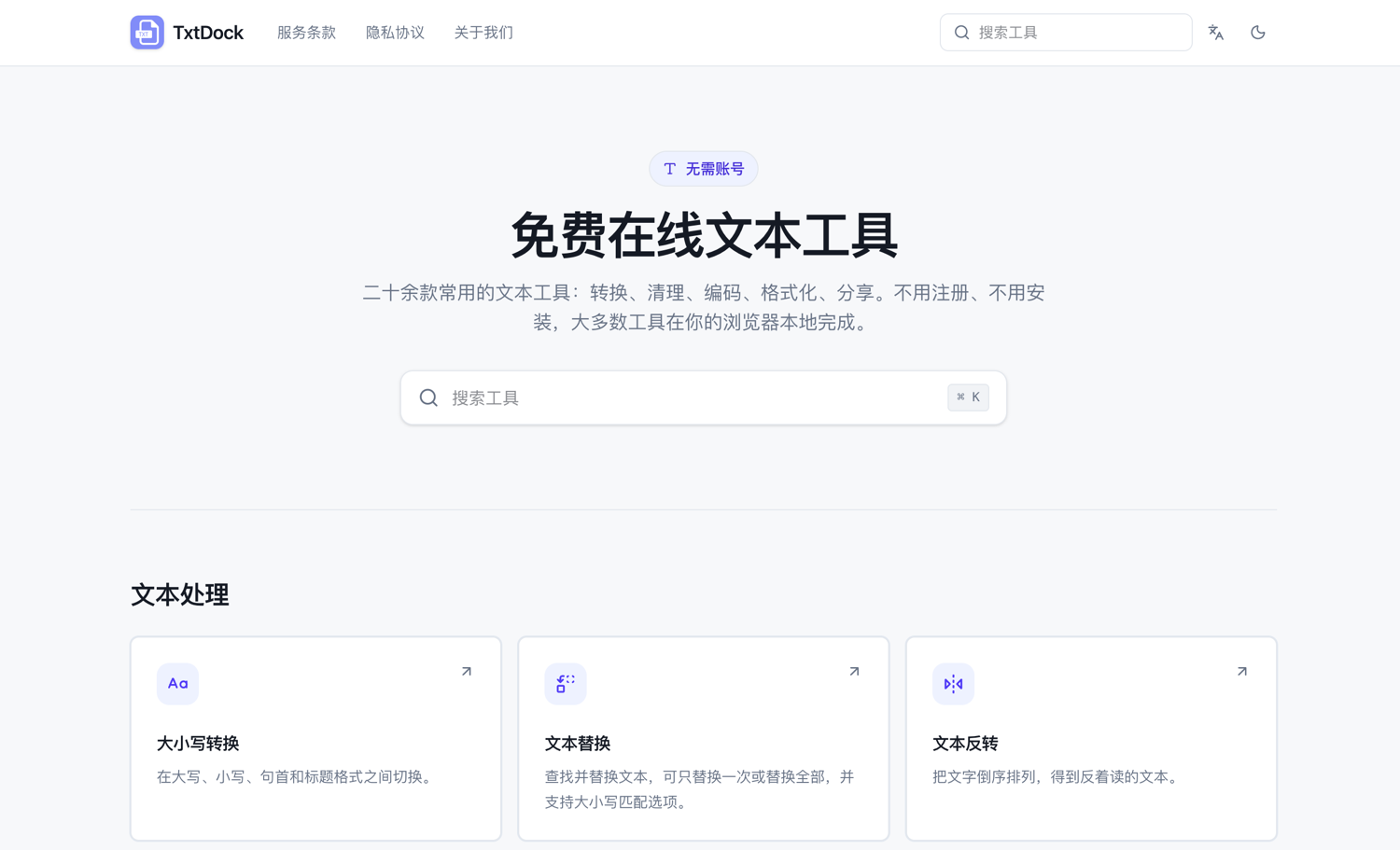
TxtDock Official Website: https://txtdock.com/
Supports Over 20 Text Tools
- Case Conversion: Switch between uppercase, lowercase, sentence case, and title case.
- Text Replacement: Find and replace text, supporting single or global replacement with case-sensitive options.
- Text Reversal: Reverse the order of characters to get backward text.
- Text to QR Code: Convert text or links into QR codes.
- Remove Duplicate Lines: Delete duplicate lines to keep text lists clean.
- Clear Blank Lines: Remove empty lines and lines containing only spaces or tabs.
- Character Count: Count characters, words, lines, and common character types.
- URL Extraction: Extract HTTP and HTTPS addresses from large blocks of text.
- Random Password Generator: Generate strong random passwords for various scenarios.
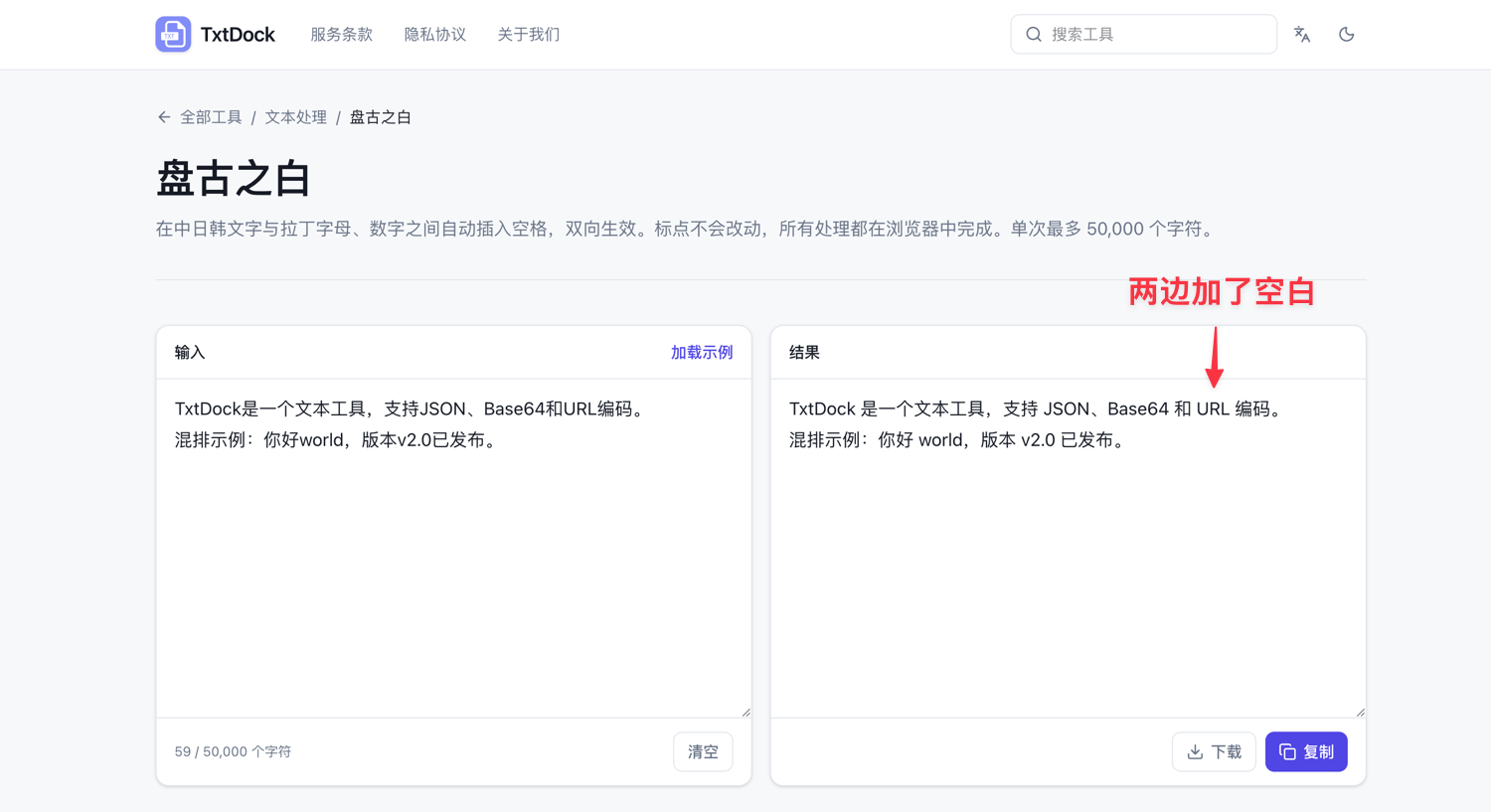
- Pangu Spacing: Automatically insert spaces between CJK characters and Latin letters/numbers for better readability.
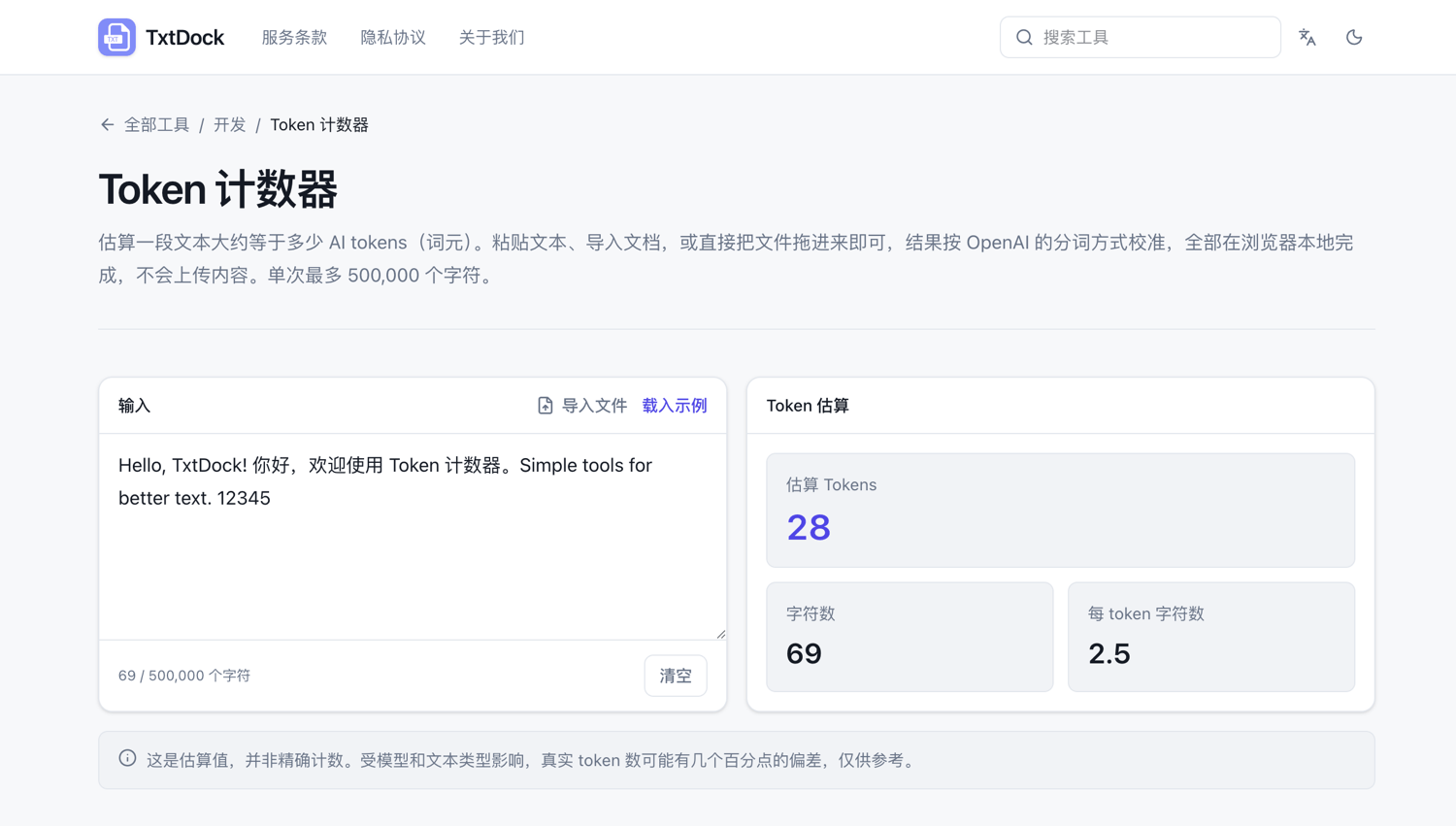
- Token Counter: Estimate how many AI tokens a piece of text approximately equals.
- AI HTML to Markdown: Convert HTML into clean, readable Markdown, automatically removing obvious page noise.
- AI Markdown Layout Optimization: Fix incorrect Markdown syntax and optimize layout using AI without altering content.
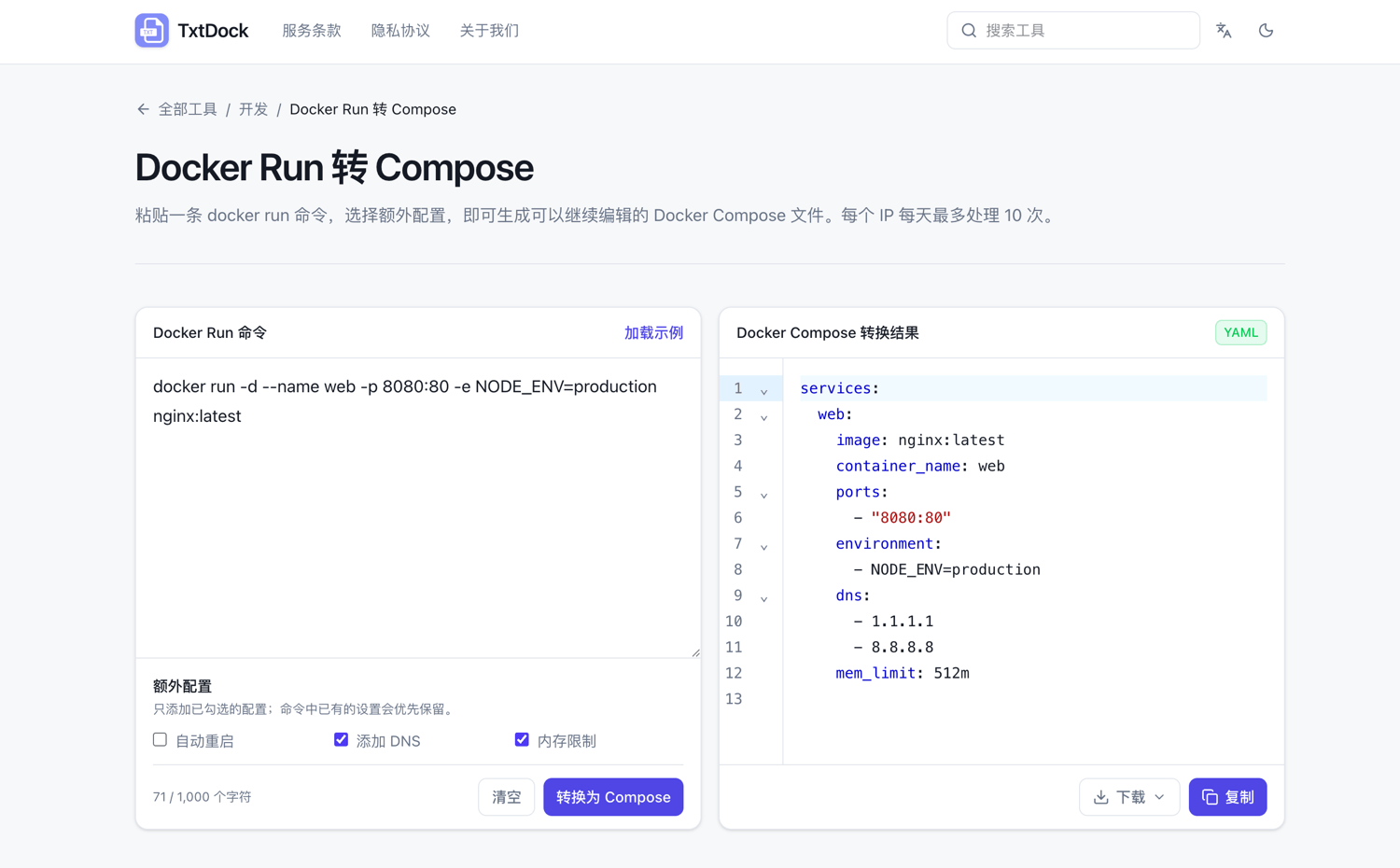
- AI Docker Run to Compose: Convert Docker Run commands into editable
compose.yamlfiles. - Base64 Encode/Decode: Encode text to Base64 or decode Base64 back to text.
- JSON Formatting: Format and organize JSON content for easier reading.
- URL Encode/Decode: Encode full URLs or decode them back.
- MD5 Hash Generator: Generate 16-bit or 32-bit MD5 hashes with selectable case.
- AI Log Error Analysis: Analyze error logs using AI to provide summaries, possible causes, and fix suggestions.
- Text Card: Format short text into simple image cards with adjustable font size, alignment, and color, then export as PNG.
- Markdown to WeChat Official Account Layout: Convert Markdown into styled rich text suitable for WeChat Official Articles, ready for one-click copy-paste.
Feature Highlights
Pangu Spacing
Does this name sound impressive? The function simply adds a space on both sides of English characters when mixing Chinese and English input, making it look more comfortable, especially for those with perfectionist tendencies. See the effect below:
Token Counter
The Token Counter estimates how many AI tokens a piece of text roughly equals, helping you stay informed when calling AI APIs.
Docker Command to Compose
Input a Docker command, and it will automatically convert it into a compose.yaml file with download support. It also supports adding DNS settings, memory limits, etc., making it ideal for DevOps personnel. The backend uses AI for intelligent conversion.
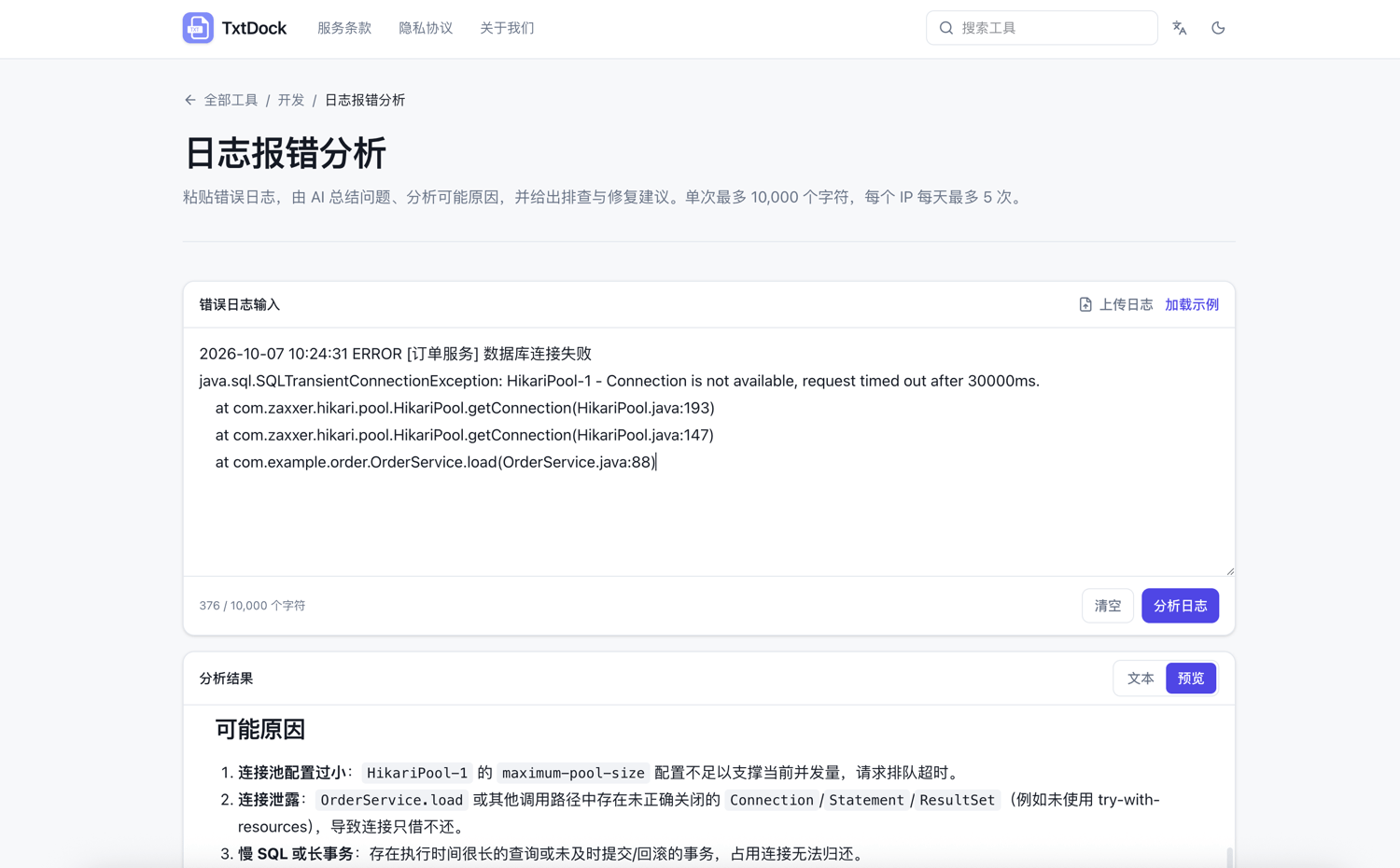
Log Error Analysis
Copy an error log and paste it here; AI will automatically analyze the cause and provide solutions and ideas. This is very suitable for developers or operations staff.
Others
There are many other practical text tools that won't be introduced one by one. Feel free to try them out if you're interested.
Don't See the Tool You Need?
If TxtDock doesn't have the text tool you need, feel free to leave a comment with your requirements. I will do my best to implement them.
Conclusion
TxtDock originated from personal needs but aims to help more people. It requires no registration, processes most tools locally in the browser for privacy and security, and clearly marks AI features. With over 20 tools continuously improving, if you don't find what you need, please let me know via comments. May it become your handy little tool.
TxtDock Access Address: https://txtdock.com/