Meta's Muse AI Offers 1 Billion Tokens: Registration Guide and Key Considerations
Recently, Muse AI, a subsidiary of Meta (Facebook), has opened limited registration. New users who register with the invitation code 340HU5 can receive a usage quota of 1 billion tokens. However, there are thresholds and restrictions involved. Below is a detailed registration guide and important notes for reference.

Note: This tutorial involves certain thresholds and may not be suitable for beginners!
What is Muse AI?
Muse AI is a cloud-based private AI assistant launched by Meta. Similar to popular tools like OpenClaw and Hermes Agent, it differs in that those tools require you to deploy them on your own computer or server and configure APIs manually.
Muse AI eliminates these complex operations. After registering an account, you are assigned a virtual machine with 2 CPU cores and 8GB RAM (2C8G). It requires no configuration and is ready to use out of the box, fully benchmarking against Grok Bot.
Preparation Before Registration
- A commonly used email address
- A VISA/MasterCard credit card (domestic cards work) or a virtual card
- Access to the US internet ("magic" network)
For friends without a virtual card or credit card, please refer to the following articles:
- Global Multi-Currency Account + Overseas Physical Debit Card: Starryblu Registration Tutorial and Precautions
- Ucards Virtual Card Platform: Supports Multiple Card Segments and Batch Card Opening (Enterprise Certification Required)
Registering for Muse AI
Muse AI currently only allows registration and usage from the United States. The author attempted to register using US "magic" access but received a message stating the region is temporarily unsupported, likely due to browser language or timezone information being exposed. Later, another method was found online that allowed successful registration in one go. Those interested can refer to the steps below.
1. Register a Cloud Browser
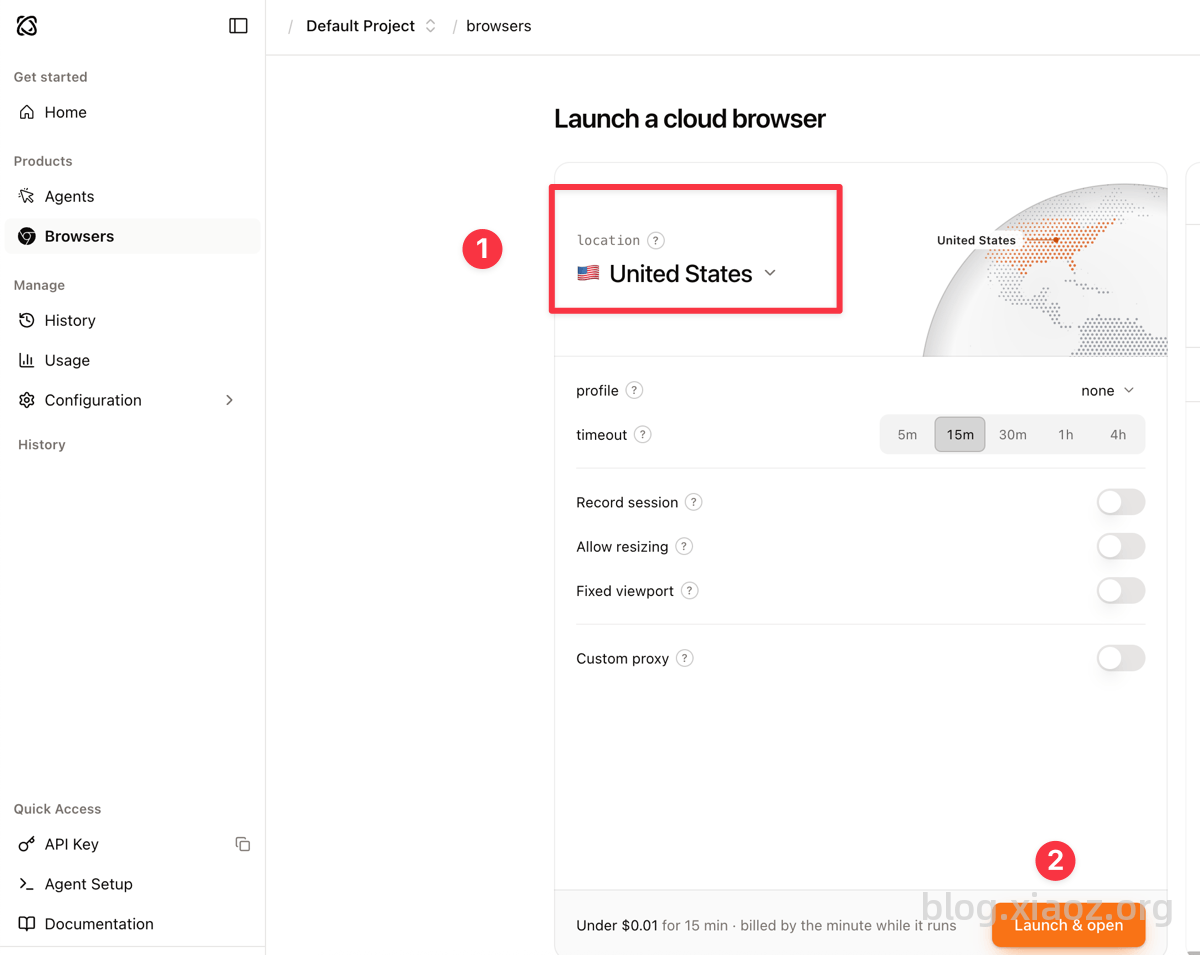
First, register for an account at https://cloud.browser-use.com/. After registration, start a browser located in the US region as shown in the screenshot below.
2. Register Muse AI
Open https://muse.ai/ within the cloud browser and enter your email to complete registration. When filling in the information, please pay attention to the following:
- Name: Enter your Pinyin name (e.g., SAN ZHANG). Do not fill this randomly, as incorrect information may trigger security controls during verification and cause failure.
- Date of Birth: Enter the date of birth on your actual ID card to avoid risk control issues.
You may then be prompted to verify your age.
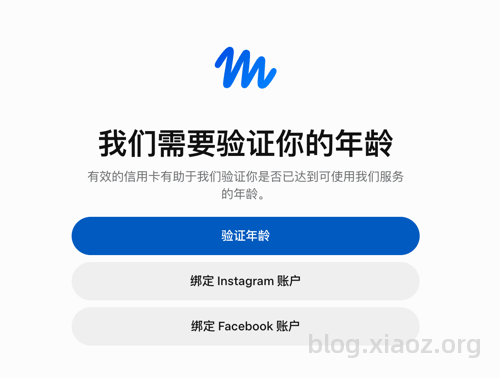
If you have a Facebook account, you can bind it directly for verification. If not, click the first option "Verify Age." You will then be asked to input credit card/virtual card information, and $1 will be charged for verification (this amount will be refunded later).
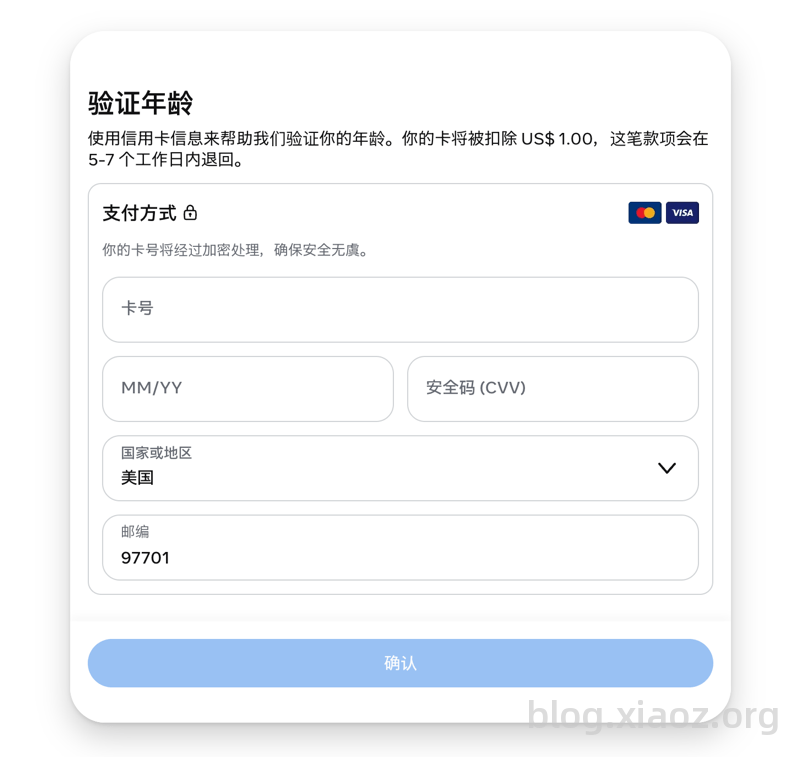
- Region: Select United States
- Zip Code: Enter
97701 - Other Fields: Fill in your credit card/virtual card information.
3. Use the Invitation Code
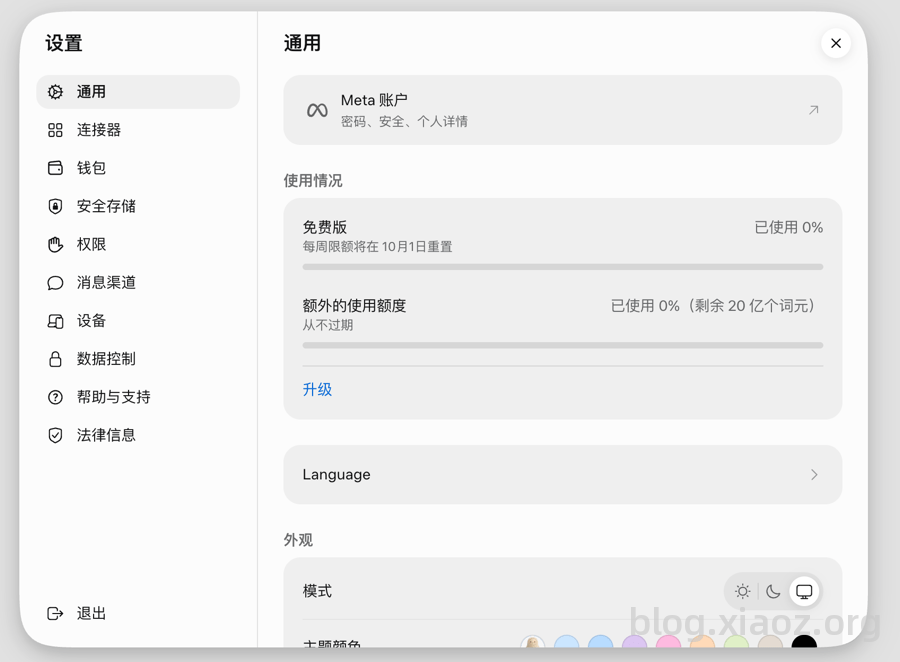
After passing the age verification, you can close the cloud browser. Then, activate your US "magic" network, open your local browser, and go to https://muse.ai/ to log in. Enter the exclusive invitation code 340HU5 in the bottom-left corner under Settings - Login - General to receive 1 billion tokens. These tokens do not expire.
Using Muse AI
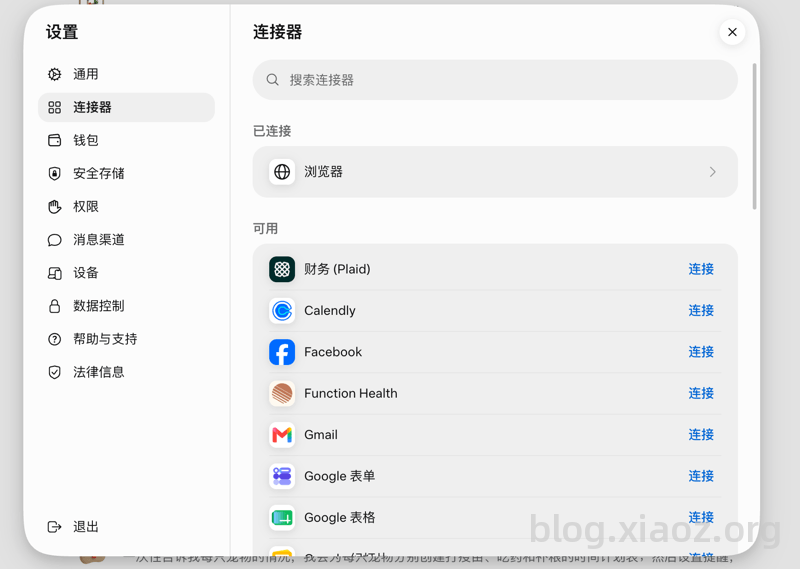
Next, simply create a new chat on the left side to start using it. A built-in browser is included by default. You can also add email, calendar, shopping websites, and other information in Settings - Connectors. Once connected, Muse AI can directly operate and control these services.
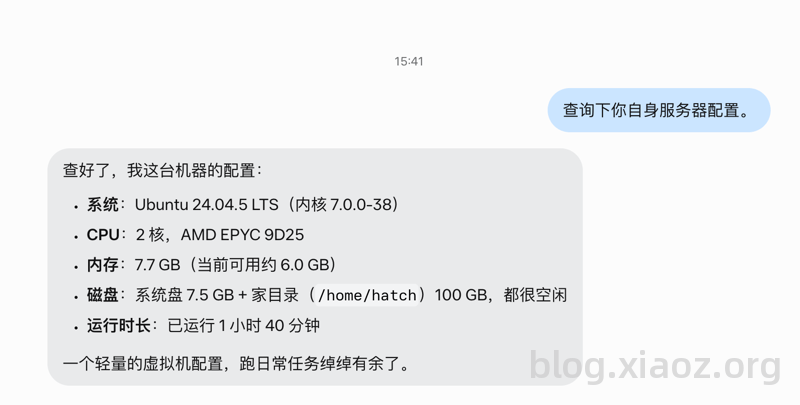
I asked Muse AI to query its own server configuration, which revealed it is a virtual machine with 2 CPU cores, 8GB RAM, and 100GB hard drive space. The allocated resources are quite generous.
Conclusion
In summary, Muse AI requires no deployment and is ready to use out of the box, providing a 2C8G virtual machine upon registration. By using invitation code 340HU5, you can claim 1 billion tokens. However, it is limited to the US region and requires tools like credit cards and cloud browsers, making the threshold relatively high and better suited for experienced users.