Caption-Trans + AI: Achieve Subtitle Freedom for Japanese Action Movies
Have you ever encountered the problem of watching overseas action movies without subtitles, which significantly reduces the viewing experience? Recently, Xiaoz discovered a treasure open-source software called Caption-Trans. It uses AI large models to translate video subtitles and is particularly optimized for Japanese (author introduction). As for specific scenarios, you can imagine them yourself.
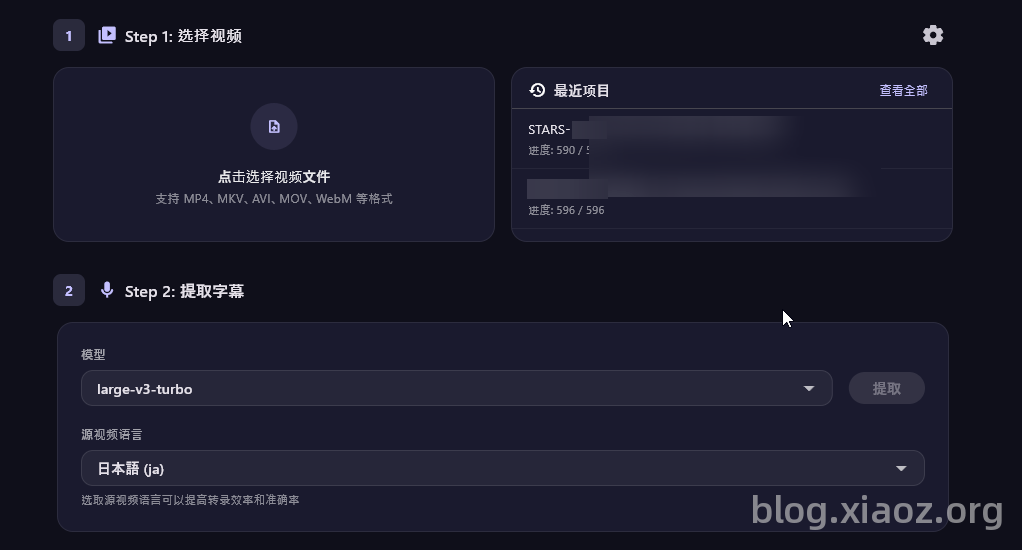
Two years ago, similar tools were already available on the market, but most required paid subscriptions. Although Caption-Trans is open-source and free, running it requires high computer specifications, and the deployment process can be tricky, so it is not recommended for novice users.
Software Principle
The software principle is actually not complex. The processing process of Caption-Trans is roughly as follows:
Extract audio from video -> WhisperX converts audio to text -> Call AI large model for translation -> Output subtitles.
Computer Requirements
Since the WhisperX model has high requirements for computer configuration during processing, especially for the GPU, your computer should preferably be a Mac M-series chip (the larger the memory, the better) or an NVIDIA dedicated graphics card. Xiaoz's computer configuration is as follows:
- CPU: AMD R5 3500
- GPU: NVIDIA RTX 3050 (8GB VRAM)
- Memory: 64GB DDR4
- Operating System: Windows 11
Install Caption-Trans
Caption-Trans provides versions for macOS and Windows. The software itself is very small; just go to Github and download according to your platform: https://github.com/cddqssc/Caption-Trans/releases
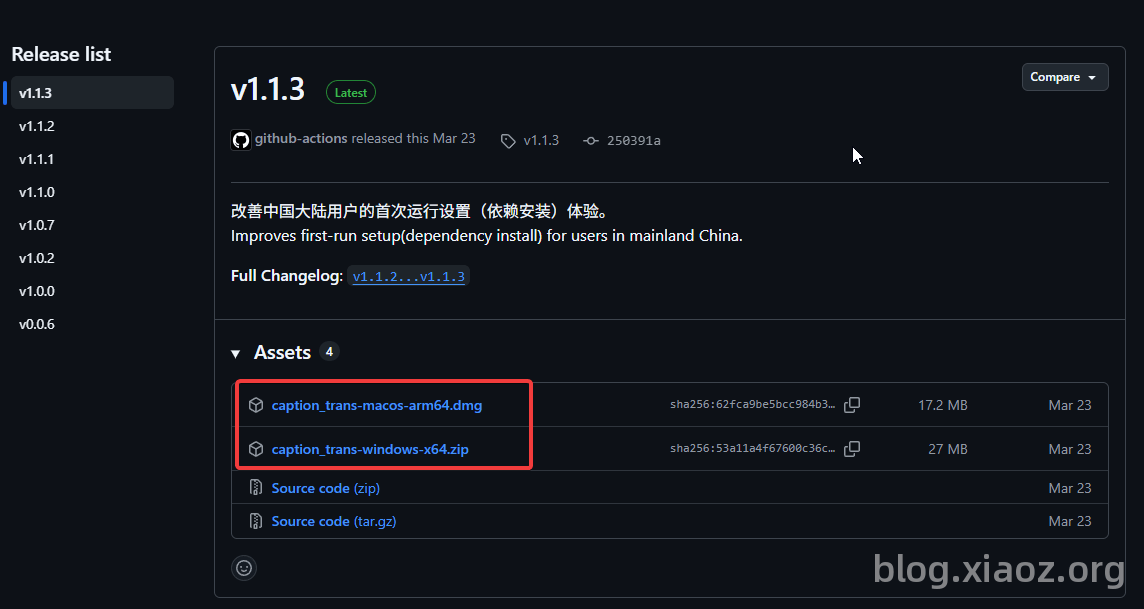
Using Caption-Trans
Next, Xiaoz will take the Windows system as an example. Caption-Trans is a portable software under Windows. Just extract it to any directory and open caption_trans.exe.
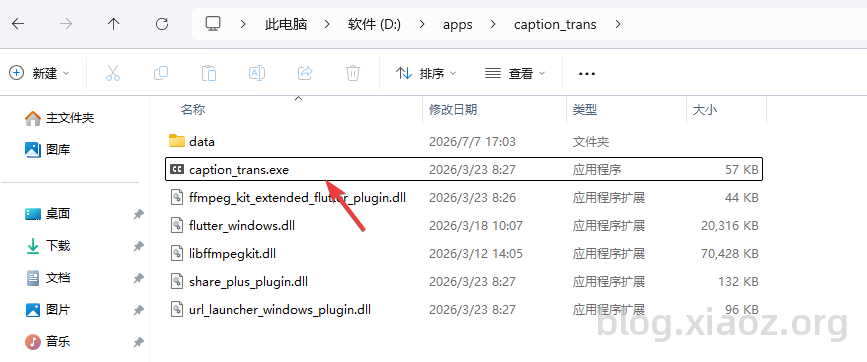
After opening, you will see the following interface.
Step 1: Select a local video file. This step is not difficult.
Step 2: Select the model. The larger the model, the better the effect, but the higher the computer configuration requirements. After selecting the model, click the "Extract" button behind it. The software will automatically detect and install the required environment.
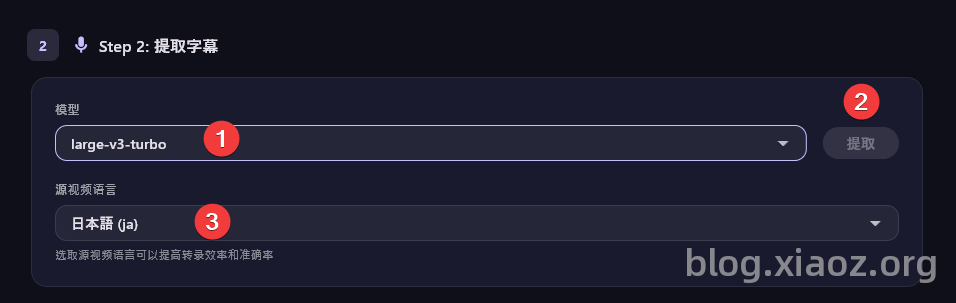
This process will be slow. When Xiaoz installed the environment, a domestic environment was selected, but it still took nearly an hour. After the environment installation is complete, click the third option in the screenshot above, Video Source Language, for example, if you downloaded a Japanese movie, select Japanese.
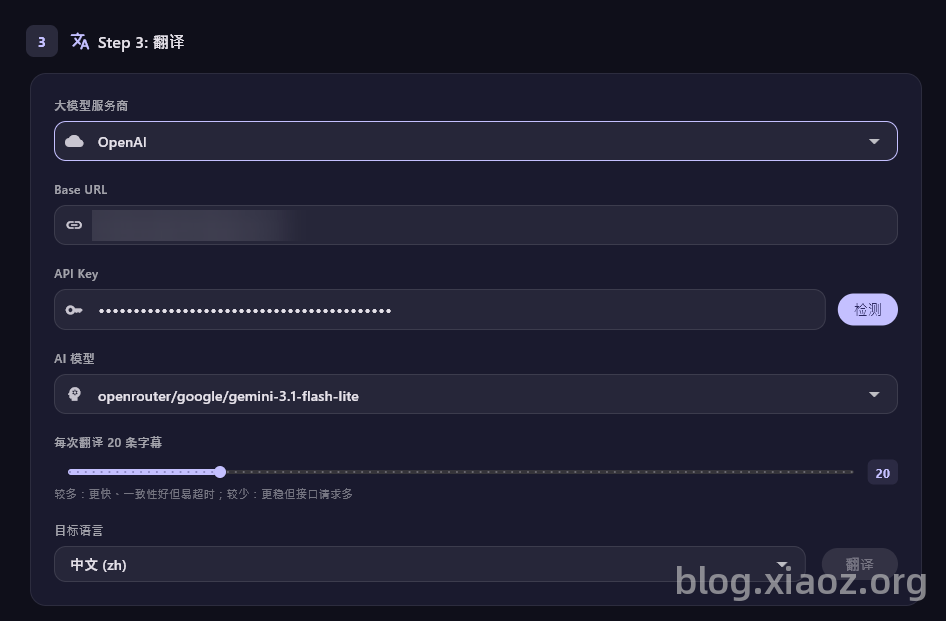
The next step is to configure the AI large model to translate the subtitles. Here is a note: it is not recommended to use some free models and domestic models for translation because:
- Free models have severe concurrency limits and are extremely unstable; the translation effect is usually poor.
- Domestic models may trigger risk control for certain special movie subtitles, causing subtitles to be censored or translation to fail (you know the reason).
Therefore, the blogger personally suggests choosing a foreign paid large model, such as OpenRouter (the large model service provider can be any compatible with the OpenAI interface).
The final step is to export the subtitles. When exporting, you can choose: original/translated or bilingual subtitles, which is quite user-friendly (is the purpose of bilingual subtitles to help us learn?).
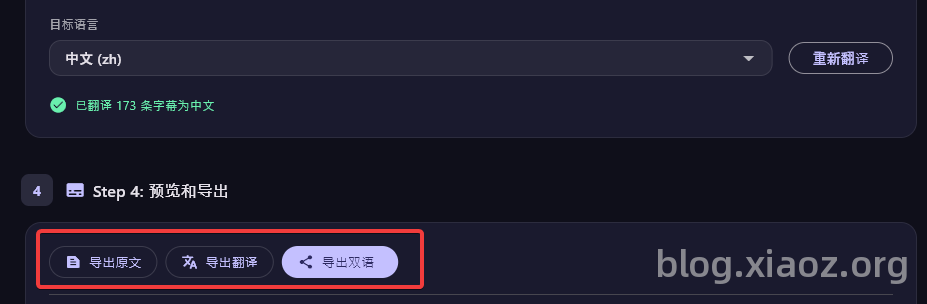
The exported subtitles are in .srt format. You can select the subtitle file during playback.
Note: If your computer configuration is good, translating a movie generally takes less than 10 minutes.
Conclusion
Overall, Caption-Trans is a highly promising open-source subtitle translation tool, especially suitable for friends who love watching Japanese movies but struggle to find subtitles. It achieves fully automatic translation through AI large models and supports bilingual output, making it very practical. However, it has certain requirements for computer hardware, and the deployment process requires some hands-on ability. It is recommended for users with some experience in tinkering to try. As for what kind of "JP action movies" it refers to, that is left for everyone to imagine themselves—those who know, know. 😄
Caption-Trans open-source project address: https://github.com/cddqssc/Caption-Trans