ZNote Updated to 0.3.1: New Features Include Public Docs and Note Sharing
Hello everyone, I am xiaoz. Since the last release of ZNote version 0.1.0, two days have passed. I haven't been idle for a moment, and I have now updated to version 0.3.1. Here is a report on the recent updates to the ZNote note-taking software.
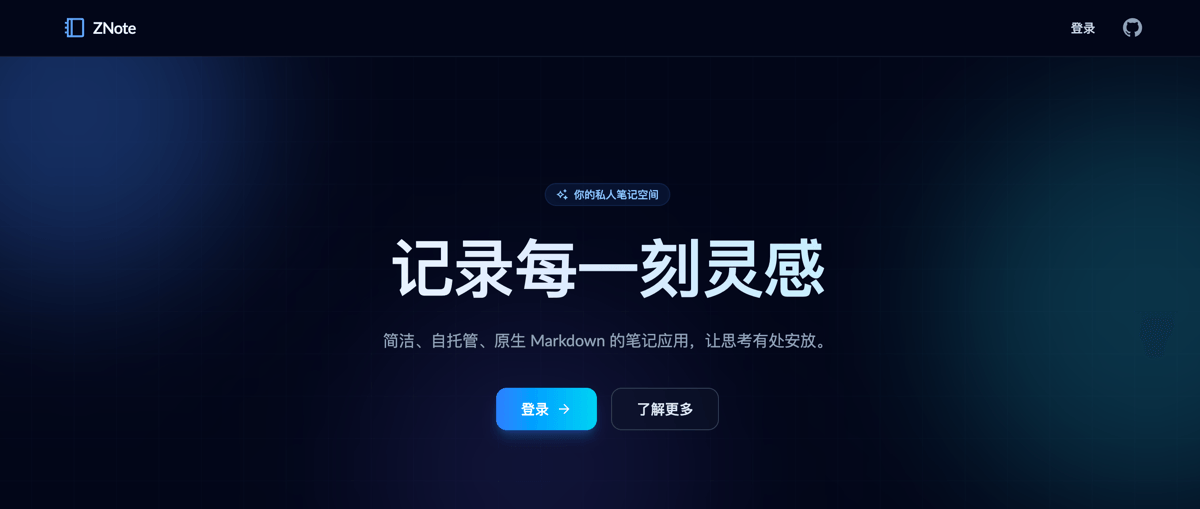
ZNote Official Website: https://znote.xphub.dev/
Recent ZNote Updates
Due to the sheer volume of recent updates, it is impossible to list them all. Below are some of the important updates:
- New: Document functionality
- New: 404 page
- New: Support for manually emptying the trash
- New: Data export
- New: Support for note sharing and sharing management
- Optimized: Enhanced robustness and compatibility of the import function
- Optimized: Mobile editor display
- More...
Quick Start
If you have not yet deployed ZNote, you can use Docker Compose to deploy it. Create a compose.yaml file and add the following:
services:
  znote:
    container_name: znote
    image: helloz/znote:latest
    ports:
      - "3888:3888"
    volumes:
      - "./data:/app/data"
    restart: always
    environment:
      TZ: Asia/Shanghai
Run docker compose up -d to start, and visit http://ip:3888. On first use, you will be guided to create an administrator account.
Introduction to Recent ZNote Updates
Document Functionality
ZNote supports sharing a specific notebook as a public help document, similar to the public Yuque document model. The specific operation is as follows.
Note: This operation is only available to the first initialized administrator user; ordinary users do not support this operation!
Create a Public Document
Click the avatar dropdown menu in the top right corner to return to the backend, or manually enter
/dashboard/docsto access the backend.In the backend, find [Public Documents - Add Document] on the left side.
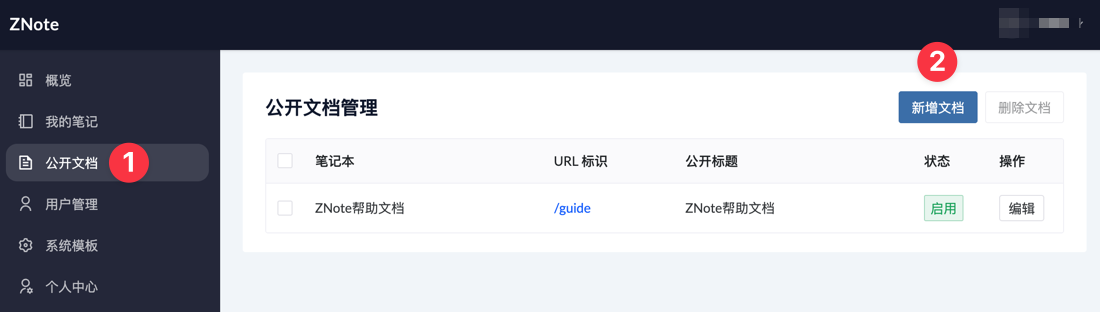
Complete the settings according to the system prompts.
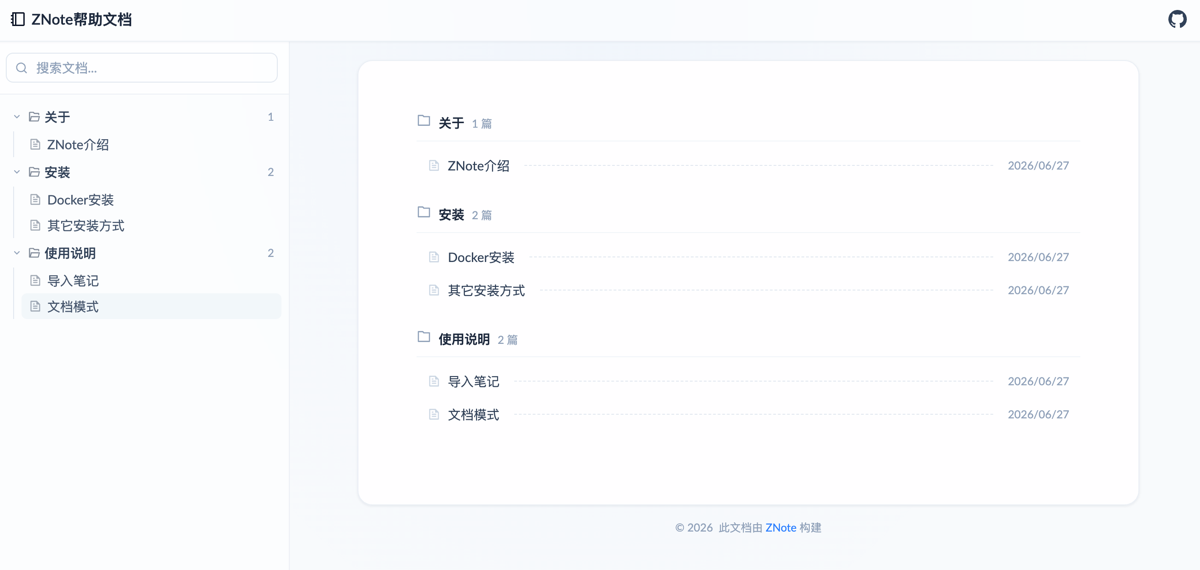
Finally, click the URL identifier to access the document.
The specific effect is shown in the following image:
Note Sharing
- You can create a public share for a single note and set a password and access expiration time for the shared note.
- The same note can be shared multiple times, generating different share addresses.
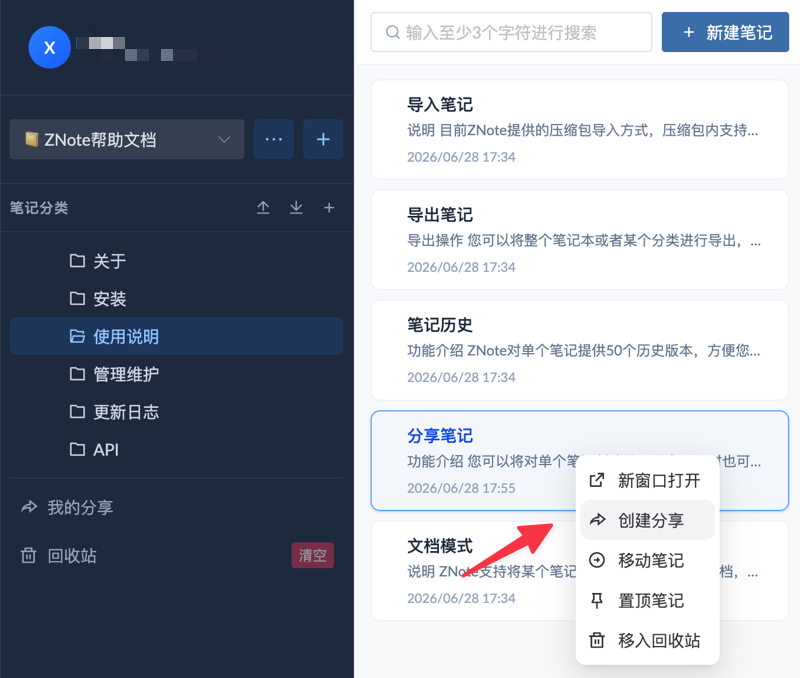
Create a Share
Simply [Right-click a note - Create Share].
Then you can set a password and expiration time for the share.
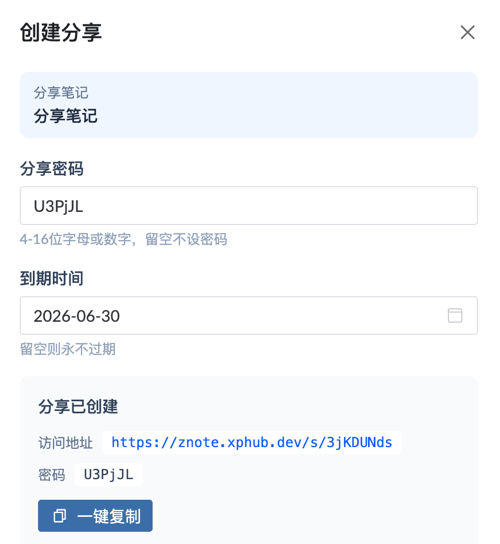
- If no share password is set, it is considered a public share, and the access address does not require a password.
- If no expiration time is set, the access address is valid permanently.
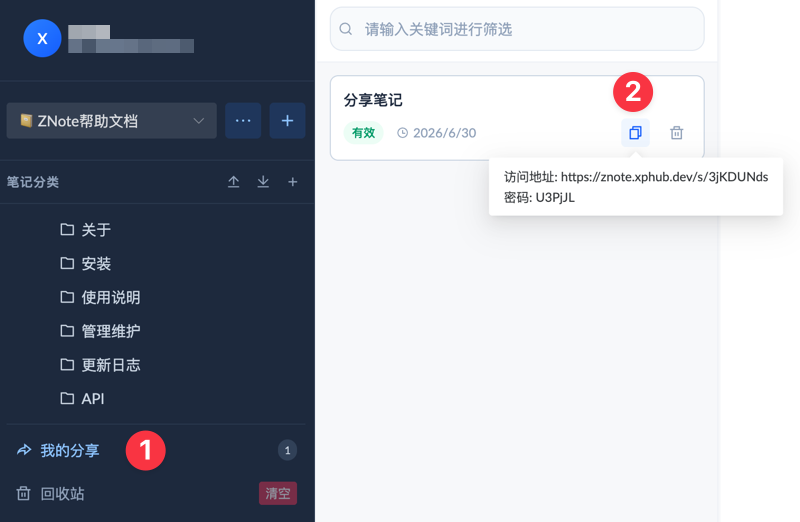
Get Share Address
You can find all share lists in the left sidebar under [My Shares]. Move your mouse over the [Copy] icon of the specified shared note to get the share link and password.
Delete Share
Also in the left sidebar under [My Shares], find the share list. Each share has a [Delete] icon; click it and confirm to delete.
Data Export
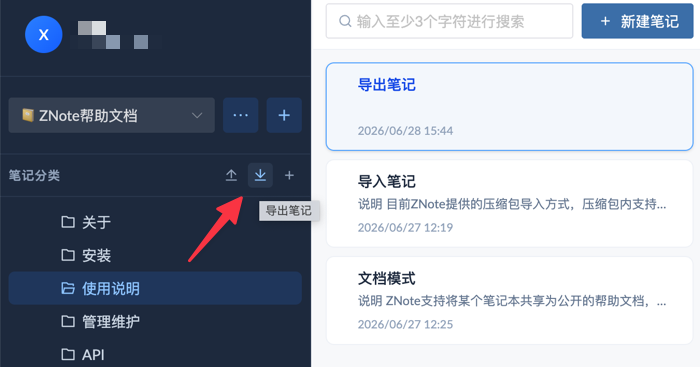
Export Entire Notebook
There is an export button to the right of the note category on the left side. Clicking the button in the screenshot will export the entire notebook as a compressed archive.
Export Specific Category
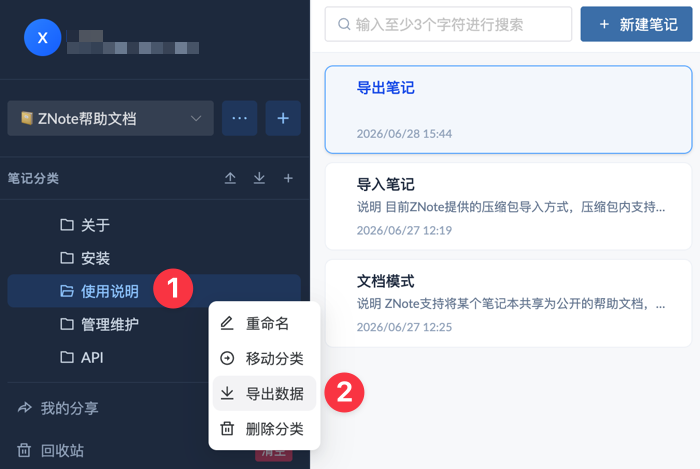
You can also right-click a category to export notes under that specific category separately, as shown below.
Important Notes
- The exported content will be stored as Markdown files (
.md) in a hierarchical structure, then packaged into a.zipfile. - The exported Markdown files do not include images or other attachments. If you migrate to another note-taking app, images may not display. We usually recommend using a third-party image hosting service when creating new notes to solve this problem.
Others
Due to the large number of cumulative updates in the past two days, space is limited, and I cannot introduce every feature one by one. Please understand. Friends who are interested can deploy it and experience it themselves.
Conclusion
ZNote has jumped from version 0.1.0 to 0.3.1 within two days, adding core features such as document sharing, note sharing (with password/expiration), and data export, while continuously optimizing the user experience. Additionally, the ZNote mobile app is on the way and is expected to be released within this week. Thank you for your attention.
- ZNote Help Documentation: https://znote.xphub.dev/doc/guide
- ZNote Open Source Address: https://github.com/helloxz/znote
If you are interested in ZNote notes, you can also join our WeChat group chat to discuss together.