Xiaoz Blog Theme Rewritten: Ztheme Open Source with Usage Guide
Xiaoz Blog started using the self-developed theme Msimple in 2019. After over 7 years of use, it was time for a new UI. Recently, with AI assistance, Msimple was rewritten. The functionality remains almost identical to the original, but the UI is more refined. The new theme is named Ztheme. Suitable for personal blogs, it has been open-sourced on GitHub for installation and use.
Note: This is a WordPress theme; you must install WordPress before using it!!!
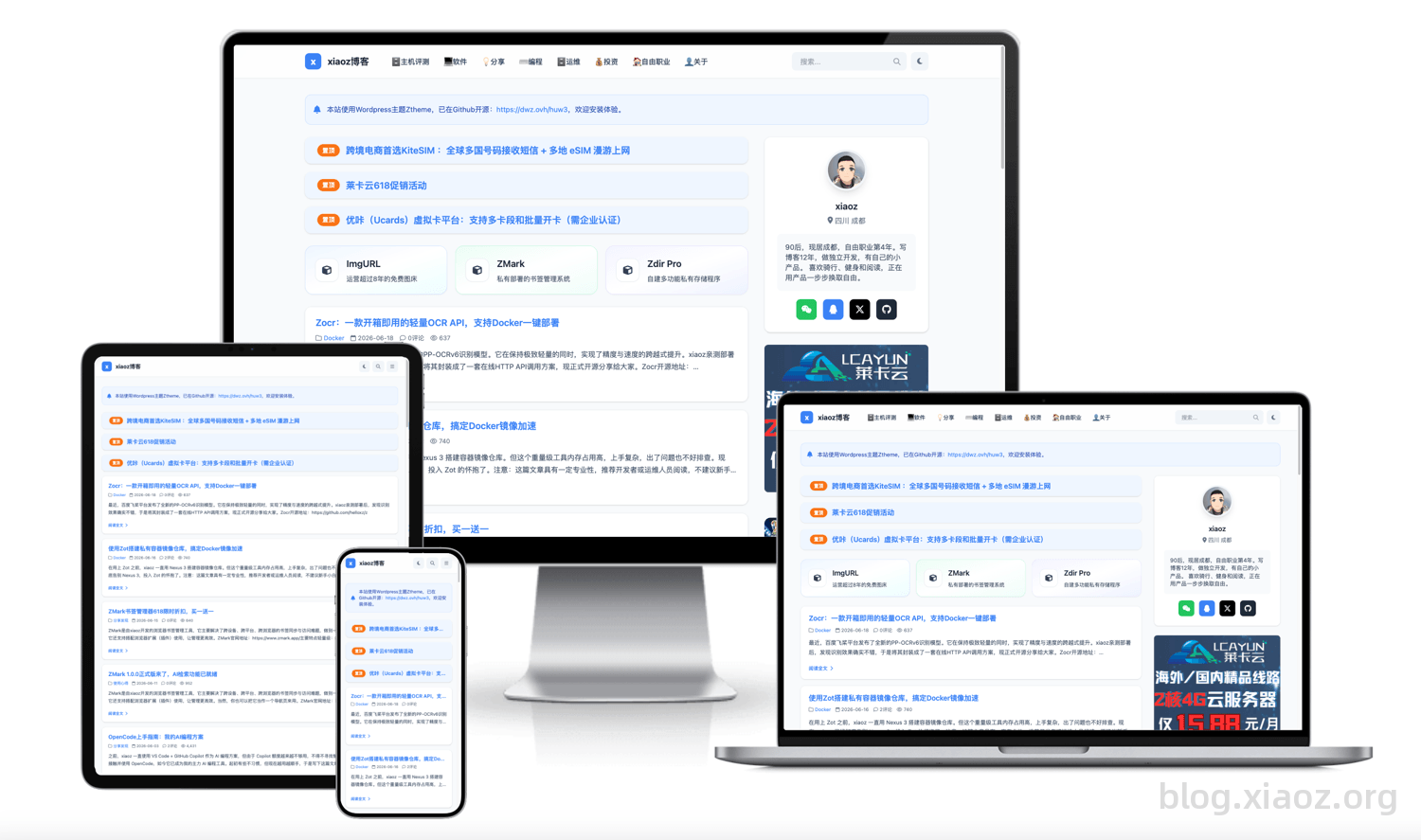
Ztheme Open Source Address: https://github.com/helloxz/ztheme
Features
- Markdown Writing — Native support for Markdown syntax for more efficient writing
- UA Blocking — Configure specific User-Agent blocking to enhance security
- Ad Management — Built-in ad slot management
- Dark/Light Mode — One-click toggle with automatic preference memory
- Glassmorphism Navigation — Fixed top bar with a modern texture
- Built-in Code Highlighting + One-Click Copy — Friendly for technical blogs
- Image Lightbox — Click images to view in full size
- SEO Optimization — Automatically extracts titles, keywords, and descriptions
- Breadcrumb Navigation — Clear article hierarchy paths
- Article Likes & View Statistics — Interaction and data at a glance
- Comment Email Notifications — Built-in SMTP support for instant reply notifications
- Responsive Layout — Perfect adaptation for mobile, tablet, and desktop
- Visual Backend Settings — Easy configuration without code changes
- Classic Editor — Disables Gutenberg for a return to simple writing experience
- Featured Widgets
Installation
- Download the theme
zippackage, or clone this repository to the WordPresswp-content/themes/directory. - Go to WordPress Backend → Appearance → Themes, and enable ztheme.
- Go to Appearance → Theme Settings, and configure parameters as needed.
Latest Version Download: https://github.com/helloxz/ztheme/releases
Usage
Writing Articles
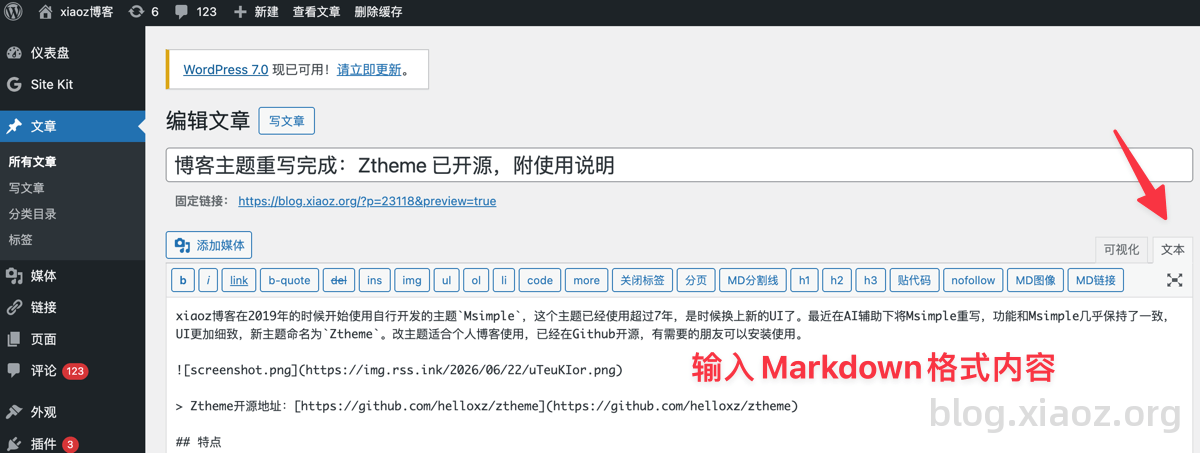
Ztheme natively supports Markdown writing. When creating an article, it is recommended to switch to the Text mode, input Markdown formatted content, and Ztheme will automatically render it.
Parameter Settings
In [WordPress Backend - Appearance - Theme Settings], you can configure ztheme theme parameters. Below are explanations for some special settings.
Homepage Settings
In the theme's homepage settings section, you will find options for homepage recommendations, sponsors, and featured posts.
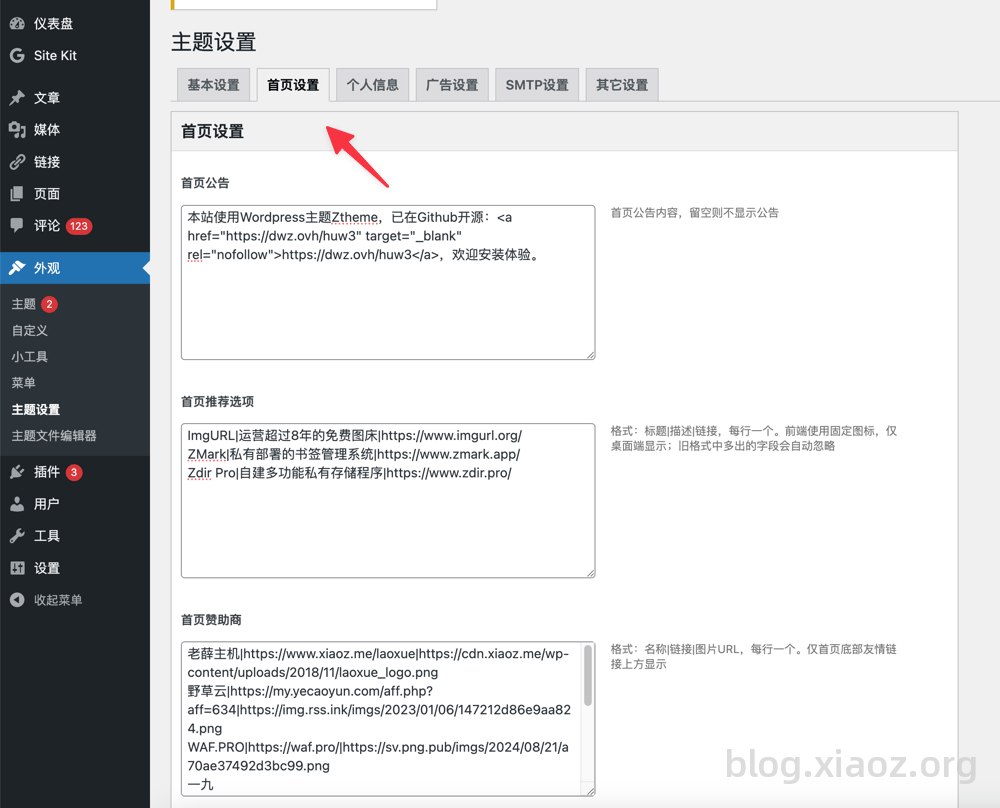
Homepage Recommendation Options
Refers to the three product recommendations below the pinned articles on the homepage, as shown below.
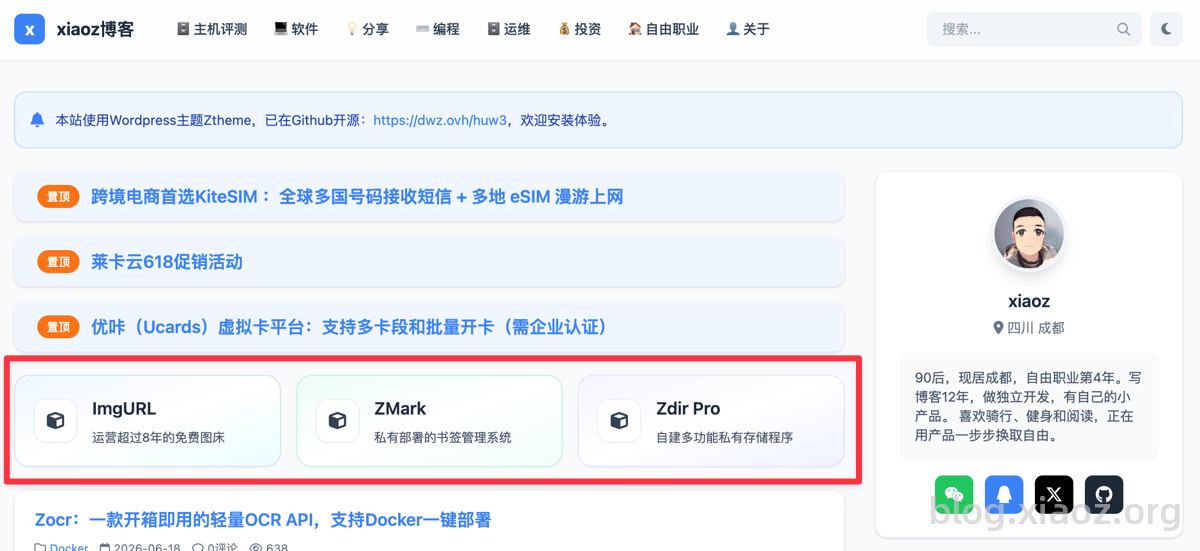
Content format:
ImgURL|Free Image Hosting with Over 8 Years of Operation|https://www.imgurl.org/
ZMark|Privately Deployed Bookmark Management System|https://www.zmark.app/
Zdir Pro|Self-Built Multi-Functional Private Storage Program|https://www.zdir.pro/
Homepage Sponsors
Refers to the sponsor logos at the bottom of the homepage, as shown below.

Content format:
LaoXue Host|https://www.xiaoz.me/laoxue|https://cdn.xiaoz.me/wp-content/uploads/2018/11/laoxue_logo.png
Yecao Cloud|https://my.yecaoyun.com/aff.php?aff=634|https://img.rss.ink/imgs/2023/01/06/147212d86e9aa824.png
WAF.PRO|https://waf.pro/|https://sv.png.pub/imgs/2024/08/21/a70ae37492d3bc99.png
YiJiu Cloud|https://www.yjiucloud.com/recommend/4k6ra0UZ7J4UOOmIM9pt|https://sv.png.pub/imgs/2024/08/21/2a41d5c1cd28206d.png
horain|https://neo.horain.net/aff/DVVNSBJL|https://sv.png.pub/imgs/2024/12/02/616b536570fe3f1a.png
Huana Cloud|https://www.hncloud.com/activity/activity_2025spring.html?p=xiaoz|https://img.rss.ink/imgs/2025/04/27/5c5c925fc7919364.png
Featured Recommendations
Refers to the recommended articles below the homepage article list.
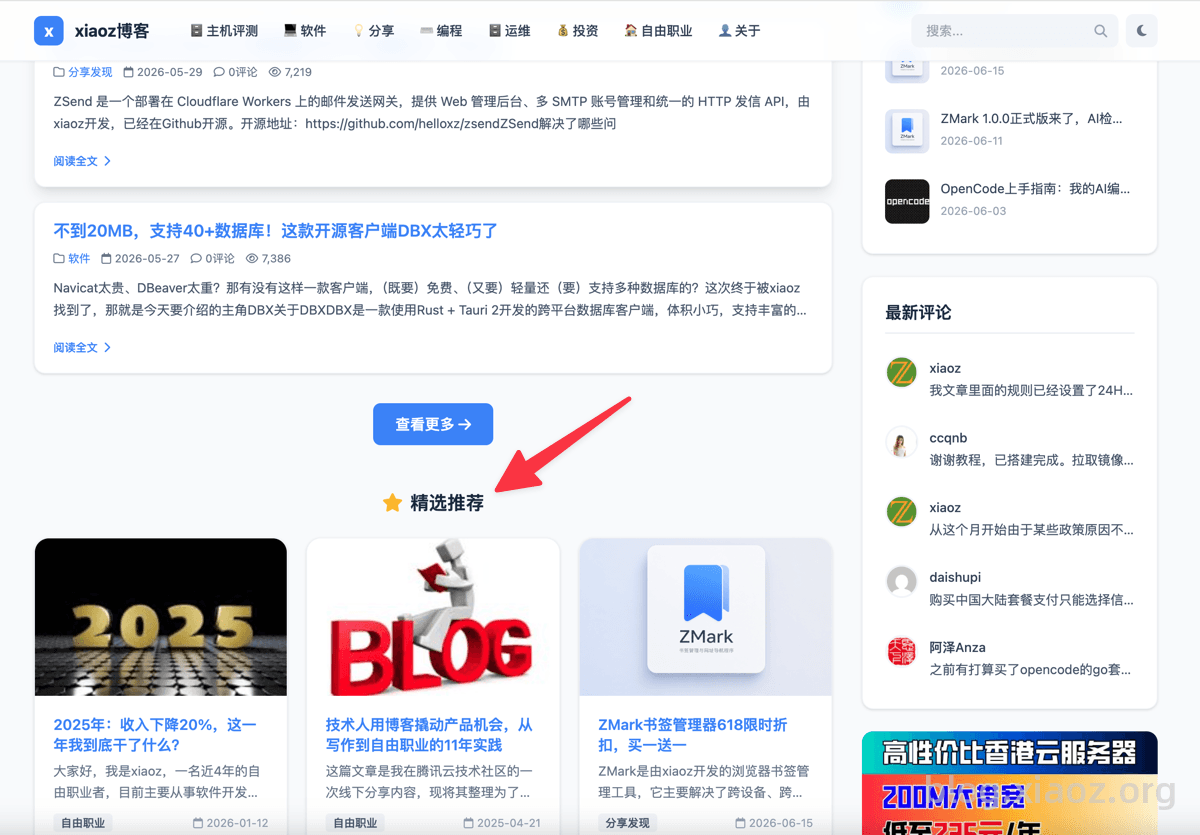
Enter article numeric IDs, one per line.
Ad Settings
The content format for ad settings is:
https://lisahost.com/link.php?id=13
https://img.rss.ink/imgs/2024/10/08/306eb82a266ab23c.jpg
Lisa Host
Three lines form one group:
- Line 1: Ad Link
- Line 2: Ad Image
- Line 3: Ad Name
Other Settings
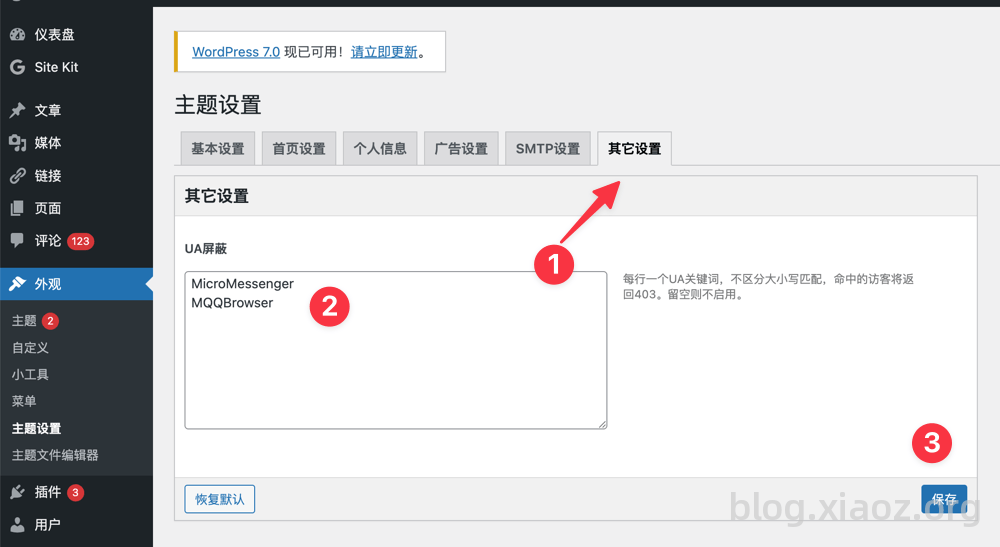
In the other settings, there is a UA Blocking feature. For example, to block WeChat access, input MicroMessenger. Multiple entries are supported, one per line.
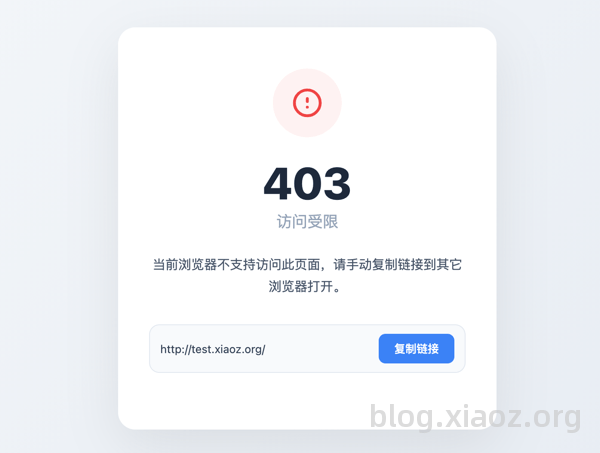
Blocked UA access will result in a 403 error, as shown below.
Featured Widgets
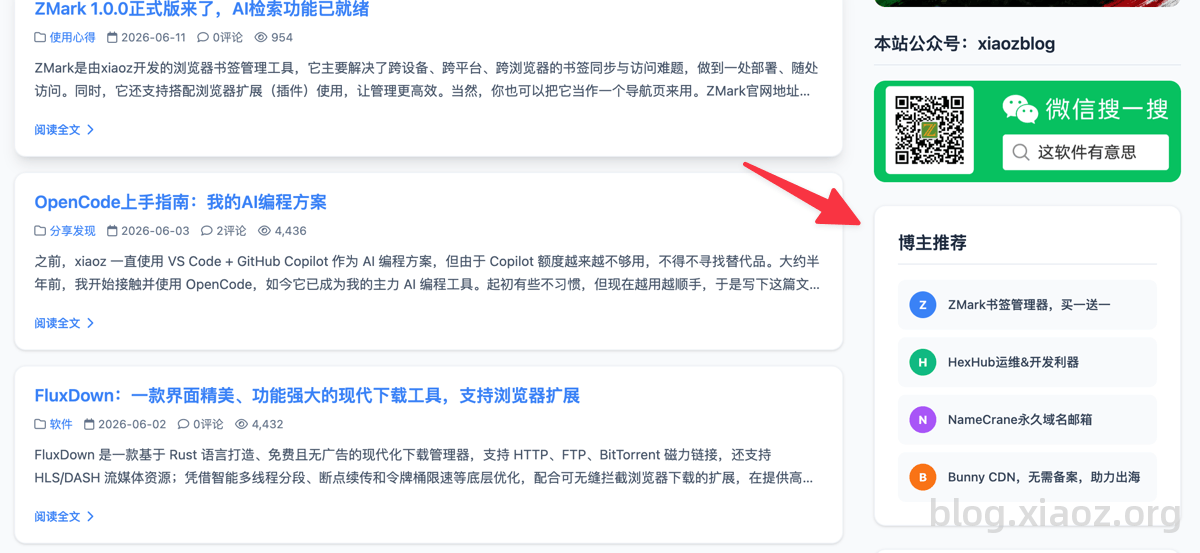
The only one requiring explanation is the Blogger Recommendations widget. In [WordPress Backend - Appearance - Widgets], find and add the Blogger Recommendations widget.
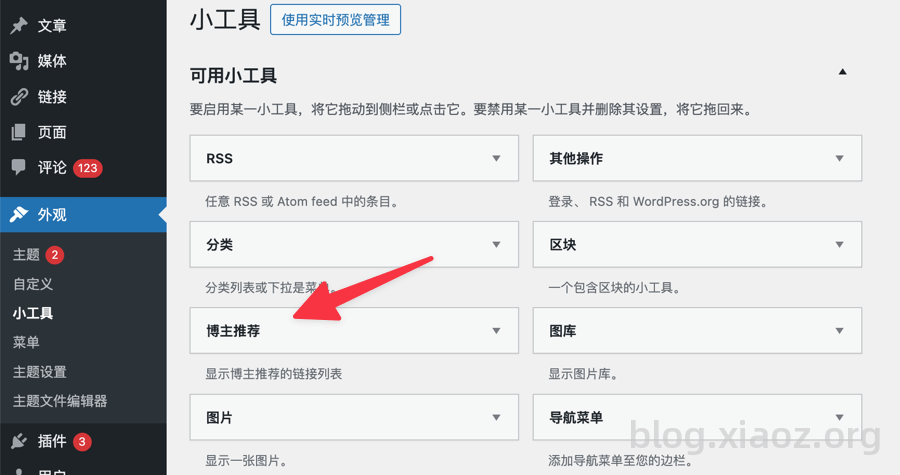
Content format: Name | URL, one per line (supports both full-width | and half-width |)
ZMark Bookmark Manager, Buy One Get One Free|https://blog.xiaoz.org/archives/23066
HexHub Operations & Development Tool|https://blog.xiaoz.org/archives/22439
NameCrane Permanent Domain Email|https://blog.xiaoz.org/archives/22190
Bunny CDN, No Filing Required, Boosting Global Reach|https://blog.xiaoz.org/archives/22781
Display effect as shown:
Adding Statistical Code
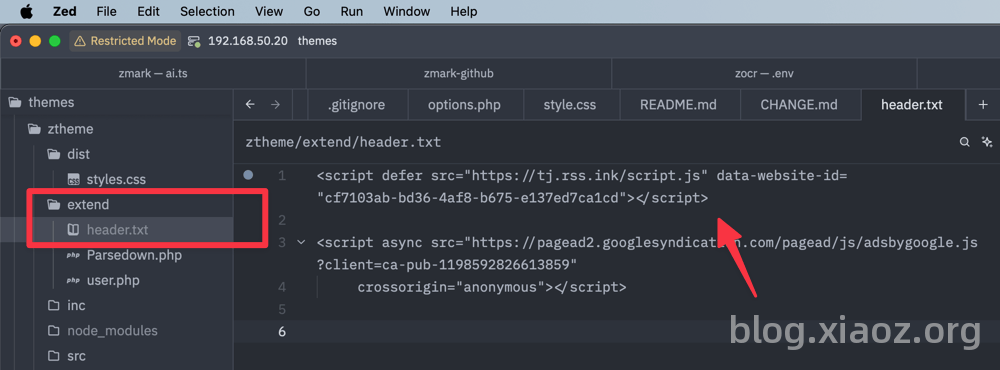
Create a file named header.txt in the extend directory of the theme folder and paste the statistical code there.
That covers all the special points. We wish you a pleasant experience using the theme.
Conclusion
Ztheme is a rewrite of the original Msimple theme, inheriting its concise and efficient DNA while bringing a more modern and refined UI design. It covers common needs for technical blogs. The theme is fully open-sourced on GitHub; please feel free to download and use it, and we look forward to your valuable suggestions to help further improve the theme. Enjoy using it!
Ztheme Open Source Address: https://github.com/helloxz/ztheme