ZMark 1.0.0 Released: AI Search and Enhanced Bookmark Management
ZMark is a browser bookmark management tool developed by xiaoz. It primarily solves the challenges of cross-device, cross-platform, and cross-browser bookmark synchronization and access, enabling one deployment for access anywhere. It also supports integration with browser extensions for more efficient management, and can be used as a navigation page.
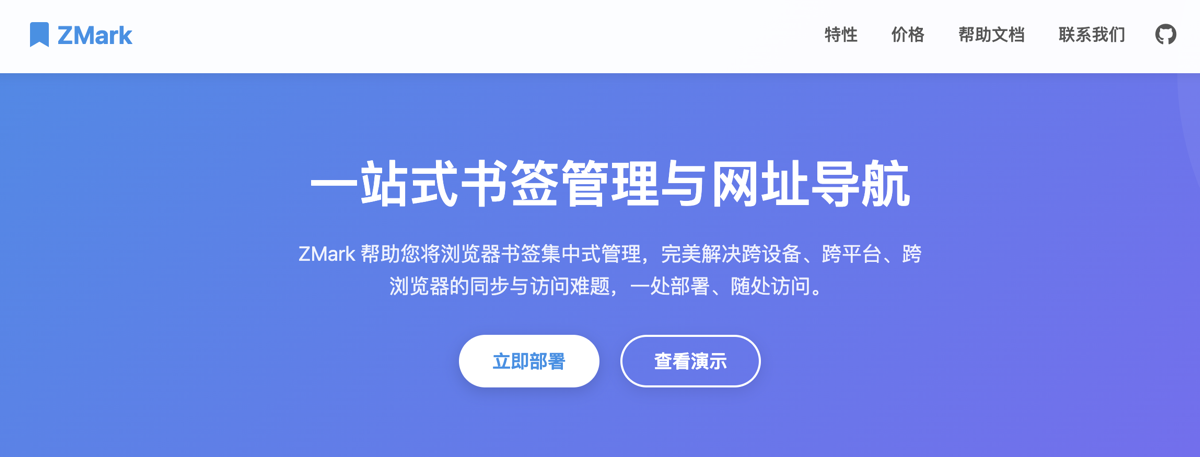
ZMark Official Website: https://www.zmark.app/
Key Features
- Lightweight: Built with Bun + Hono.js + SQLite3, offering extremely low memory usage.
- Multi-user: Supports multiple users, making it easy to share with family or teams.
- AI Search: Intelligently matches bookmarks using natural language descriptions.
- Dual Mode: Supports both browser bookmark management and URL navigation modes with flexible switching.
- Backup Links: Allows adding backup links to bookmarks or navigation items to accommodate multiple addresses for a single application.
- Browser Extensions: Supports Chrome, Edge, and Firefox extensions.
- Bookmark Import: Supports one-click import of bookmarks from major browsers like Chrome, Edge, and Firefox.
- Multi-level Categories: Supports up to two levels of categorization, covering most users' classification needs.
- Link Detection: Periodically detects link status in batches, automatically identifying broken links to keep the bookmark library tidy.
- Online Updates: Say goodbye to tedious manual updates; upgrade versions with a single click in the background.
- Responsive Design: The user interface is compatible with both PC and mobile devices, allowing bookmark management anytime, anywhere.
- Open API: Provides a comprehensive open API, allowing developers to easily integrate ZMark into their applications.
Installing ZMark
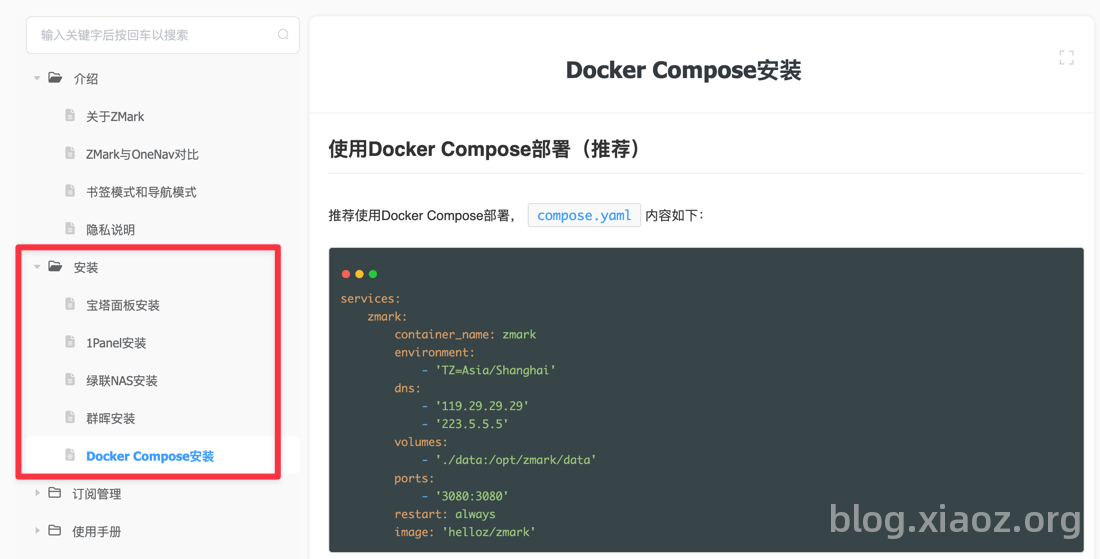
We provide various installation methods in the help documentation, including宝塔 Panel, 1Panel, Green Link NAS, Synology, and Docker. Please refer to the help documentation: https://dwz.ovh/oj7e to install according to your device.
ZMark 1.0.0 Release Notes
- New: AI search, matching bookmarks via natural language descriptions.
- New: Delete support for navigation and bookmark search result lists.
- New: Edit support for navigation and bookmark search result lists.
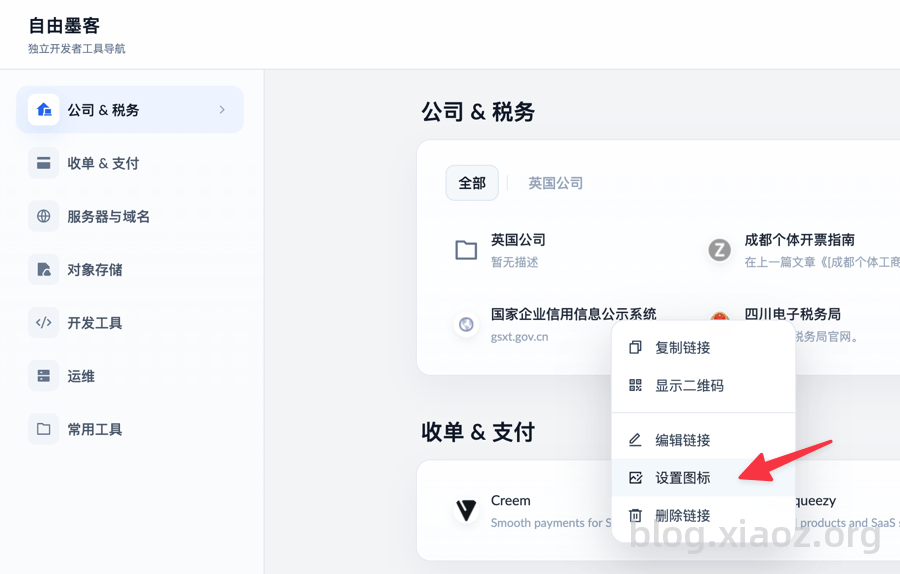
- New: Right-click menu for navigation supports setting link icons.
- Optimization: Limited the maximum height for editing bookmark links.
- Optimization: Added browser extension installation guidance prompts on the API Token page.
- Other: Additional optimizations and bug fixes.
Update Details
AI Search
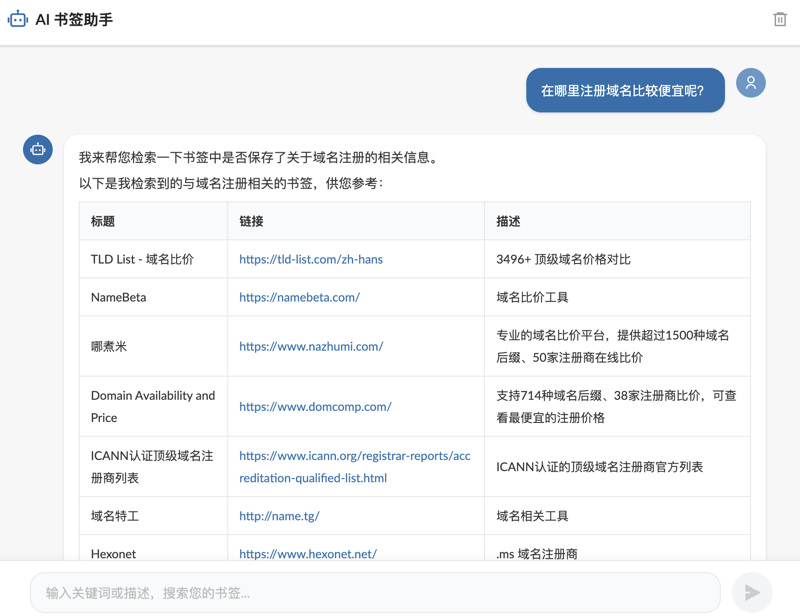
Too many bookmarks and often forgetting keywords? Don't worry. With the new AI search feature, you can interact with AI using natural language, and it will intelligently match relevant bookmarks. The effect is shown below:
For detailed setup instructions, please refer to the help documentation: https://dwz.ovh/wsyl
Search Management
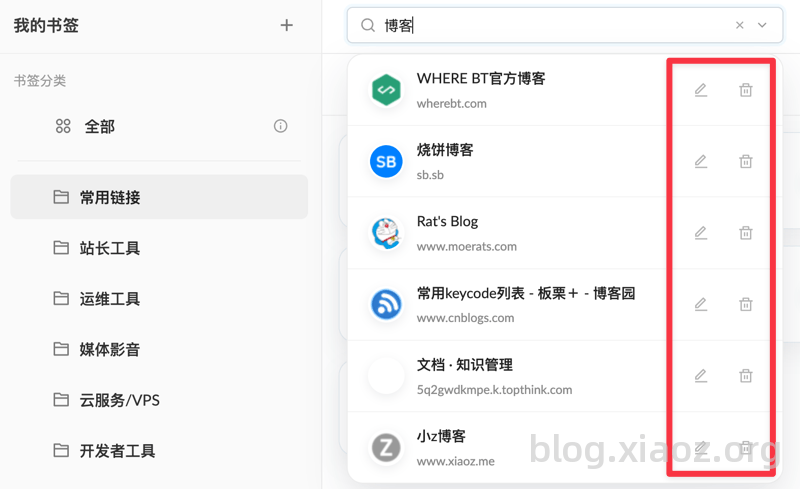
In both navigation and bookmark modes, the search box now supports editing and deleting search results, as shown in the screenshot below.
Right-click to Set Icons in Navigation Mode
In previous versions, modifying navigation link icons required backend operations. Now, you can also modify link icons via the right-click menu on the navigation frontend page, without needing to enter the backend, making it more convenient.
Other less noticeable changes are not listed individually.
Update Version
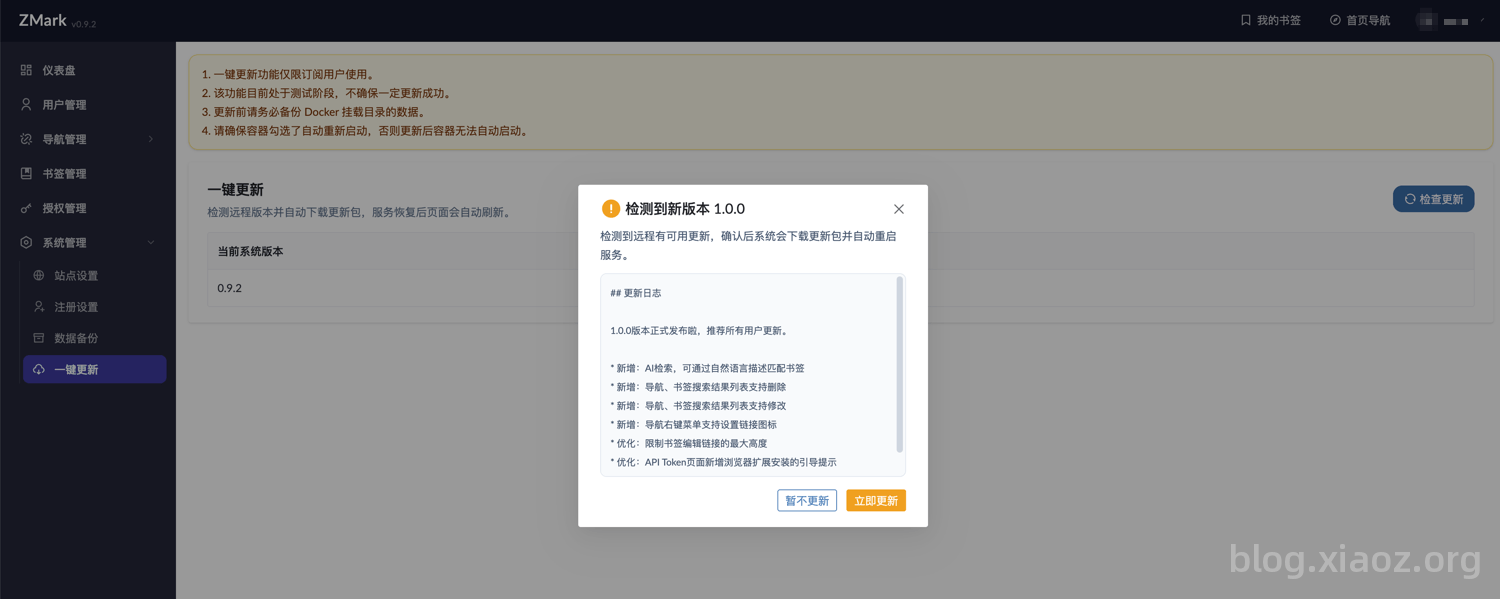
No complex operations are needed. Subscribers can complete the upgrade by clicking ZMark Backend - System Management - One-click Update.
Conclusion
ZMark 1.0.0 is officially here. Too many bookmarks to remember keywords? AI search chats with you to find them. Switching between computers, phones, and browsers? Deploy once, access everywhere. It can also serve as a navigation page, support plugins, and be used with family. Developed by xiaoz, no fluff—try it out on the official website if you find it useful.
- ZMark Official Website: https://www.zmark.app/
- ZMark Help Documentation: https://dwz.ovh/zmark