How to Use Process Explorer to Easily Find Windows Popup Ads
Process Explorer is a powerful Windows system process management tool that allows you to view, monitor, and manage processes, threads, files, and registry activities in detail. It is an enhanced alternative to Task Manager. This article will walk you through using it to locate the source of Windows popup ads.
Cause
xiaoz's desktop recently popped up the following ads. Do you know which software did this?
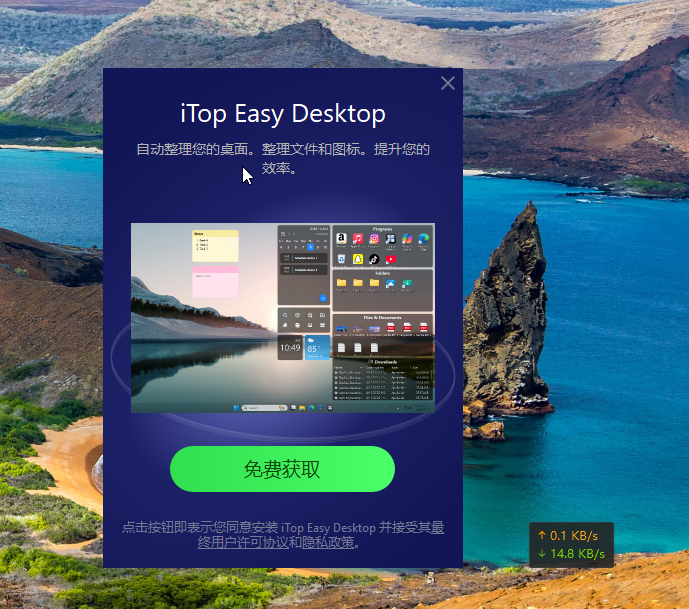
xiaoz considers themselves to have rich Windows usage experience, but when I saw this popup, I was momentarily unable to distinguish which software was responsible.
Troubleshooting Popups
Check Processes
Through Windows Task Manager, search for the characteristic keyword "itop" in the popup, but unfortunately, it was not found.

Check Recently Installed Software
Through Programs and Features, and sort by time, view the installed software. Do you see anything suspicious?
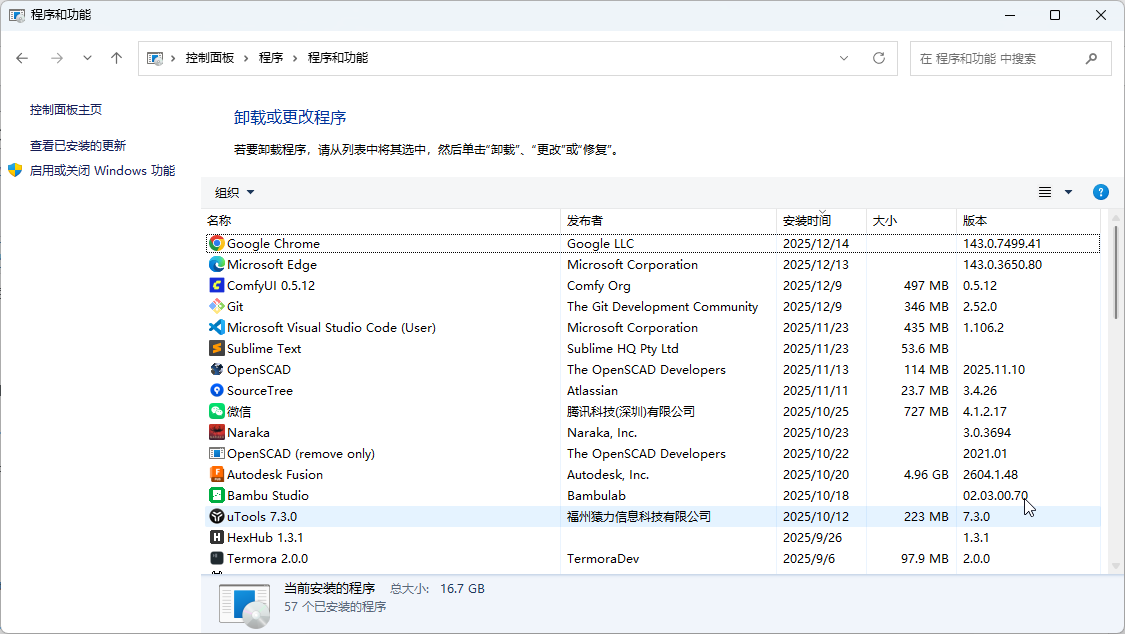
It seems the recently installed software are not the culprits, right?
Bring Out the Big Gun: Process Explorer
Unfortunately, the above two methods failed to identify which software was popping up, so we had to bring out Microsoft's big gun, Process Explorer.
Install Process Explorer
- Microsoft official download link: https://learn.microsoft.com/en-us/sysinternals/downloads/process-explorer
- Backup download link: https://soft.xiaoz.org/#/windows/ProcessExplorer.zip?type=file
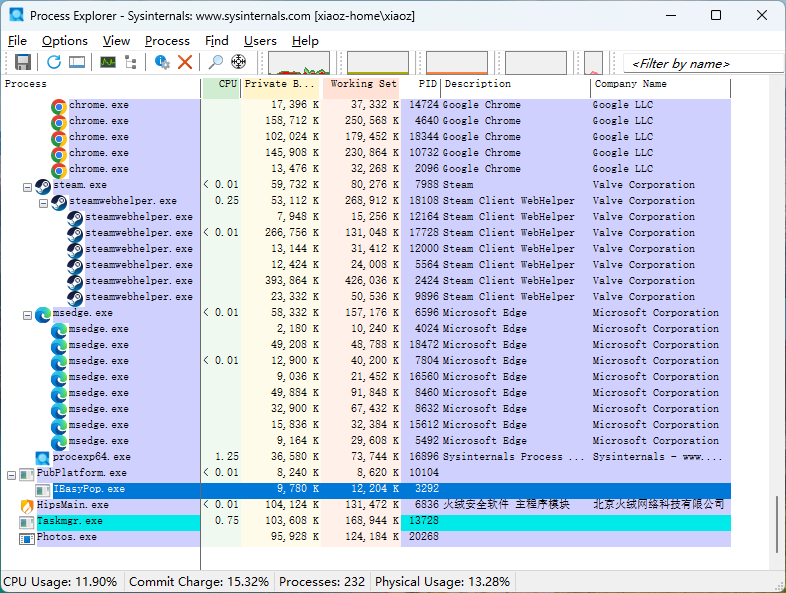
After downloading and extracting, run procexp64.exe directly, then click the Bullseye icon and drag it to the popup window.
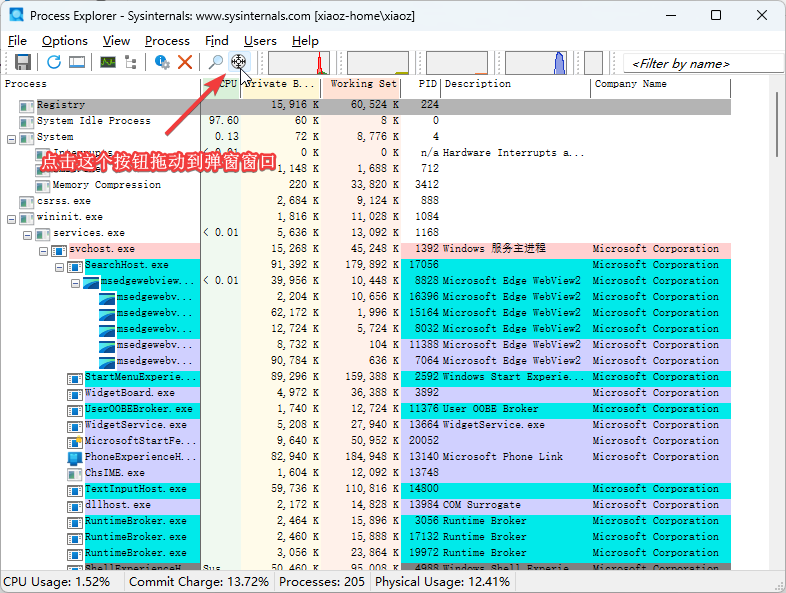
The true form is revealed instantly, directly locating a process called IEasyPop.exe.
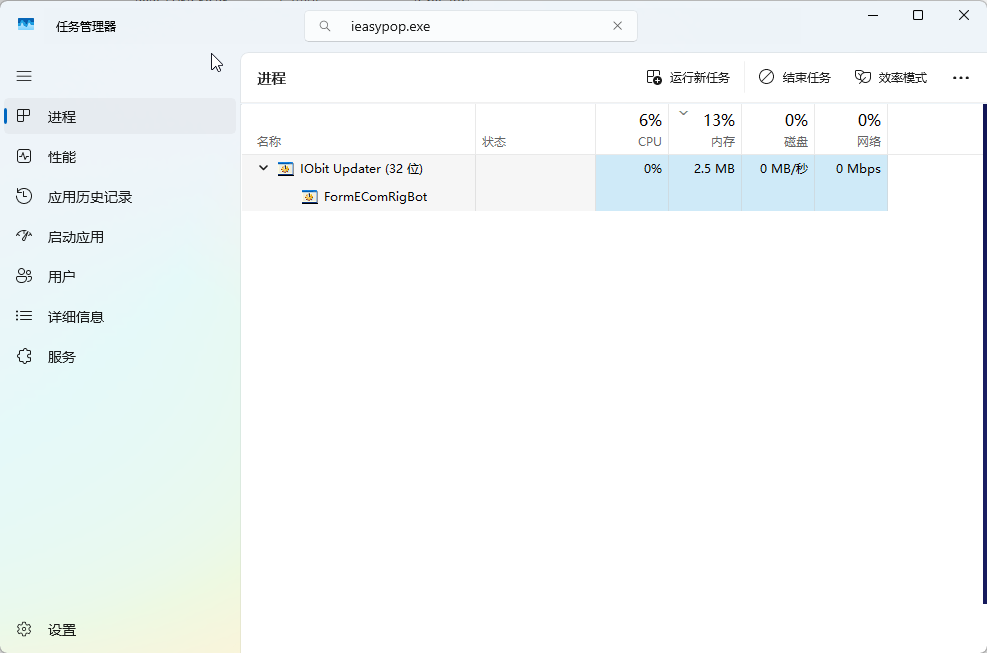
Search for the IEasyPop.exe process again, turns out it is IObit causing trouble.
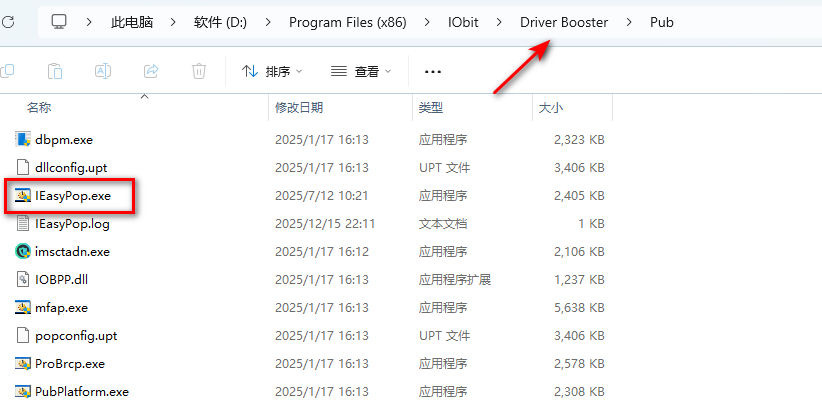
Further locate the file location, it is IObit's Driver Booster software. I even promoted this software for them before.
End the IEasyPop.exe process, and the popup disappears instantly. Thus, Process Explorer successfully found the Windows popup culprit, making rogue software have nowhere to hide.
Digging Deeper into IObit
IObit is a computer software company founded in 2004, headquartered in Chengdu, China, established by two programmers. Core business is developing system optimization, security protection, and utility software. Its UK registered brand has a Chengdu R&D subsidiary. Main products include Advanced SystemCare series, IObit Uninstaller, Smart Defrag, etc., covering system cleaning, performance improvement, game acceleration, malware protection, etc., with millions of global users. — Quoted from Baidu Baike
The encyclopedia also introduces malware protection and other fields, ah, I spit... truly shameless.
IObit official website: https://www.iobit.com/ All English, at a glance you might think it's foreign, actually it's a domestic software development company.

Subsidiary software products include:
- Advanced SystemCare
- Advanced SystemCare Ultimate
- Driver Booster
- IObit Malware Fighter
- Smart Defrag
- IObit Uninstaller
- IObit Software Updater
The blogger recommends permanently blacklisting all software under IObit!!!
Conclusion
Popup ads are elusive? Don't guess, use Process Explorer to drag the bullseye, immediately catch the culprit — like IObit this kind of "domestic rogue", should be exposed, uninstalled, and blacklisted!