After Three Years with Umami, I Switched to Cloudflare Web Analytics
Umami is a web statistics software used by xiaoz for over three years. It is free and open-source, and currently a popular self-hosted web statistics solution. However, xiaoz is now abandoning self-hosted Umami to embrace Cloudflare Web Analytics, as detailed below.

Why no longer self-host Umami?
During the 3+ years of using Umami, the author experienced 2 minor version upgrades. According to official documentation, the upgrade seems simple, just pulling the new Docker image to start. If nothing unexpected happens, something unexpected will happen. Both upgrades encountered failures (possibly because I am not skilled enough).
Combining container logs analysis, the problem appeared in Umami configuration changes and database merge failures. However, the official documentation does not provide upgrade failure cases and solutions. One can only find answers through GitHub Issues and online searches, and it is not guaranteed to solve the problem, leading to high maintenance costs. Online searches reveal that upgrade failures are not uncommon. So, friends currently using Umami, if there are no issues, try not to upgrade.
Why not use domestic statistics?
xiaoz previously used X Du statistics, which actually required real-name verification, domain filing, and website content review, which was really speechless.
Even X Statistics even had cases of malware injection and pop-ups, so there is no good feeling towards domestic statistics. The threshold is strict, and there are too many tricks. It is really too expensive to use and dare not use.
Why not Google Analytics?
Speaking of web statistics, we must mention the big brother Google Analytics. Google Analytics statistics information is very comprehensive and functions are numerous, but getting started is relatively complex. If you do not need so many functions and do not want to make it so complex, then the following Cloudflare Web Analytics may be more suitable.
Why choose Cloudflare Web Analytics?
Cloudflare Web Analytics is a free, privacy-first website analytics service provided by Cloudflare. This service has been launched for several years. Most site owners may have used Cloudflare's CDN and protection functions, but few mention its other free product Cloudflare Web Analytics. After xiaoz personally tested, it is found to be very simple to use, and the data is intuitive and sufficient.
How to use Cloudflare Web Analytics
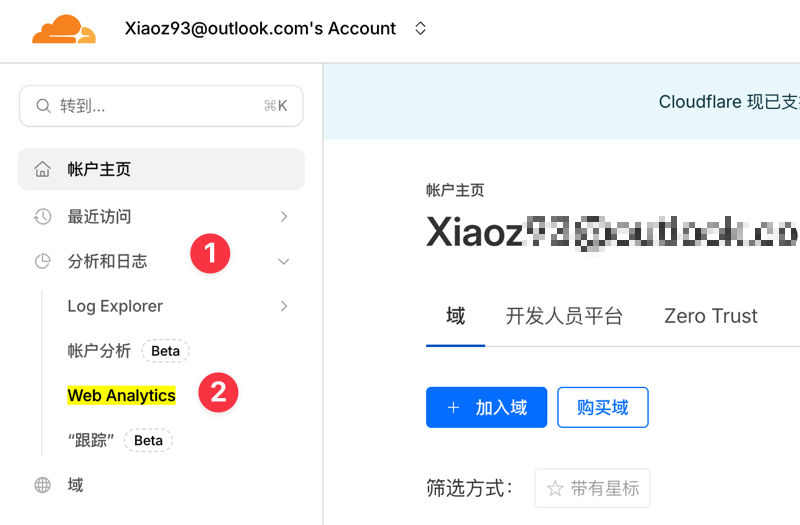
Just find Web Analytics in the Cloudflare Dashboard under Analytics & Logs.
Then click Add Site.
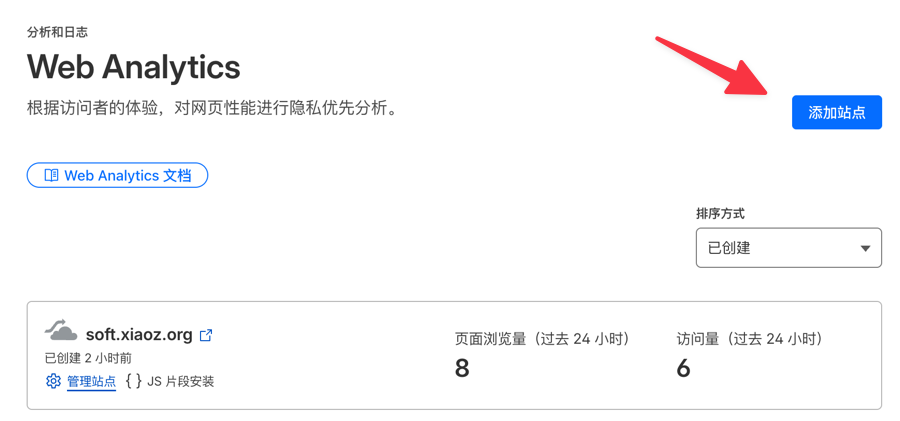
Enter your website domain. Even if you are not using Cloudflare DNS, you can still access and use it.

Finally, copy the JS code and paste it between your website's <header></header>. If you are using Cloudflare DNS, it is even simpler, directly no need to copy and paste JS code.

Wait about 10 minutes to see website data.
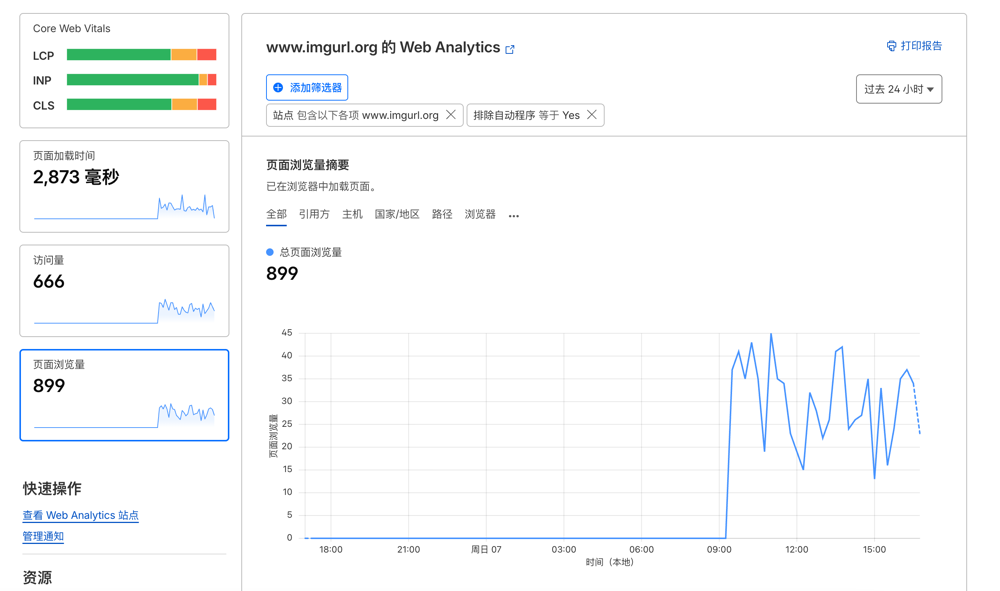
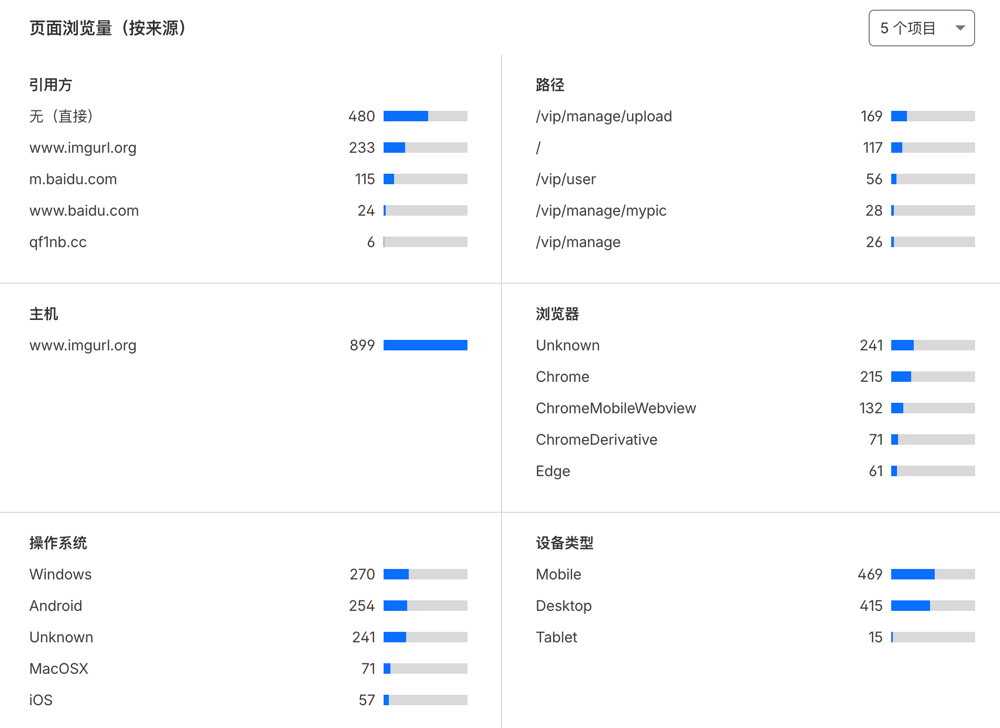
Like most web statistics, Cloudflare Web Analytics supports source, path, browser, user device, region, and other analysis.
Conclusion
Tinkering with Umami for three years, upgrade pitfalls, maintenance is tiring, domestic statistics are full of tricks. Now switching to Cloudflare Web Analytics, simple, clean, no maintenance, data is enough and does not disturb users - finally can write blog peacefully.