OneNav 1.2.2 Released: New BookNest Theme for Subscribers
OneNav is a powerful and simple, efficient browser bookmark manager, supporting centralized bookmark management. It perfectly solves synchronization and access challenges across devices, platforms, and browsers, achieving one deployment and access anywhere. It not only features simple installation, a clean interface, and easy operation, but can also work with browser extensions (plugins) to bring you a more efficient and convenient bookmark management experience.
Install OneNav
Users who have not yet installed OneNav can refer to the help documentation to complete the installation: https://doc.xiaoz.top/web/#/13/129.
OneNav 1.2.2 Update Content
- New: Subscription-exclusive theme
BookNest - Optimization:
default2theme supports setting the number of items to display for each category in the background - Optimization: Export all links supports sub-categories
- Optimization: Support deleting category icons
- Fix: Delete empty
default3theme - Other optimizations and bug fixes
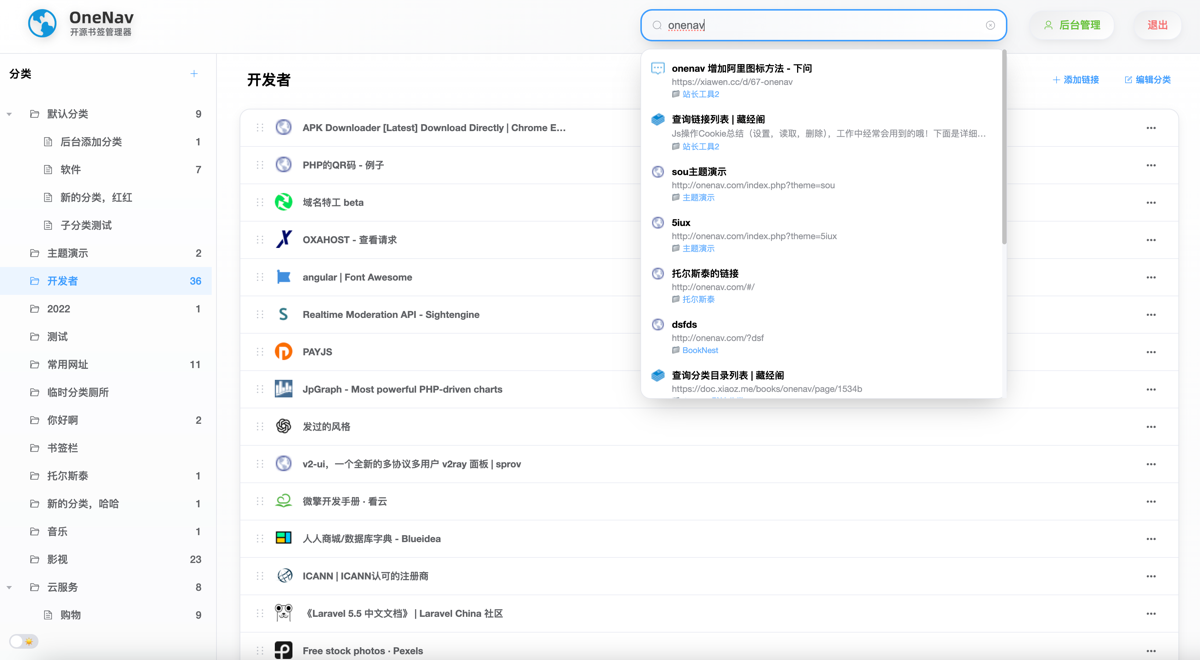
BookNest Theme Introduction
BookNest is the first exclusive theme prepared for OneNav subscribers. This theme is similar to the browser bookmark management style, featuring simplicity, elegance, and ease of use, making it very suitable for managing large numbers of bookmarks.
BookNest Theme Features
- Supports collapsible menus
- Supports switching between light and dark modes
- Supports frontend management (add, edit, delete links, etc.)
- Supports drag-and-drop sorting
- Supports right-click menu
- Adaptive search
- Adaptive link icons
- Clean and distraction-free
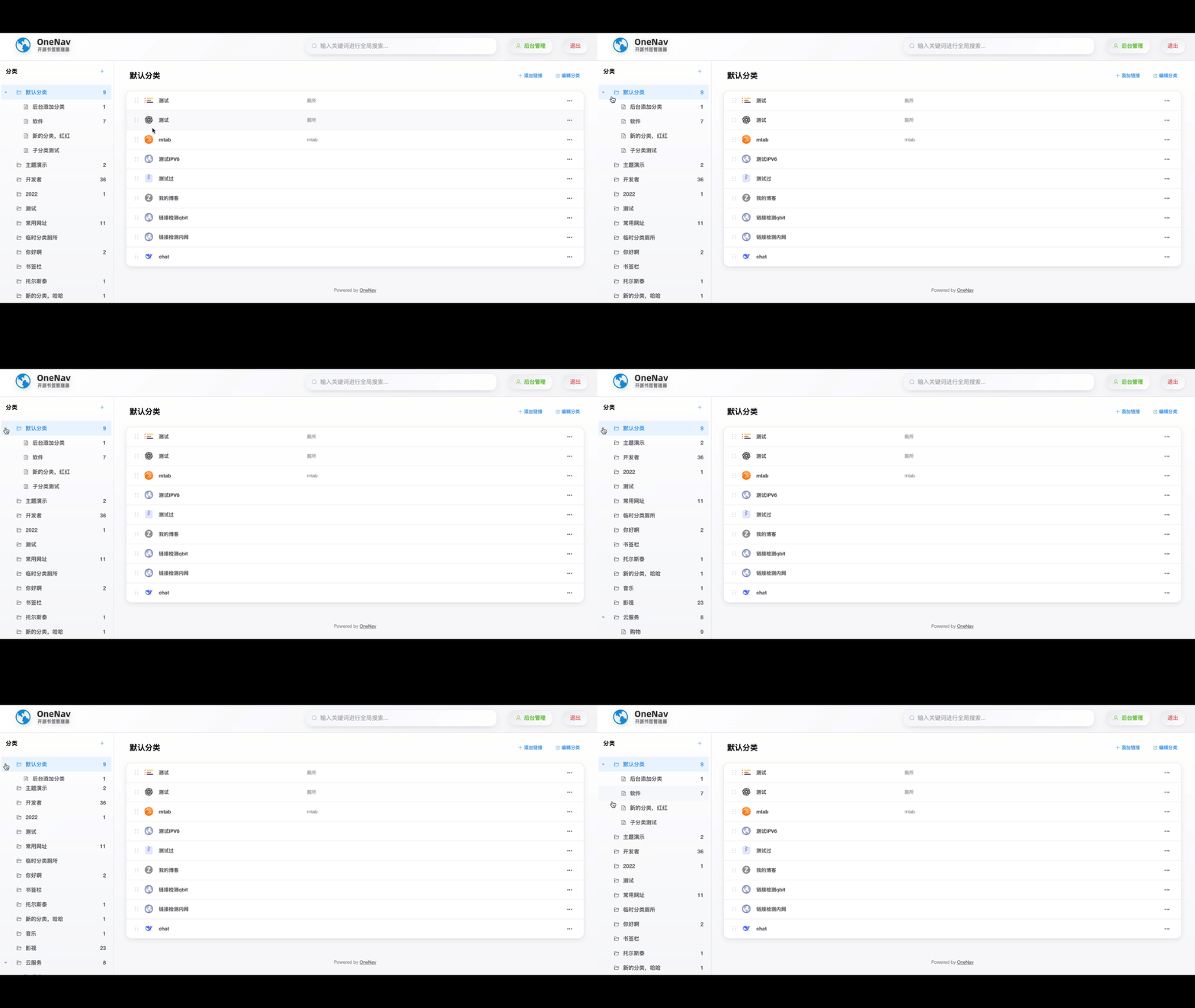
The BookNest left sidebar menu is collapsible, as shown in the figure below.
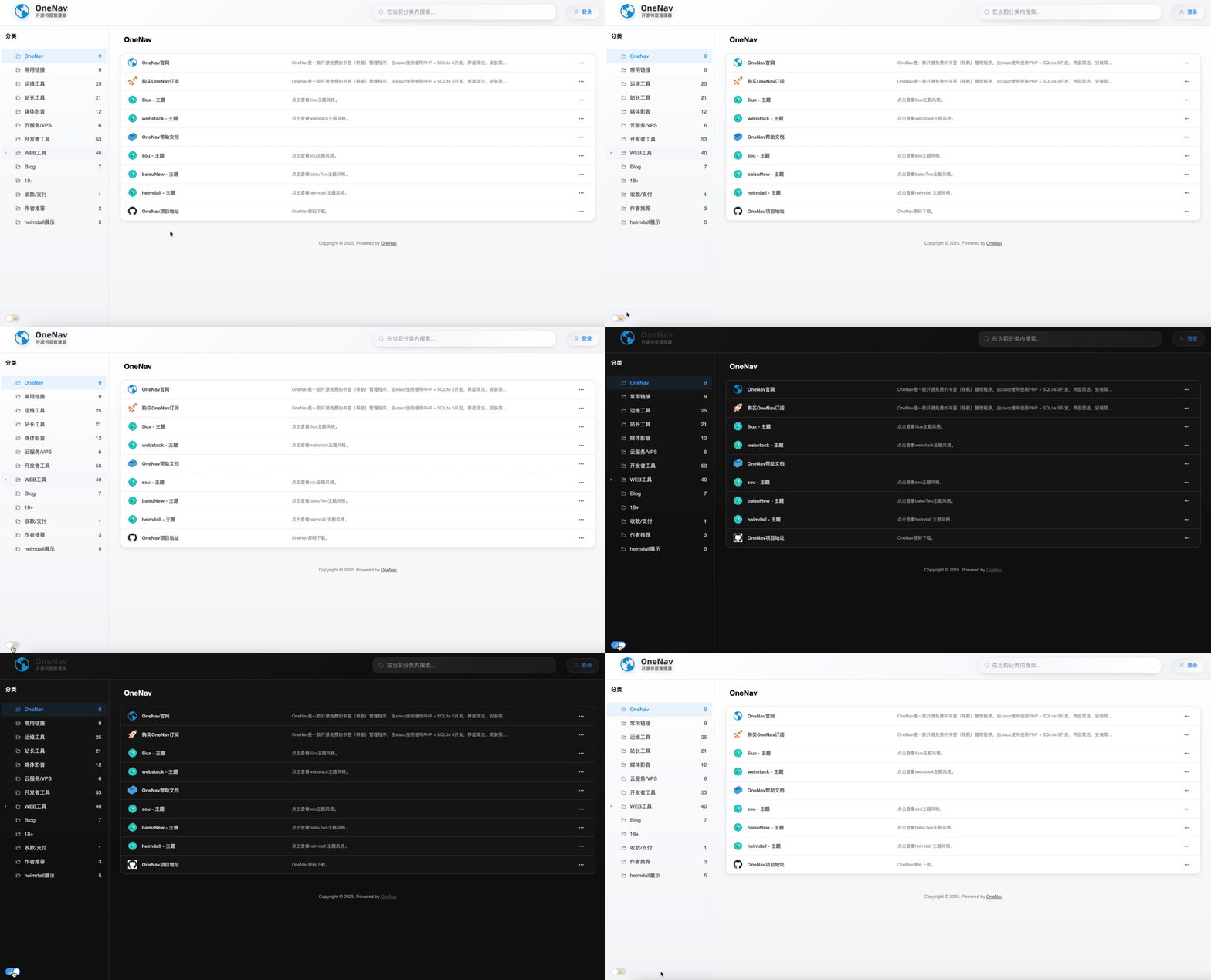
Click the button in the bottom left corner to quickly switch between light and dark modes, as shown below.
You can add categories, add links, edit links, delete links, etc., through the frontend.
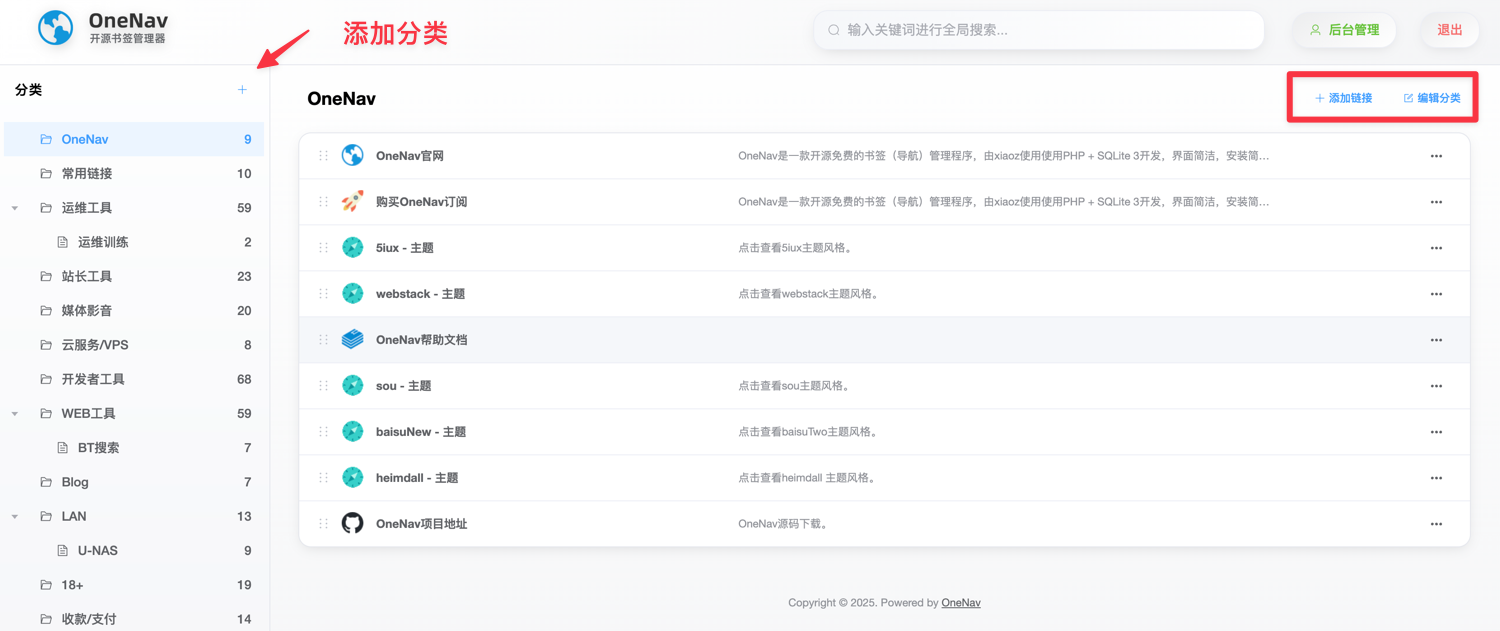
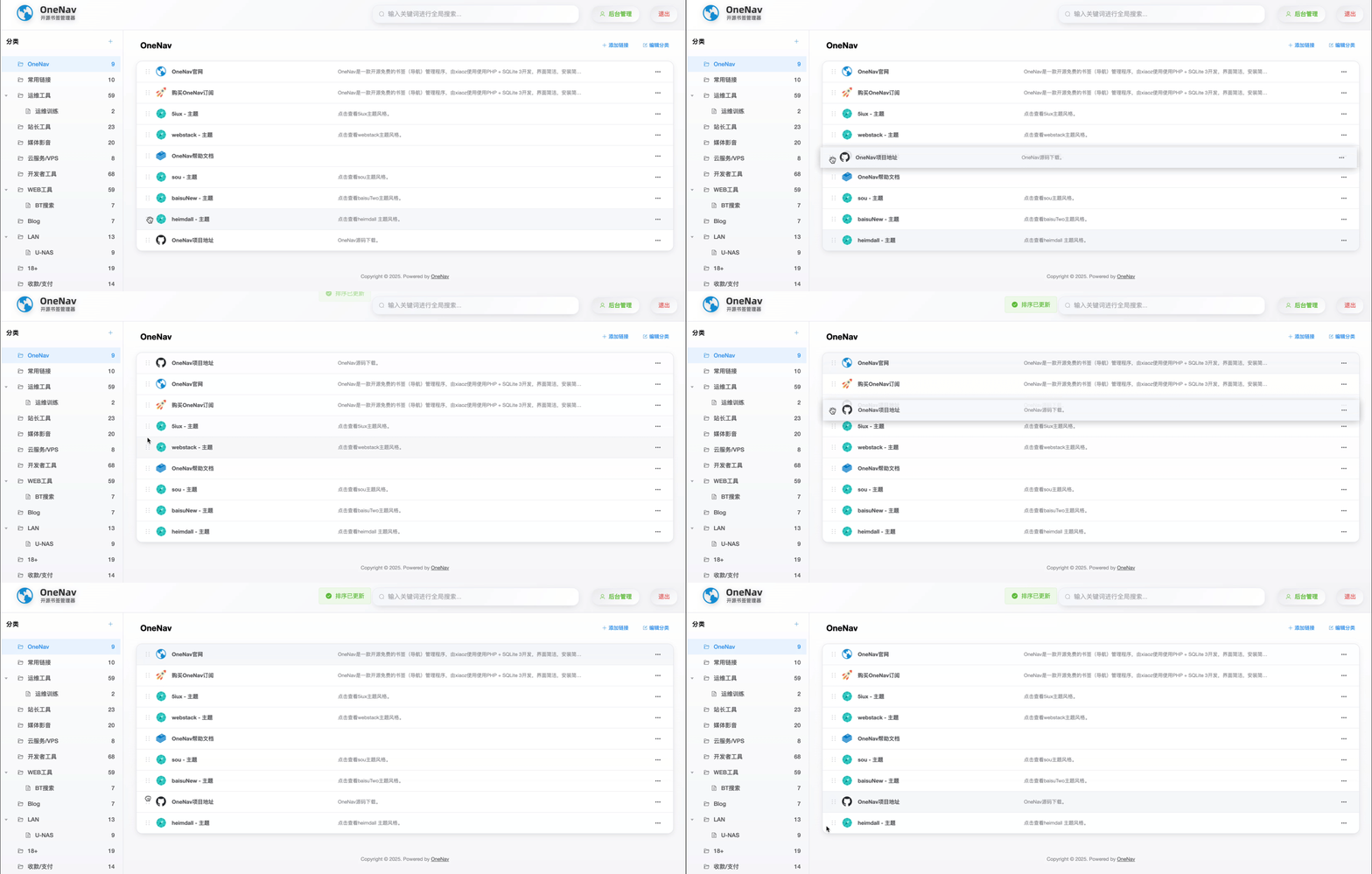
After logging in as an administrator, you can click :: to drag and sort links.
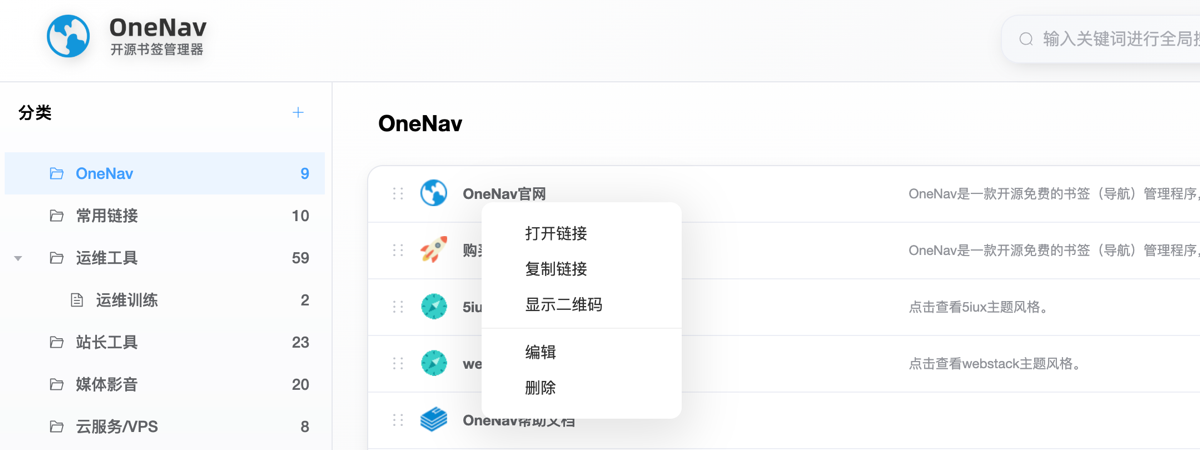
The mouse right-click menu supports: open link, copy link, show QR code, edit, delete, etc.
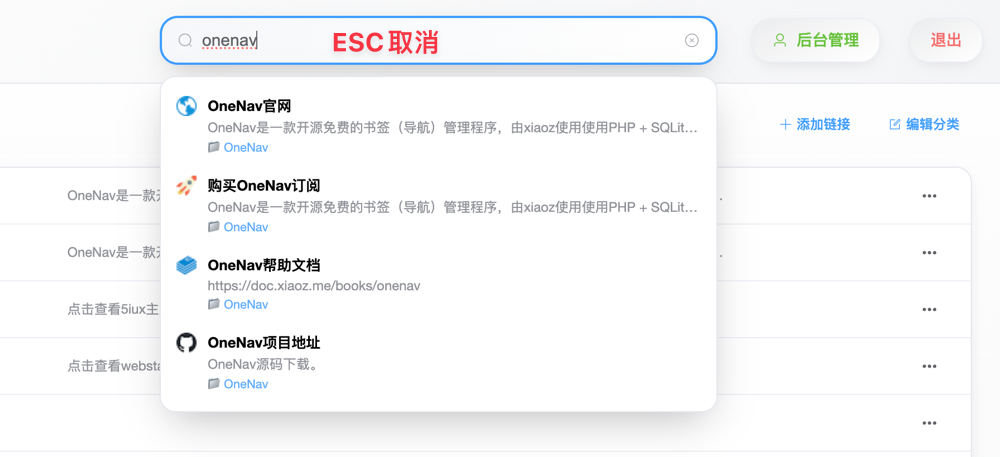
The top search box changes search behavior based on visitors. If a guest uses the search box, it only matches links in the current category. If an administrator uses the search box, it performs a global search match. Press ESC to clear search content.
Other functions can be installed and experienced by yourself.
Using BookNest
Users who have subscribed to OneNav can find BookNest in [Backend - Theme Settings] and download it, then enable the BookNest theme.
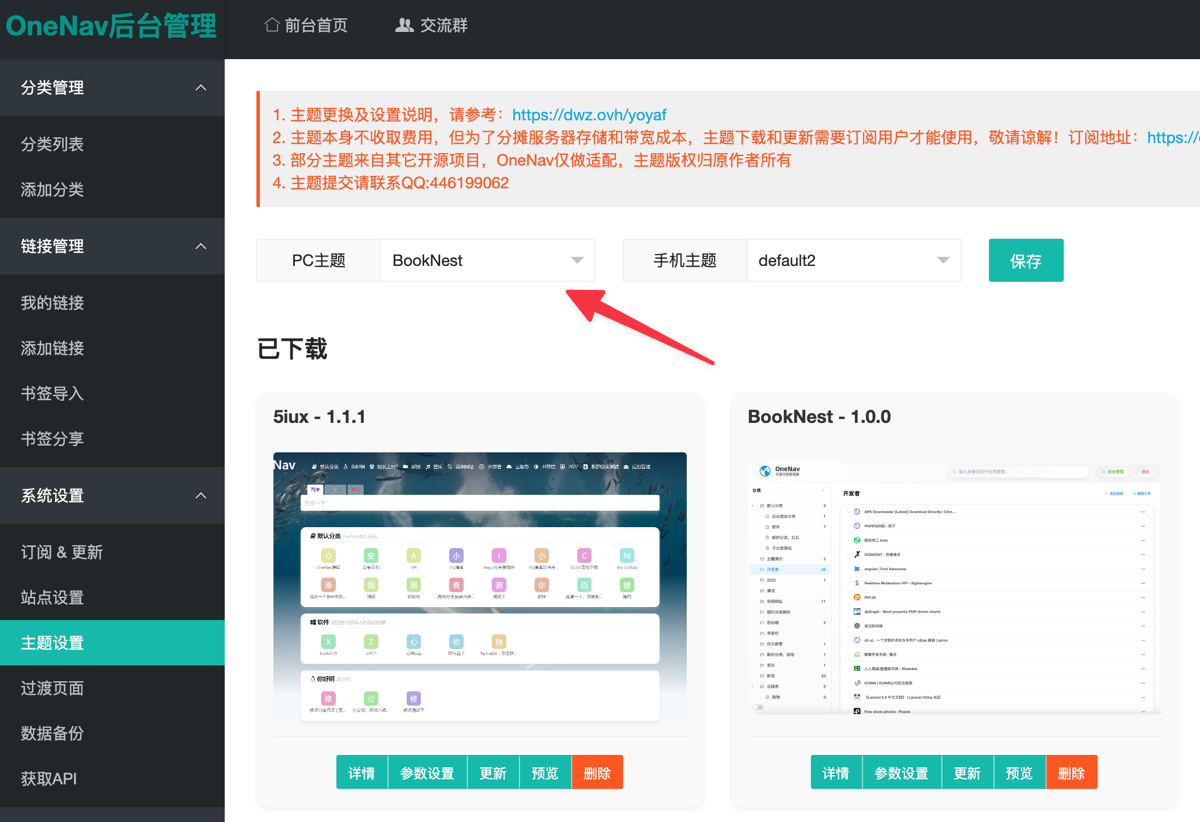
Note: The BookNest theme does not support mobile devices; it is recommended to use it on PC!
Conclusion
In short, OneNav, with its simple and efficient design, solves the pain points of cross-platform and cross-device bookmark synchronization. The new subscription theme BookNest brings an elegant and easy-to-use operation experience, making it a quality choice for managing large numbers of bookmarks. Recommended to install and experience to improve browser bookmark management efficiency.
- OneNav Official Website: https://www.onenav.top/
- Demo: http://demo.onenav.top/index.php?c=login, Username/Password:
xiaoz/xiaoz.me