OneNav 1.2.0 Officially Released: New Minima Minimalist Theme Debuts
OneNav is a powerful and concise browser bookmark manager that supports centralized bookmark management, perfectly solving synchronization and access challenges across devices, platforms, and browsers, achieving one deployment and access anywhere. It is not only simple to install, has a clean interface, and is easy to operate, but can also be used in conjunction with browser extensions (plugins) to bring you a more efficient and convenient bookmark management experience.
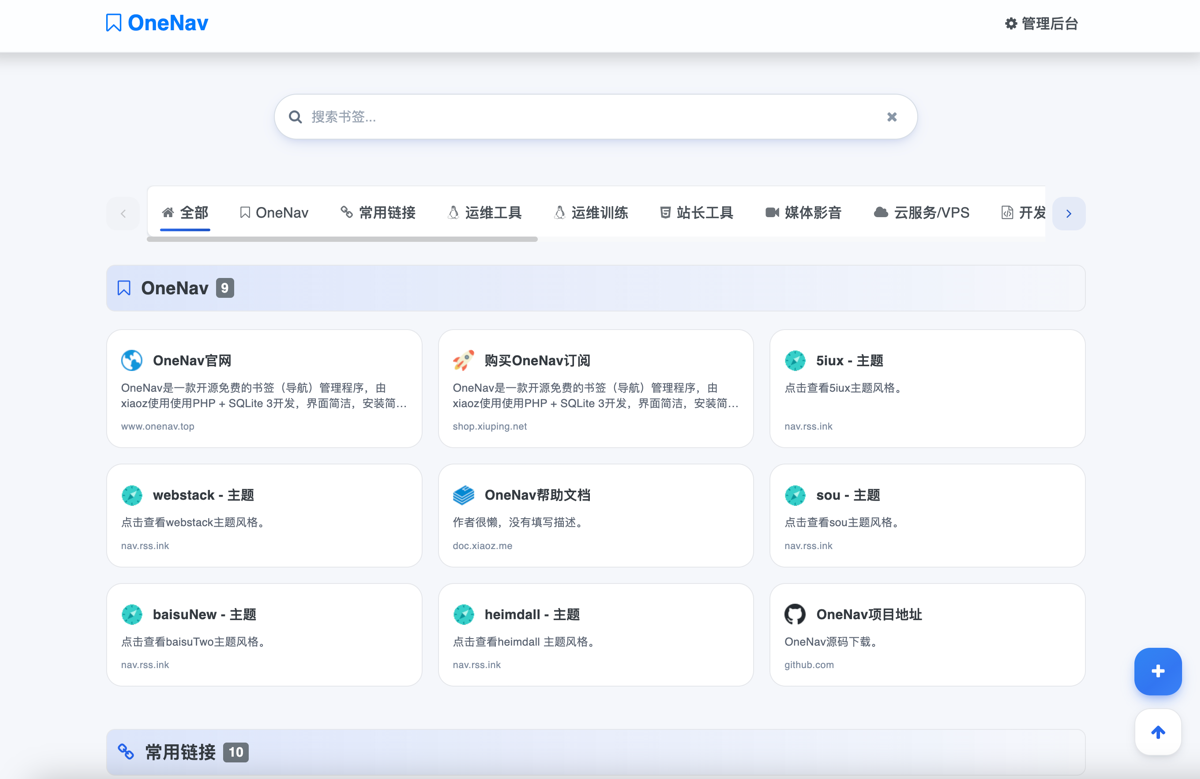
Github Open Source Address: https://github.com/helloxz/onenav
Install OneNav
Users who have not yet installed OneNav can refer to the help documentation to complete: https://doc.xiaoz.top/web/#/13/129 installation.
1.2.0 Update Content
- New:
minimaminimalist theme, 90% of the code is written by AI. - New: Added
default2global right-side floating toolbar. - Changed: Removed
default2theme sidebar bottom tool buttons. - Optimized: Backend category list, supports sorting by weight.
- Optimized: Optimized
default2popup component, more beautiful. - Optimized:
default2theme, subscribed users, subscription button no longer displayed at the bottom. - Optimized:
default2theme, optimized bottom toolbar display on mobile. - Fixed: Fixed backend category list, error prompt when adding categories.
- Fixed: Fixed
default2under some resolutions, bookmark content cannot be fully displayed. - Fixed: BUG where some theme link limit quantity is invalid when not logged in.
- Other optimizations and BUG fixes.
Update OneNav
Note: Please package and backup the entire site or backup the mounted directory before updating!!!
Subscribed users can click the Update Now button in [OneNav Backend - System Settings - Subscription & Update] to complete online updates.
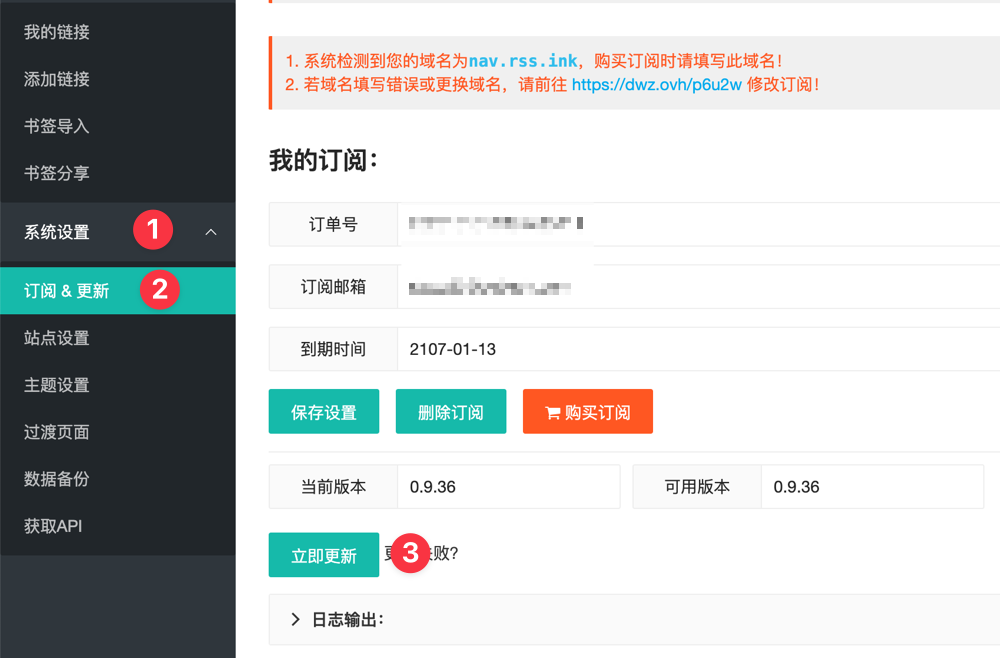
Other update methods, see help documentation: https://doc.xiaoz.top/web/#/13/148
Update Details
Brand New Minimalist Theme Minima
Minima is a brand new minimalist theme developed by xiaoz referencing the default theme source code, with over 90% of the code written by AI. Minima has the following features:
- Minimalist style, only retaining core display and search functions.
- Responsive design, compatible with PC, mobile, and tablets.
- Adaptive mixed icons, prioritizing user-set link icons, then automatically fetching website icons.
- Supports shortcuts, can use
Ctrl + Kfor quick search, pressESCto cancel search.
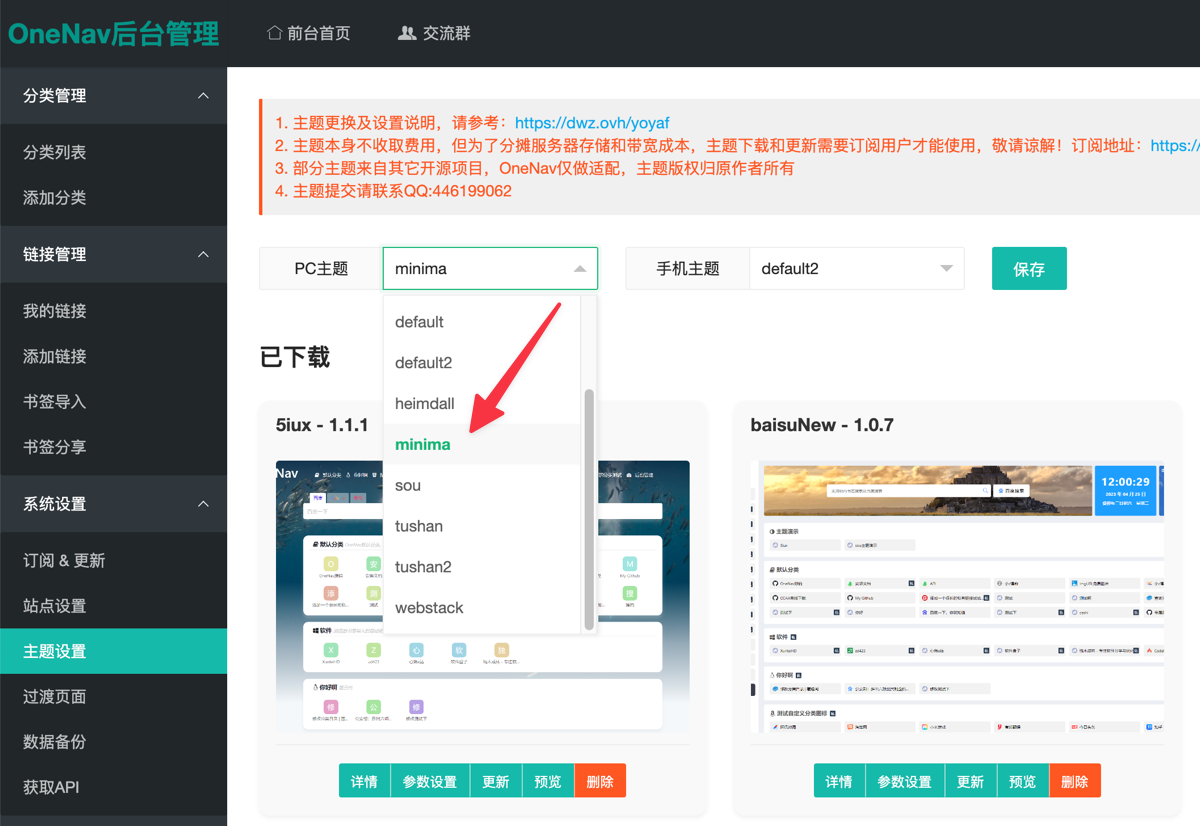
This theme is free for any user who has already installed OneNav. Please upgrade OneNav to the latest version and complete the switch in [Backend - System Settings - Theme Settings].
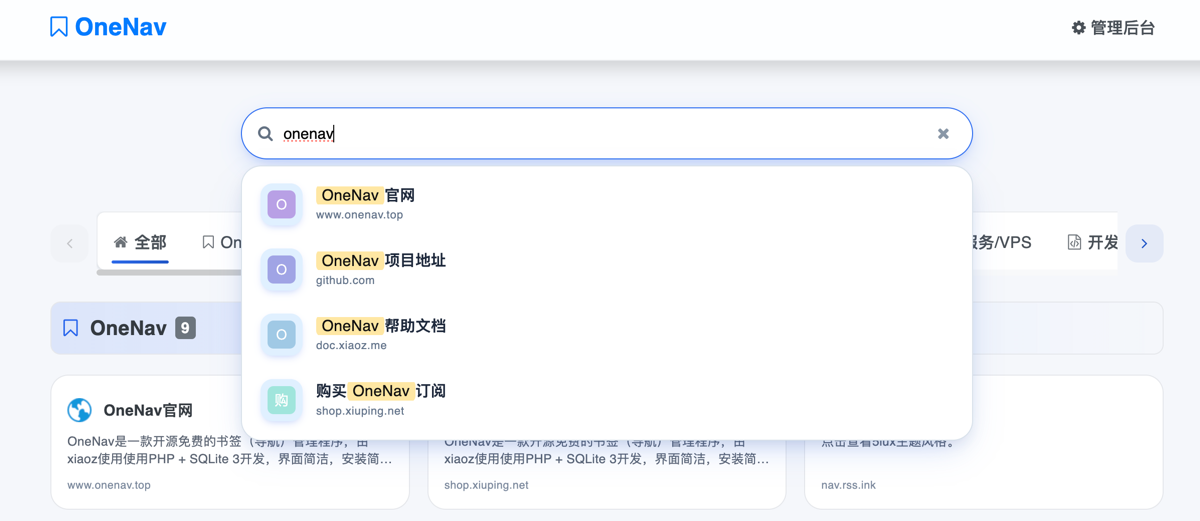
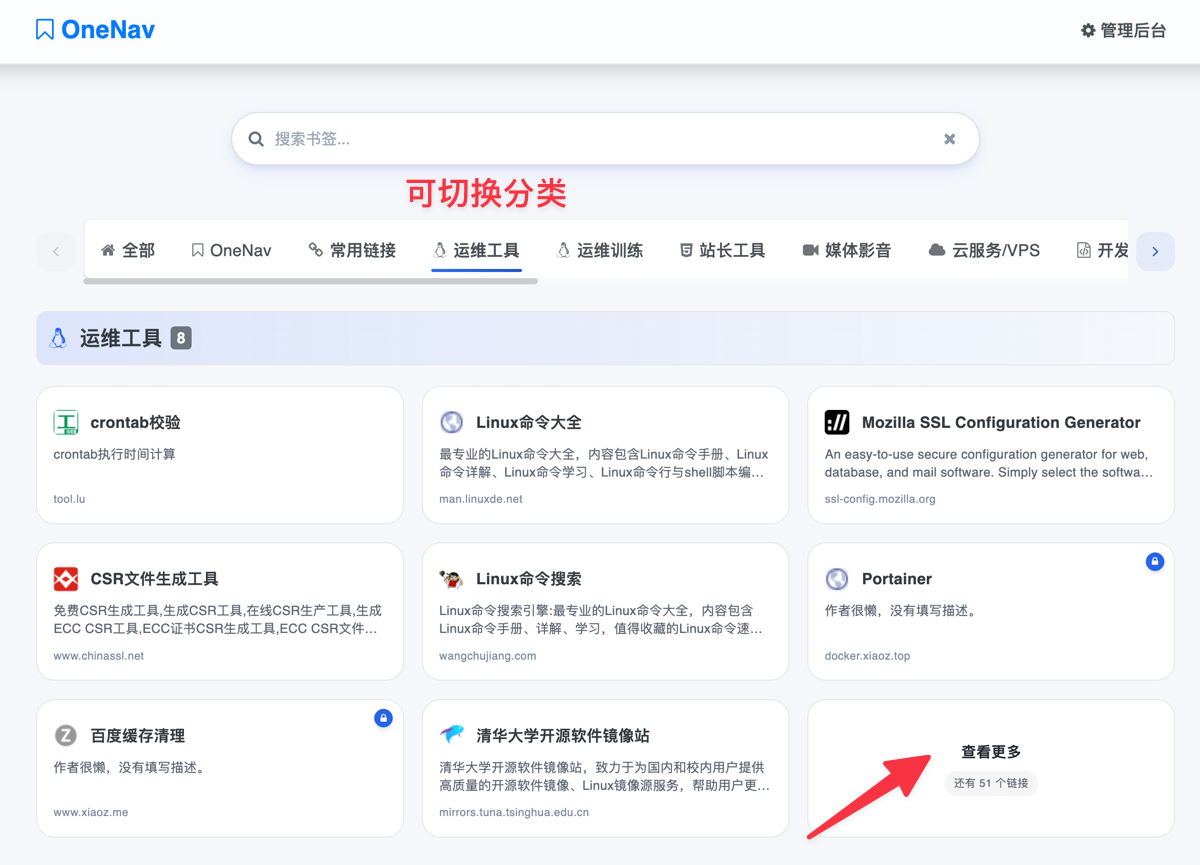
Minima theme interface is as follows:
Use Ctrl + K for quick search matching links, press ESC to cancel search.
You can switch categories in the top category navigation, or through the backend [System Settings - Site Settings], set the number of links to display. When there are too many links, a View More button will be displayed.
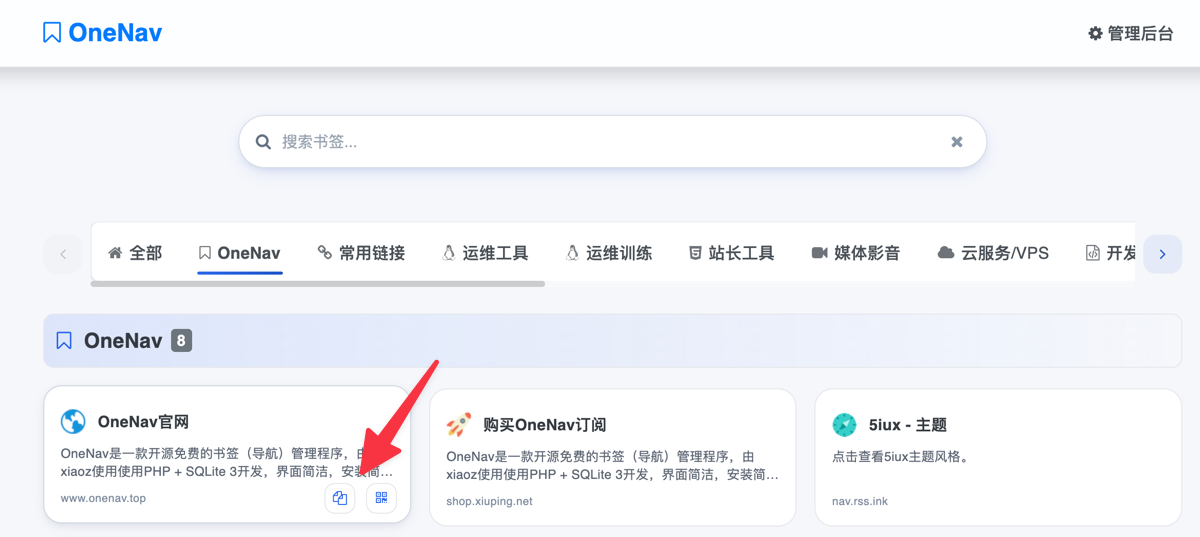
When the mouse moves over the link, the copy and display QR code buttons will appear in the bottom left.
Since AI can develop the Minima theme for OneNav, following this idea, in the future AI can also continuously reference OneNav other theme source code, and rely on the OneNav underlying framework, beginners can also use natural language to describe developing any theme they want (xiaoz will release a tutorial separately later.).
default2 Theme Optimization
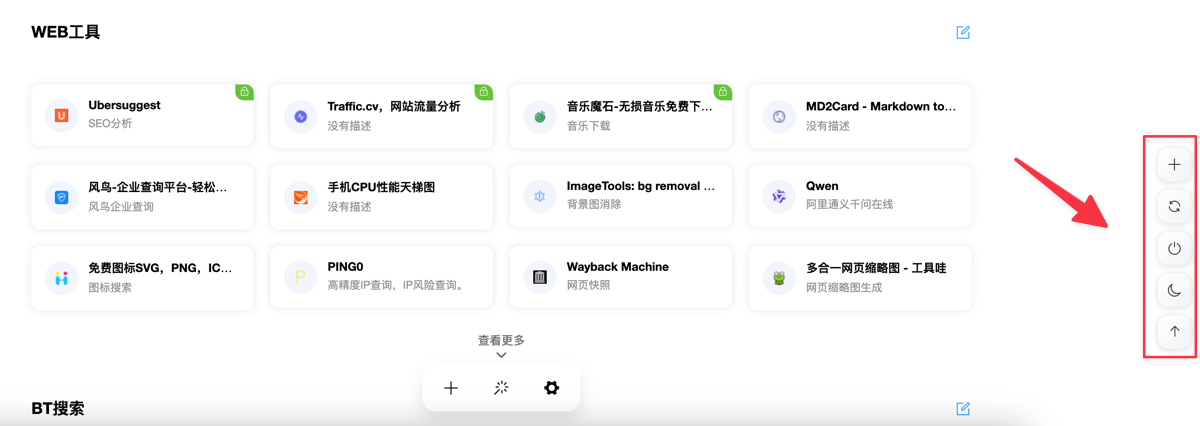
In addition, OneNav's default default2 theme also underwent a series of optimizations. First, the refresh, add category, and other buttons in the bottom left were removed because the buttons are not very friendly in some mobile browsers. Instead, a global floating button on the right was added. There are 5 buttons on the right, respectively:
- Add Category
- Refresh Category Cache
- Login / Logout
- Theme Mode Switch (Switch between Dark and Light)
- Back to Top
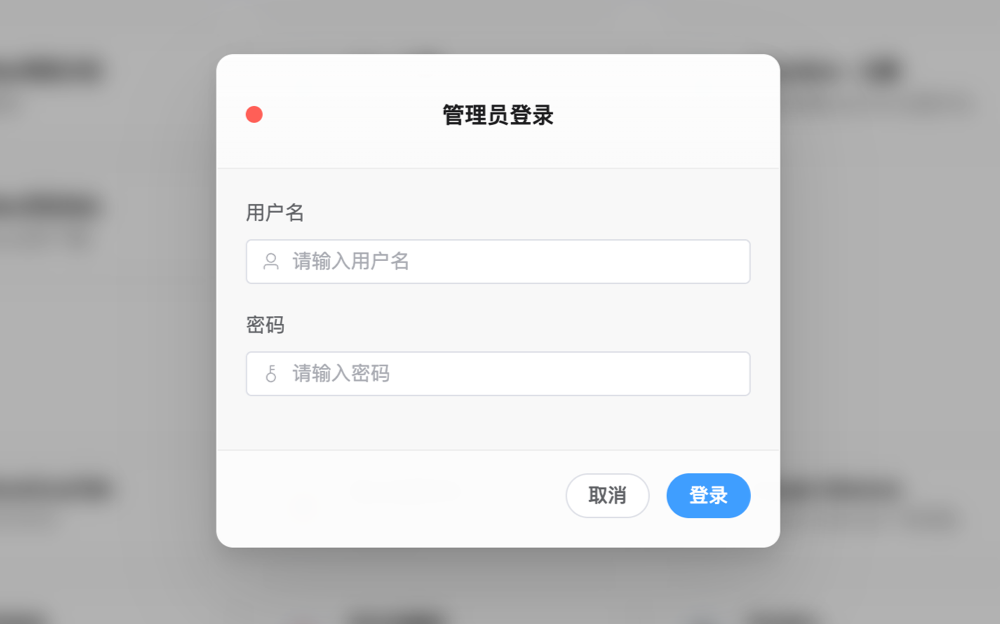
Then the popup component of the default2 theme was beautified, no longer the plain popup of Element Plus, the effect is as follows.
The default2 theme has some other optimizations, places where some users do not perceive obvious changes will not be listed one by one.
Category Sorting
In [OneNav Backend - Category List], it is now possible to sort categories by weight, making management easier.
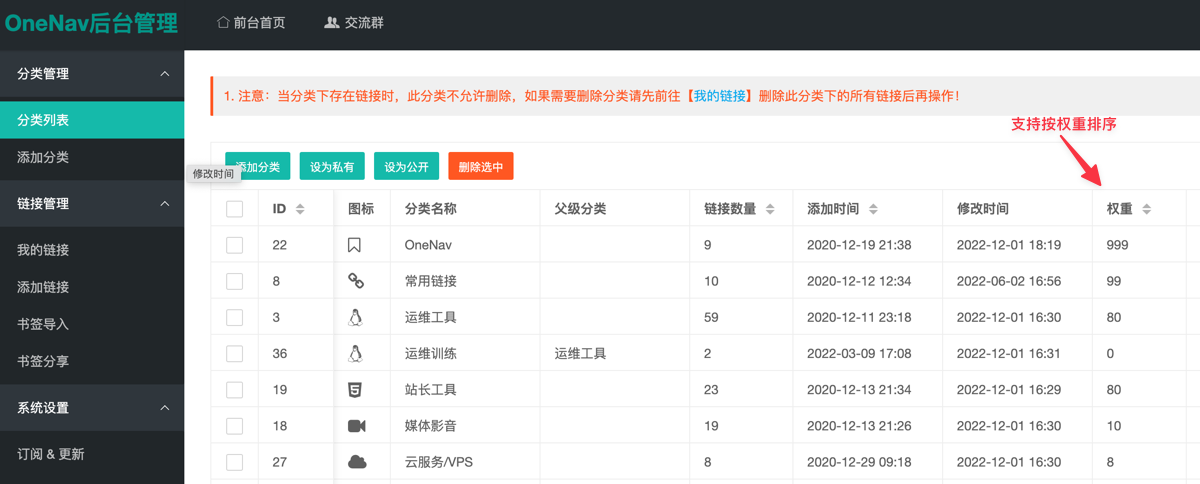
Other updates that users do not perceive obviously will not be listed one by one!
Conclusion
OneNav 1.2.0 brings the new minimalist theme Minima (AI-assisted development), optimizes the interaction and visual of default2, and adds practical functions such as category weight sorting. Whether you pursue simplicity and efficiency, or need cross-platform bookmark synchronization, OneNav can meet your needs.
- OneNav Official Website: https://www.onenav.top/
- Demo: http://demo.onenav.top/index.php?c=login, Username/Password:
xiaoz/xiaoz.me