Server Data Backup Solution: Using Backrest for Encrypted, Incremental, and Scheduled Backups
Backrest is a visual encryption backup tool based on Restic. If you are not familiar with Restic, you can refer to an article written by xiaoz previously titled CentOS 7 Using Restic to Backup VPS Data. Backrest adds WEBUI management, scheduled tasks, snapshot preview, and other features on top of Restic, greatly simplifying the complex command-line operations of Restic.
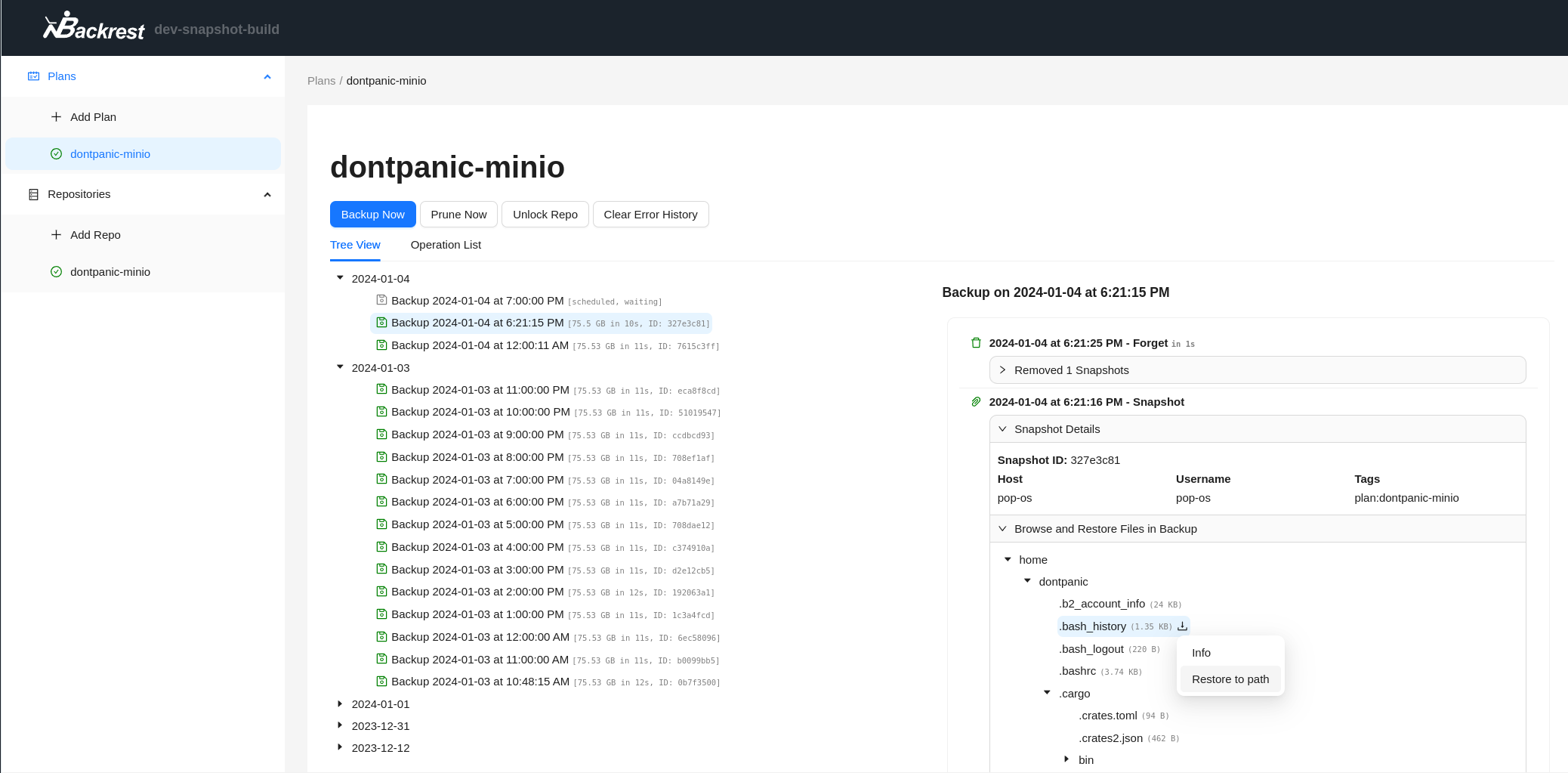
In this article, xiaoz will demonstrate how to deploy Backrest using Docker and regularly backup server data to a self-built RustFS (S3 object storage).
Backrest/Restic Features
- Provides a visual interface for management
- Supports scheduled backups
- Supports encrypted data backups
- Supports incremental backups
- Supports backing up data to local, SFTP, S3, Rclone, etc.
Install Backrest
Here, xiaoz uses Docker Compose for installation. Create a docker-compose.yaml file with the following content:
version: "3.8"
services:
  backrest:
    image: garethgeorge/backrest:latest
    container_name: backrest
    hostname: backrest
    volumes:
      - ./data/data:/data
      - ./data/config:/config
      - ./data/cache:/cache
      - /tmp:/tmp
      - ./rclone:/root/.config/rclone
      - /data/apps:/apps:ro
    environment:
      - BACKREST_DATA=/data
      - BACKREST_CONFIG=/config/config.json
      - XDG_CACHE_HOME=/cache
      - TMPDIR=/tmp
      - TZ=Asia/Shanghai
    ports:
      - "9898:9898"
    restart: unless-stopped
Parameter meanings are as follows:
./data/data:/data: Backrest data storage directory./data/config:/config: Configuration file storage directory- ./data/cache:/cache: Cache directory- /tmp:/tmp: Temporary file directory- ./rclone:/root/.config/rclone: Rclone configuration file directory (Restic supports backing up to Rclone backends)/data/apps:/apps:ro: Mount the local directory to be backed up. Here, xiaoz needs to backup the/data/appsdirectory on the server, mapped to/appsin the container, and set as read-only.
Then run docker-compose up to start.
Initialize
After startup, access the Backrest WEB interface at http://IP:9898. The first visit will require initialization; fill in the form according to the screenshot below.
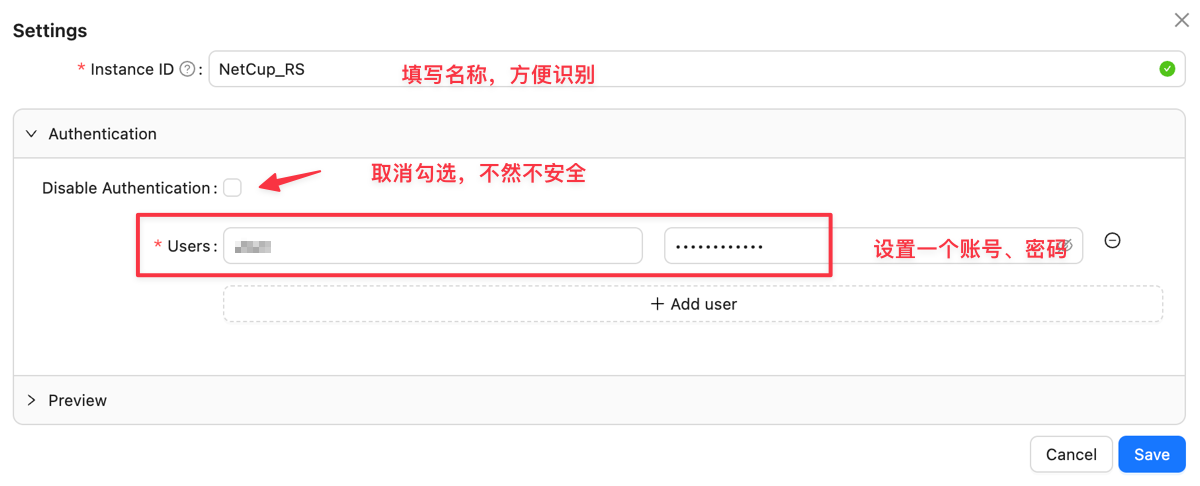
After initialization, log in with the account and password you just set.

Usage
Add Storage Source
Before starting, we need to add a Repository, which is simply adding a storage source so Backrest knows where to back up the data. Supported storage types include:
- Local
- SFTP
- Any S3 protocol object storage
- Backblaze B2
- Rclone
xiaoz chooses to backup data to a self-built RustFS (S3 object storage). Click [Add Repo] on the left and fill in the form as shown below.
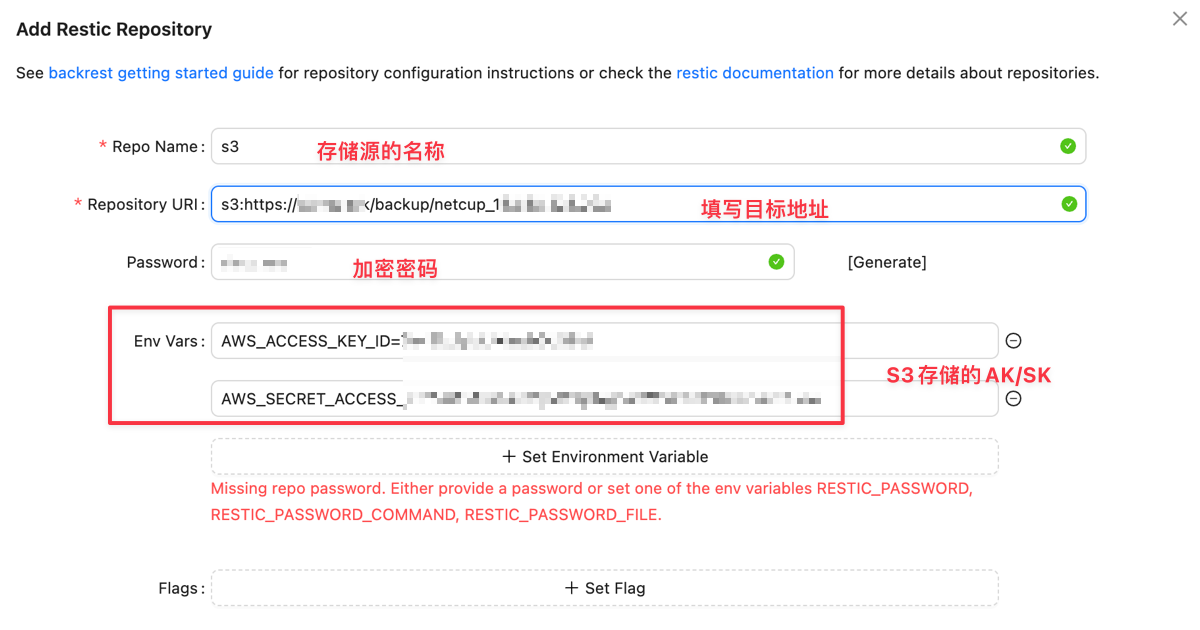
- Repo Name: Name of the storage source, fill in anything for easy identification
- Repository URI: Protocol address of the storage source, needs to be filled according to: Restic documentation. Here, xiaoz uses the S3 protocol.
- Password: This password is used for encrypted backups and will also be needed to decrypt data later.
- Add 2 environment variables:
AWS_ACCESS_KEY_IDandAWS_SECRET_ACCESS_KEY.
Then click Test at the bottom, and if everything is fine, click Save.
Add Backup Plan
Click [Plans - Add Plan] on the left and fill in the form as shown below.
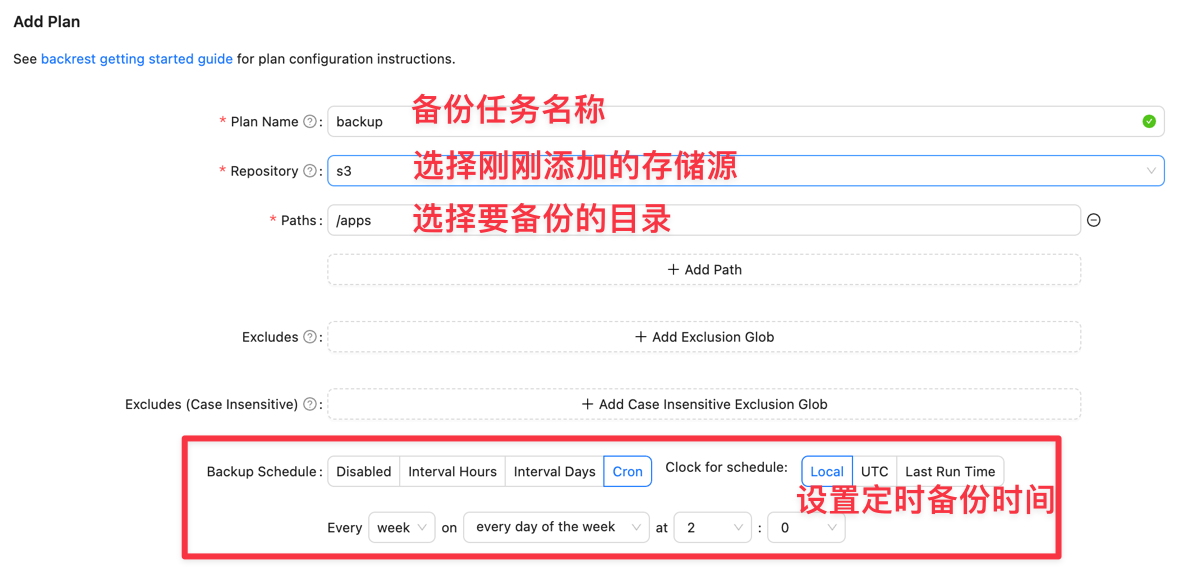
Finally, you can click [Backup Now] to backup immediately. The progress will be displayed in real-time during the backup.
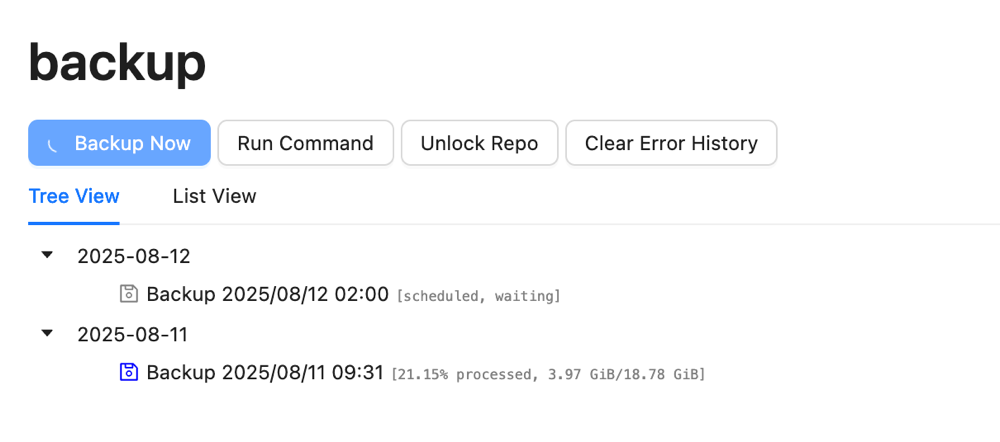
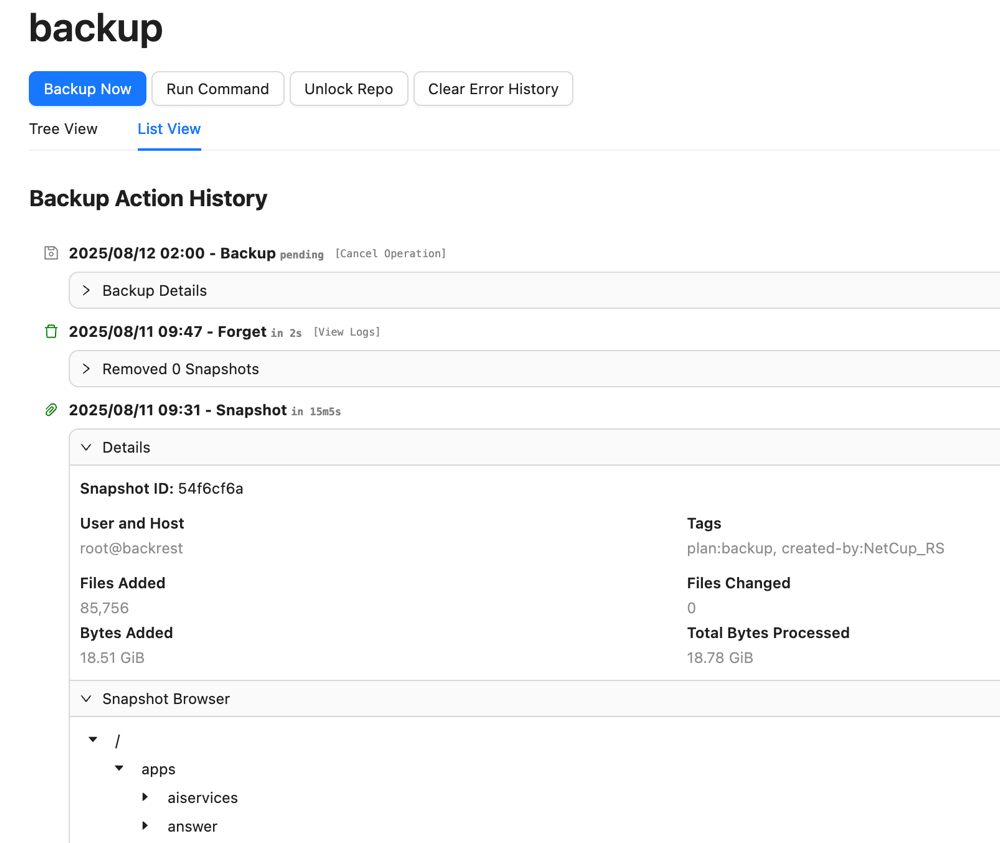
After the backup is complete, we cannot directly view the data in S3 because the data has been encrypted by Restic. However, the Backrest backend provides snapshot data viewing.
Conclusion
Backrest provides visual management and scheduled backup functions on top of Restic, greatly simplifying the operation process. However, its configuration still involves many professional concepts (such as S3 protocol, environment variables, etc.), which may have a certain threshold for beginners. It is recommended for operations personnel or users familiar with the backup process to use it for efficient management of encrypted backup tasks. If encountering this for the first time, it is recommended to understand the basic principles of Restic before attempting deployment.
Backrest open source address: https://github.com/garethgeorge/backrest