OneNav 1.1.4 Update: Separate PC and Mobile Theme Settings
OneNav is a powerful and concise browser bookmark manager that supports centralized management. It perfectly solves synchronization and access challenges across devices, platforms, and browsers, enabling "deploy once, access anywhere." It features simple installation, a clean interface, and easy operation, and can be used with browser extensions to provide a more efficient bookmark management experience.
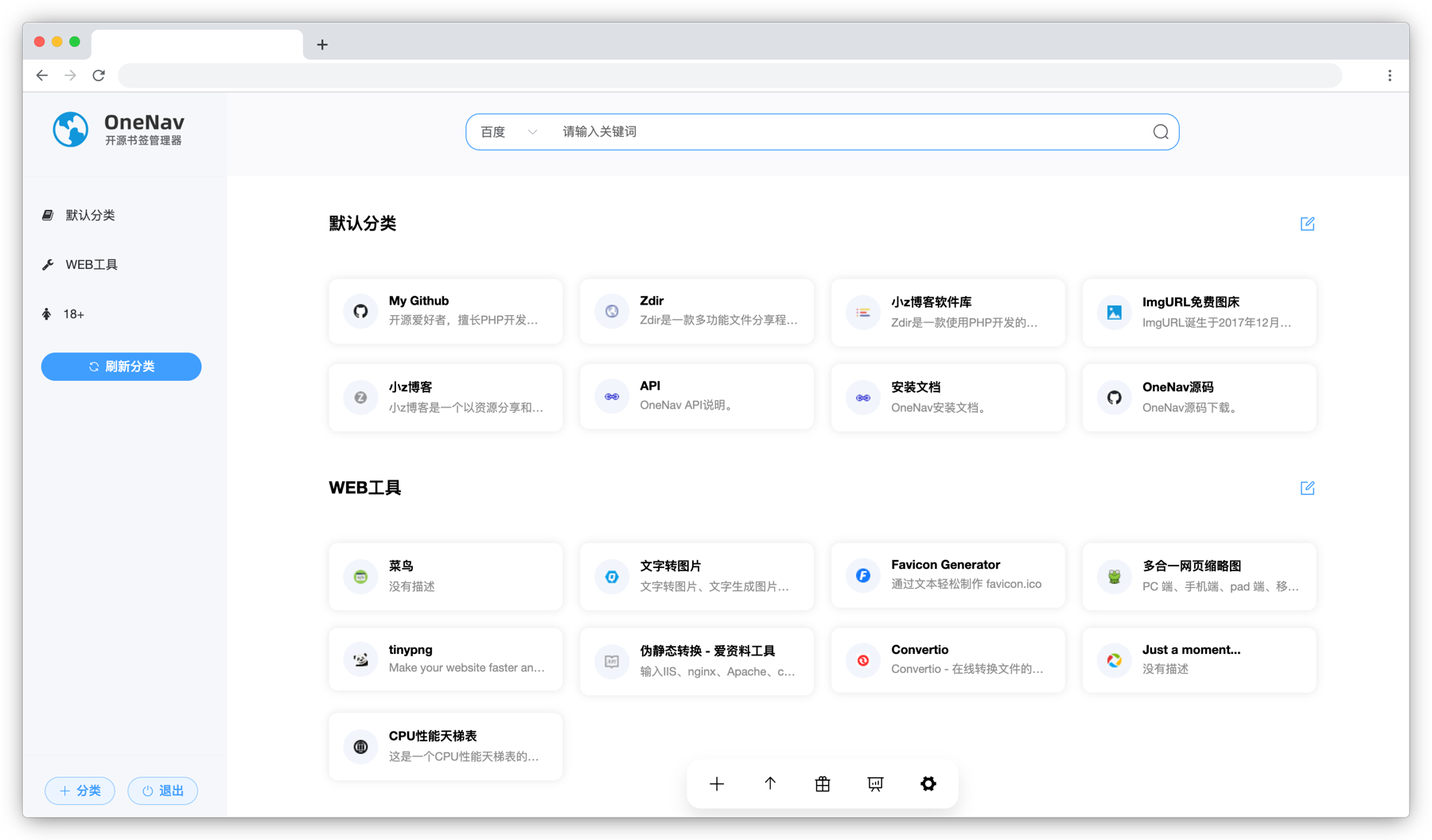
Github Open Source Address: https://github.com/helloxz/onenav
Install OneNav
Users who have not yet installed OneNav can refer to the help documentation to complete the installation: https://doc.xiaoz.top/web/#/13/129.
1.1.4 Update Content
- New: Can separately set PC and mobile themes
- Optimized: Link recognition further optimized, success rate improved
- Optimized: Removed invalid menu in the backend
- Fixed: Typos in the documentation
- Other: Optimizations and bug fixes
Update OneNav
Note: Please package and backup the entire site or mount directory for data backup before updating!!!
Subscribed users can click the Update Now button in [OneNav Backend - System Settings - Subscription & Update] to complete the online update.
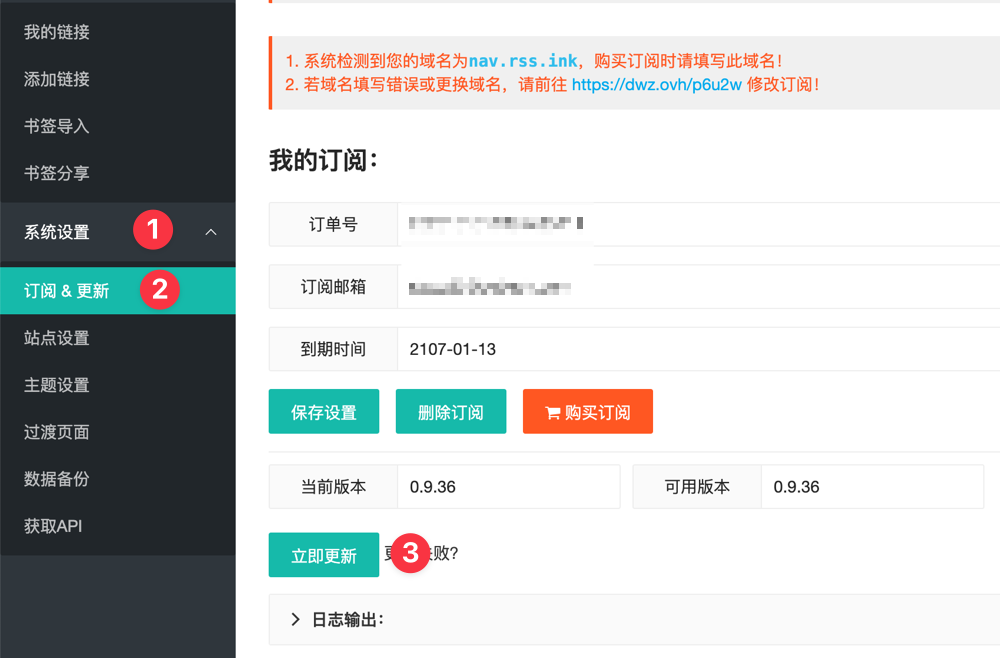
For other update methods, see the help documentation: https://doc.xiaoz.top/web/#/13/148
Update Details
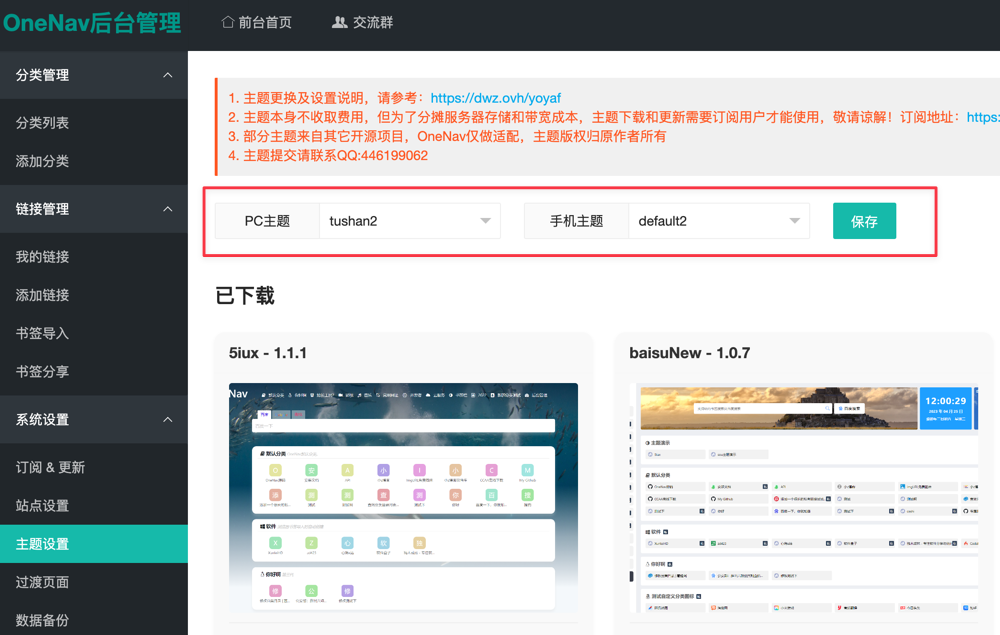
Separately Set Themes
After updating to version 1.1.4, the theme will be reset to default2. Users need to go to [Backend - System Settings - Theme Settings] and set PC and mobile themes separately to adapt to different device access.
Optimized Link Recognition
Previously, some users reported that the success rate for recognizing links when adding them in the backend was very low. This version has specifically optimized this function to further improve the recognition success rate. This feature can automatically recognize link titles and descriptions. Interested users can try it out.
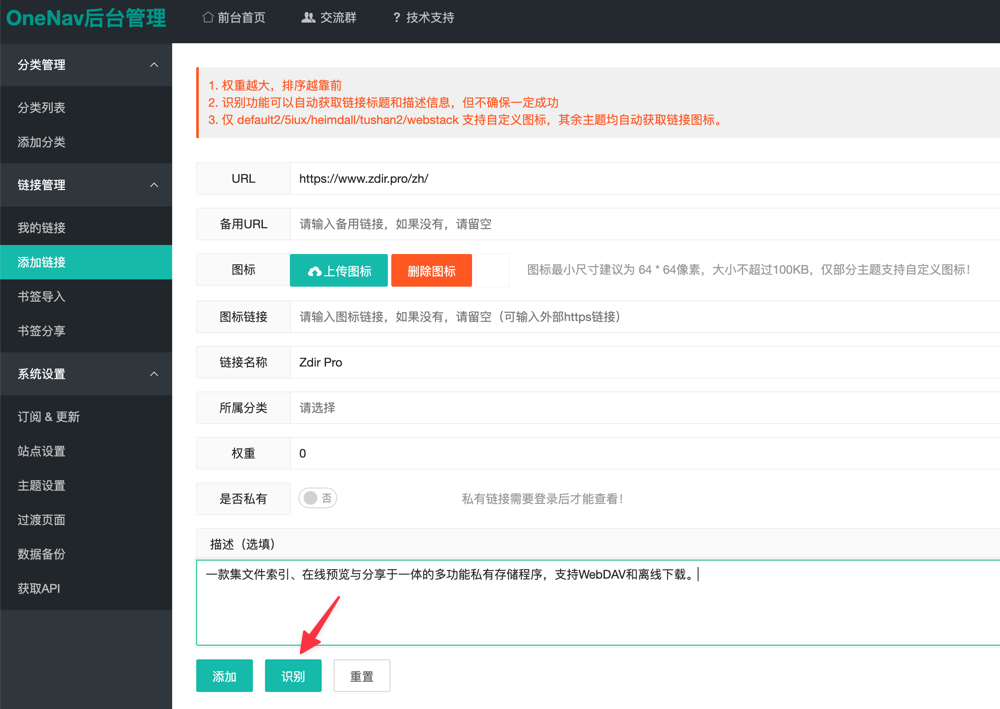
Note: This feature still cannot ensure 100% recognition success!
Other updates not obvious to users are not listed one by one!
Conclusion
OneNav is a worry-free and efficient bookmark management tool that is particularly smooth to use. Features like cross-device synchronization and AI search are very practical. If you haven't tried it yet, feel free to install one and experience the convenience of "deploy once, access anywhere." It will really make bookmark management much easier.
- OneNav Official Website: https://www.onenav.top/
- Demo: http://demo.onenav.top/index.php?c=login, Username/Password:
xiaoz/xiaoz.me