Zdir 4.6.0 Released with New Cloud Drive Mounting Support
Zdir is a multi-functional private storage program developed using Golang + Vue3, integrating file indexing, online preview, and sharing features. It supports WebDAV and offline downloads, making it ideal for installation on NAS devices or large-capacity VPS, and is a perfect choice for individuals, studios, and small teams to share files.
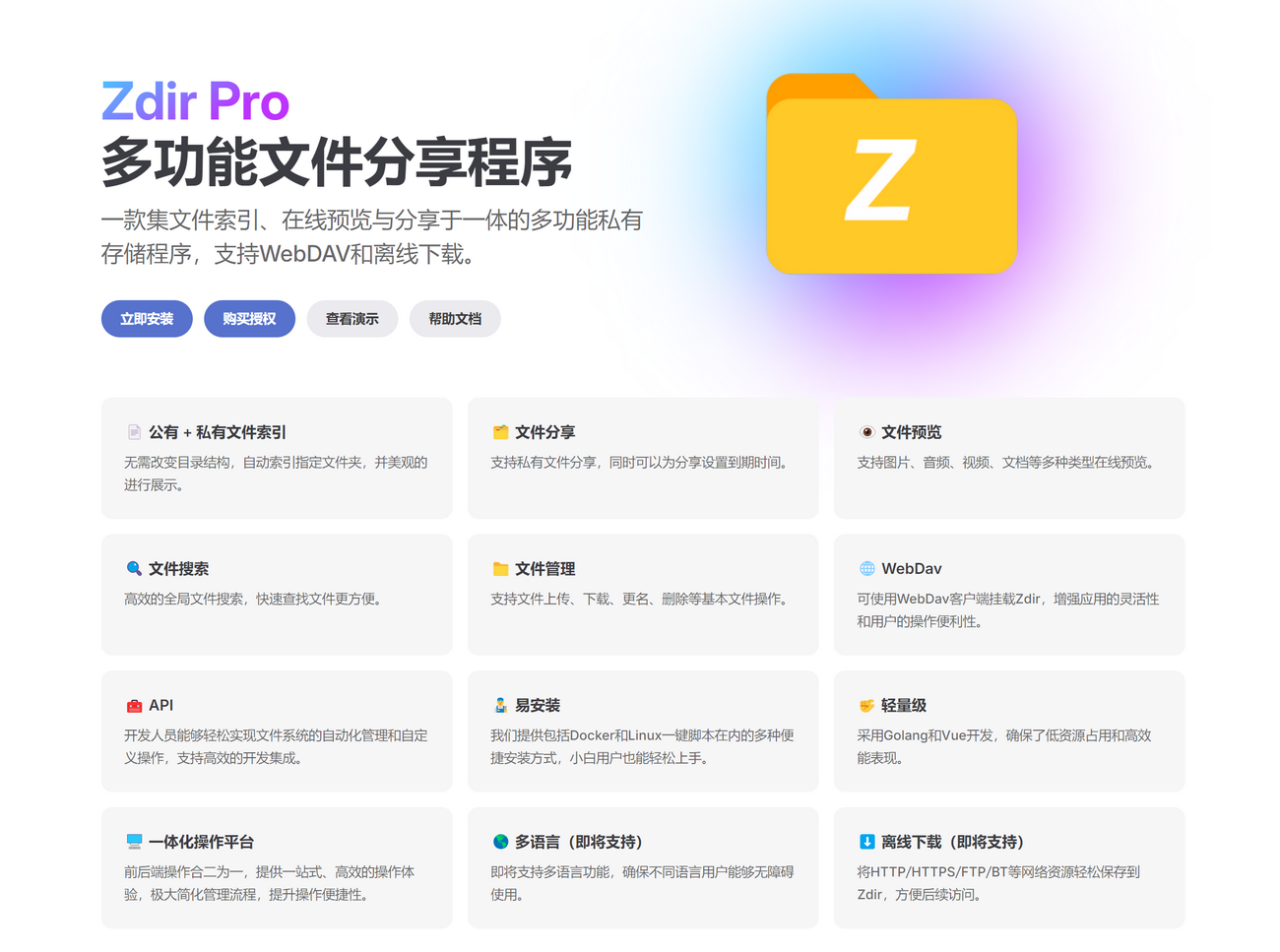
Demo
- Demo Address: https://demo.zdir.pro/ (Foreign Server)
- Username: xiaoz
- Password: xiaoz.org
- Zdir Official Website: https://www.zdir.pro/zh/
Zdir 4.6.0 Update Content
- New: Support mounting 115 Cloud Drive (Open Platform)
- New: Support mounting 123 Cloud Drive (Open Platform)
- New: Disable original directory list via parameter option
- Optimization: Adjust Gorm log level to error mode
- Optimization: Enable SQLite 3 WAL mode
- Optimization: Provide secondary confirmation prompt when deleting files via right-click
- Optimization: Translate error prompts when mounting network storage
- Fix: Slow search issue after adding network storage mounting
- Fix: Port display error when editing FTP and SMB mounting types
- Other optimizations and bug fixes
Update Details
Mount 115 Cloud Drive
Starting from Zdir 4.6.0, we have implemented mounting through the API interface provided by the 115 Open Platform. First, open [Zdir Control Panel >> Network Storage], then select Mount as Direct Link Storage.
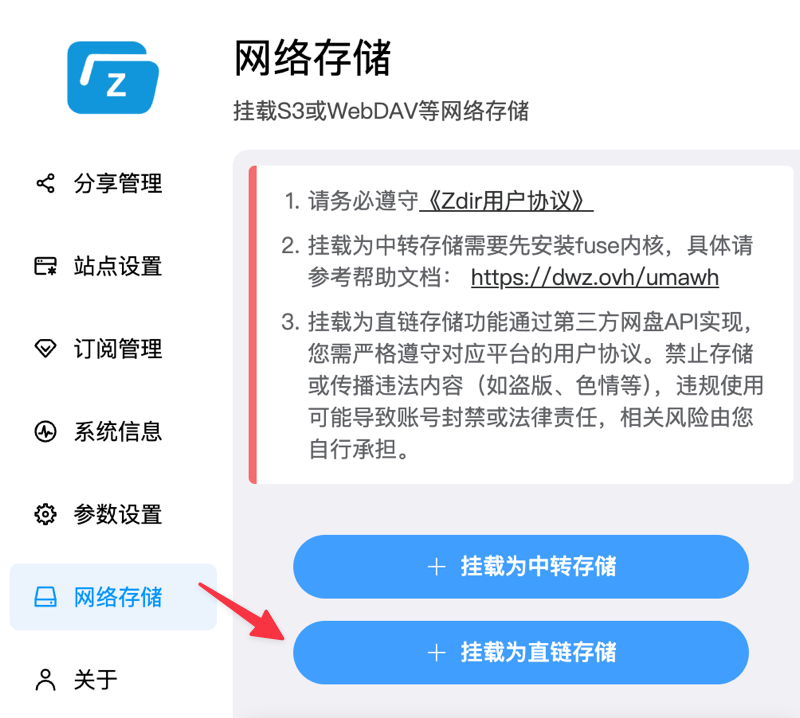
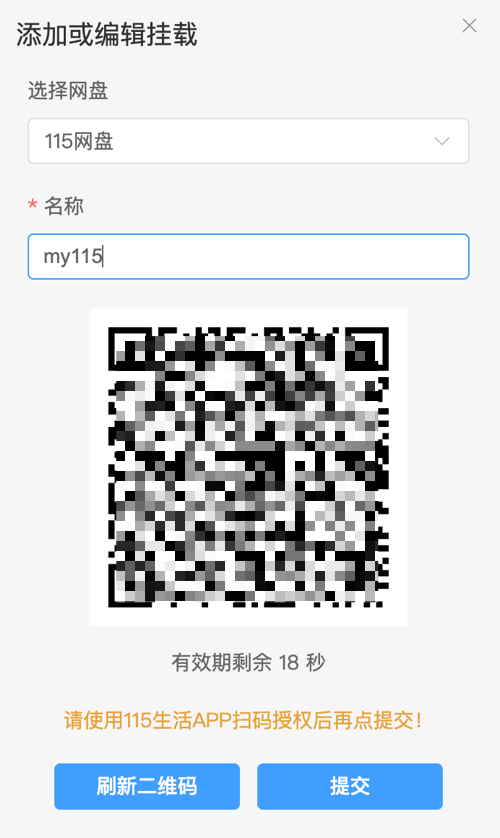
- Cloud Drive Type: Select 115 Cloud Drive
- Name: Fill in freely, letters or numbers only
- Complete authorization by scanning the QR code with the 115 Life App
- Finally, click Submit
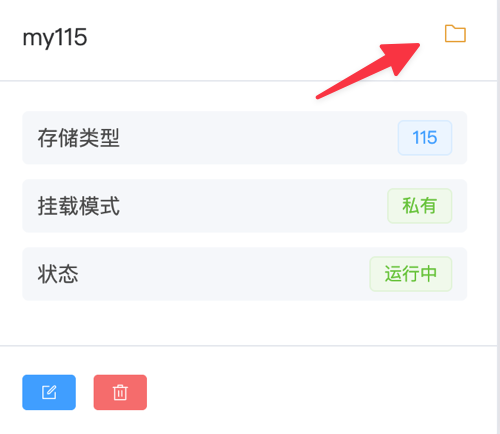
After successful mounting, click the folder icon in the upper right of the mounting list to open and view content.
Mount 123 Cloud Drive
In previous versions, Zdir already supported 123 Cloud Drive WebDAV mounting, which uses a relay mode and has certain network losses. Now it supports access through the 123 Cloud Drive Developer Platform, offering faster speeds and better performance.
After logging into the 123 Cloud Drive account, visit: https://www.123pan.com/developer to apply for Open Platform API.
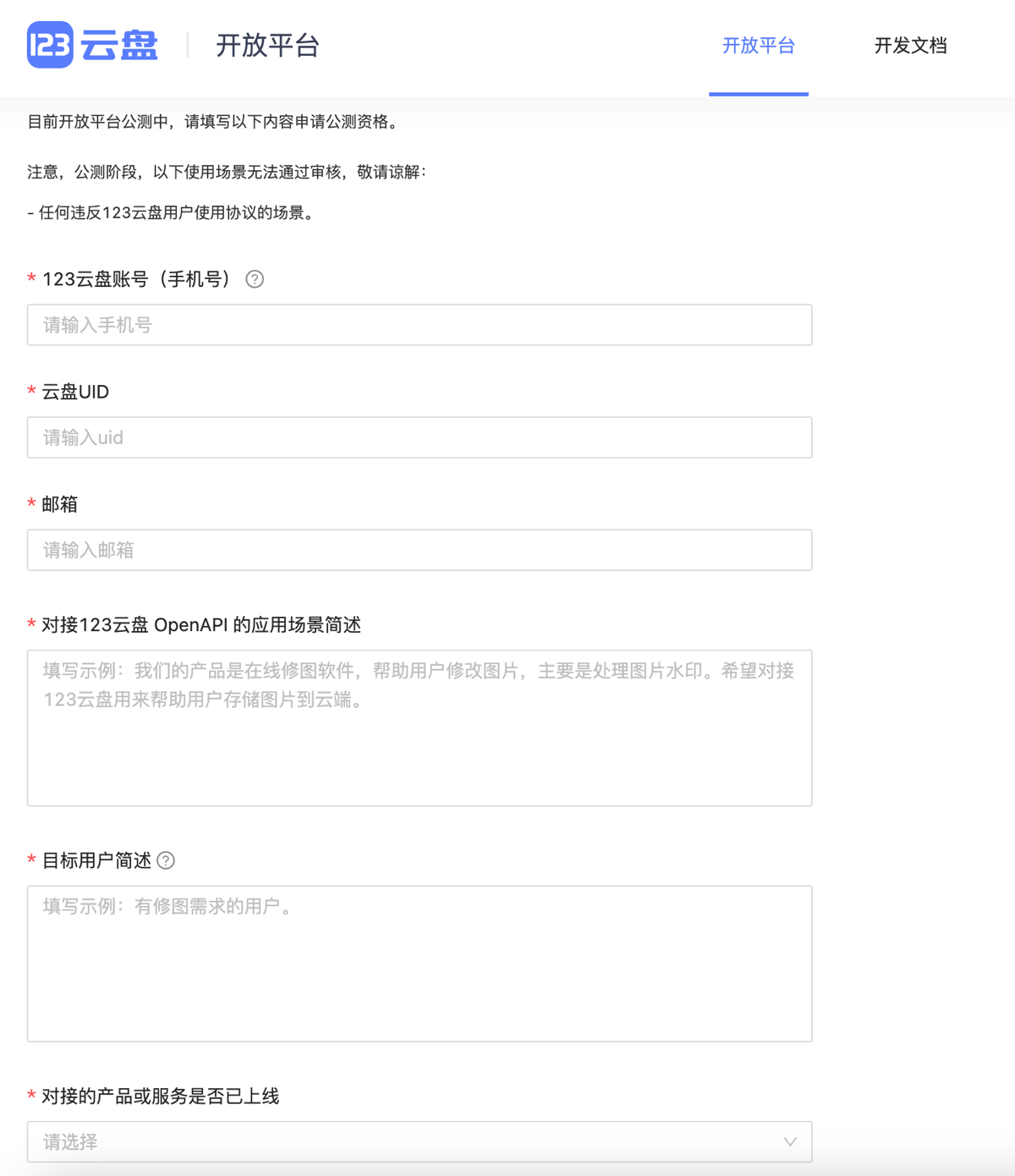
Then fill in:
- 123 Cloud Drive Phone Number
- Cloud Drive UID, find Account ID in Personal Center
- Scenario Description
- Target User Description
After approval, 123 Cloud Drive will send the OpenAPI public and private keys to your email (check spam folder). Please pay attention to receiving them.
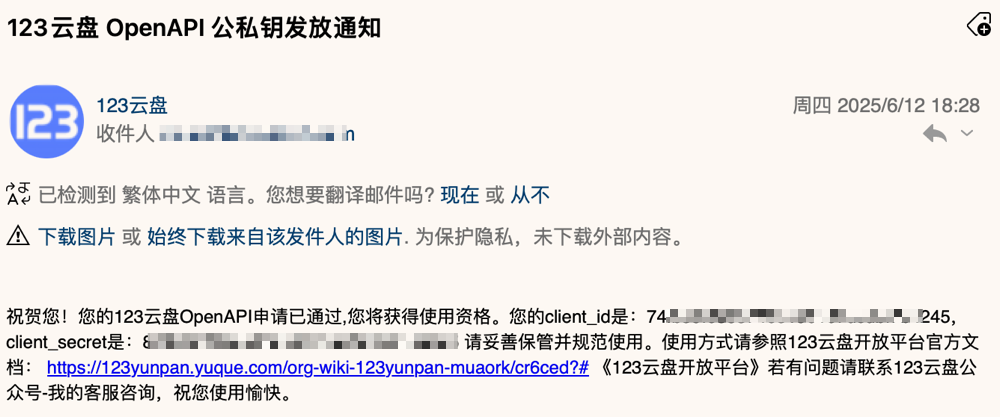
The email contains client_id and client_secret, which we will need later.
Open [Zdir Control Panel >> Network Storage], then select Mount as Direct Link Storage.
- Cloud Drive Type: Select 123 Cloud Drive
- Name: Fill in freely, letters or numbers only
- Client ID: Corresponds to the
client_idobtained above - Client Secret: Corresponds to the
client_secretobtained above
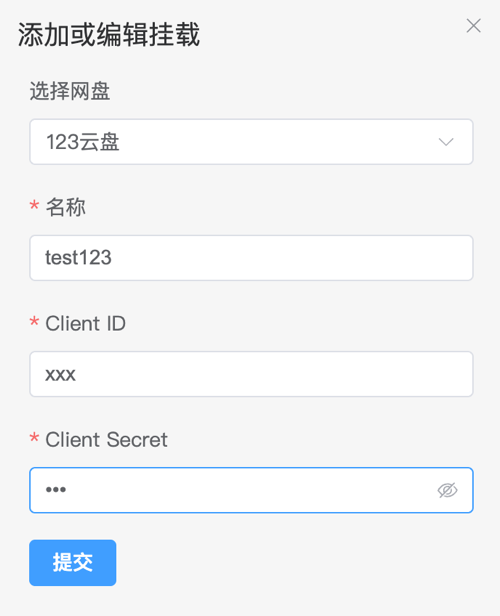
After successful mounting, click the folder icon in the upper right of the mounting list to open and view content.
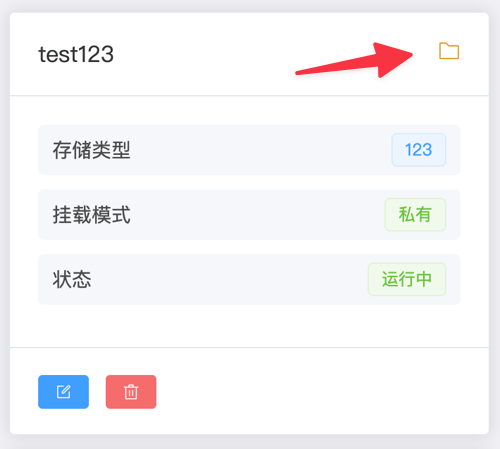
Original Directory List Can Be Disabled via Parameter Option
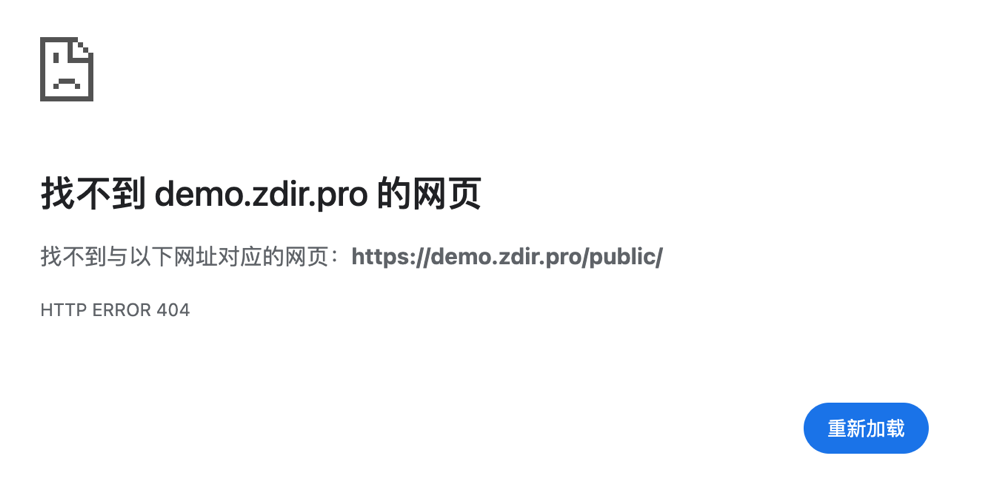
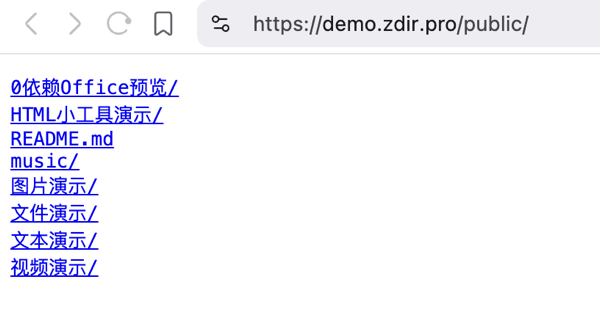
In [Admin Panel - Parameter Settings], find Disable Original Directory List, and choose to enable or disable (enabled by default). The specific effects are as follows.
After enabling, accessing /public will not list public files, preventing files from being maliciously traversed.
If you choose to disable, accessing /public will list the original public file list, as shown below.
Other places not obvious to other users are not listed one by one.
Free Zdir Pro License
To thank new and old users for their support, we have prepared a batch of Zdir Pro three-month redemption codes. Follow our WeChat Official Account [This Software is Interesting], find the article [Multi-functional File Sharing Program Zdir 4.6.0 Released, New Cloud Drive Mounting Added] to obtain them.

Upgrade
Docker Users
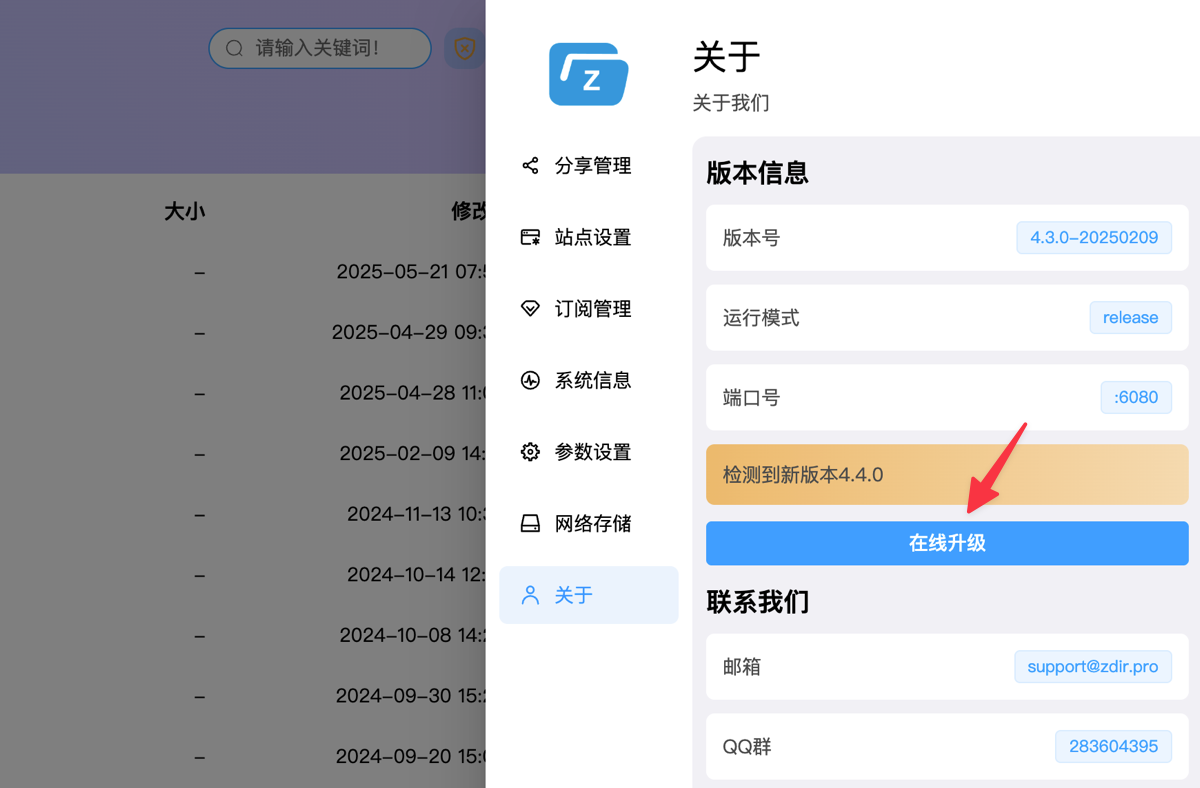
Docker users who have subscribed to Zdir Pro can directly upgrade online in [Admin Panel - About]. Note: This feature requires Zdir version 4.3.0 or above!
Other Installation Methods
For other installation methods, please refer to the help document: https://doc.xiaoz.top/web/#/10/59 for upgrade instructions.
Install Zdir
Users who have not yet installed Zdir can refer to the help document: https://doc.xiaoz.top/web/#/10/38 for installation instructions.
Conclusion
Zdir is a powerful private storage program that can meet the file management needs of individuals, studios, and small teams. Through the combination of Golang and Vue3 development, Zdir not only provides basic functions such as file indexing, text editing, online preview, and sharing, but also supports WebDAV to further enhance user experience. Whether you need to manage large-capacity data on NAS devices or share files on VPS, Zdir is an ideal choice.
For more details, please visit our official website: https://www.zdir.pro/zh/