Easily Implement Text-to-Speech with Amazon Polly
Amazon Polly is a fully managed service that generates speech on demand, converting any text into audio streams. It uses deep learning technology to convert articles, web pages, PDF documents, and other text-to-speech (TTS) content. Polly offers dozens of realistic voices in multiple languages for you to build interactive and transformative voice-activated applications.

This article covers:
- Creating an Amazon Web Services Account
- Amazon Polly Pricing Overview
- How to Use Amazon Polly
Create an Amazon Web Services Account
Before using Amazon Polly, we need to register an Amazon Web Services account first. After registration, you can experience many free cloud products provided by Amazon Web Services. However, before starting, you need to prepare:
- A common email address
- A common phone number
- UnionPay/VISA/MasterCard credit card
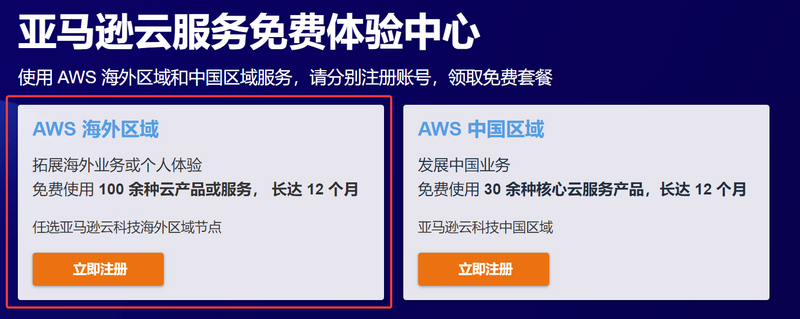
Click the link: Amazon Web Services to go to registration. When registering, pay attention to select "Amazon Web Services Overseas Region". Overseas regions do not require enterprise certification.
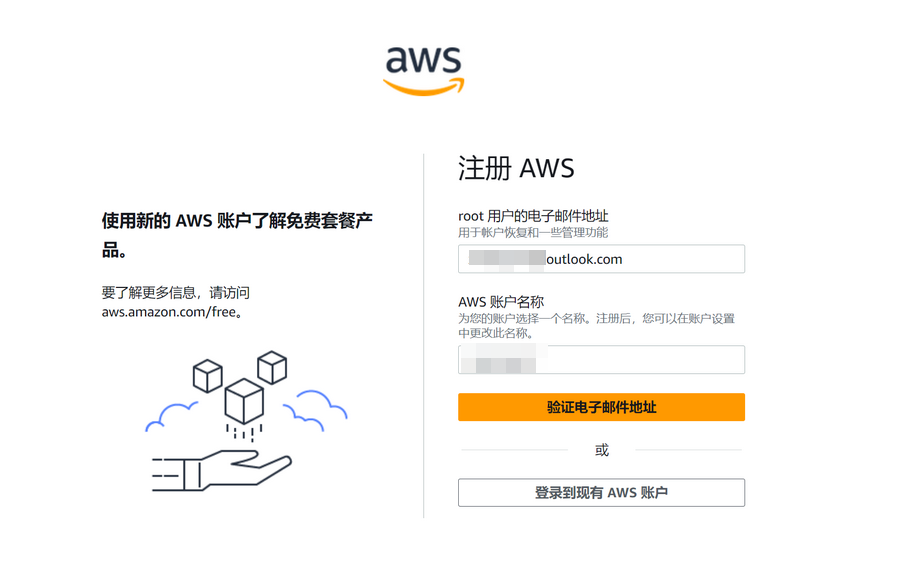
Fill in your email and account name.
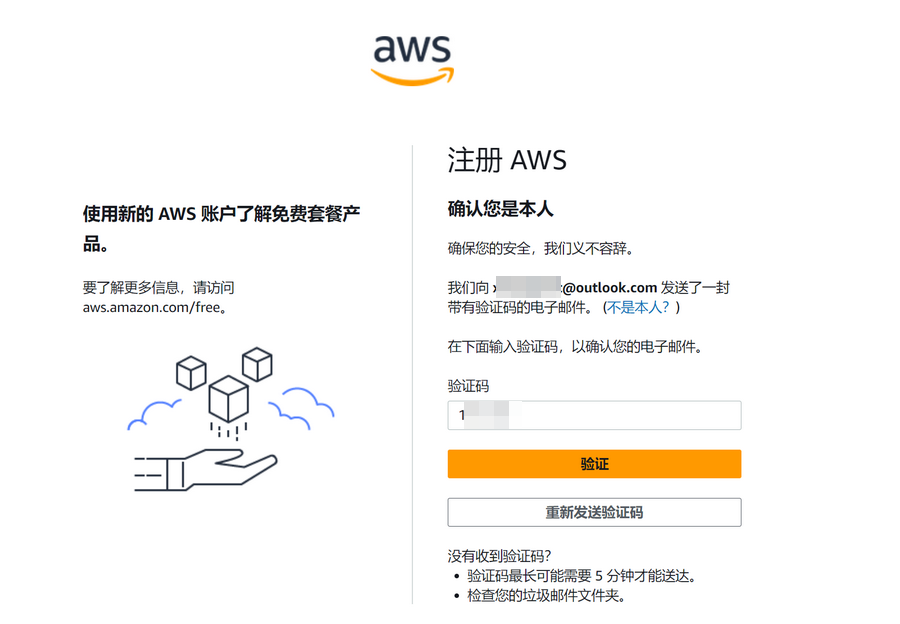
Enter the verification code sent by Amazon Web Services in your email to verify.
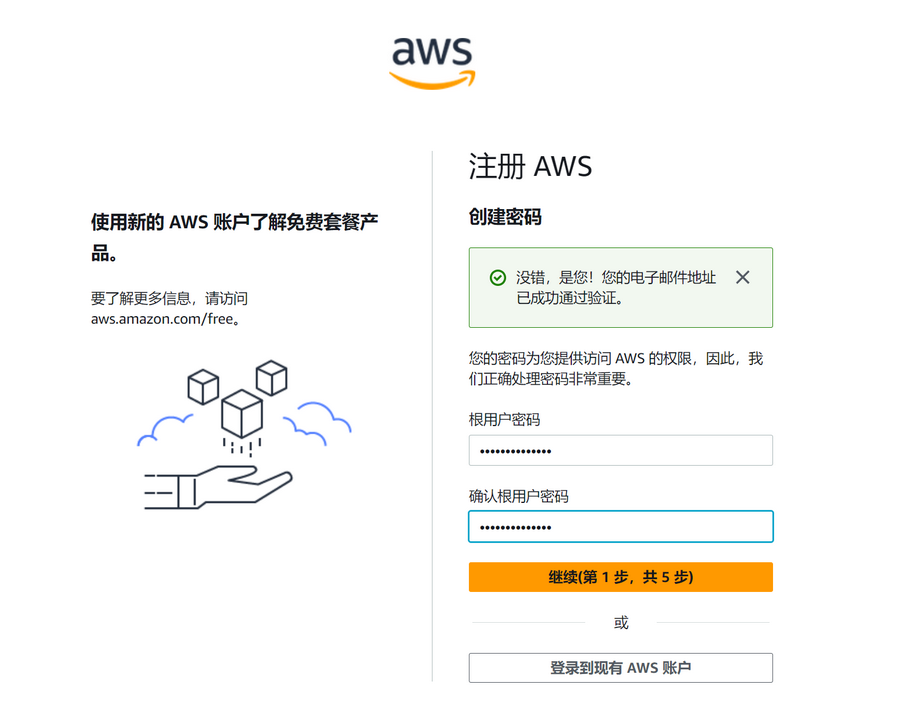
Continue to set the account password.
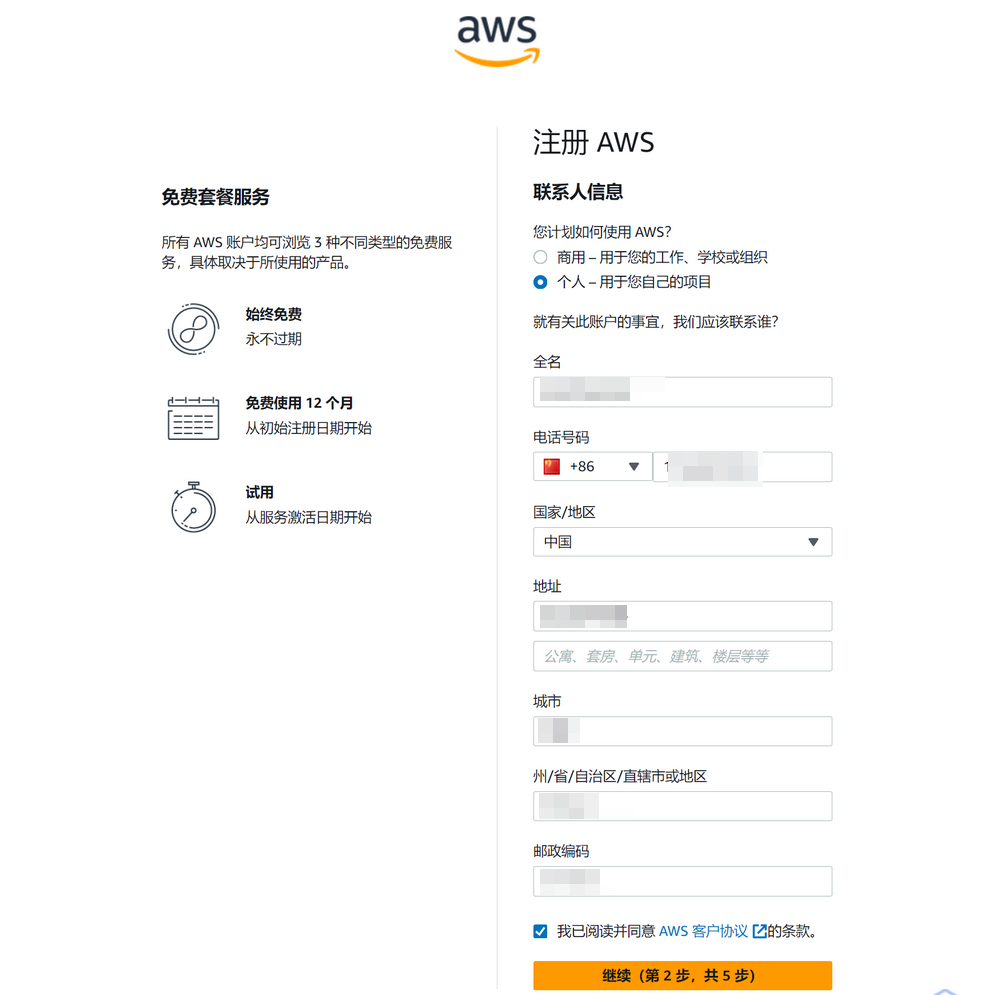
Next, fill in the contact information. Note:
- Select Individual or Business User based on your actual situation. The blogger selected Individual.
- Full name/phone/address and other information must be filled in truthfully. Do not make it up randomly, otherwise it may trigger risk control.
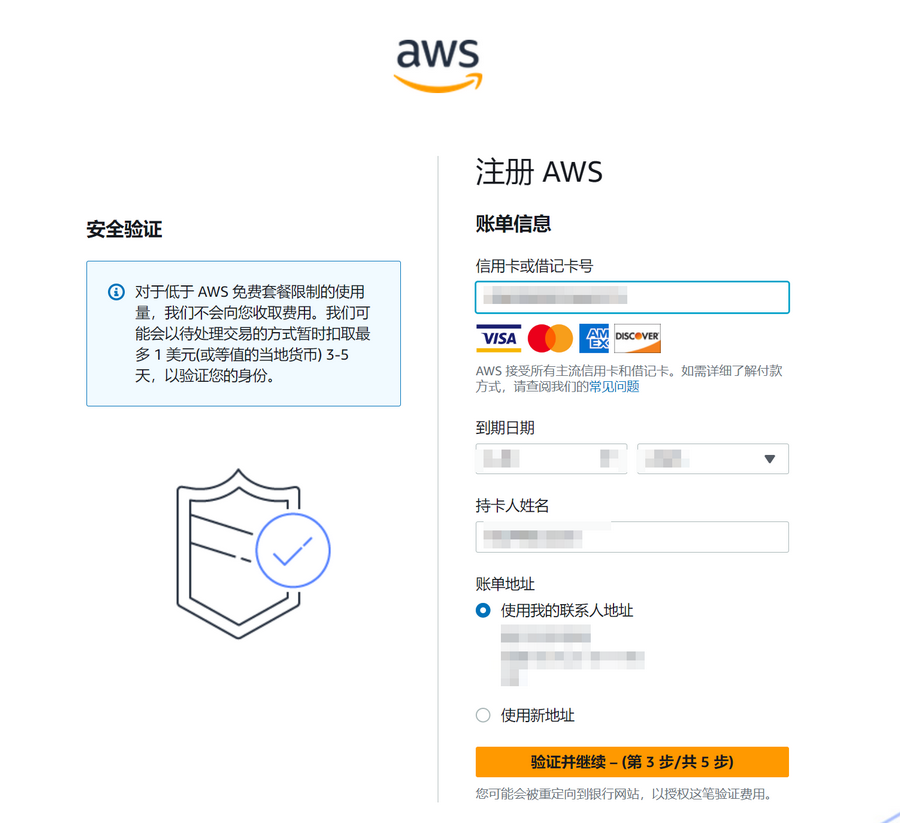
Next, you need to verify with a credit card. Supports UnionPay/VISA/MasterCard/AE credit cards. Fill in credit card/name/address information based on your actual situation. A maximum of $1 will be temporarily deducted during verification, and it will be refunded after verification passes.
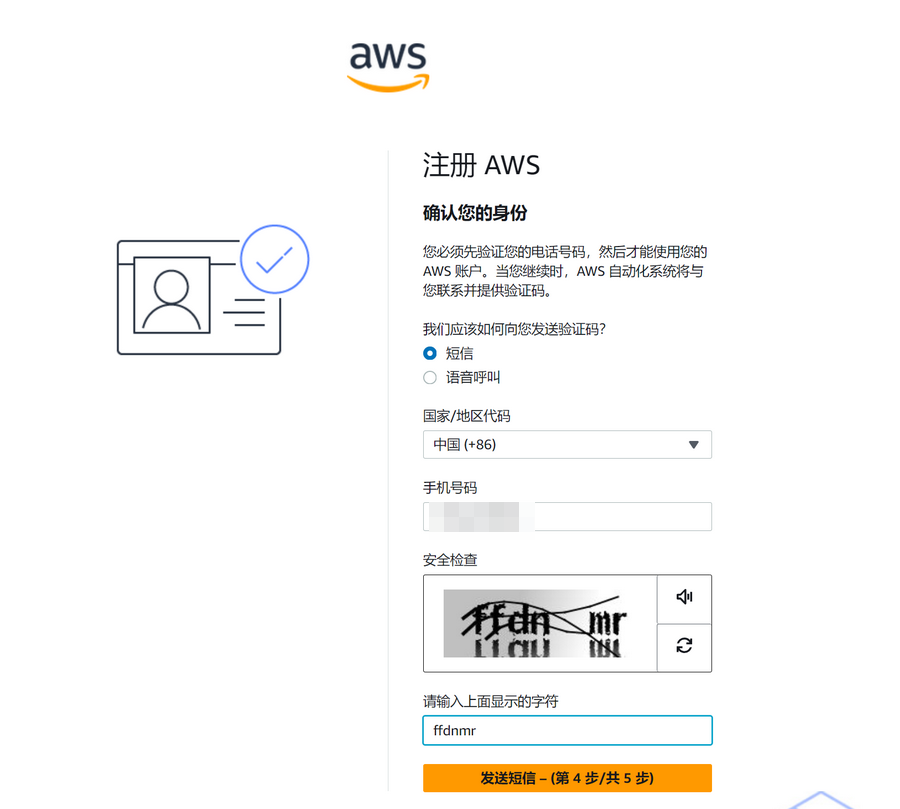
Continue to verify the mobile phone number.
The last step is to select "Support Plan". The blogger selected "Basic Support - Free".
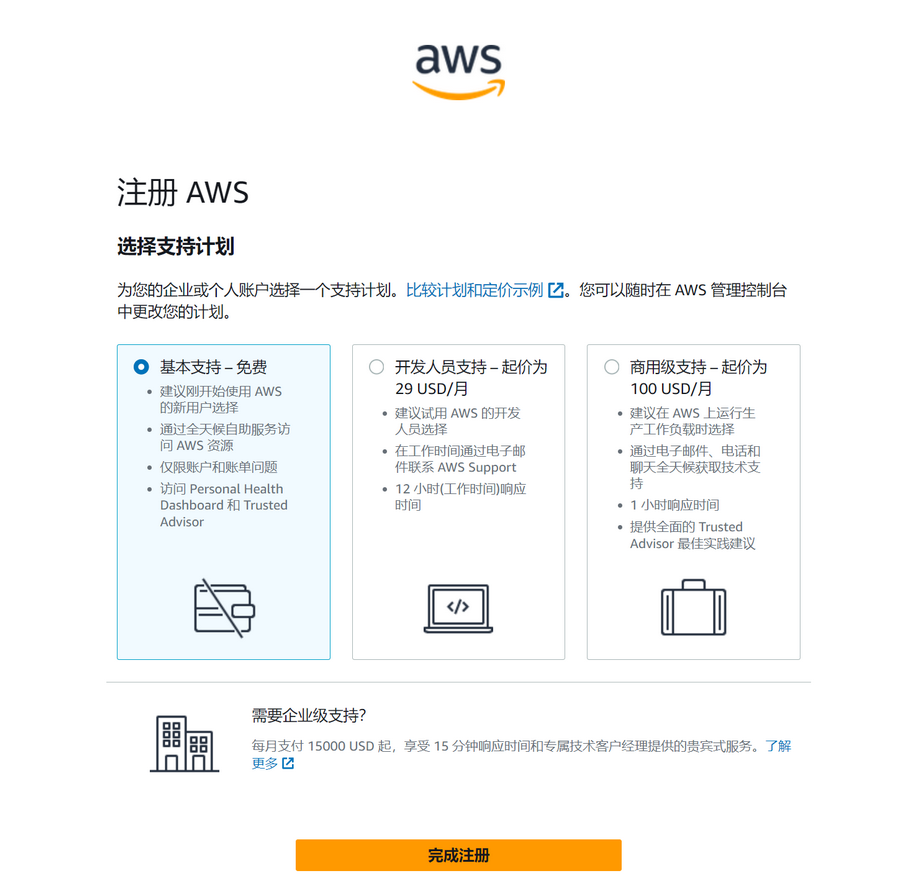
After registration, wait for the account verification to pass before starting to experience the free plan provided by Amazon Web Services.
Amazon Polly Pricing Overview
Free Tier
For Amazon Polly Standard Voices, within 12 months from the time you submit your first Polly speech or speech markup request, the free tier provides 5 million characters of service per month for such requests. For Neural Voices, within 12 months from the time you submit your first speech or speech markup request, the free tier provides 1 million characters of service per month for such requests. For Long-Form Voices, within 12 months from the time you submit your first Polly speech or speech markup request, the free tier provides 500,000 characters of service per month for such requests. For Generative Voices, within 12 months from the time you submit your first Polly speech request, the free tier provides 100,000 characters of service per month for such requests.
Pay-As-You-Go
If you pay monthly, billing is based on the number of characters of text you process. Amazon Polly Standard Voice pricing is: For speech or speech markup requests exceeding the free tier, $4.00 USD per 1 million characters. Amazon Polly Neural Voice pricing is: For speech or speech markup requests exceeding the free tier, $16.00 USD per 1 million characters. Amazon Polly Long-Form Voice pricing is: For speech or speech markup requests exceeding the free tier, $100.00 USD per 1 million characters. Amazon Polly Generative Voice pricing is: For speech requests exceeding the free tier, $30 USD per 1 million characters.
How to Use Amazon Polly
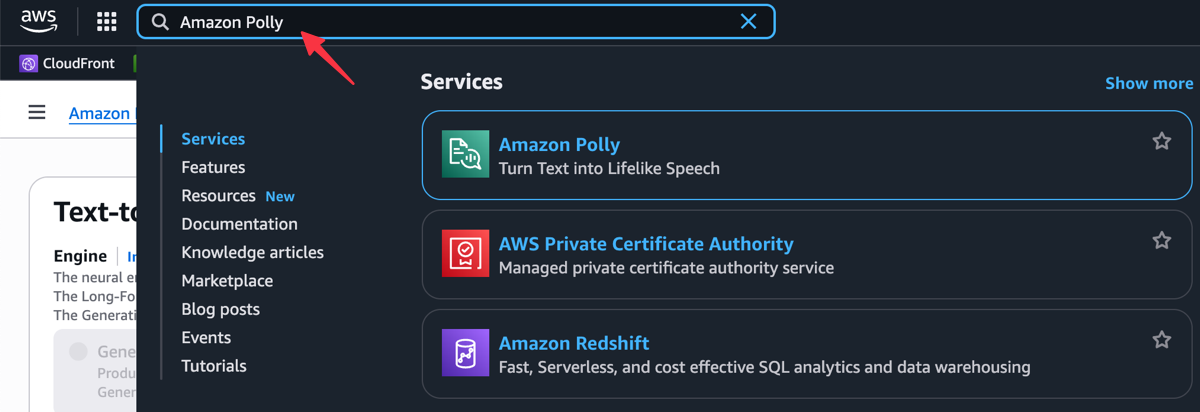
After logging into the Amazon Web Services backend, enter the keyword Amazon Polly in the search box to find the service and enter the Amazon Polly web console.
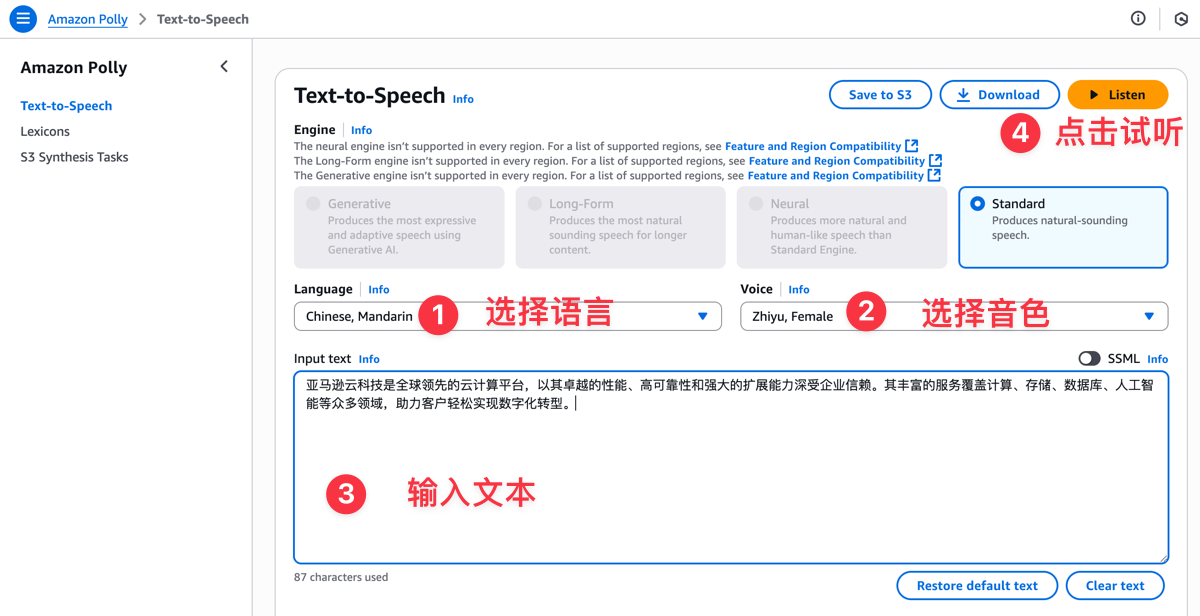
First, select the Language option to ensure it matches your text language. The Voice option has multiple voice tones to choose from. Then enter the text you want to convert in the Input text field, and finally click the Listen button to preview.
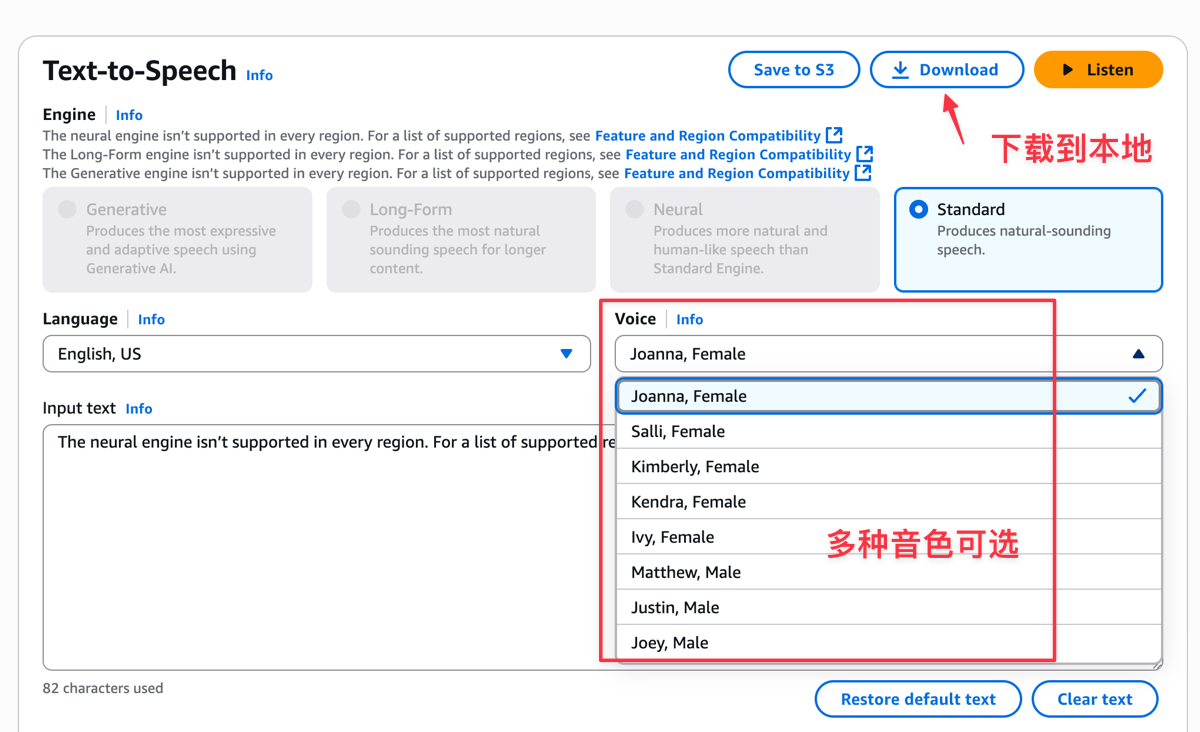
If you are not satisfied with the current voice tone, you can choose a different voice tone to adjust and preview. Once satisfied, you can click the Download button to download the synthesized speech to your local device for saving.
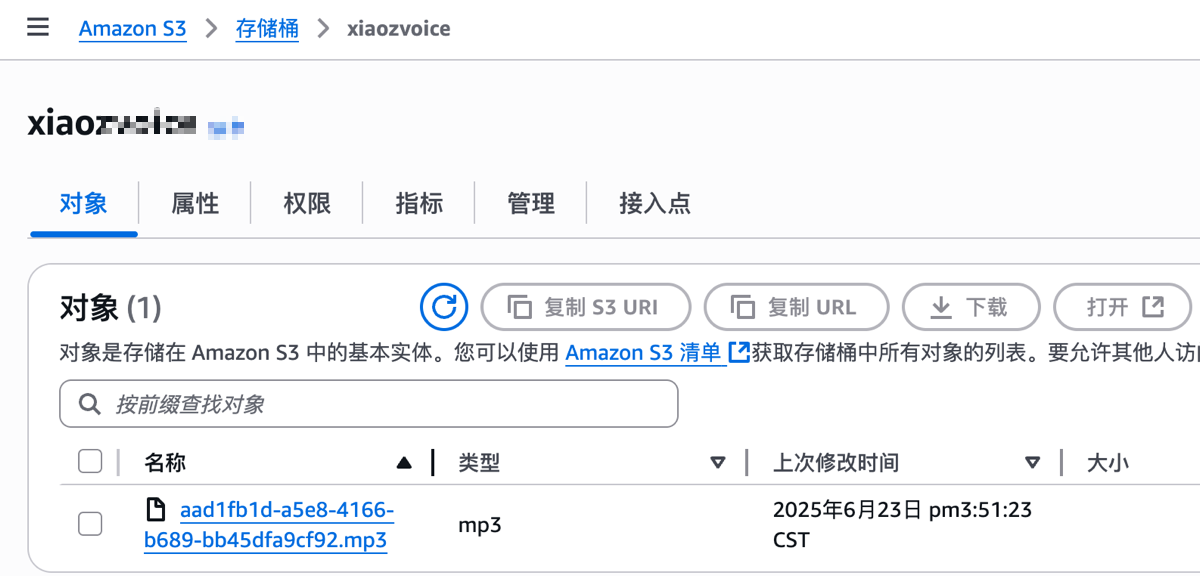
Additionally, you can save the synthesized speech to Amazon S3. You just need to fill in the name of the bucket you have already created.
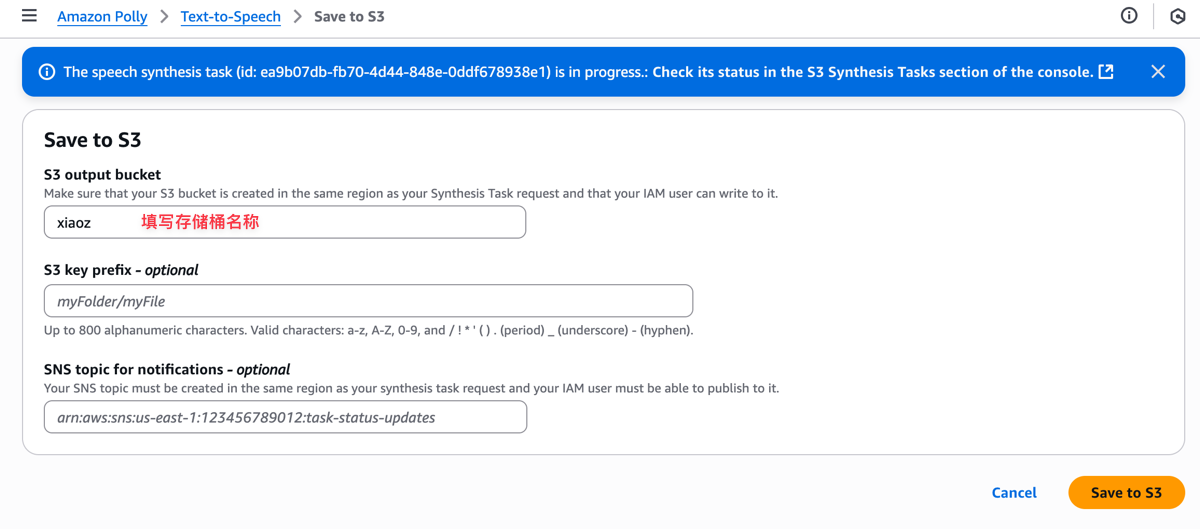
Then you can see the synthesized speech file in the Amazon S3 bucket. Everything is that simple.
If you are a professional developer, you can integrate the speech synthesis function into your application according to the Amazon Polly API documentation to expand its functionality.
Conclusion
Through the introduction in this article, I believe you have a basic understanding of Amazon Polly registration, pricing, and usage methods. With the powerful voice synthesis capabilities of Amazon Web Services, you can easily convert text into natural and fluent speech for application in various intelligent scenarios.
Tip: If you decide not to use the service anymore, remember to close and delete the service in the console to avoid incurring charges!