Zdir 4.5.0 Released with New Image Hosting Mode and Enhancements
Zdir is a versatile private storage program developed using Golang + Vue3, integrating file indexing, online preview, and sharing features. It supports WebDAV and offline downloads, making it ideal for installation on NAS devices or large-capacity VPS, and is a perfect choice for individuals, studios, and small teams to share files.
- Official Website: https://www.zdir.pro/zh/
- Purchase Subscription: https://shop.xiuping.net/zdir/index
- Demo: https://soft.xiaoz.org/#/
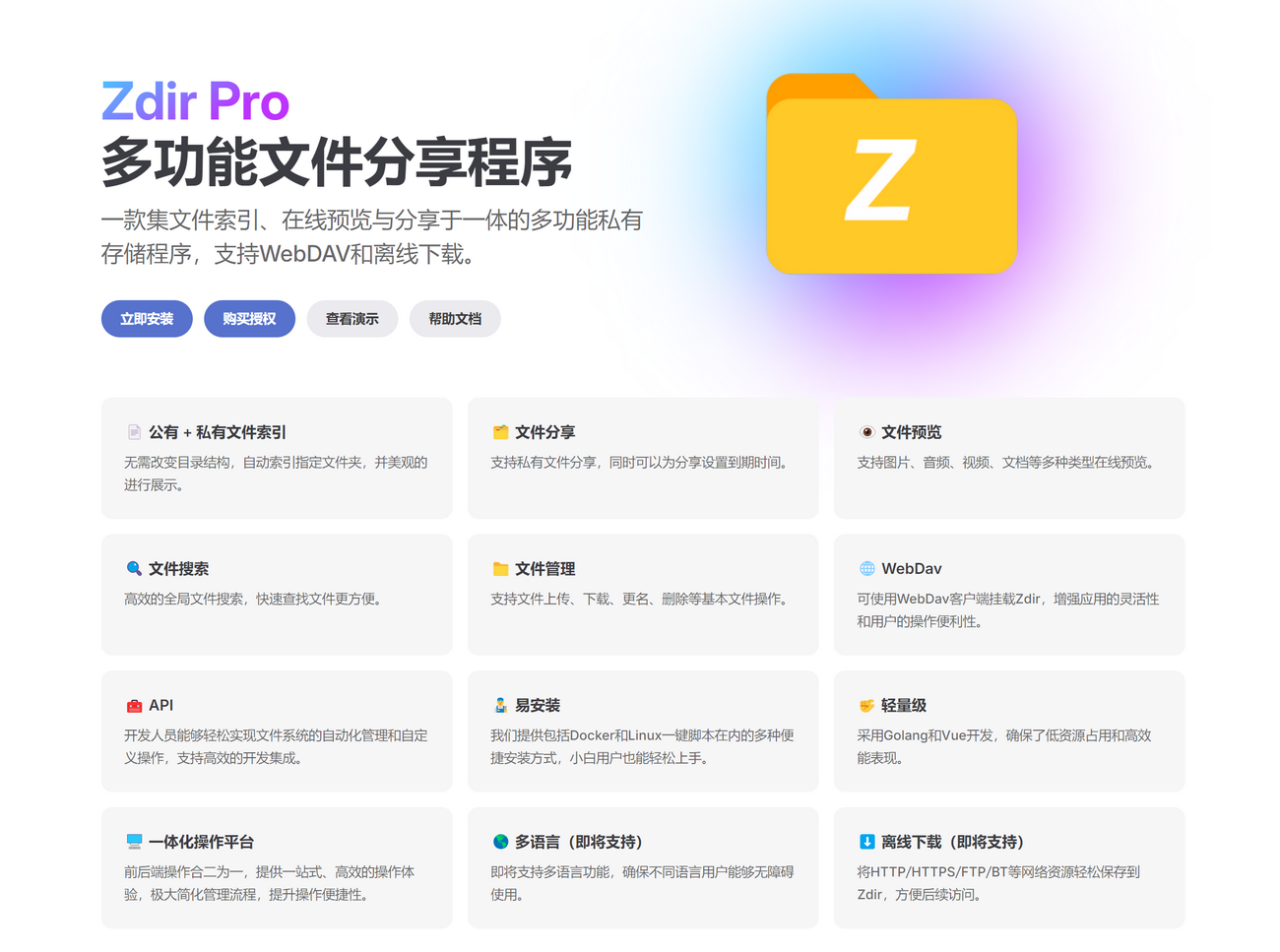
Zdir 4.5.0 Update Content
- New: Image Hosting Mode
- New: Support for custom background images
- New: Support for shortcuts
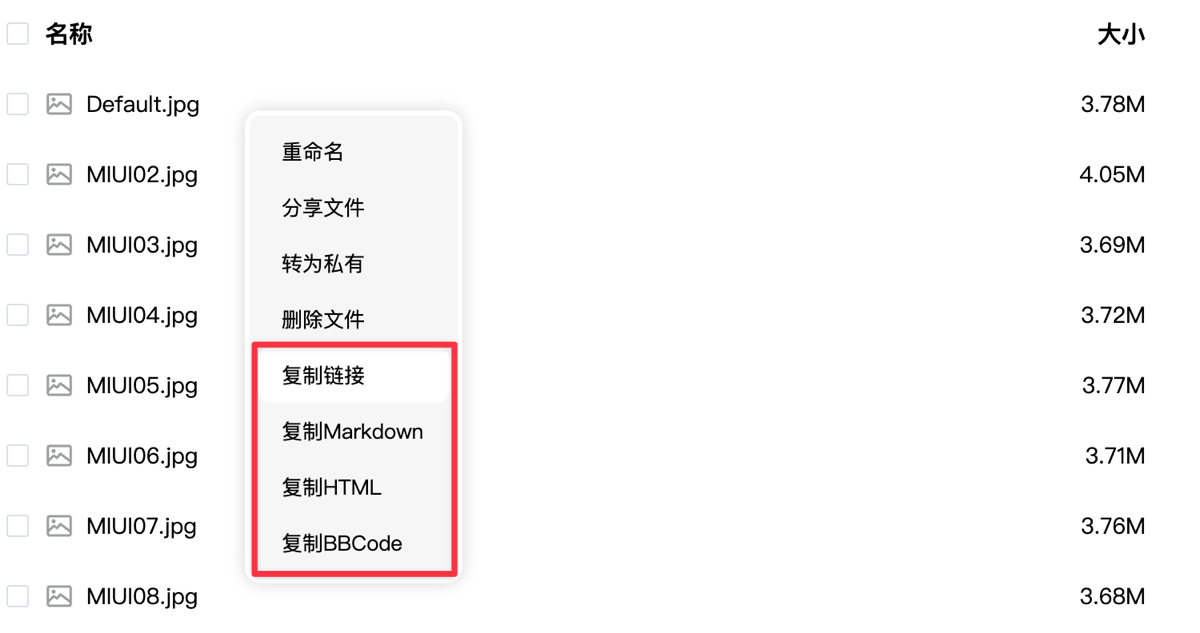
Ctrl + Shift + N(Create Folder) andCtrl + Shift + U(Upload) - New: Right-click menu supports directly copying links for image files
- New: Forgot Password hint button added to login page
- New: Support for command line to reset site settings
./zdir resetSite - Optimized: PDF preview supports full screen in PC mode
- Optimized: Office preview changed to default full screen
- Optimized: Incomplete table display issue in .docx
- Changed: Modified image preview component
- Fixed: WebP thumbnail not displaying issue
- Fixed: Mounting local storage does not support Windows paths issue
- Other optimizations and bug fixes
Update Details
Image Hosting Mode
Based on Zdir user feedback, we added the Image Hosting Mode in version 4.5.0, available to any free or subscription user. After logging in as an administrator, click the icon in the bottom toolbar to enter Image Hosting Mode.

After entering Image Hosting Mode, you can drag or select to upload, supporting up to 20 images at once, and also supports compressing images and retaining original image names.
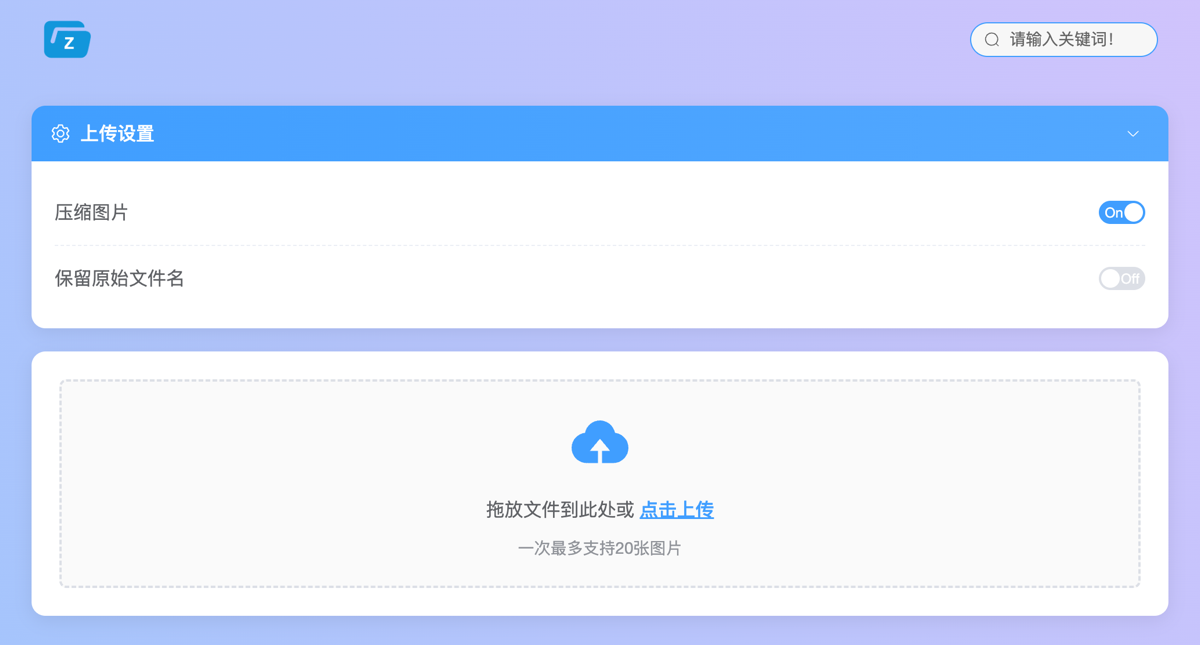
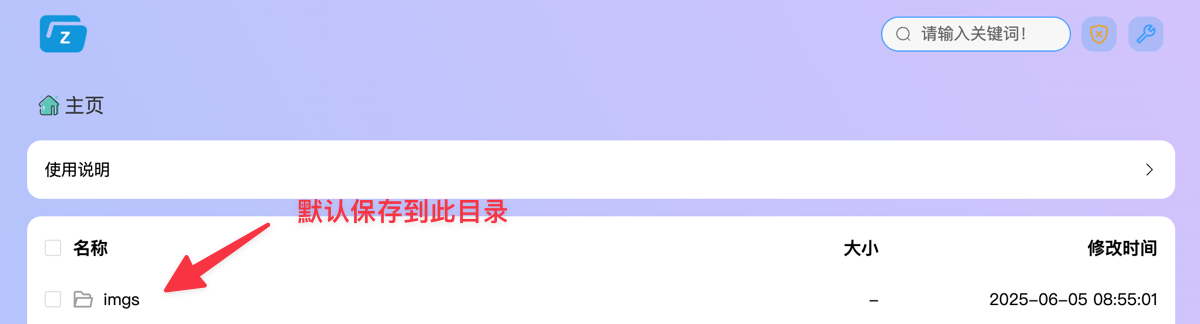
Uploaded images are saved in the imgs directory of public storage. This directory is hidden from guests and only visible after administrator login. However, note that any user who knows the image link can access it, so please do not upload private images in Image Hosting Mode.
Custom Background Image
You can now fill in a background image URL address in [Admin Panel - Site Settings - Custom Background Image].
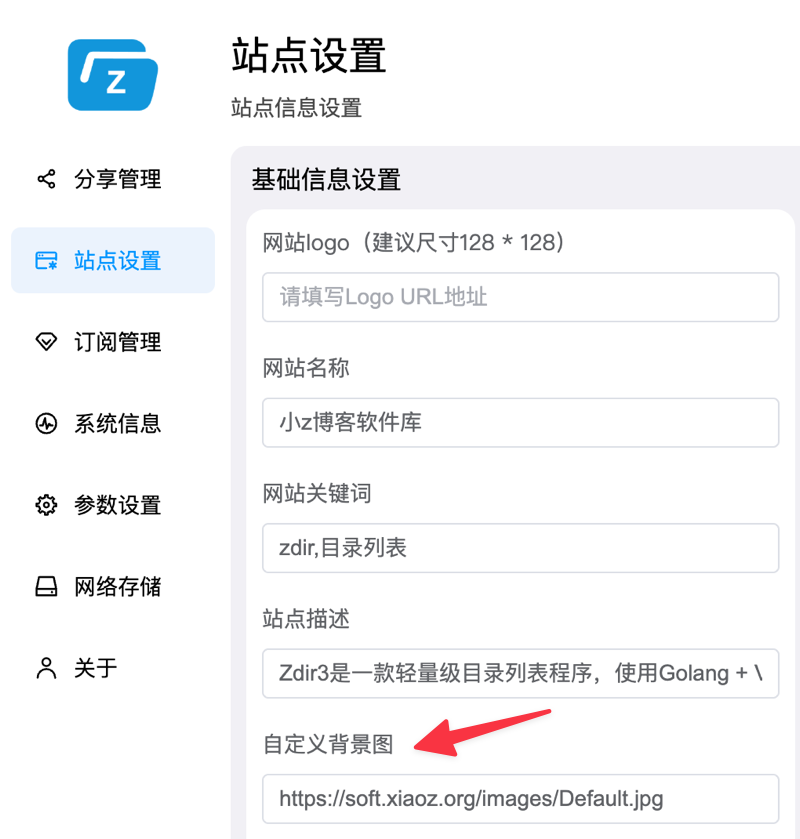
Save and refresh to see the effect.
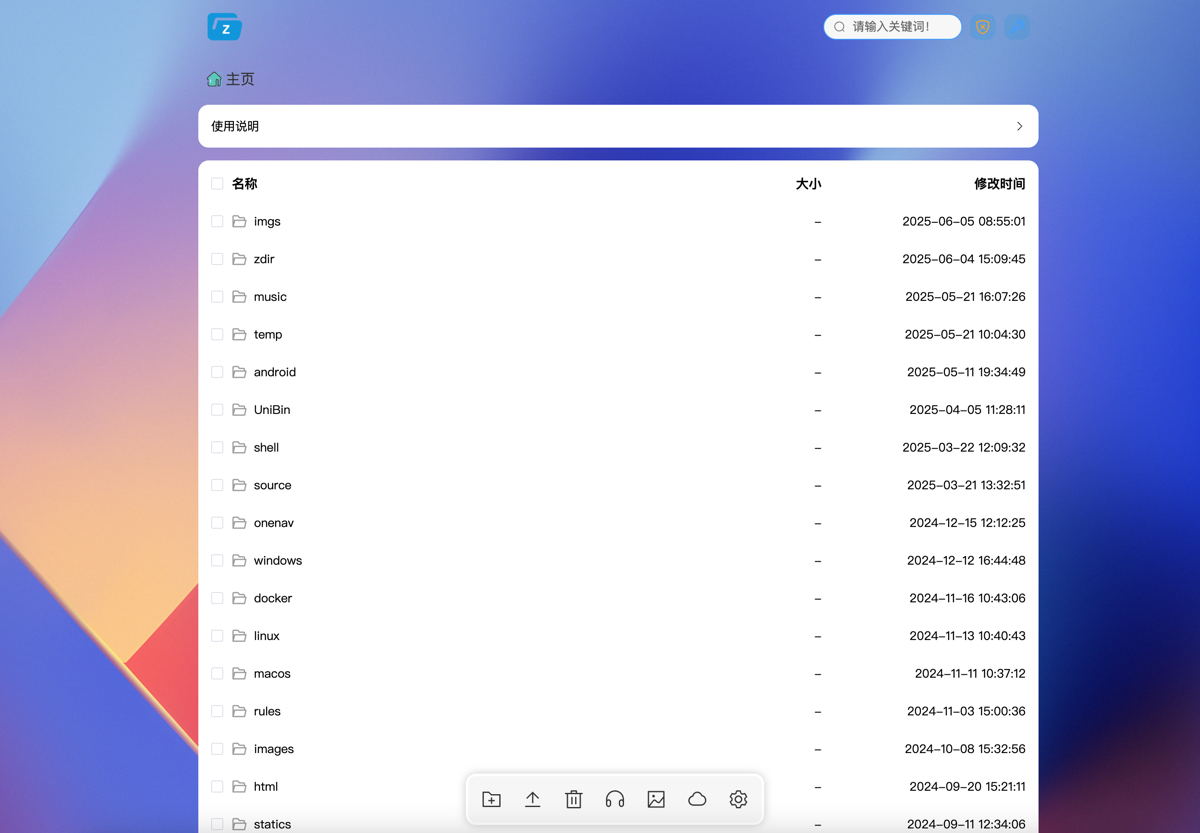
Note: You can upload the image to Zdir public storage first, copy the image address, and fill it into Custom Background Image to save!
Shortcuts
Zdir now supports triggering specific functions with some shortcuts, as follows:
Ctrl + Shift + N: Open New File/FolderCtrl + Shift + U: Open Upload Panel
Right-Click Copy Link
For image files, you can copy different types of links via mouse right-click, as shown below.
Other details not obvious to other users are not listed one by one.
Upgrade
Docker Users
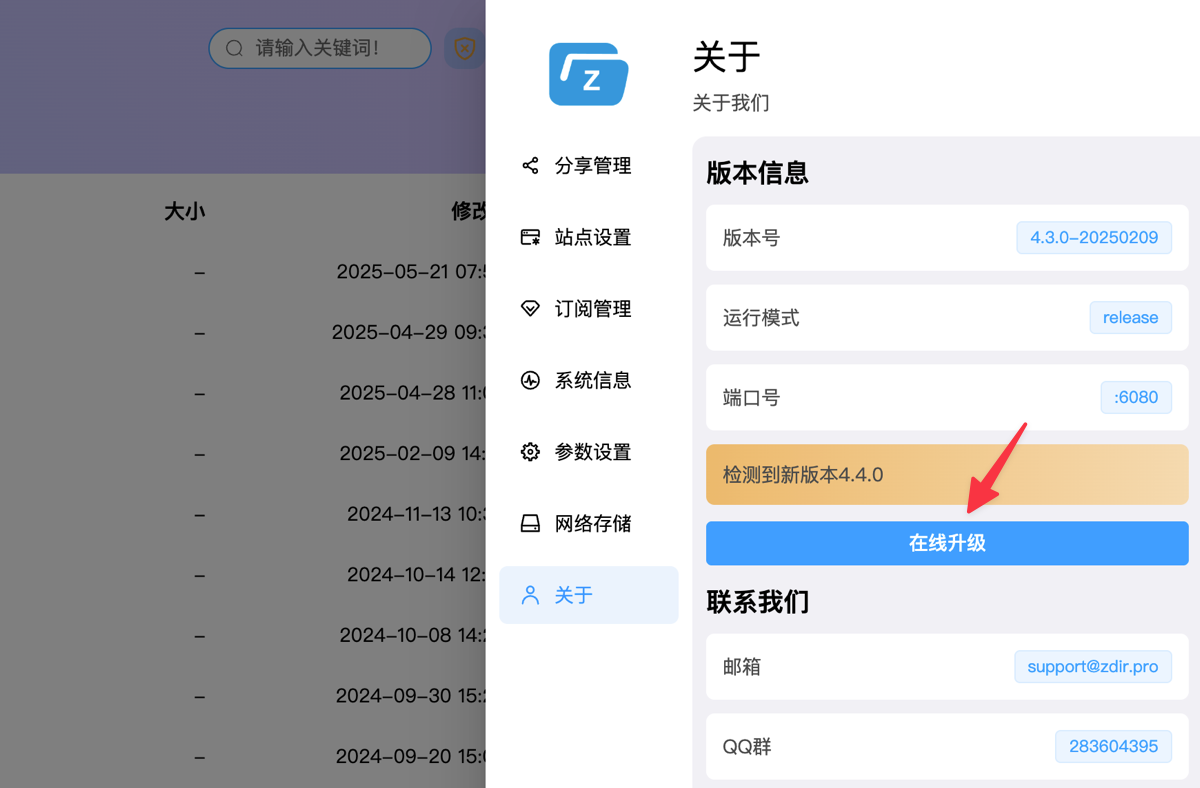
Docker users who have subscribed to Zdir Pro can upgrade online directly in [Admin Panel - About]. Note: This feature requires Zdir version 4.3.0 or above!
Other Installation Methods
For other installation methods, please refer to the help document: https://doc.xiaoz.top/web/#/10/59 for upgrade instructions.
Install Zdir
Users who have not yet installed Zdir can refer to the help document: https://doc.xiaoz.top/web/#/10/38 for installation instructions.
Conclusion
Zdir is a powerful private storage program that can meet the file management needs of individuals, studios, and small teams. Through the combination of Golang and Vue3 development, Zdir not only provides basic functions such as file indexing, text editing, online preview, and sharing, but also supports WebDAV to further enhance user experience. Whether you need to manage large-capacity data on NAS devices or share files on VPS, Zdir is an ideal choice.
For more details, visit our official website, purchase subscription, or view demo:
- Official Website: https://www.zdir.pro/zh/
- Demo: https://soft.xiaoz.org/#/