OneNav 1.1.3 Update and Exclusive May Promotions
OneNav is a powerful and concise browser bookmark manager that supports centralized bookmark management, perfectly solving synchronization and access issues across devices, platforms, and browsers. It achieves one deployment and access anywhere. It is not only simple to install, has a clean interface, and is easy to operate, but can also be used in conjunction with browser extensions to bring you a more efficient and convenient bookmark management experience.
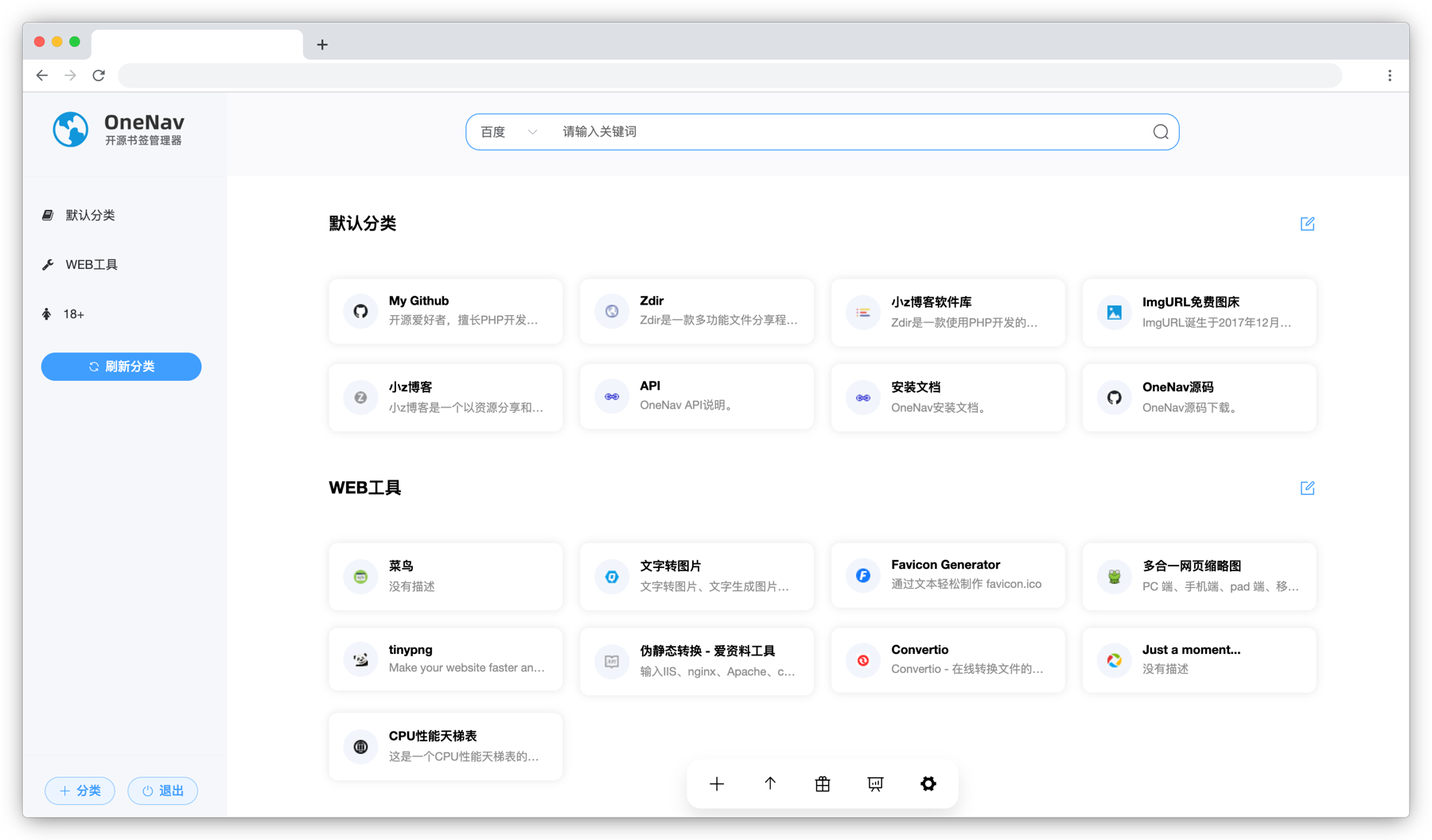
Github open source address: https://github.com/helloxz/onenav
Install OneNav
Users who have not yet installed OneNav can refer to the help documentation to complete: https://doc.xiaoz.top/web/#/13/129 for installation.
1.1.3 Update Content
- New:
default2theme supports dark mode - New: [Backend - Category List], supports quick category addition
- New: [Backend - Category List], supports batch deletion of selected categories
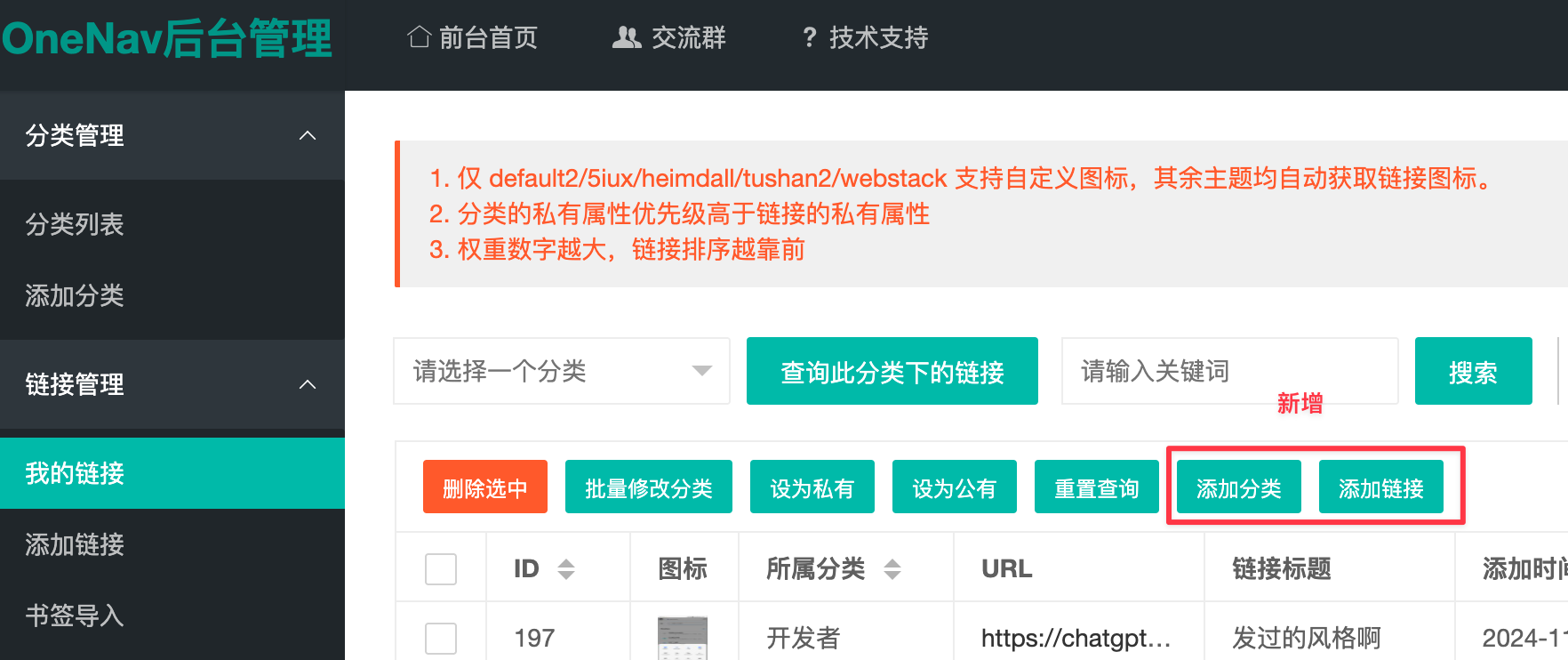
- New: [Backend - My Links], supports quick category addition and link addition
- Adjusted:
default2theme changed to trigger search engine with Enter key - Optimized: Detect if sub-categories exist when deleting a category
- Optimized: Deleted
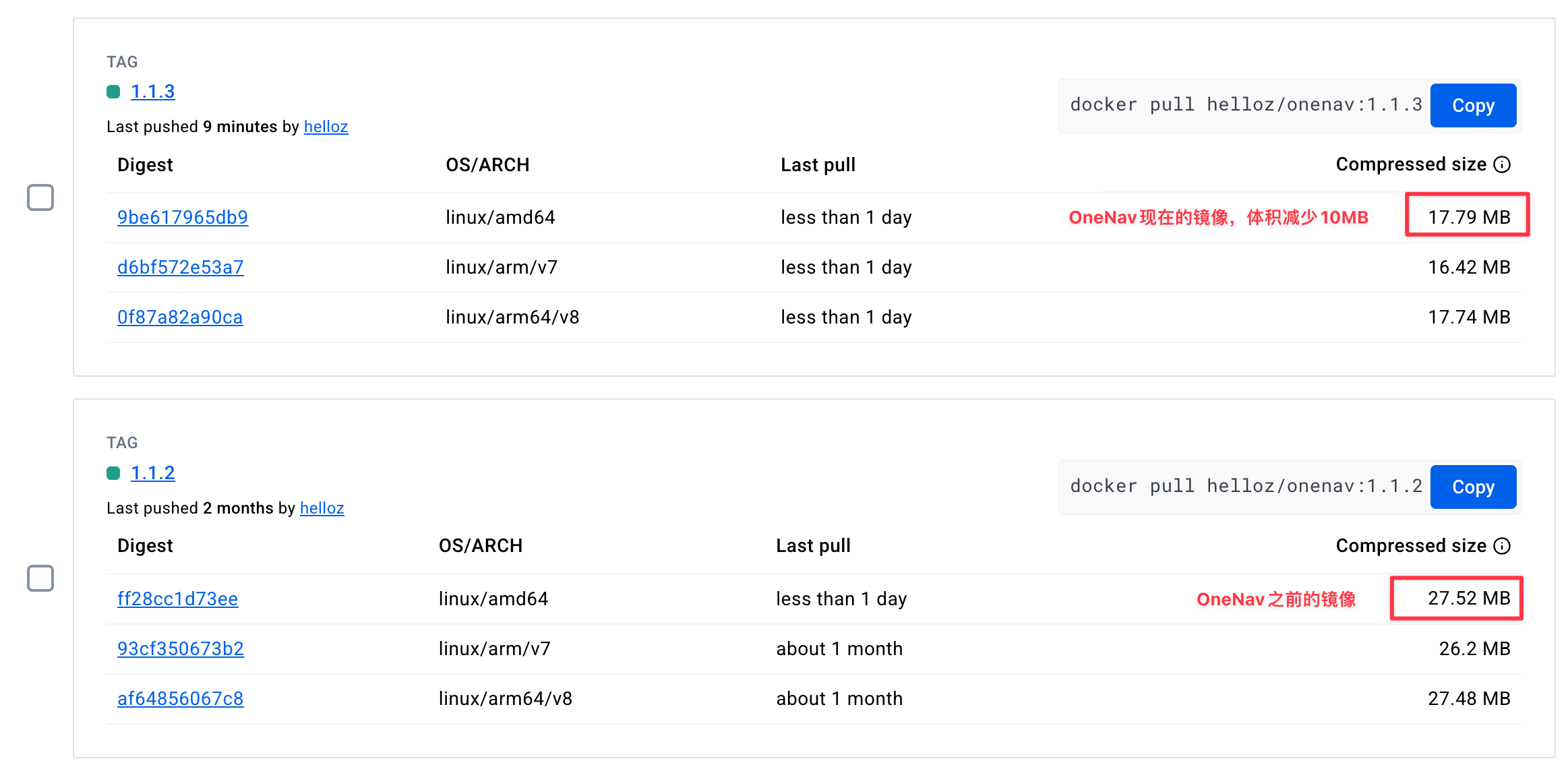
.gitdirectory in Docker image, further optimizing image volume - Fixed:
default2theme mobile page display anomaly
Update OneNav
Note: Please package and backup the entire site or mounted directory for data backup before updating!!!
Subscribed users can click the Update Now button in [OneNav Backend - System Settings - Subscription & Update] to complete the online update.
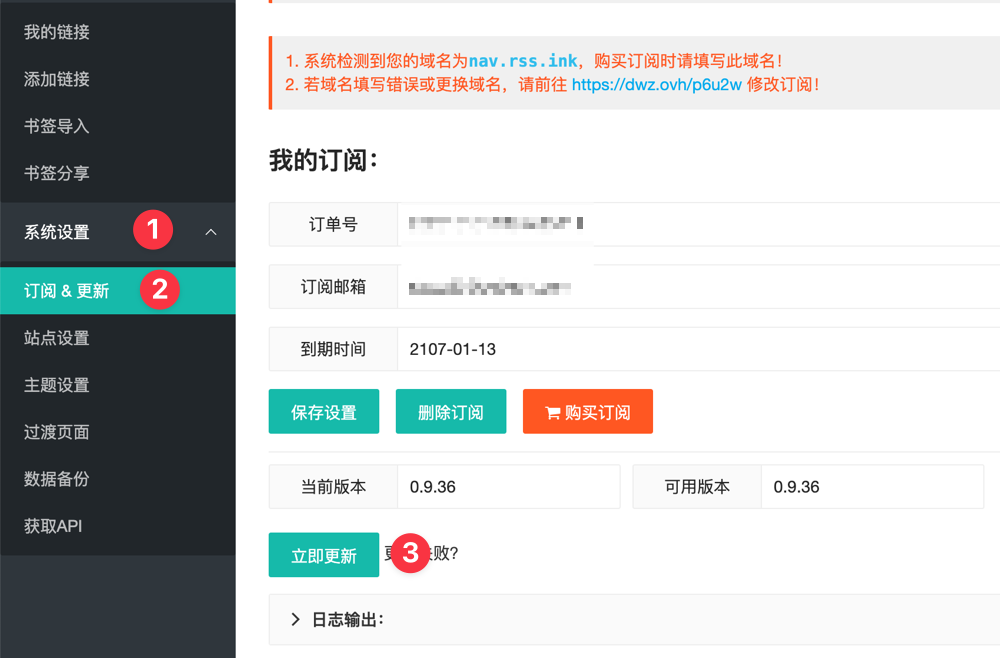
For other update methods, see the help documentation: https://doc.xiaoz.top/web/#/13/148
Update Details
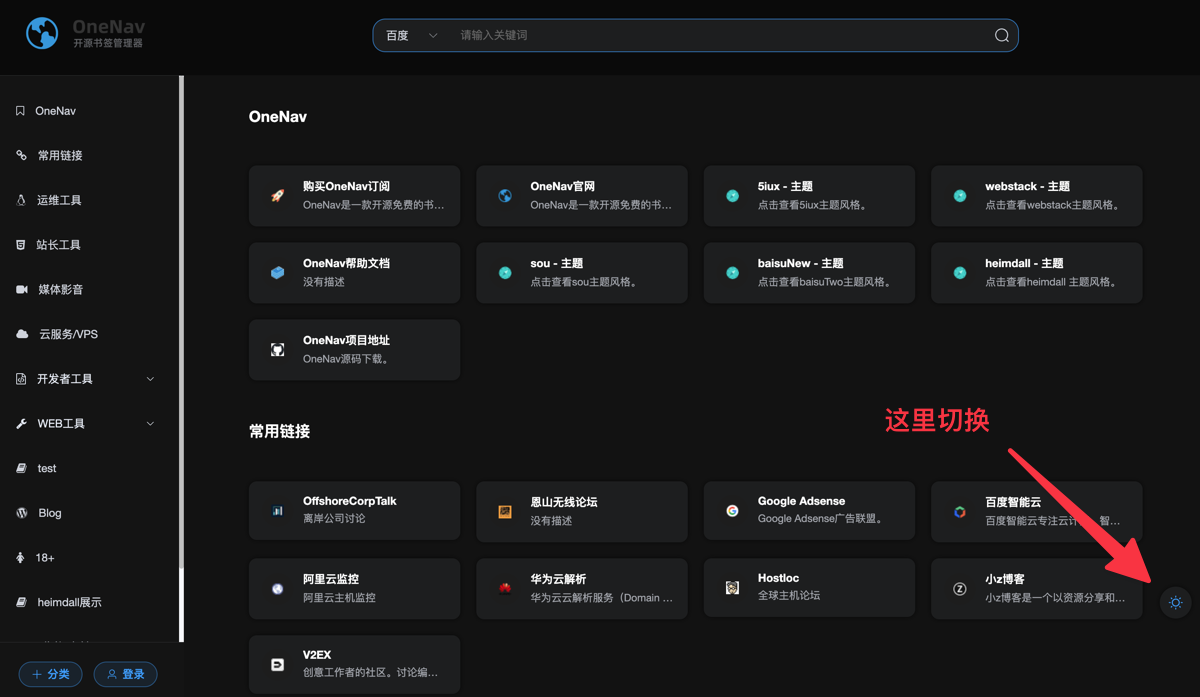
default2 Theme Supports Dark Mode
When you use the OneNav default2 theme, a moon button will appear on the right side. Click it to switch to dark mode.
Quick Category Addition in Backend
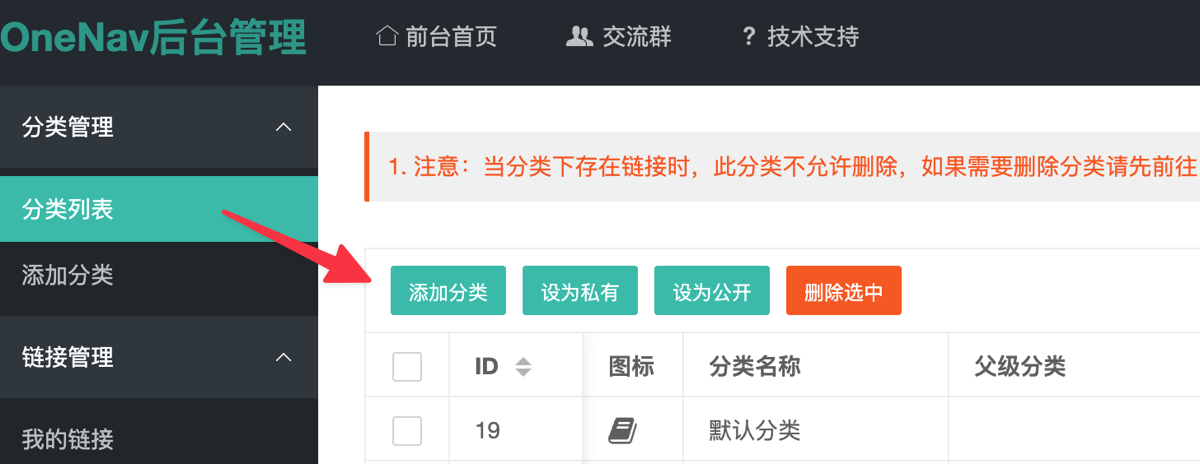
In previous versions, adding a category in the backend required switching to the left [Add Category] menu. Now you can add categories directly in the category list, which is more convenient and fast.
Batch Delete Selected Categories
In the [Category List], unused empty categories can now be selected in batch and then deleted.
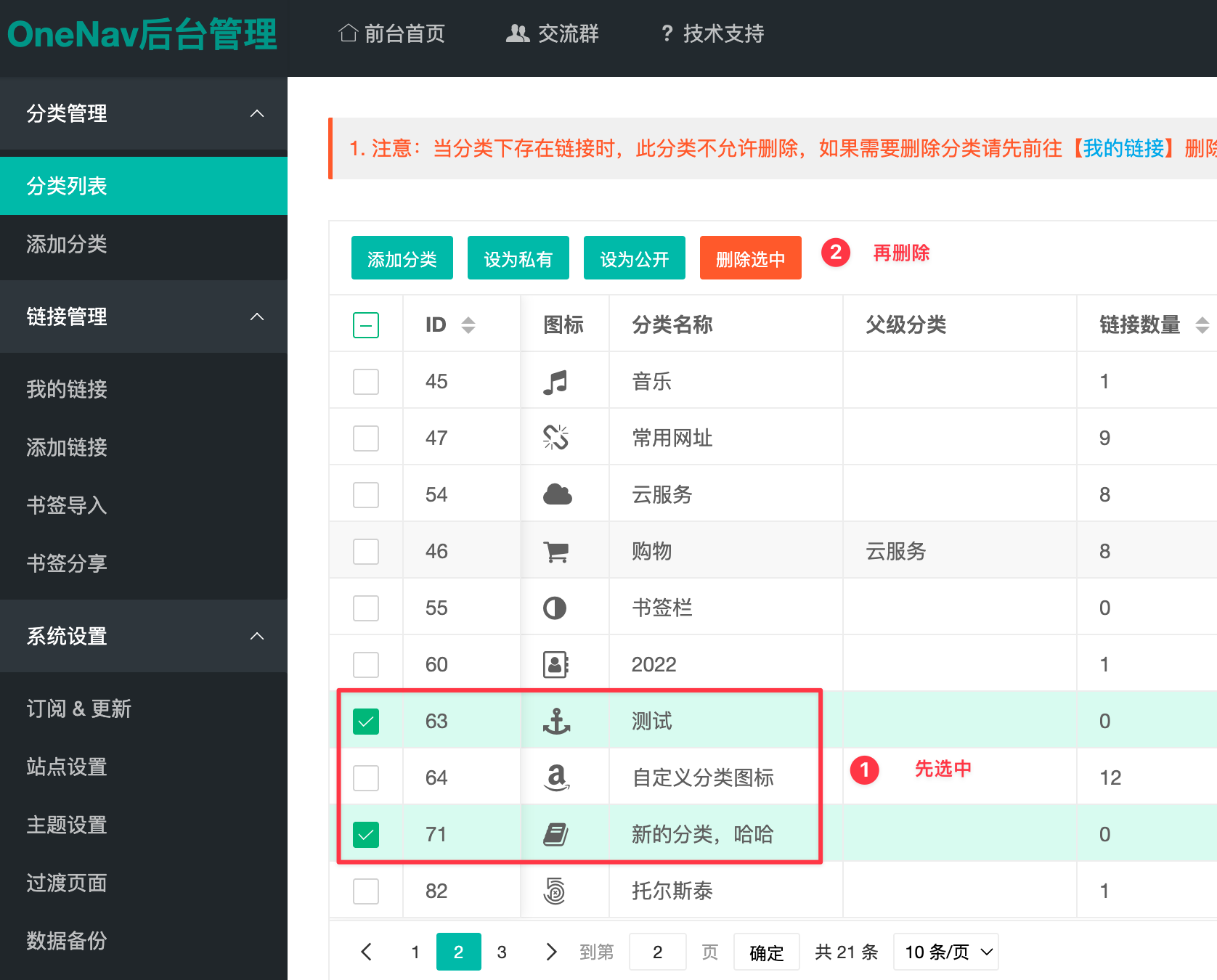
However, note that deletion will fail if the selected category has the following situations.
- If the category contains links, deletion will fail!
- If the category contains sub-categories, deletion will fail!
Faster Category and Link Addition
In the OneNav backend [Link Management - My Links], you can add categories and links more quickly without needing to switch to separate Add Category and Add Link pages.
Docker Image Volume Optimization
OneNav Docker image volume is further slimmed down, reducing size by about 10MB. Before and after comparison screenshots are attached.
Other updates not obvious to user perception are not listed one by one!
May Promotions
Promotion 1: Buy One Get One Free
- From now until 2025/05/31, Subscribe to OneNav Permanent Version includes a free year of Zdir Pro
- To claim the free Zdir Pro, please contact WeChat
xiaozmeand remarkOneNav Gift - Limited to the first 20 users, while supplies last
- Final interpretation rights belong to the website
Promotion 2: Free OneNav Subscription
- Follow our official account [This Software is Interesting], and privately message
OneNav Free Subscriptionin the official account. We will gift you a 3-month OneNav redemption code. - This activity ends on
2025/05/31 - OneNav free subscription will be issued within 24 hours
- If you unfollow during the process, the subscription may become invalid
- Final interpretation rights belong to the website

Conclusion
OneNav is a worry-free and efficient bookmark management tool that is particularly smooth to use. Cross-device synchronization, AI search, and other features are very practical. If you haven't tried it yet, why not install one and experience the convenience of "one deployment, access anywhere". It really makes bookmark management much easier.
- OneNav Official Website: https://www.onenav.top/
- Demo: http://demo.onenav.top/index.php?c=login, Username/Password:
xiaoz/xiaoz.me