Beelink WTR PRO 5825U BIOS Setup: Power-On Resume and Hardware Passthrough
Following the previous article Beelink WTR PRO 5825U High-Performance NAS Unboxing and Hard Drive Replacement Instructions (Multiple Images), this article continues to introduce the necessary BIOS settings for the Beelink WTR PRO 5825U to achieve power-on resume and hardware passthrough.

Shortcuts
- DELETE to enter BIOS mode
- F4 to save configuration
BIOS Settings
Power-On Resume
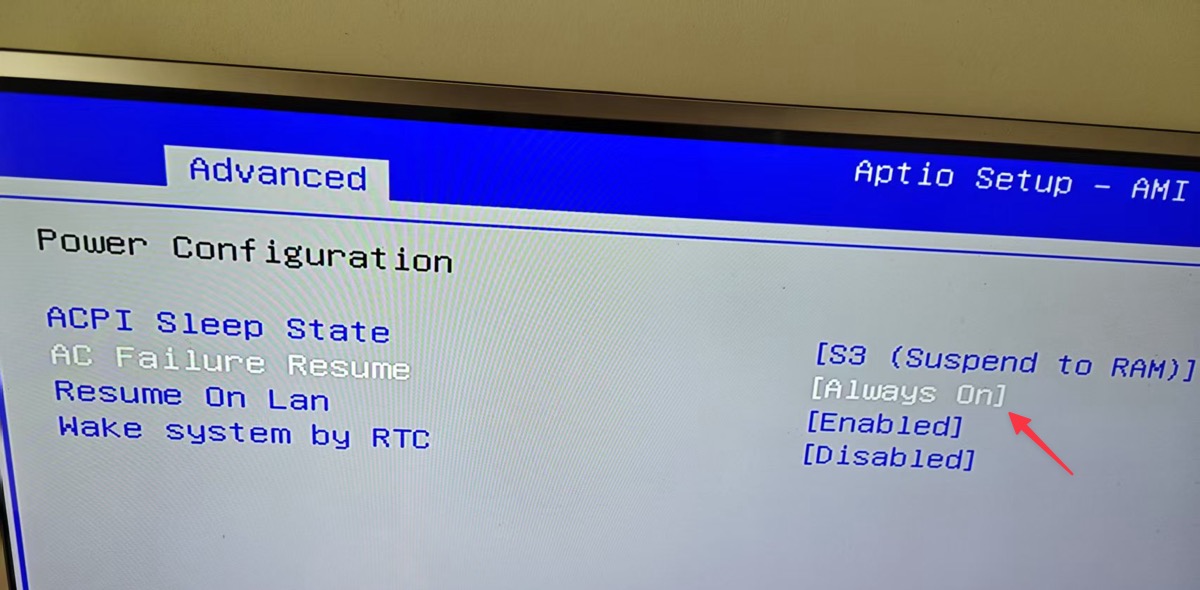
Power-on resume is a very practical feature, especially for NAS users. When power is restored after an unexpected power outage at home, the NAS can start automatically without manual intervention. WTR PRO does not enable this feature by default and needs to be manually set in the BIOS. The specific method is as follows.
Find the setting option AC Failure Resume in the BIOS and change it to: Always On
Hardware Passthrough
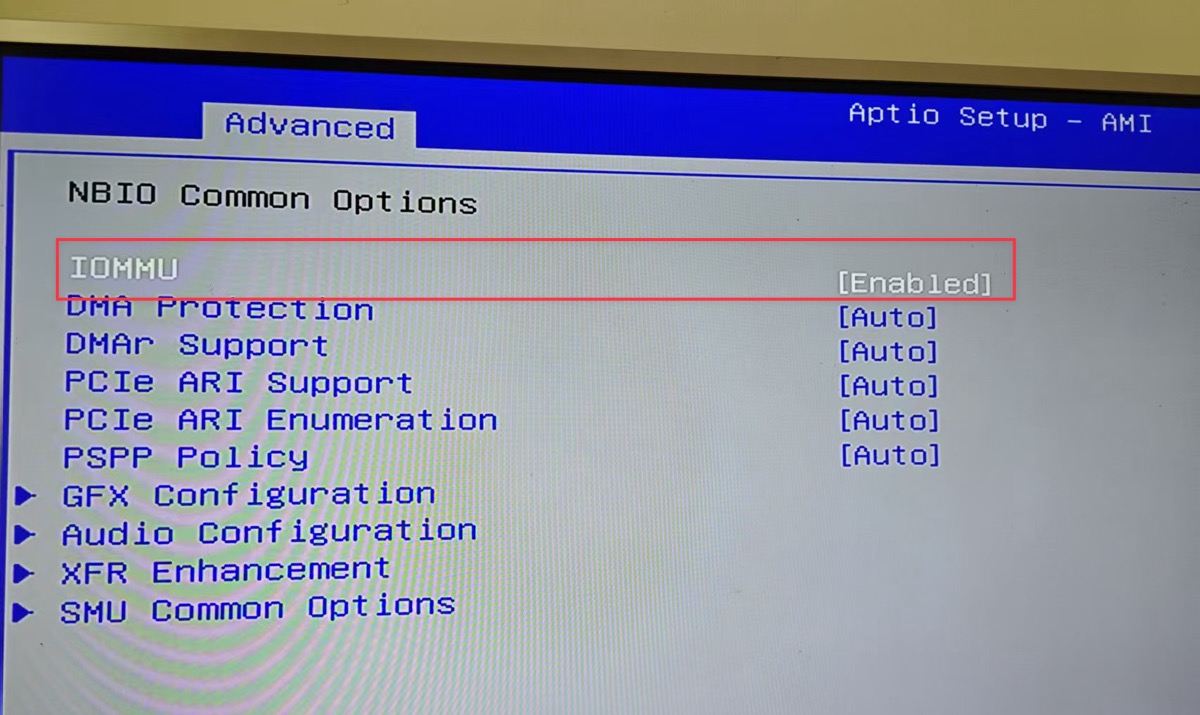
If you plan to run virtual machines, enabling hardware passthrough is very necessary, such as passing through the graphics card or hard drive to the virtual machine to fully utilize hardware and improve virtual machine performance.
Find [Advanced > AMD CBS > NBIO Common Options], set IOMMU to Enabled
Set GPU VRAM
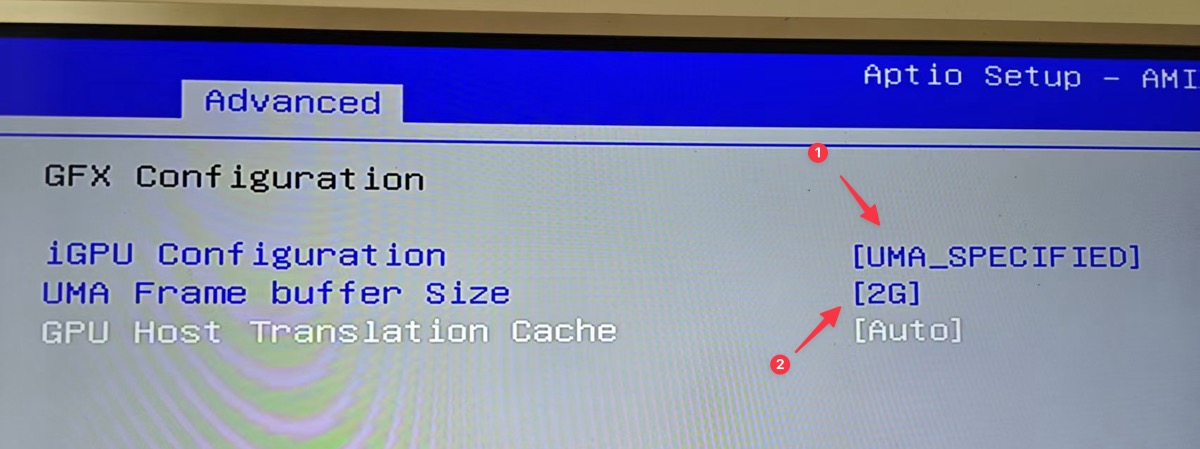
The default GPU VRAM setting is only 512M, which is a bit low. If we need video decoding, etc., we can set it higher. It is recommended to set it to 1-2G, as more than that is useless and wastes memory.
Find [Advanced > AMD CBS > NBIO Common Options] and set:
- iGPU Configuration to UMA_SPECIFIED
- UMA Frame buffer Size to
1-2G
As shown in the figure:
CPU Power Consumption
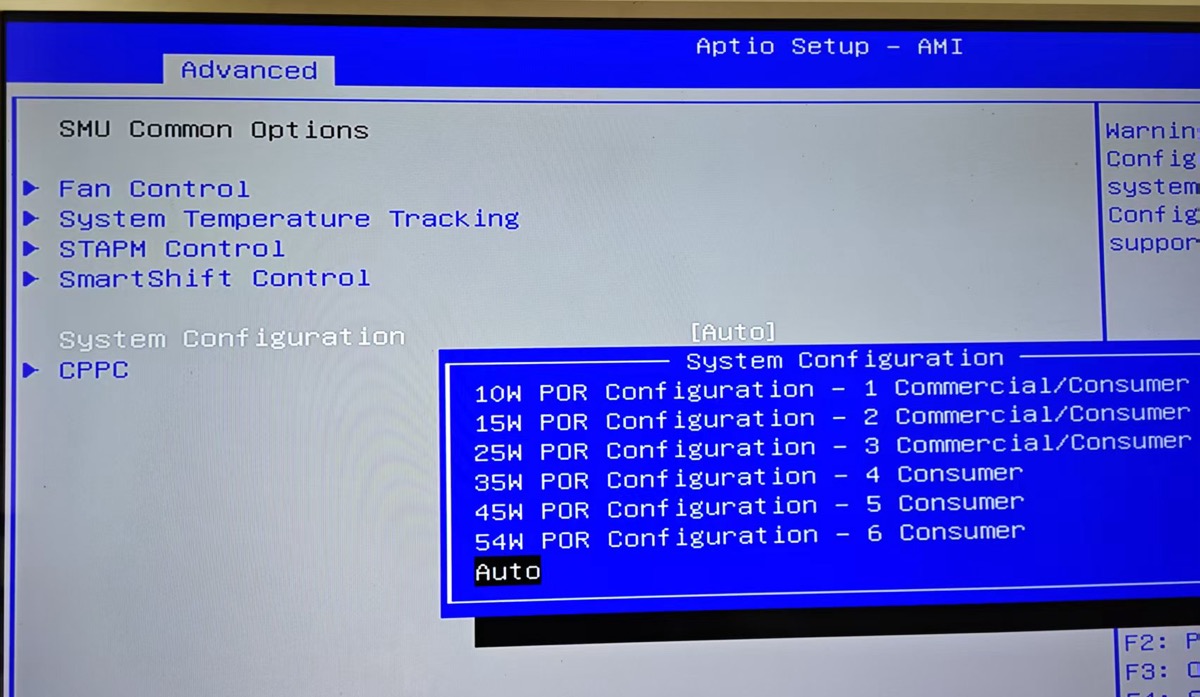
The higher the CPU power consumption, the stronger the performance usually. The default setting is Auto. Generally, there is no need to modify it, let it adjust automatically. If you need to modify it, find System Configuration to set, as shown below.
Conclusion
Through the above settings, the BIOS configuration of the Beelink WTR PRO 5825U is optimized, including key functions such as power-on resume, hardware passthrough, and GPU VRAM adjustment. These settings can not only improve the stability and performance of the NAS but also better support advanced applications such as virtualization.
Beelink WTR PRO 5825U Purchase Address: https://u.jd.com/OGzqcdS