Zdir 4.3.0 Released: Enhanced Windows Support, One-Click Updates, and New Year Promotions
Zdir is a versatile private storage program developed with Golang and Vue3, integrating file indexing, online preview, and sharing features. It supports WebDAV and offline downloads, making it ideal for installation on NAS devices or large-capacity VPS for individuals, studios, and small teams.
- Official Website: https://www.zdir.pro/zh/
- Purchase Subscription: https://shop.xiuping.net/zdir/index
- Demo: https://soft.xiaoz.org/#/
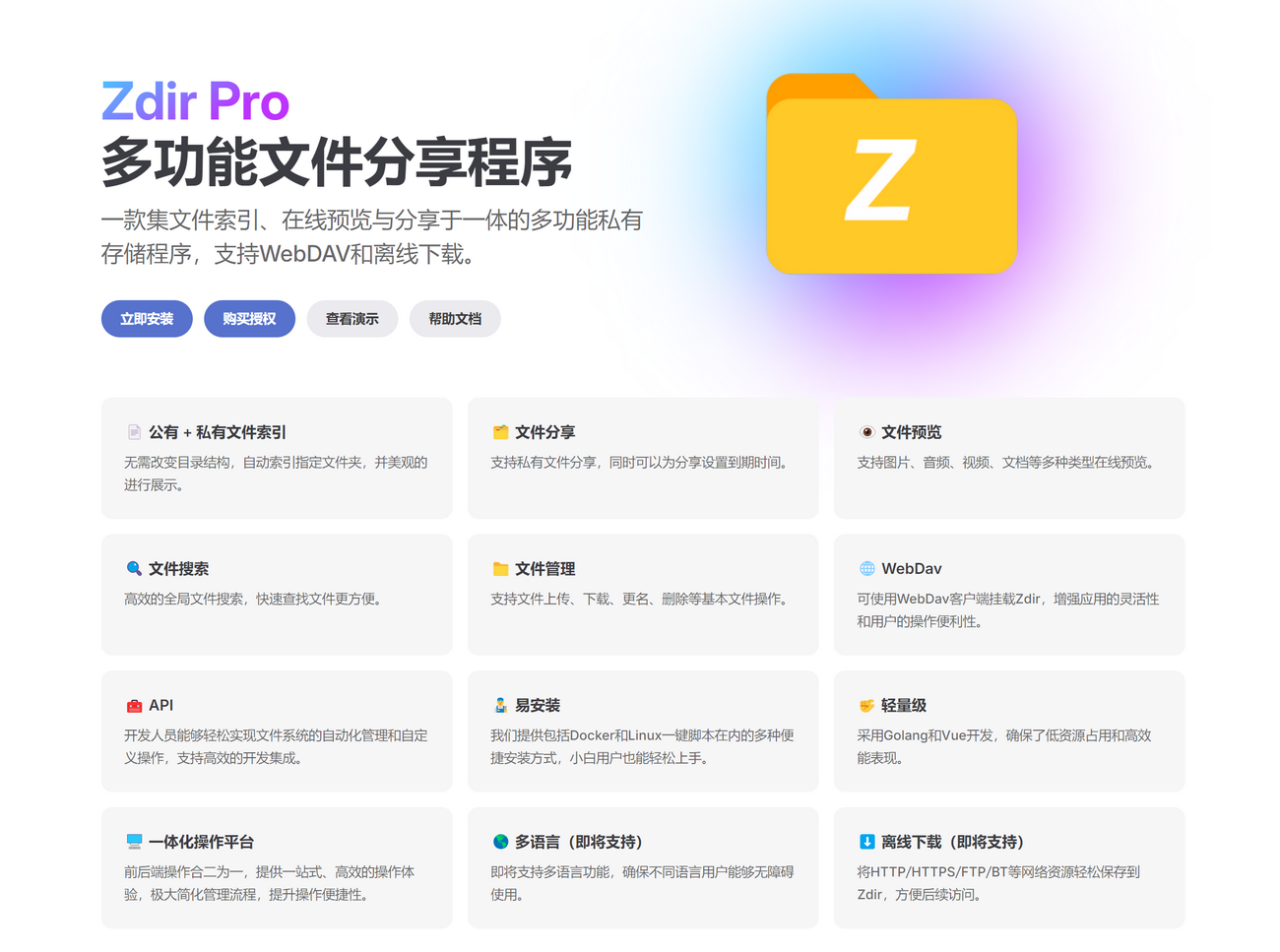
Zdir 4.3.0 Update Highlights
- New: Docker users can now perform one-click online updates.
- New: Windows version now supports offline downloads.
- New: Windows version now supports mounting third-party storage.
- Optimized: Windows management script refactored to support installation, deletion, stop, and other operations.
- Optimized: Added a transition loading animation for the first screen.
- Optimized: Smarter automatic recognition of internal and external network domains.
- Optimized: Prevented Docker users from modifying file paths.
- Optimized: Added support for more special characters in mounting.
- Upgraded: Upgraded Gopeed to the latest version.
Update Details
Online Upgrade
Version 4.3.0 introduces a one-click online update feature. Users can perform updates via [Management Panel - About] when new versions are released.
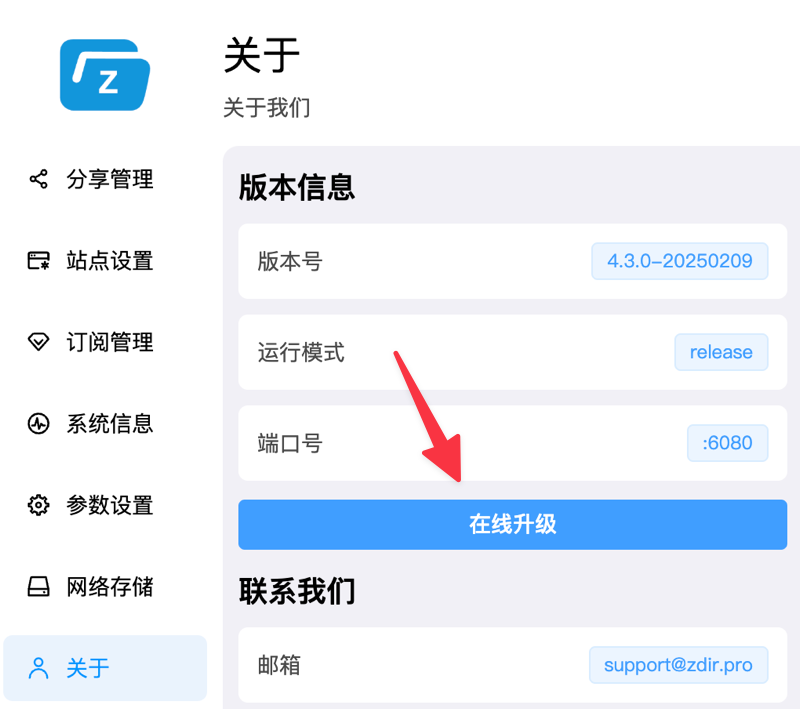
Due to environmental differences across deployment methods, this feature is currently available only for Docker users and will gradually cover other platforms.
Windows Version Supports Offline Downloads
Previously, offline download support was available for Linux and Docker versions. Now, the Windows version also includes this feature. Users can simply click [Bottom Toolbar - Cloud Download] to use it.

Windows Version Supports Mounting Third-Party Storage
Previously, mounting third-party storage was available for Linux and Docker versions. Now, the Windows version also supports this function. Users can mount storage via [Bottom Toolbar - Network Storage].
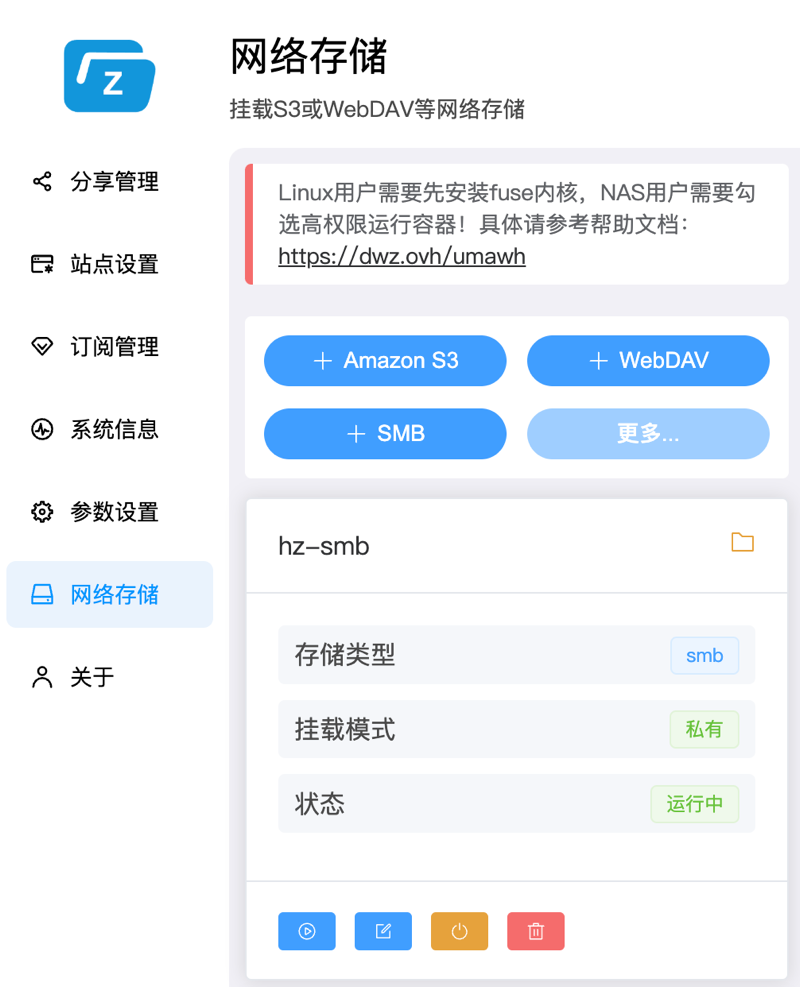
Note that Windows relies on WinFsp. For details, refer to the help documentation: https://doc.xiaoz.top/web/#/10/108.
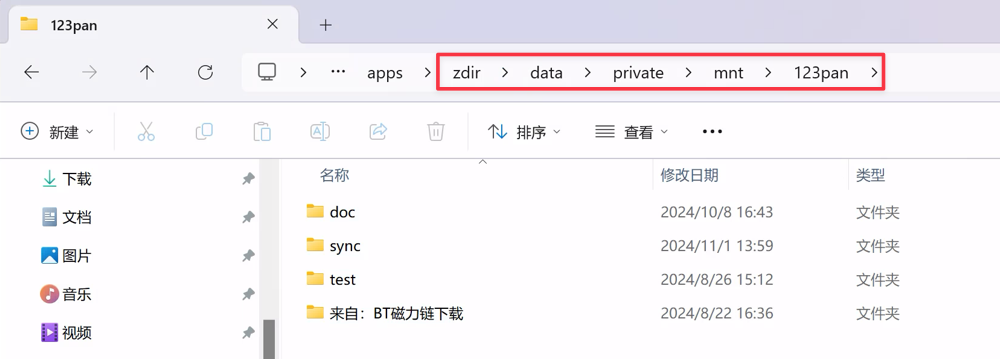
Notably, after mounting network storage, Windows users can access the mounted files directly through the Windows File Manager, just like local files. (The default mount location is data/private/mnt under the Zdir directory.)
Optimized Windows Management Script
The Windows management script run.bat now supports more functions, including install, stop, start, and delete operations.
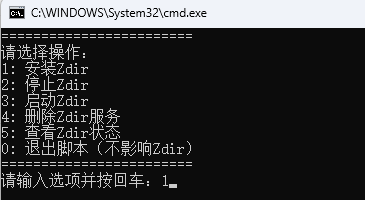
Note: This script must be run as an administrator!
First Screen Transition Animation
This optimization addresses long white screen times when opening Zdir on slow networks by adding a transition loading animation. Users with good network conditions may not notice any change.
Smart Recognition of Internal and External Network Domains
Many users install Zdir on internal network NAS devices, accessing via internal IP addresses internally and domains externally. Now, simply leave the domain setting empty, and Zdir will intelligently recognize internal and external access.
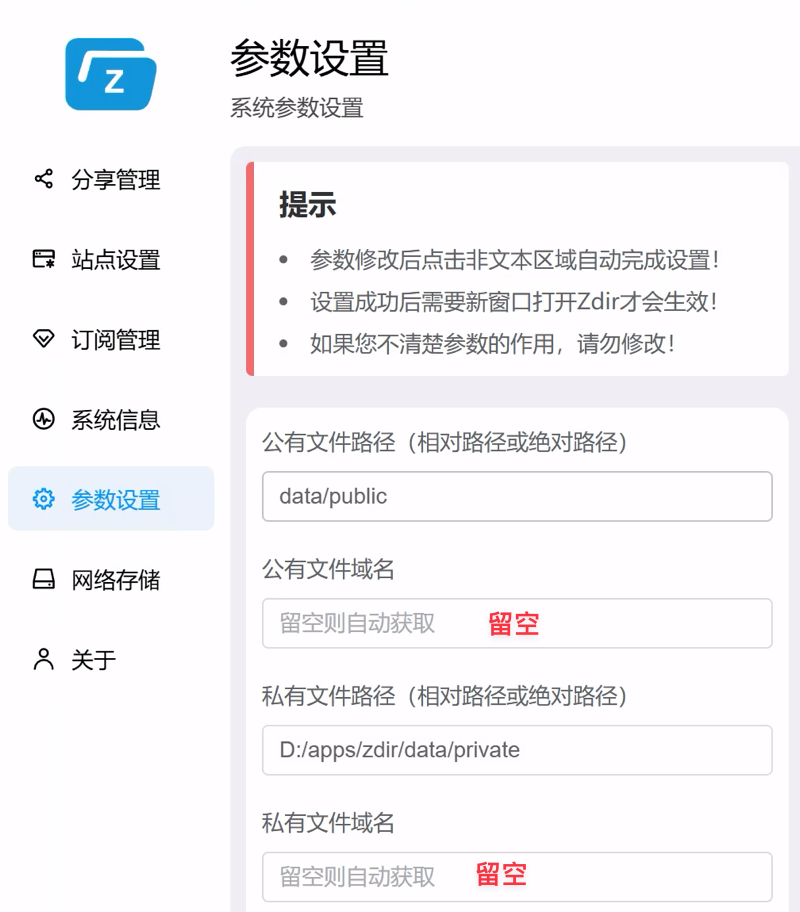
Other less noticeable improvements are not listed individually.
Upgrade
Users who have already installed Zdir 4 should refer to the help documentation: https://doc.xiaoz.top/web/#/10/59 for upgrade instructions.
Users who have not yet installed Zdir can refer to the help documentation: https://doc.xiaoz.top/web/#/10/38 for installation guides.
Special Offer
To thank new and existing users for their support, we are offering 10 Zdir redemption codes. Follow the official account "这软件有意思" (This Software is Interesting) and find the article "多功能文件分享程序Zdir 4.3.0发布,新年送福利" to claim yours.

We will continue to distribute Zdir redemption codes irregularly on the WeChat Official Account "这软件有意思".
Zdir Pro New Year Promotion
To express gratitude for long-term support from new and existing users, we have launched a limited-time New Year promotion with the following rules:
- Existing subscribers to Zdir will receive a 40% discount on the current base price (limited to the first 20 users). The discount is automatically applied when you enter your original purchase email during checkout.
- New subscribers to Zdir Pro Permanent Edition will receive an additional one-year subscription to OneNav (limited to the first 20 users). Contact WeChat:
xiaozmeafter placing your order. - Promotion Period: 2025.02.10 – 2025.02.28. Participation is not possible outside this timeframe.
- All final rights belong to the website.
Purchase Subscription: https://shop.xiuping.net/zdir/index
Conclusion
Zdir is a powerful private storage program that meets the file management needs of individuals, studios, and small teams. Developed with a combination of Golang and Vue3, Zdir provides basic features such as file indexing, text editing, online preview, and sharing, while also supporting WebDAV to further enhance user experience. Whether you need to manage large-capacity data on NAS devices or share files on a VPS, Zdir is an ideal choice.
For more details, visit our official website, purchase a subscription, or view the demo:
- Official Website: https://www.zdir.pro/zh/
- Demo: https://soft.xiaoz.org/#/