Getting Started with AWS Route 53: A Guide to DNS Management and Domain Resolution
AWS Route 53 is a highly available and scalable Domain Name System (DNS) web service provided by Amazon Web Services. It efficiently routes user requests to internet applications running on Amazon Web Services or on-premises.
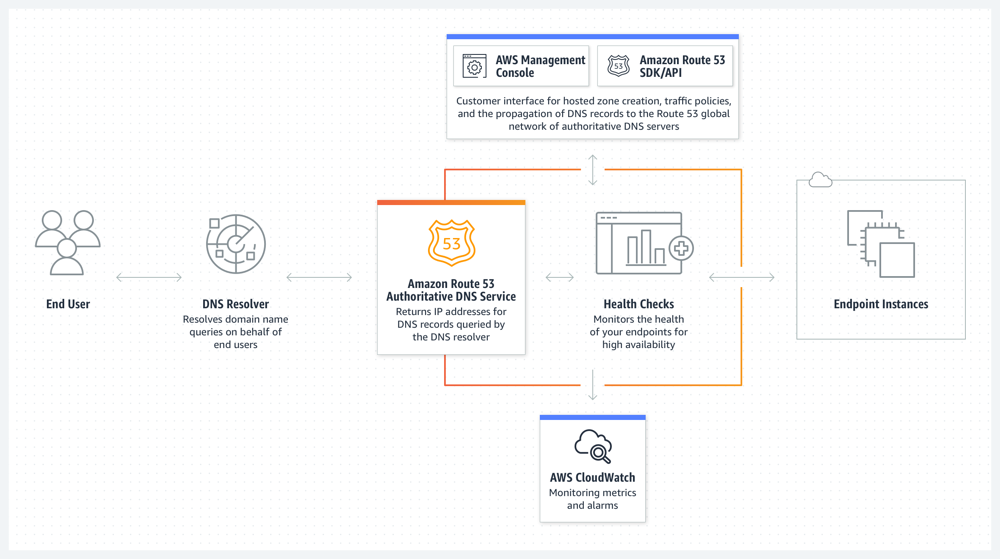
The article covers the following steps:
- Register an Amazon Web Services account
- Enable AWS Route 53
- Create a hosted zone
- Domain resolution
Register an Amazon Web Services Account
Before using AWS Route 53, you need to register an Amazon Web Services account. You will need:
- A common email address
- A common phone number
- A UnionPay/VISA/MasterCard credit card
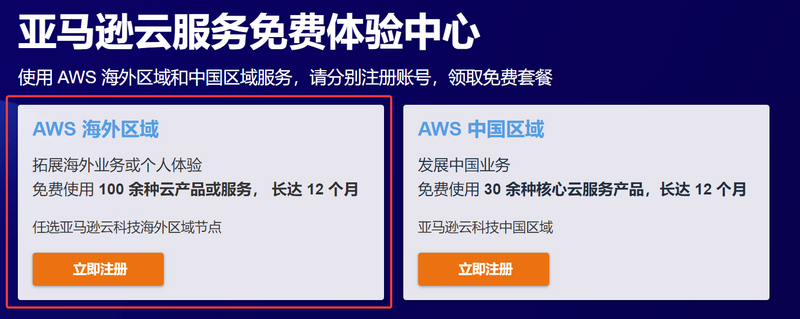
Click the link: Amazon Web Services to go to registration. When registering, make sure to select "Amazon Web Services Overseas Region"; enterprise certification is not required for overseas regions.
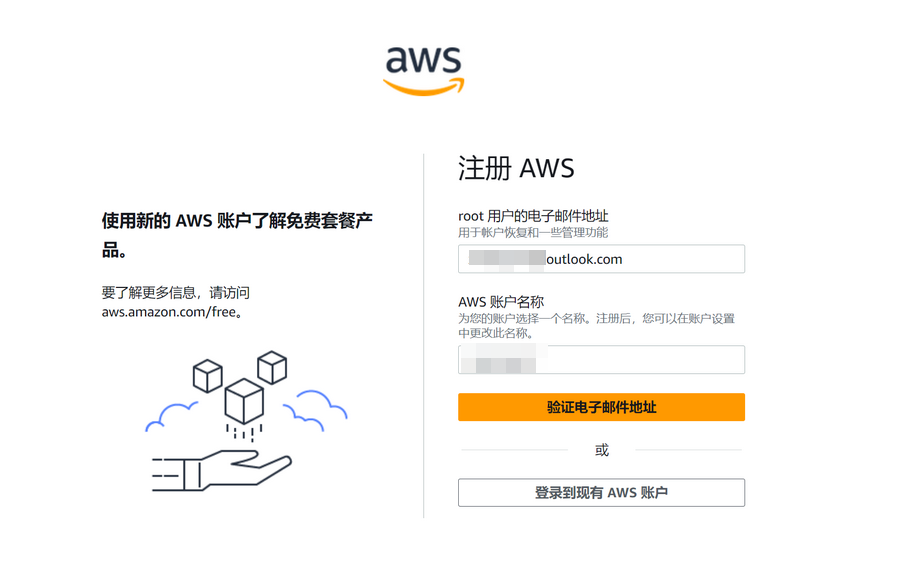
Fill in your email and account name.
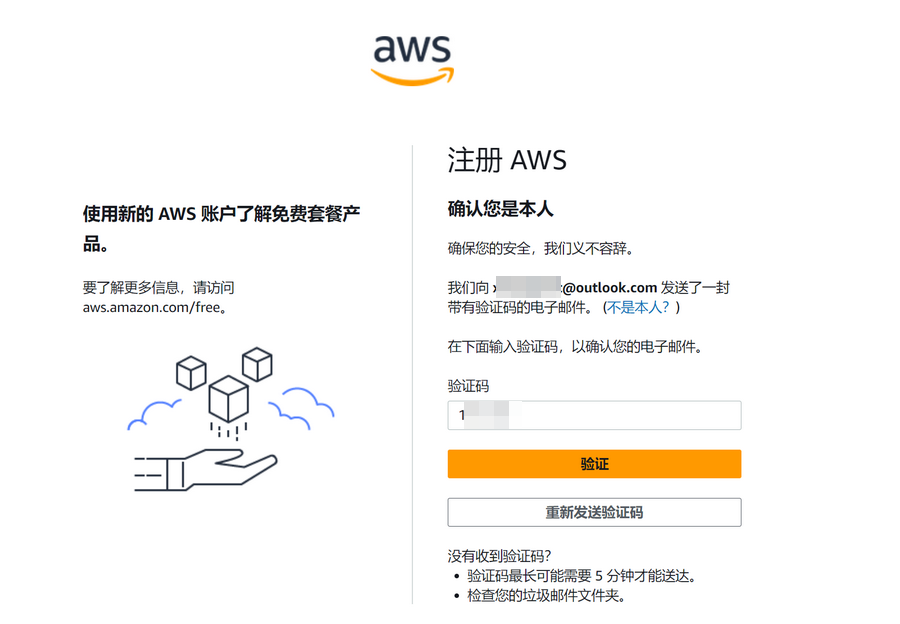
Enter the verification code sent by Amazon Web Services to your email to verify.
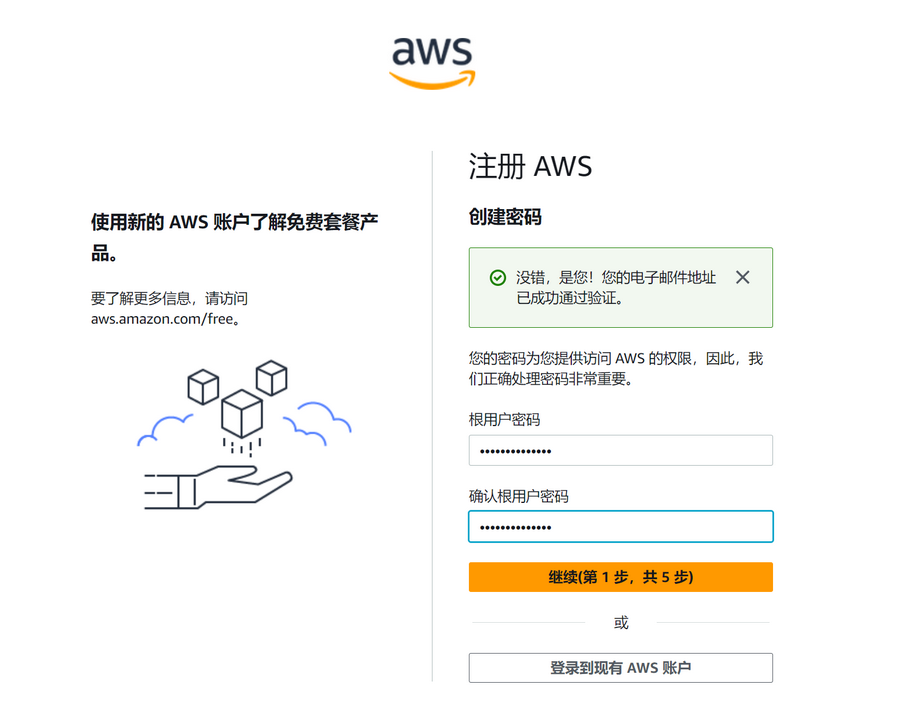
Continue to set up your account password.
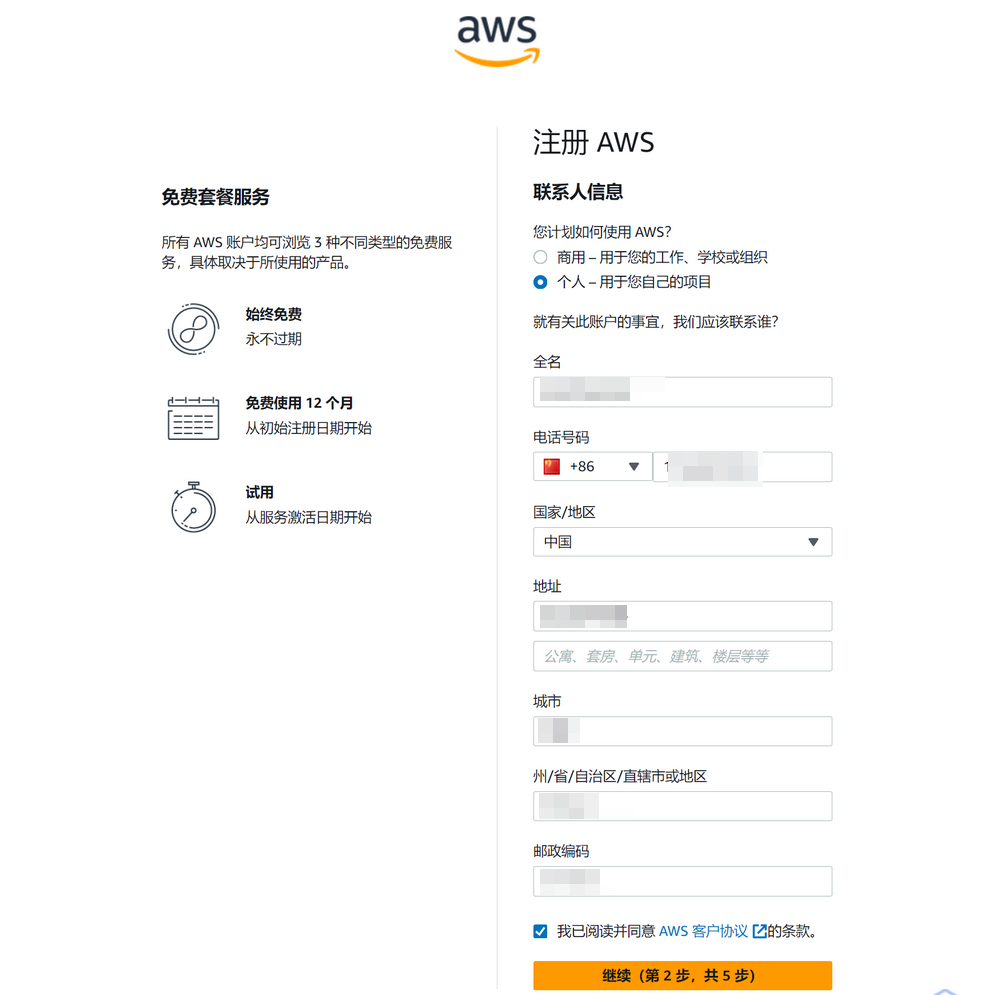
Next, fill in your contact information. Please note:
- Select Individual or Business based on your actual situation; the author selected Individual.
- Full name, phone number, address, and other information must be filled in truthfully. Do not fabricate information, or it may trigger risk control measures.
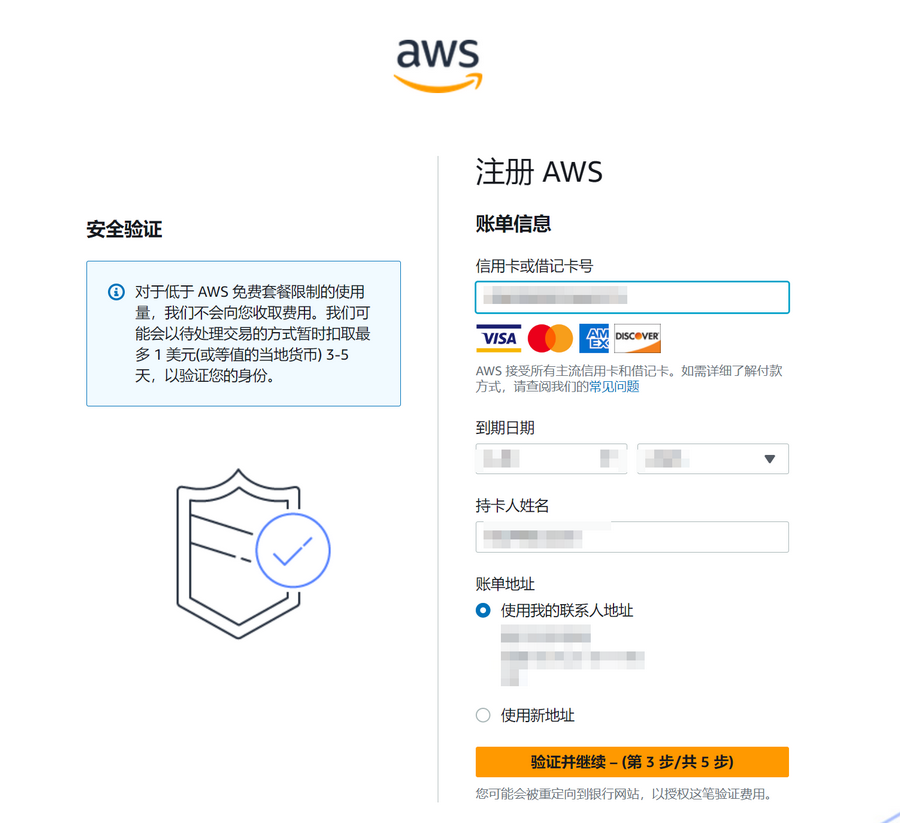
Next, you need to verify using a credit card. UnionPay/VISA/MasterCard/AE credit cards are supported. Fill in the credit card/name/address information according to your actual situation. A maximum of $1 will be temporarily deducted during verification and refunded after verification is successful.
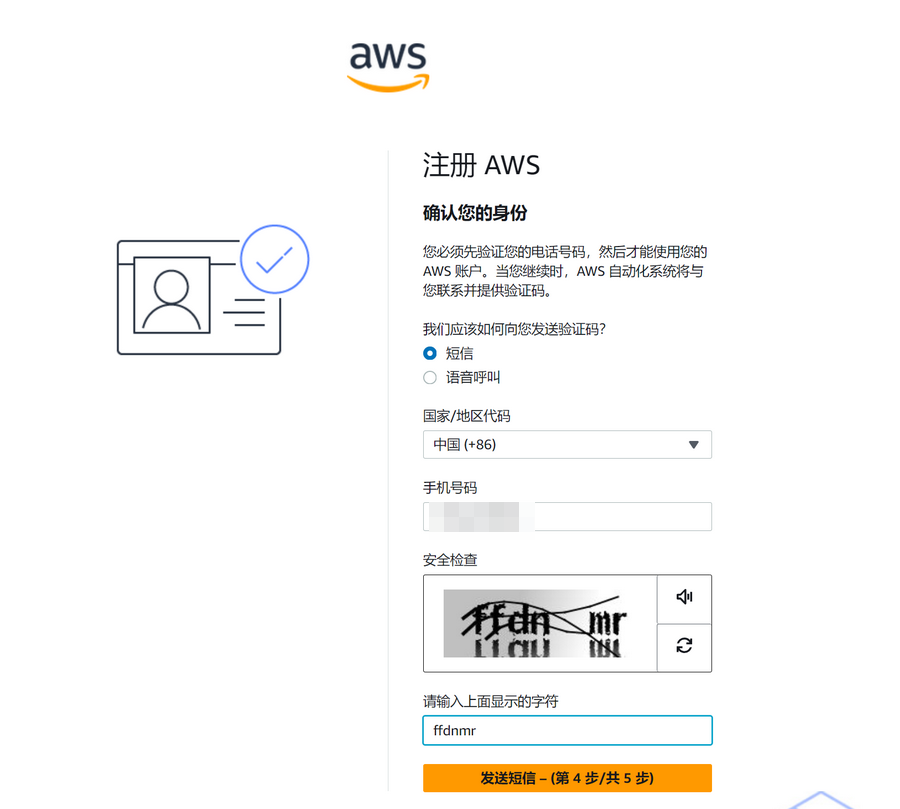
Continue to verify the phone number.
The final step is to select a "Support Plan"; the author selected "Basic Support - Free."
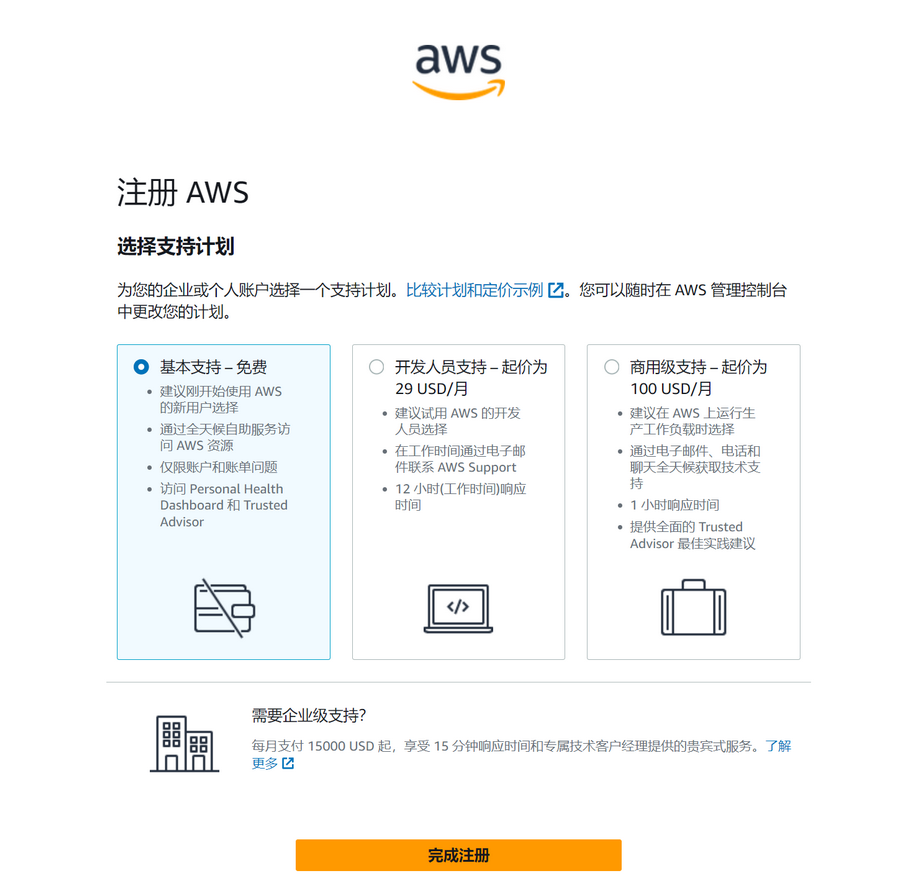
After registration, wait for the account verification to pass before starting to experience the free tier offered by Amazon Web Services.
Enable AWS Route 53
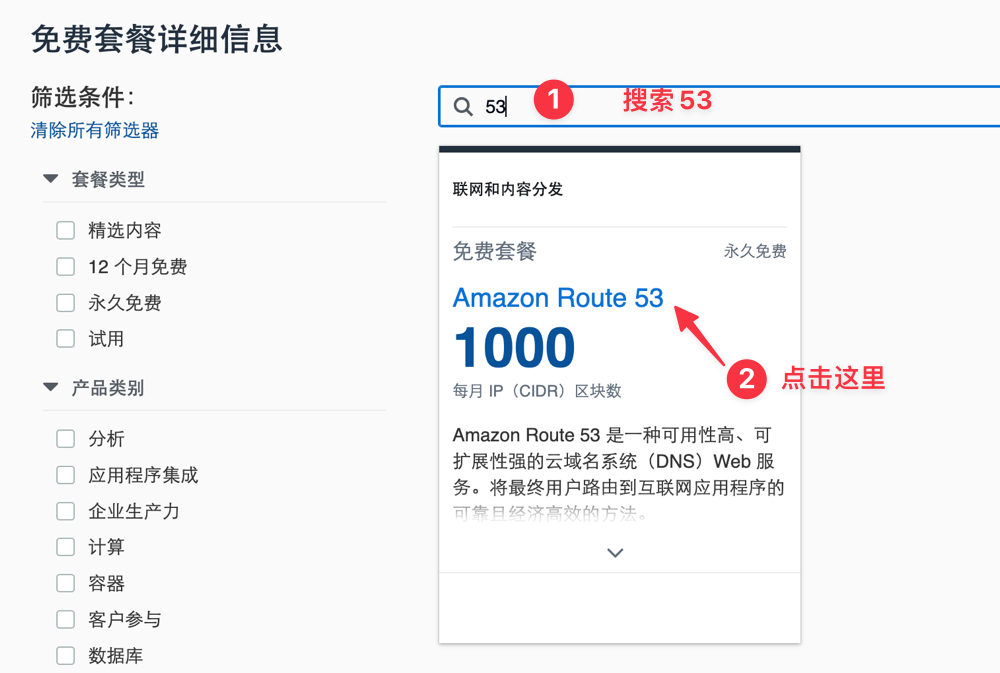
On the Amazon Web Services page, scroll down to find the search box, enter the keyword "AWS Route 53" to find it, and then click to enter the detailed introduction page.
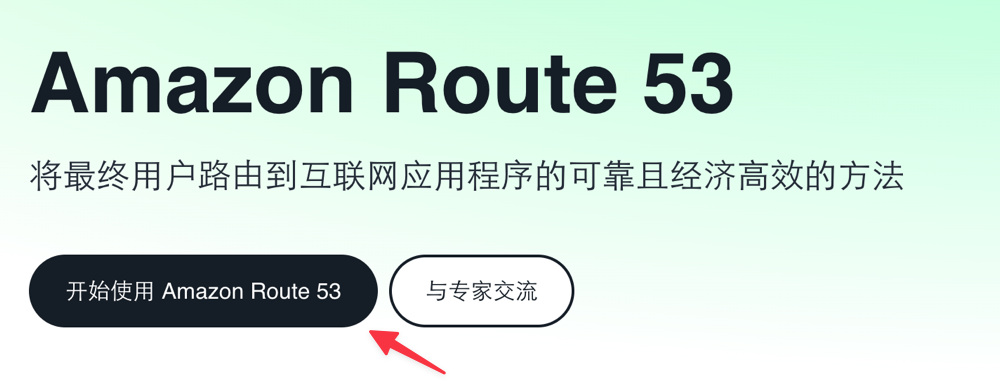
Follow the instructions and click Get Started.
Create a Hosted Zone
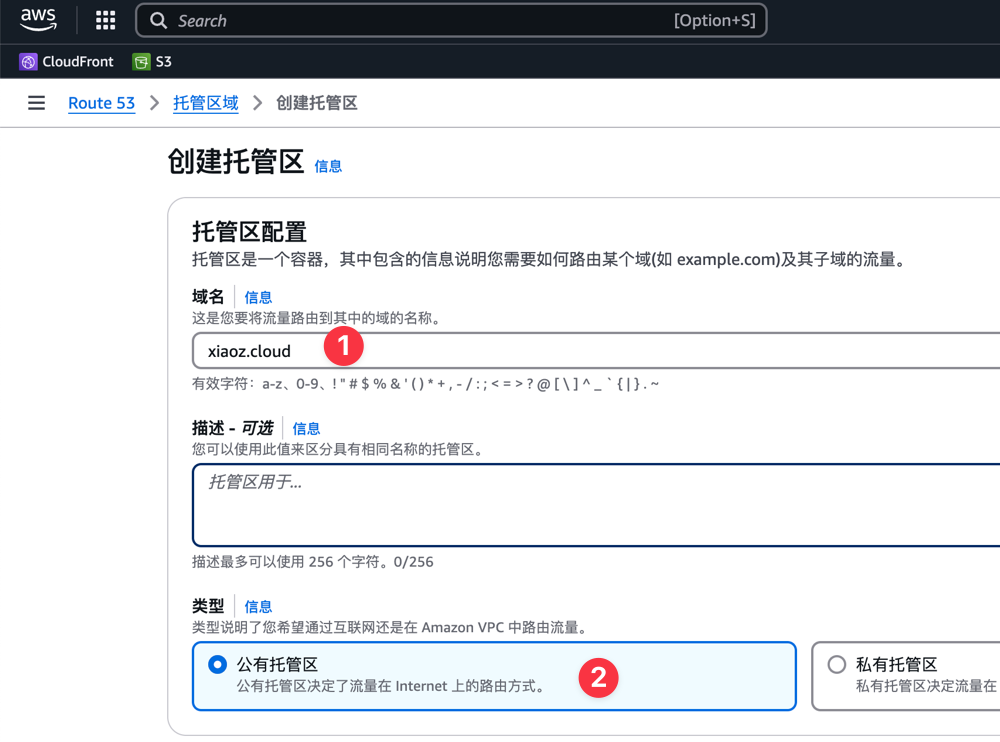
This will take you to the Route 53 Hosted Zones page. Click Create Hosted Zone and enter your domain name. The author uses xiaoz.cloud as an example (select Public Hosted Zone).
After the hosted zone is created, the system will assign 4 NameServers. You need to go to your domain registrar and change the DNS servers to the NameServers provided by Amazon Web Services.
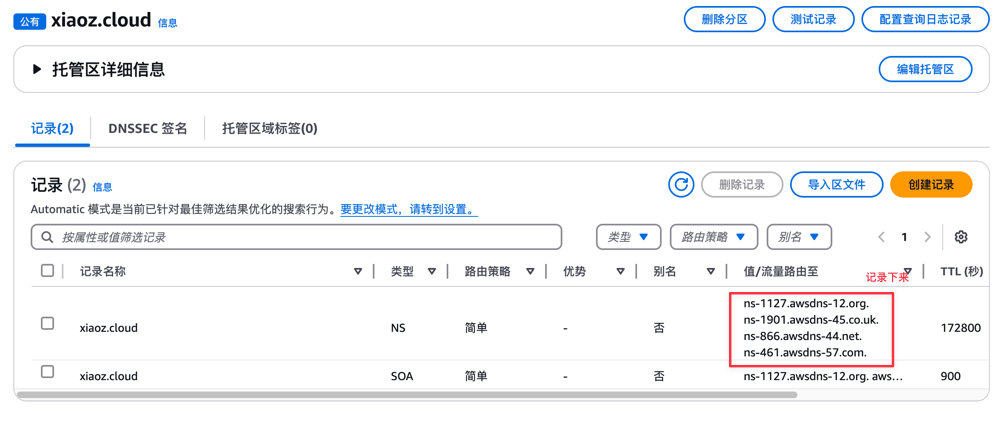
After modification, it will take effect within approximately 1-48 hours. Once effective, you can use the powerful domain resolution features provided by AWS Route 53.
Domain Resolution
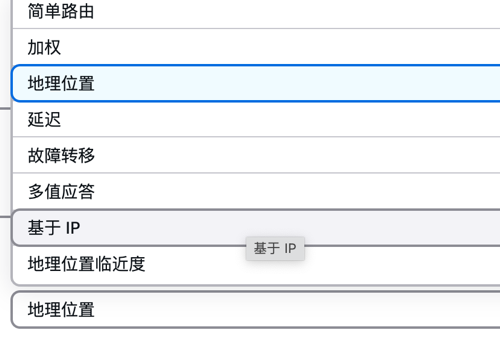
The routing policy features provided by AWS Route 53 are very powerful. For example, you can choose a Geolocation routing policy and specify that any region globally resolves to a specific IP address.
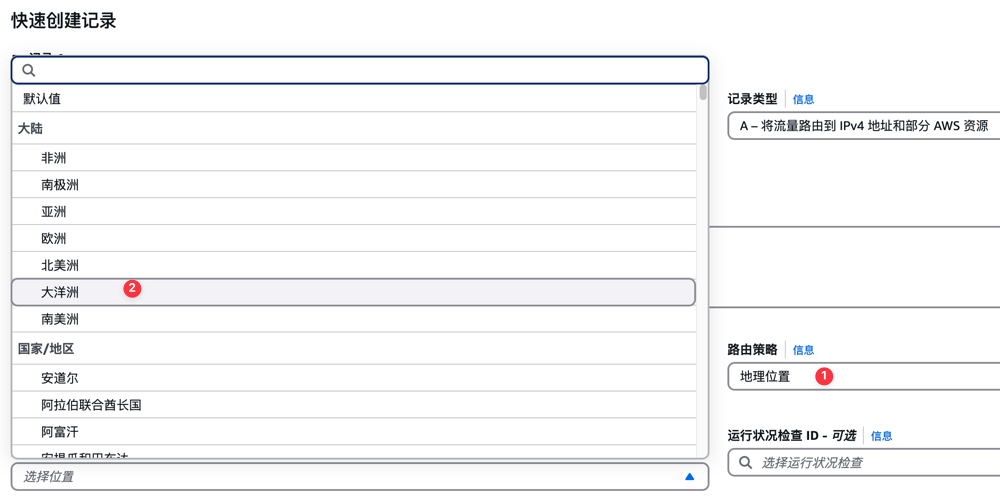
However, the power of routing policies goes far beyond this. You can also choose advanced routing policies such as Weighted, Latency, and IP-based.
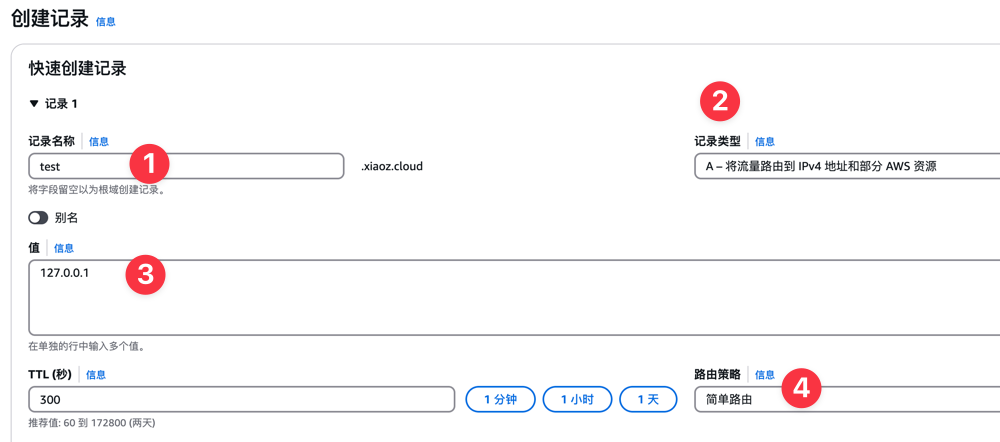
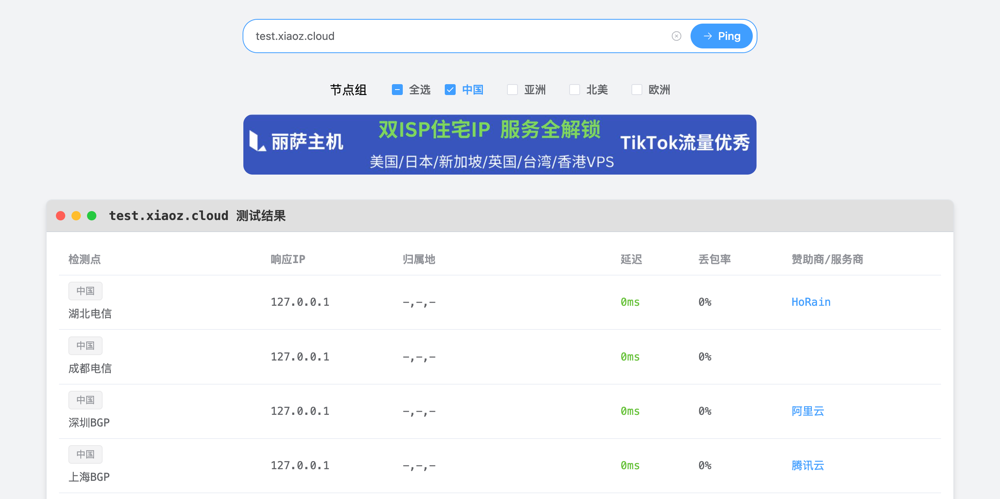
The author resolves test.xiaoz.cloud to 127.0.0.1. You can follow the steps below:
- Record Name: test
- Record Type: A
- Value: 127.0.0.1
- Routing Policy: Simple Routing
Then use the global Ping function provided by TCP.mk, input test.xiaoz.cloud to check if it is effective.
Important Notes
Some features of AWS Route 53 are free, while others incur charges. Please refer to Amazon Route 53 Pricing for details. Before using, ensure you fully understand the pricing strategy and bear the corresponding costs.
Conclusion
If you are interested in other free services from Amazon Web Services, you can visit the Amazon Web Services Free Tier page to learn more details. Through these free services, you can further explore and leverage various cloud solutions from Amazon Web Services to improve your work efficiency and business capabilities.
AWS China Official Website: https://www.amazonaws.cn