Cherry Studio: A Powerful and Versatile AI Client
Recently, after a friend's recommendation, I experienced Cherry Studio, an AI client that features a clean interface and powerful functionality. It supports switching between multiple models and creating custom assistants, significantly boosting work efficiency. I highly recommend it to everyone.
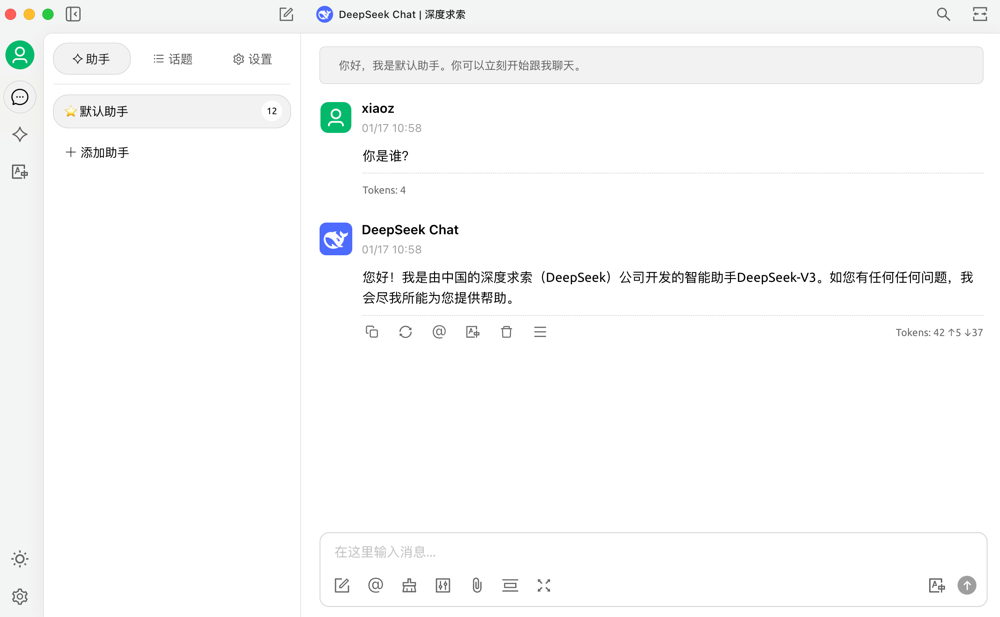
About Cherry Studio
Cherry Studio is an efficient, cross-platform AI local client (supporting Windows, macOS, and Linux). It enables switching between multiple models, document processing, and custom assistant creation, helping you easily handle work and creative needs.
Key Features:
- Supports integration with major large models including OpenAI, Claude, ChatGLM, DeepSeek, and Tongyi Qianwen.
- Includes 300+ pre-configured AI assistants covering 30+ industries.
- Allows simultaneous conversations with multiple models for easy comparison of responses.
- Supports importing knowledge bases for AI-powered retrieval.
- Features AI-driven translation.
- Cross-platform support for Windows, macOS, and Linux.
- Includes WebDAV file management and backup to ensure data security.
- Provides a multi-language interface and AI translation, suitable for global users.
Download Cherry Studio
Visit the official download page at https://cherry-ai.com/download and install based on your platform.
Using Cherry Studio
Cherry Studio does not come with built-in AI services; users must connect third-party large models to use it, which may be slightly complex for beginners.
Open Settings >> Model Services, find the large model you wish to use (I selected Zhipu AI), enable it, and enter your API key.
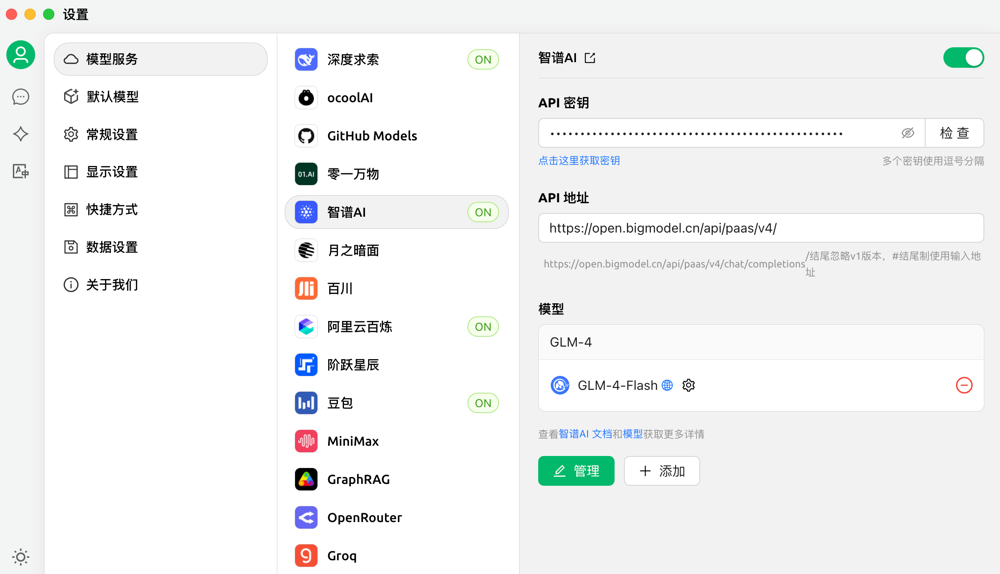
Zhipu AI registration link: https://www.bigmodel.cn/invite?icode=6X4XSXyxcQLbu0asbFK4amtUp%2BVv5Y7bz4UaJu7Zaac%3D. After registering via the invitation, you can get the GLM-4-Air model with 20 million tokens.
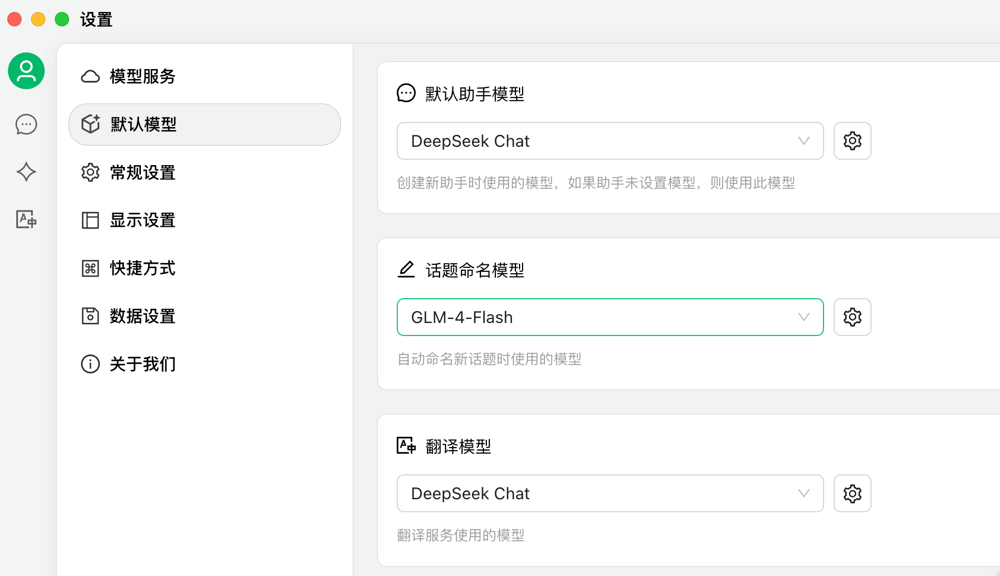
In Settings >> Default Model, you can select the default model for assistants, topics, and translation functions, making the experience more intelligent and tailored to your personal habits.
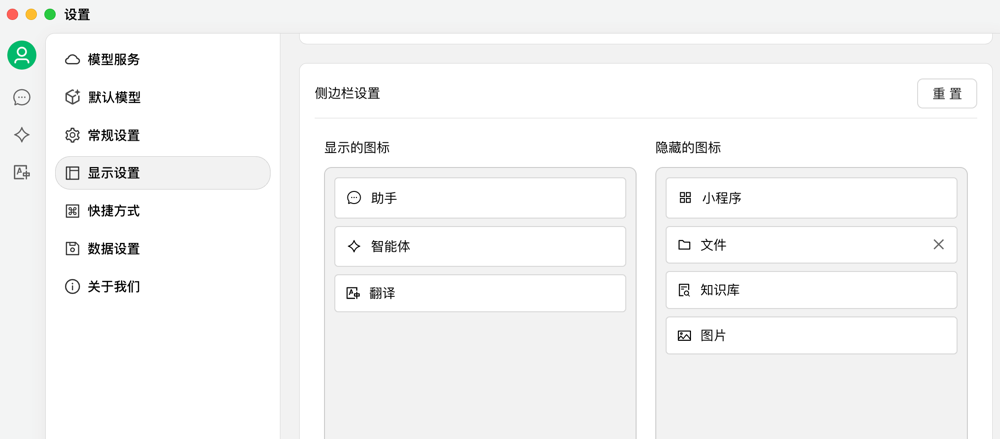
In the display settings, you can drag and hide unwanted images.
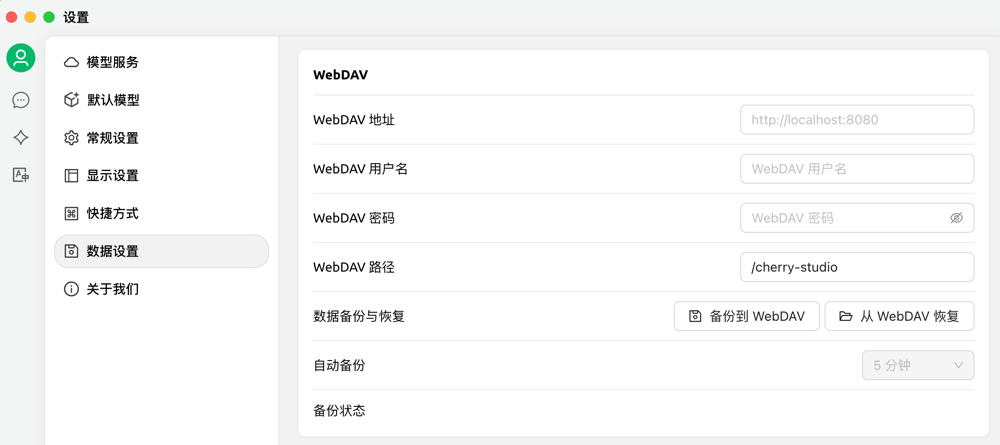
Data can be regularly backed up to WebDAV, ensuring data security while maintaining synchronization across multiple devices.
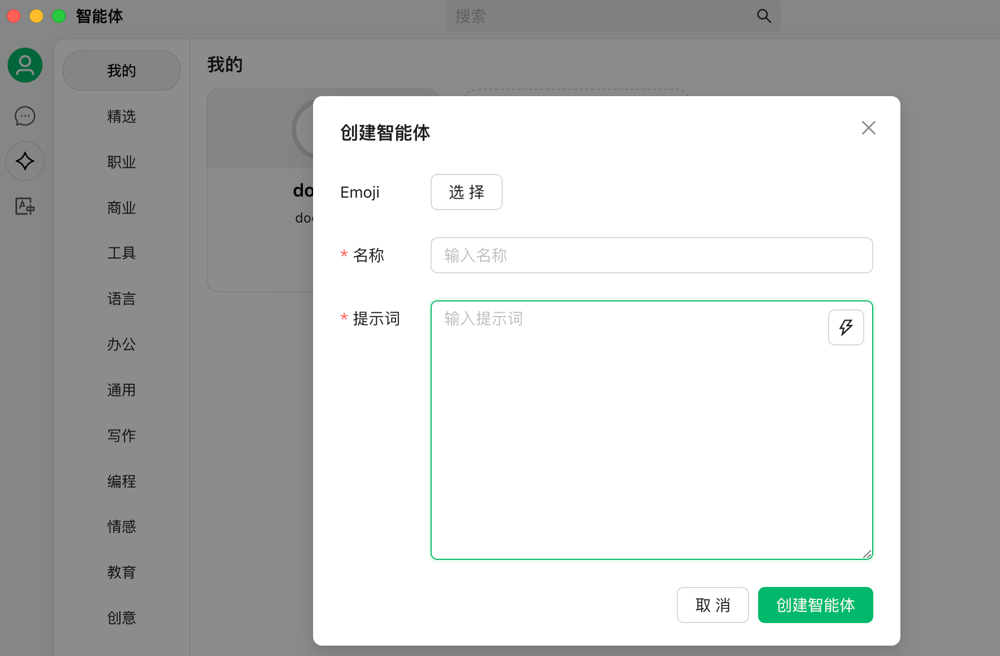
You can also create intelligent agents based on your scenarios, which essentially means customizing prompts.
Conclusion
Cherry Studio is a powerful and flexible AI client suitable for users who need to switch between multiple models and create custom assistants. Although there may be a learning curve for beginners, its cross-platform support, rich features, and high customizability make it an excellent tool for boosting work efficiency and creativity. If you are interested in AI tools, give it a try to start your intelligent workflow!
Cherry Studio project address: https://github.com/CherryHQ/cherry-studio