How to Fix Port Forwarding Issues with iKuai and OpenWrt Side Router
Recently, I configured a network using the "iKuai + OpenWrt side router" mode in the office, and it worked well. However, today I discovered that a port forward was not functioning. After troubleshooting step by step, I found that the issue was caused by the side router.

Suggested Troubleshooting Items
- Check the internal host firewall settings (try disabling the firewall first)
- Check the router firewall settings
- Try changing the public IP port
- Temporarily remove the side router
By using the elimination method, I determined that the problem was caused by the side router mode. When the side router was not used, the iKuai port mapping was effective. So, how can we make iKuai port mapping work while keeping the side router? Please refer to the solution below.
Solution
Without a side router, the mode is as follows:
- Public IP (8.8.8.8:2222) -> iKuai Router (192.168.1.1) -> Internal Host (192.168.1.5:2222)
This works fine. However, after adding a side router, the Public IP (8.8.8.8:2222) became inaccessible. In this case, we need to forward traffic to the side router first, and then have the side router forward it to the internal target host. The mode is as follows:
- Public IP (8.8.8.8:2222) -> iKuai Router (192.168.1.1) -> Side Router (192.168.1.2:2222) -> Internal Host (192.168.1.5:2222)
With this network mode, public traffic can be successfully forwarded to the target host, solving the problem. The specific steps are as follows:
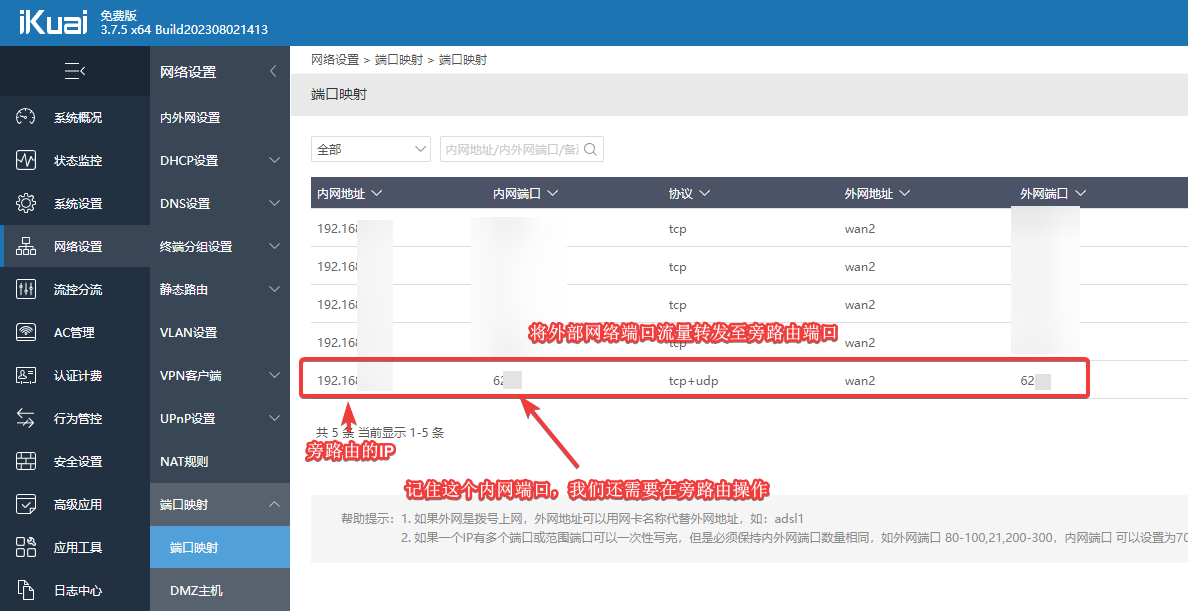
- In the "iKuai Router Backend - Network Settings - Port Mapping", add a forwarding rule to the side router, as shown in the image below.
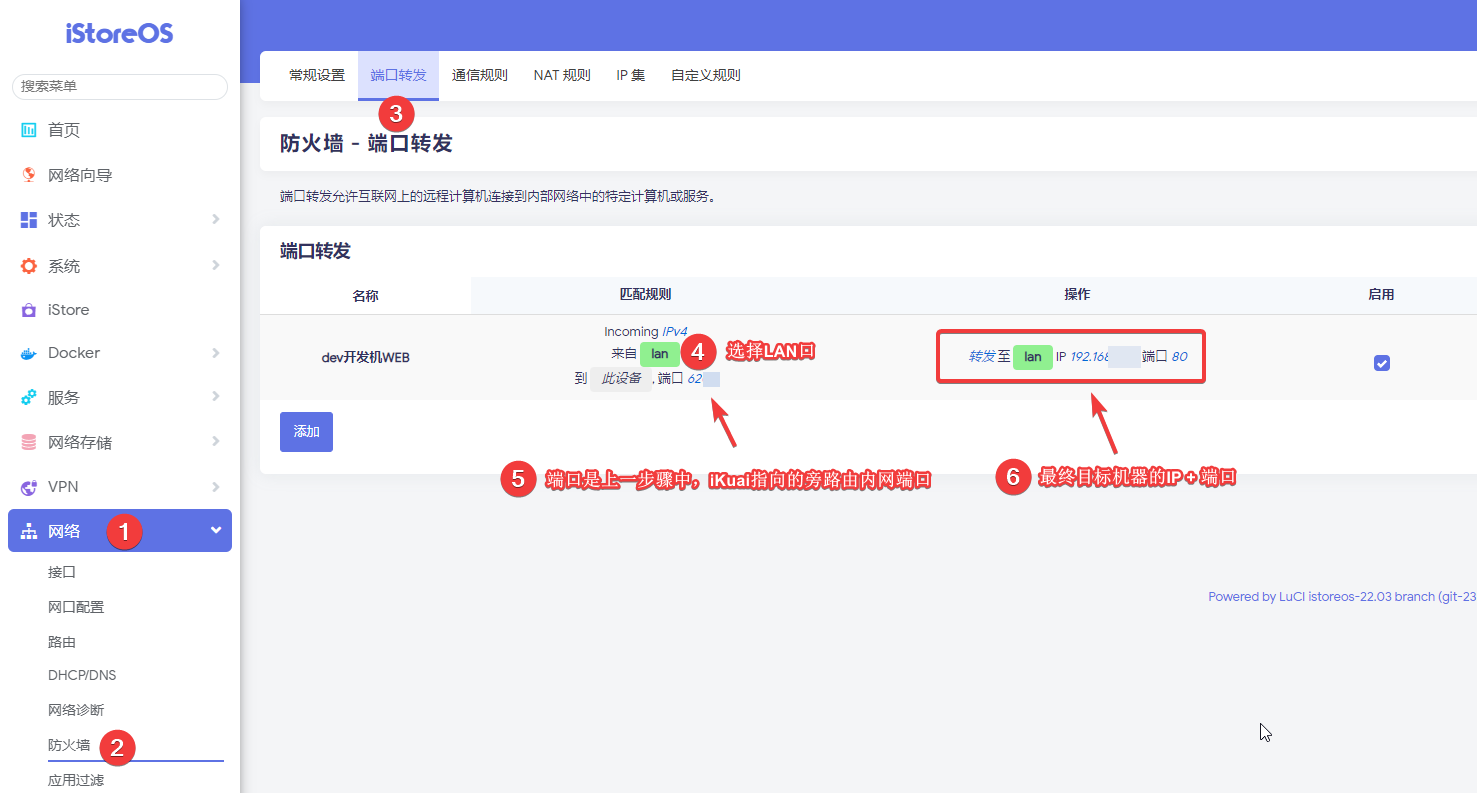
- Log in to the side router (OpenWrt) backend, and in "Network - Firewall - Port Mapping", forward traffic from the LAN port (the internal port from the step above) to the target machine on the internal network, as shown in the image below.
Finally, save and apply the settings.
Summary
- If the gateway of your internal machine points to the main router (192.168.1.1), no mapping is needed on the side router.
- However, if the gateway of your internal machine points to the side router (192.168.1.2), you need to add port mapping on the main router and additionally add port mapping on the side router.