ImgURL Pro v1.12 Update: New IP Blacklist and Security Features
ImgURL Pro is an image hosting program developed using PHP and MySQL. It features simple installation, powerful functionality, and supports image cropping, compression, and automatic content moderation. With easy deployment and convenient management, it is ideal for personal self-hosted image servers or small teams.
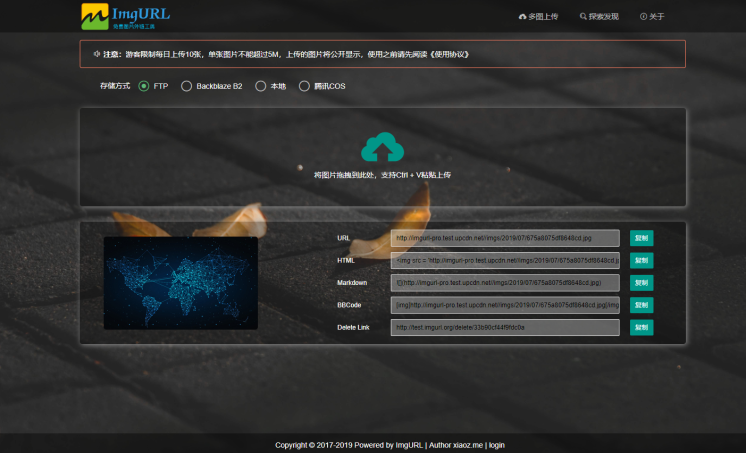
ImgURL Pro Features
- Supports drag-and-drop upload, multi-image upload, Ctrl+V paste upload, and URL upload
- Supports image cropping and automatic thumbnail generation
- Configurable limits on visitor upload quantity, file size, and upload permissions
- Image compression
- Image content moderation (NSFW detection)
- API support
- No advertisements
- Customizable footer copyright
- IP blacklist
- Supports multiple external storage options (local, Backblaze B2, Tencent COS, FTP, Qiniu Cloud)
- Long-term updates and after-sales technical support
v1.12 Update Highlights
- Added IP blacklist functionality
- Added cookie-based interception to block suspicious images from further uploading
- Optimized FTP deletion functionality
- Enhanced image management
Upgrading from Pro v1.1 to v1.12
Existing ImgURL Pro users should refer to the help documentation to complete the upgrade: https://www.yuque.com/helloz/imgurl-pro/upgrade
v1.12 Update Details
This is a minor version update with no major changes. Users can choose to upgrade based on their needs.
IP Blacklist
Starting with version v1.12, the IP blacklist feature is available. It can be configured in the backend under System Settings > IP Blacklist. The system supports single IPs (e.g., 192.168.50.1) or IP ranges (e.g., 192.168.50.), as shown below.
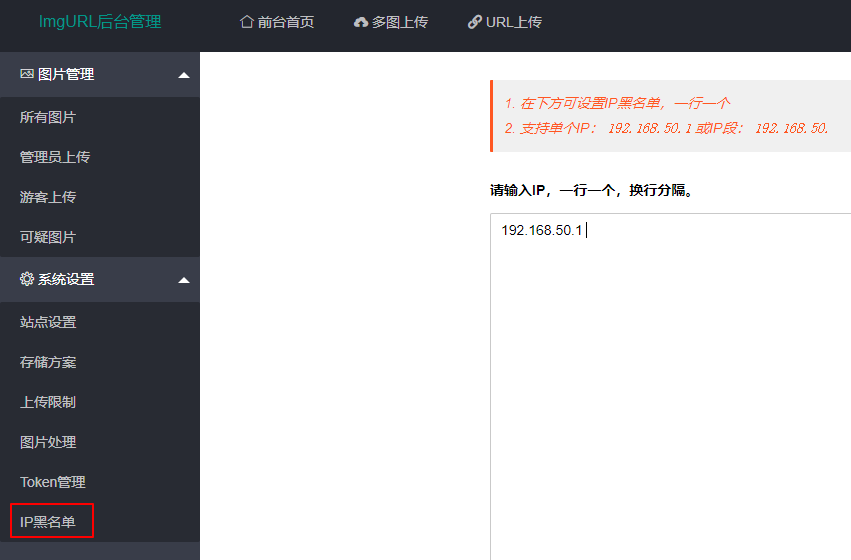
Once the IP blacklist is enabled, the specified IPs will be blocked from accessing the image hosting homepage and the upload API, while other pages remain unaffected.

Added Cookie-Based Interception for Suspicious Images
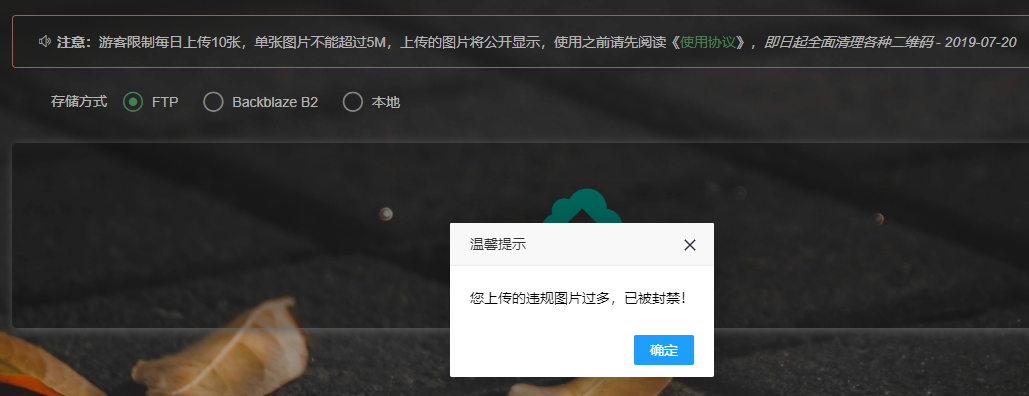
When image content moderation is enabled, if a visitor has uploaded more than 3 suspicious images, they will be blocked from uploading further. This feature relies on cookies to identify and block users. Note that this restriction will be lifted if the visitor clears their browser cache or switches browsers. It is recommended to use this feature in conjunction with the IP blacklist.
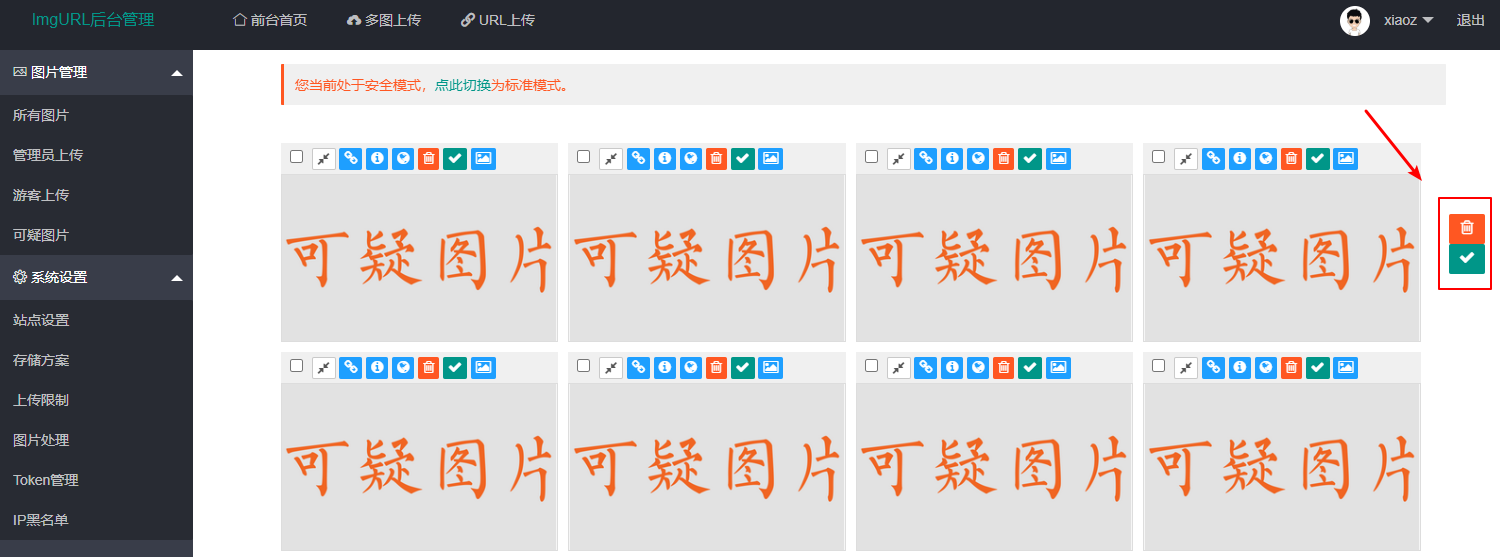
Optimized Suspicious Image Management
In the backend under Image Management, floating action buttons for batch deletion and batch marking as suspicious have been added to the right side. Users no longer need to scroll to the bottom to perform these actions.
Demo Address
- http://test.imgurl.org/
- Username: xiaoz
- Password: xiaoz.me
Final Notes
Purchase ImgURL Pro now to enjoy a 40% discount and long-term updates. Additionally, ImgURL Pro no longer limits the number of subdomains, allowing you to change subdomains as needed.
- Purchase link: https://shop.imgurl.org/order
- 40% discount code: imgurl006 (Valid until 2020/04/30)
- Help documentation: https://dwz.ovh/2