How to Check CPU Count, Cores, and Threads on Windows
windows cpu infocheck cpu corescpu threadssysteminfo commandwmic cpu
Published·Modified·
First, it is important to understand the following definitions:
- Total Cores = Number of Physical CPUs × Cores per Physical CPU
- Total Logical CPUs = Number of Physical CPUs × Cores per Physical CPU × Hyper-threading Count
1. Check the Number of Physical CPUs
Enter systeminfo in the Command Prompt (cmd). The output indicates the number of physical CPUs installed.
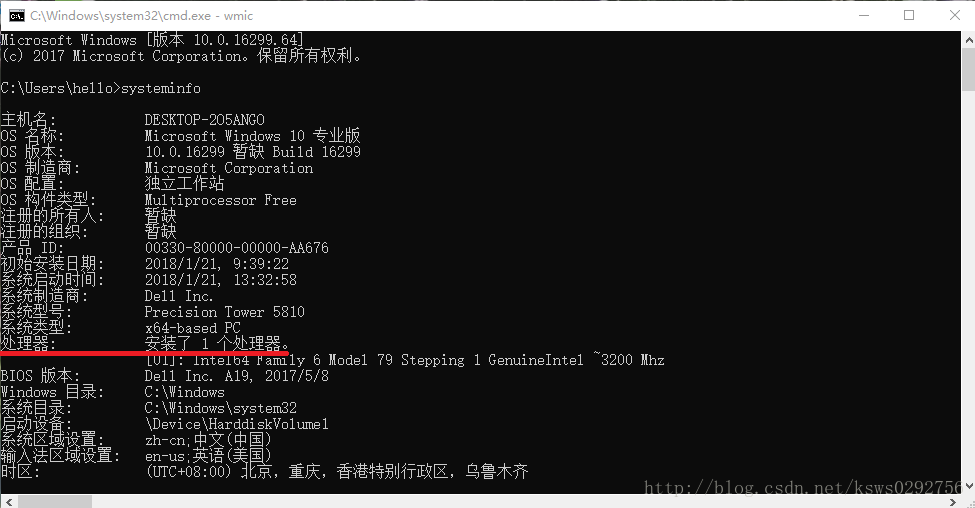
2. Check Physical CPU Count, Cores, and Threads
Enter wmic in the Command Prompt, then type cpu get in the new window that appears.
- NumberOfCores: Represents the number of CPU cores.
- NumberOfLogicalProcessors: Represents the number of CPU threads.
