SpeedPan: Bypass Baidu Netdisk Throttling Without Login
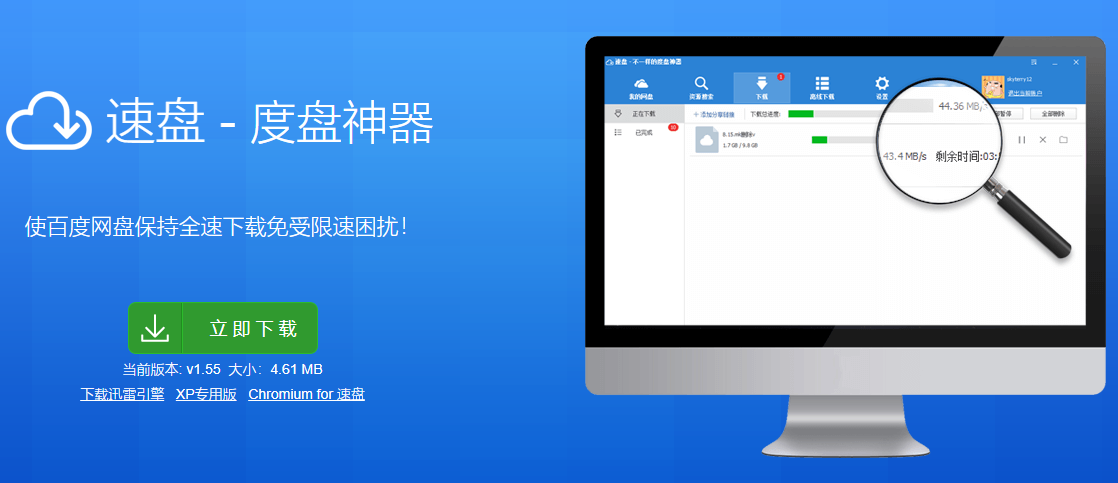
In a previous article, we shared Pan Download, a powerful tool for high-speed Baidu Netdisk downloads. A netizen, @Lisa.Su, mentioned another tool called "SpeedPan" in the comments. After trying it out, the results were quite impressive, so I am sharing it here.
Key Features
- High-speed download of Baidu Netdisk resources without login
- Search for shared resources on Baidu Netdisk
- Personal cloud drive management, including offline download, file moving, and deletion
- Built-in Aria2 multi-threaded download tool
Download and Installation
Like Pan Download, SpeedPan is portable and requires no installation; it works right out of the box.
- Official Download: SpeedPan_v1.55.105.zip
- Backup Link: SpeedPan_v1.55.105.zip
User Experience
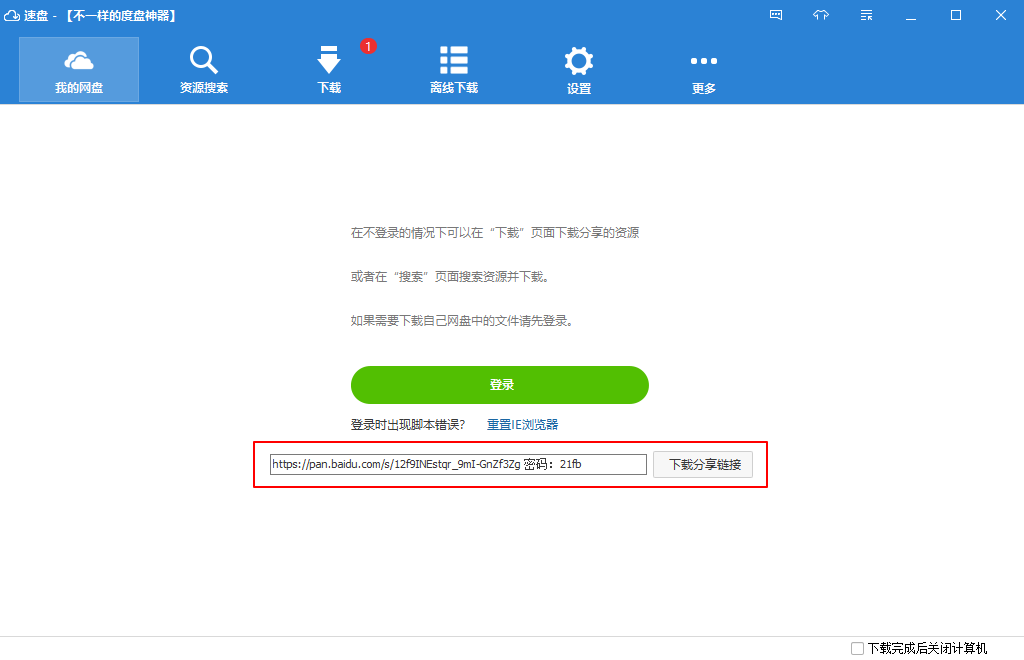
Unlike Pan Download, SpeedPan allows downloads without logging in. You can directly input Baidu Netdisk share links, including those with passwords, as shown in the screenshot below.
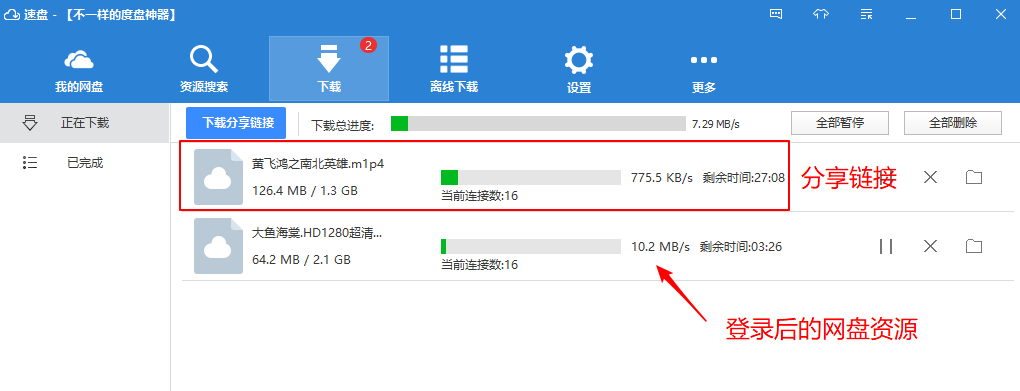
SpeedPan also supports logging into your own Baidu Netdisk account to download files from your personal drive. Comparing downloads with and without login, it feels significantly faster when logged into your own files. See the comparison screenshot below.
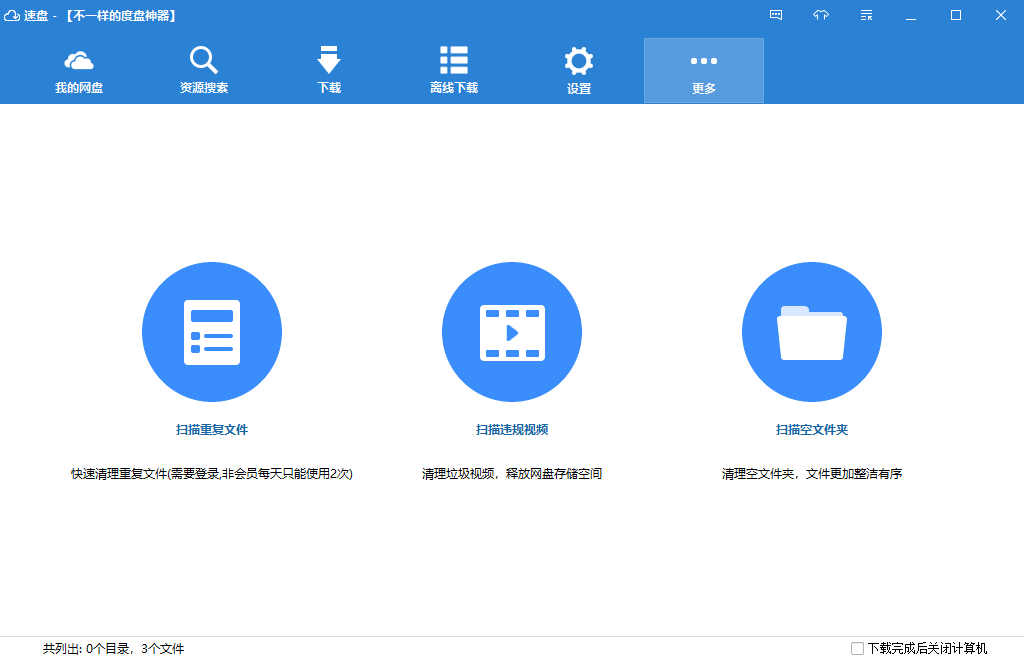
After logging into your Baidu Netdisk account, you can perform basic operations such as offline download, file moving, sharing, and deletion. Additionally, it provides three unique features: scanning for duplicate files, scanning for prohibited videos, and scanning for empty folders.
Important Note
As a third-party tool, its security is not guaranteed. Please use it at your own discretion. To avoid account restrictions by Baidu, it is recommended to use a secondary account to transfer files before downloading.
Conclusion
Compared to Pan Download, SpeedPan allows downloads without login and features a more visually appealing interface, while Pan Download is more minimalist. After logging in, the download speeds seem comparable, both capable of utilizing full bandwidth. The choice ultimately depends on personal preference.
- SpeedPan Official Website: https://www.speedpan.com/
- Help Documentation: https://www.speedpan.com/faq.html